Message Group Overrides
- message group override
- message group
- message group hierarchy
- message group precedence
- email template override
In this guide we will cover:
- The Hierarchy used for message group overrides
- Supplier Message group
- Location of each message group override setting
Hierarchy used for Message Group overrides
The message group that will be used when sending an email to the end user of a ticket in Halo will be determined by the following hierarchy, in which the message group set against the end user of the ticket will override all other mailbox override settings:
- End User of the ticket
- Site
- Customer
- Team assigned to ticket
- Department
- Mailbox
- Organisation
Note: If the agent assigned to the ticket is in multiple departments the message group used will be taken from the department that the team assigned to the ticket is under.
Organisation message group is only used when no other message groups are set.
Supplier Message Group
When a message group is assigned to a supplier this message group will be used when completing any actions that have the following system use:
- Log to supplier
- Email supplier
When using these action the supplier's message group will be used, overriding all other message group settings.
Location of each message group override setting
User
Under customers > users > select a user > preferences tab > override organisation details
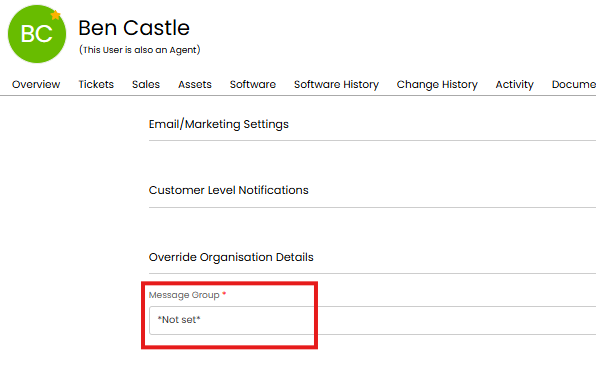
Fig 1. User message group override
Site
Under customers > sites > select a site> settings tab > override organisation details section
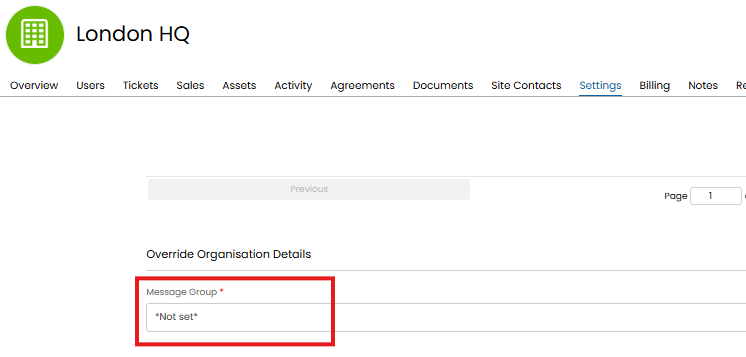
Fig 2. Site message group override
Customer
Under customers > select a customer > settings tab > override organisation details section
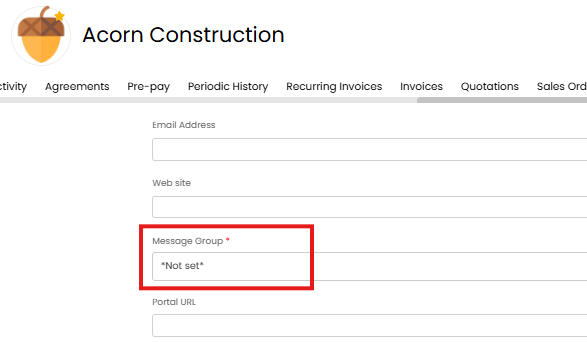
Fig 3. Customer message group override
Team
Under configuration > teams and agents > teams > select a team > details tab > settings section.
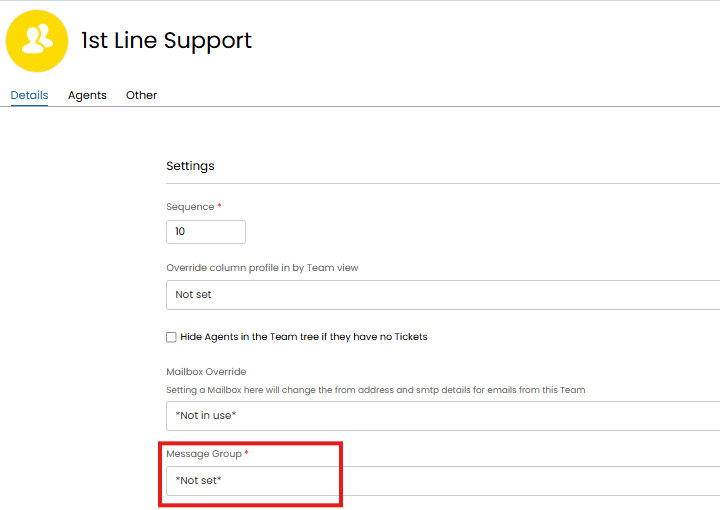
Fig 4. Team message group override
Department
Under configuration > organisations > configure my organisation > departments tab > edit the page > edit a department.
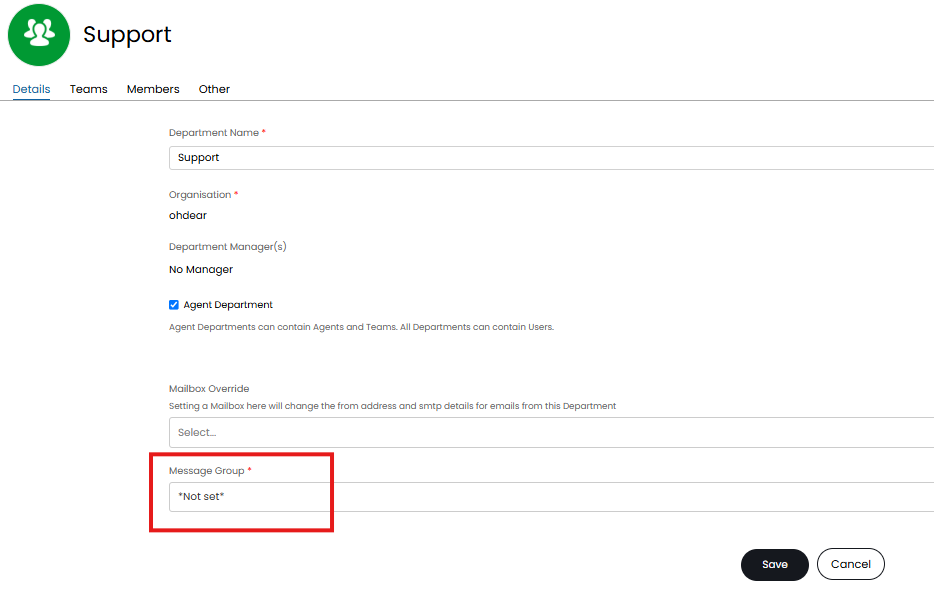
Fig 5. Department message group override
Mailbox
Under Configuration > Email > Mailbox Setup > select a mailbox > Outgoing > Settings section.
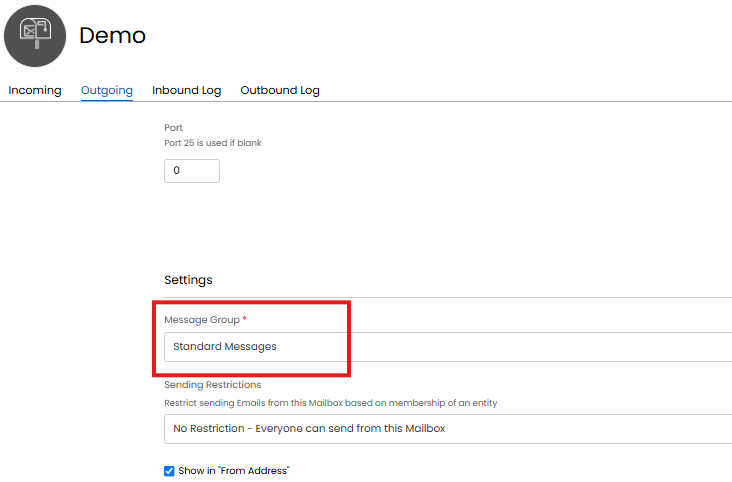
Fig 6. Mailbox message group override
Organisation
Under configuration > organisations > configure my organisation > details tab.
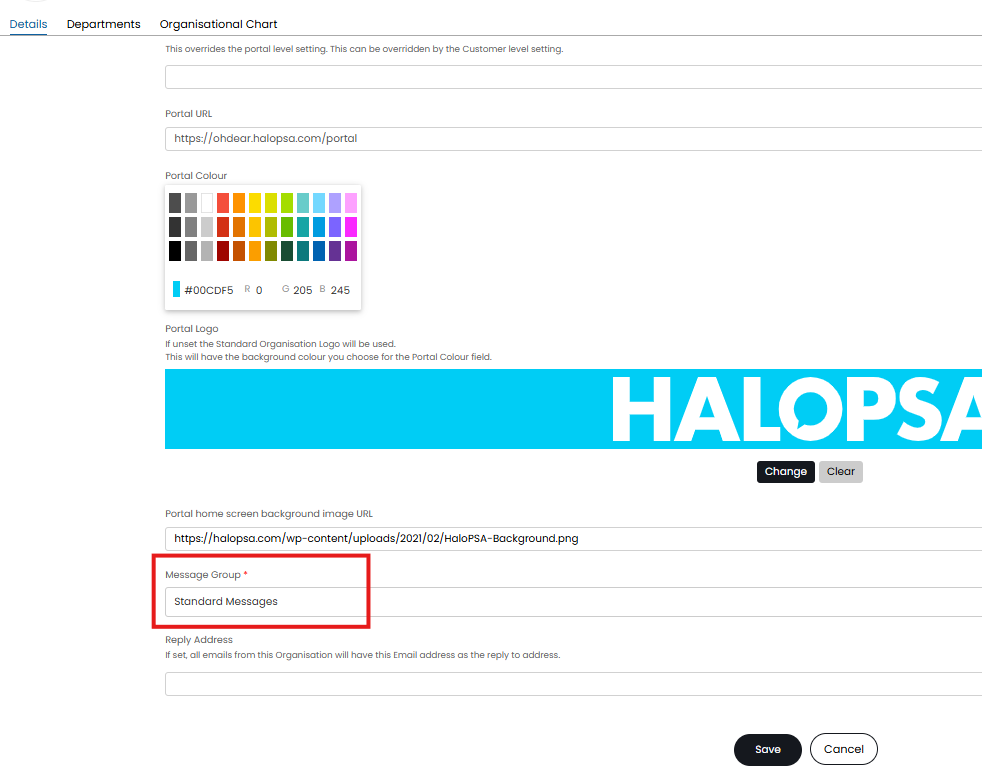
Fig 7. Organisation message group override