Parent/Child and Related Tickets Comparison
In this guide we will cover:
- What is the difference between a Parent/Child or Related Ticket?
- Functionality Available to Each
- Configuring Available Functionality
What is the difference between a Parent/Child or Related Ticket?
A Parent ticket will have child tickets linked to it. Multiple children can be linked to a parent, but each child ticket can only have one parent. It is more of a "project" and "task" relationship, where the children are under the parent.
Related tickets are instead at more of an equal level. Multiple tickets can be related to each other, and a ticket that has been related to one can also be related to others.
Functionality Available to Each
| Functionality | Parent Ticket | Child Ticket | Related Ticket |
| Ticket ID indicates if it is a linked ticket | ✓ (ID: [NUM]-P) | ✓ (ID: [NUM]-C) | ❌ |
| Ticket can be linked to multiple other tickets | ✓ | ❌ [One parent, but can have its own child tickets ("grandchildren")] | ✓ |
| Shows a tab of linked tickets | ✓ | ❌ | ✓ |
| Linked tickets tab can include a count | ✓ | N/A | ✓ |
| Linked tickets tab can show on the Self-Service Portal | ❌ | ✓ | ❌ |
| Can be created from ticket actions | ✓ | ✓ | ✓ |
| End-User of ticket can be defaulted to the agent creating, current end-user, or main contact | ✓ | ✓ | ✓ |
| Can add notes to linked tickets | ✓ | ✓ | ✓ (If many-to-many relationships are disabled) |
| If a linked ticket has unread important notes, the ticket can be highlighted in ticket lists | ✓ | ❌ | ❌ |
| Select system field values can be copied to linked tickets | ✓ | ✓ | ✓ |
| Custom field values can be copied to linked tickets | ✓ | ✓ | ✓ |
| Related assets can be copied to linked tickets | ❌ | ✓ | ❌ |
| Can be created from ticket templates | ✓ | ✓ | ❌ |
| Ticket status can be automatically changed upon linked tickets' closure | ✓ | ✓ (Via an action) | ❌ |
| Actions can be bulk-added to all linked tickets | ✓ | ✓ | ❌ |
| Merging ticket can also merge linked tickets | ✓ | ❌ | ❌ |
| Deleting ticket can also delete linked tickets | ✓ | ❌ | ❌ |
| Emails forwarded from agents can be automatically added to the linked ticket | ✓ | ❌ | ❌ |
Configuring Available Functionality
Showing Counts on Linked Ticket Tabs
The "Child Tickets" tab will show a count by default, but this can be toggled for the "Related Tickets" tab. In Configuration > Tickets > General Settings, enable "Show related Ticket count".

Fig 1. Related Tickets tab with count included
Showing Linked Tickets Tab on the Portal
The "Child Tickets" tab can also be shown in the Self-Service Portal. In Configuration > Tickets > Ticket Types > "Forms" tab, set "Show Child Tasks on the End-User Portal". The child tickets shown can either follow or ignore the user's permissions.
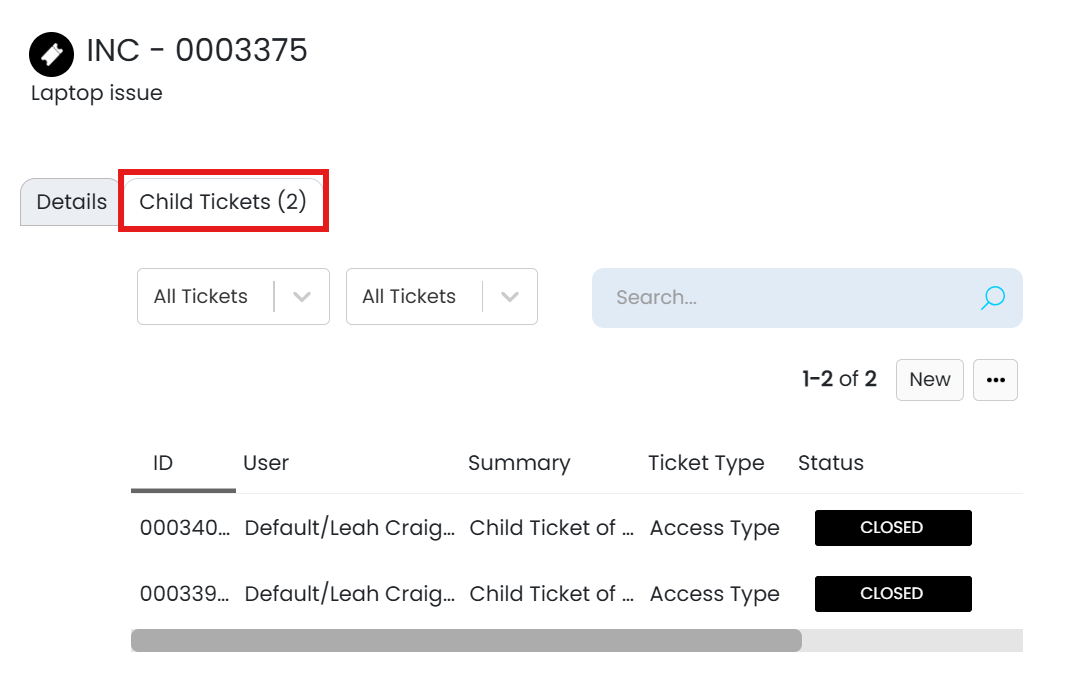
Fig 2. Child Tickets tab on the SSP
Creating Tickets from Actions
In Configuration > Tickets > Actions, an action can be created with the "System Use" of "Create Parent/Child/Related Ticket". Additional options will then show to configure the behaviour of the created ticket, such as the end-user.
In Configuration > Tickets > General Settings, enabling "When creating a Child Ticket, set the user to the Agent creating" will default the end-user to the agent, but this can be overridden by the action itself.
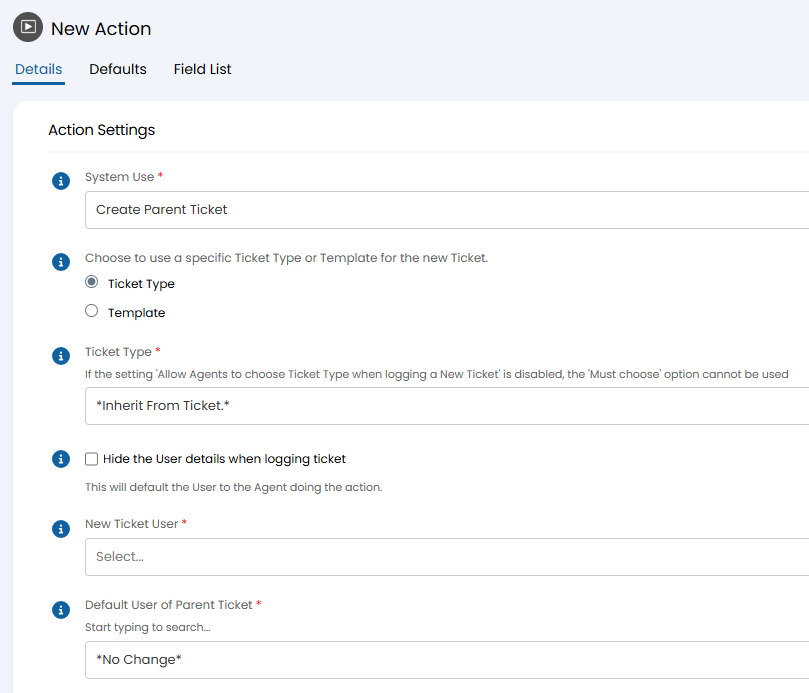
Fig 3. Action to create a parent ticket
Adding Notes to Linked Tickets
In Configuration > Tickets > Actions, an action can be created with the "System Use" of "Add note to Parent/Child/Related Ticket". Additional options will then show to configure the behaviour of the note.
This can also be set globally in Configuration > Tickets > General Settings by enabling "When Actions are added to a Parent Ticket by an Agent, also add to all Child Tickets".
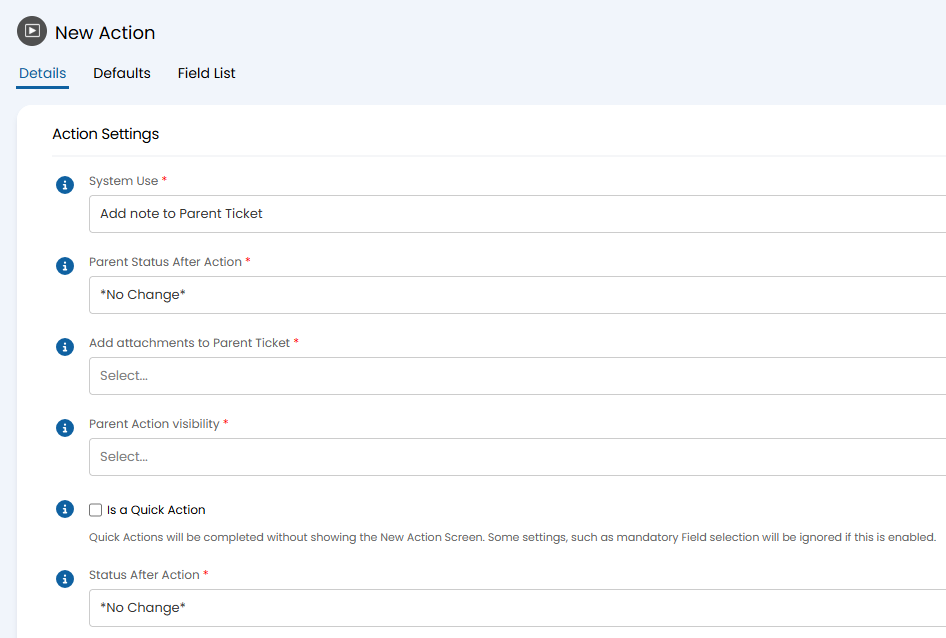
Fig 4. Action to add a note to a parent ticket
Highlighting Unread Notes
In Configuration > Tickets > General Settings, enable "Highlight Parent Tickets with unread important Child notes in the Ticket list". A star icon will show in the ticket list.
Note: The "Flags" column must be added to the column profile.

Fig 5. Important icon in a column profile
Copy System Field Values
On select system fields, i.e. Category fields, the values can be copied between linked tickets. In Configuration > Tickets > Ticket Types, go to the "Field List" tab and edit the field. Enable the relevant "Copy values to" option at the bottom of the popup.
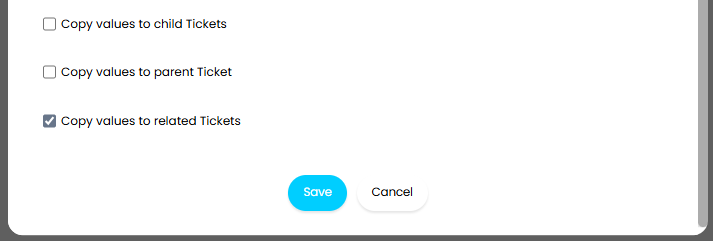
Fig 6. Copy values option on a system field
Copy Custom Field Values
Values can also be copied for custom fields. In Configuration > Custom Objects > Custom Fields, choose the field and enable the relevant "Copy values" option(s) at the bottom.
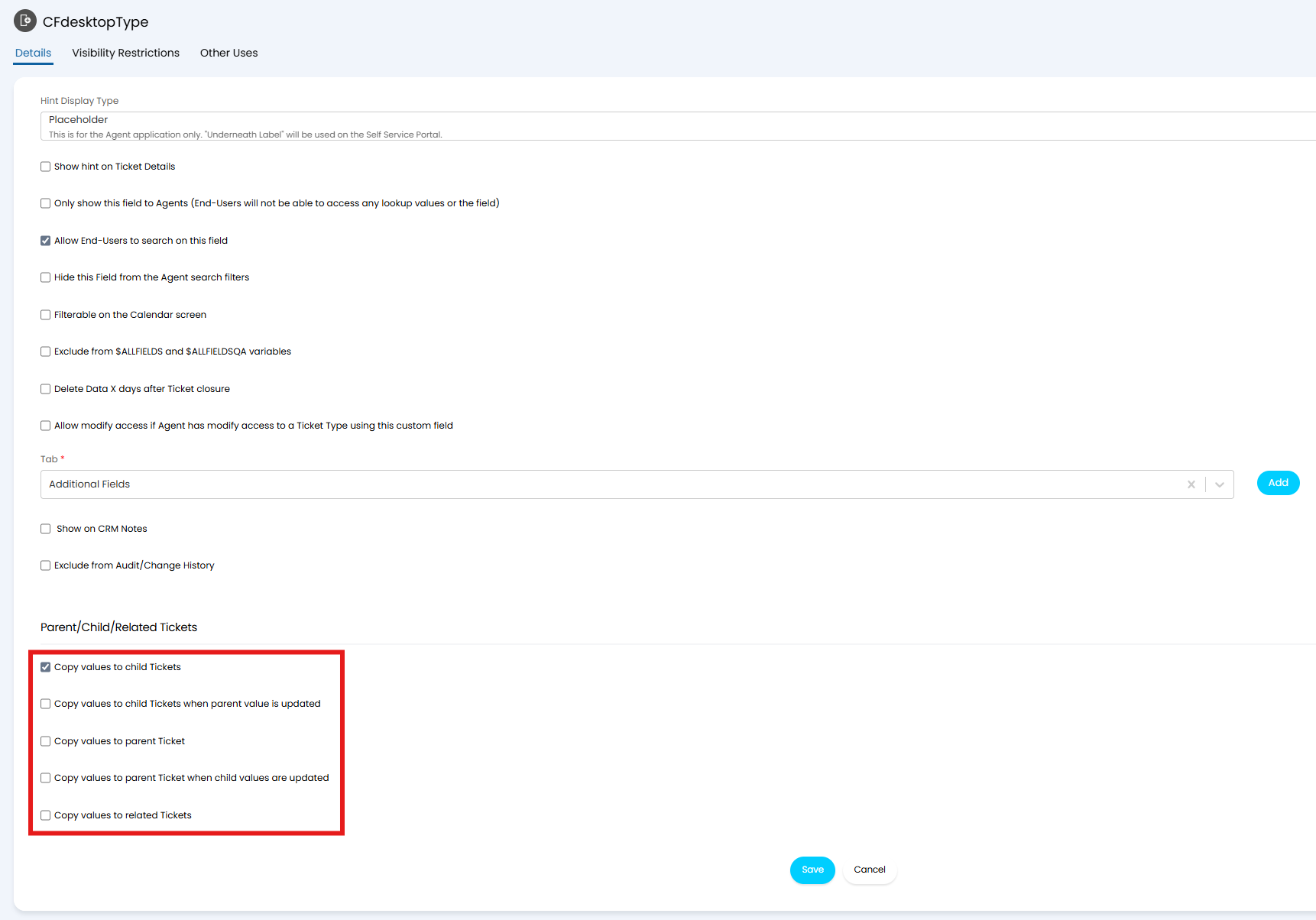
Fig 7. Copy values option on a custom field
Copy Related Assets to Linked Tickets
Assets can be copied from a child ticket to its parent. In Configuration > Tickets > Ticket Types, go to the "Settings" tab and enable "When linking to a parent Ticket, add the related Assets to the parent Ticket".
Creating Tickets from Templates
In Configuration > Tickets > Templates, go to the "Children" tab. Any Child Templates added here will create as child tickets, making the "main" template the parent.
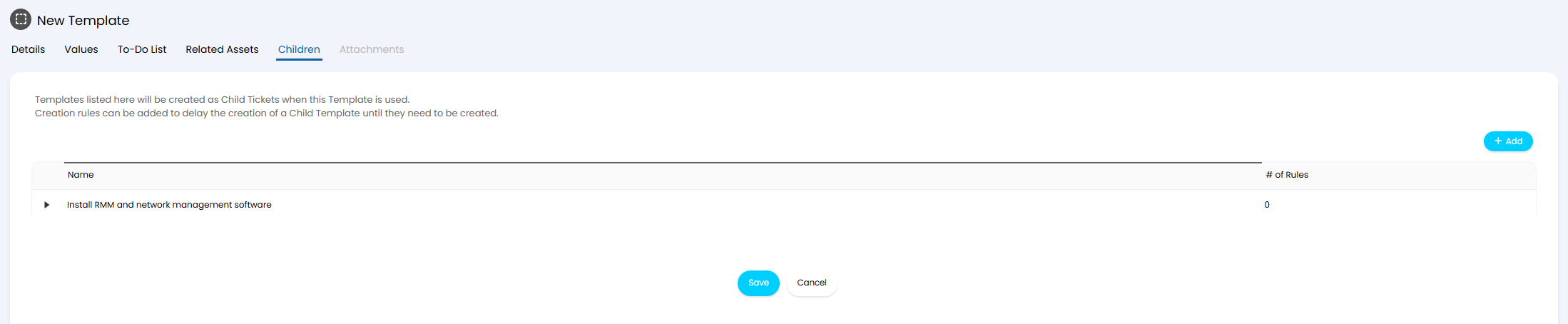
Fig 8. Templating child tickets
Updating Status of Linked Tickets
In Configuration > Tickets > General Settings, a default can be set for the "Parent Status after all Child Tickets are closed". This can also be set to "No Change". This can be overridden by setting it on the ticket type that is used as the child (within the "Settings" tab).
Merging Linked Tickets
The behaviour of child tickets can be configured in Configuration > Tickets > General Settings by setting "When merging a Parent Ticket, do the following with the Child Tickets".
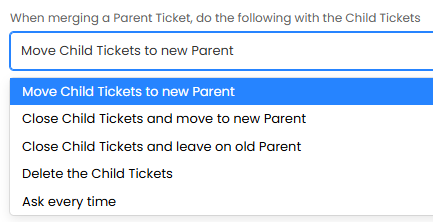
Fig 9. Merging behaviour options
Deleting Linked Tickets
If deleting a parent ticket, its children can also be deleted by enabling "Delete all Child Tickets when Deleting a Parent Ticket" in Configuration > Tickets > General Settings.
Forwarding into Linked Tickets
Emails forwarded onto child tickets can be copied onto its parent. In Configuration > Email > General Settings, enable "Allow forwarded emails from Agents to also update the parent Ticket".
This email has been forwarded onto a child ticket.
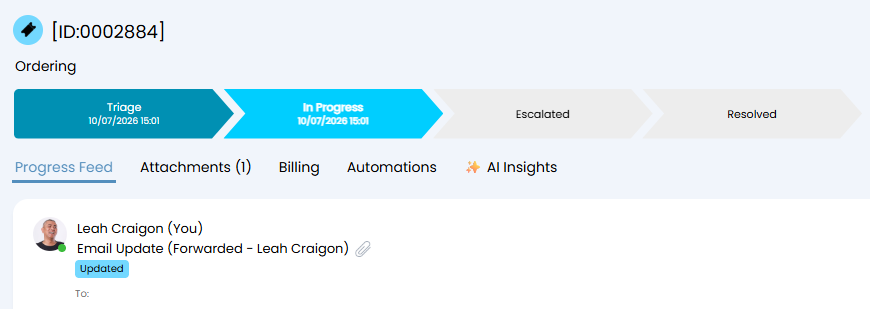
Fig 10. Email forwarded into a child ticket
The same email is also added to the parent, stating it came from a child ticket.
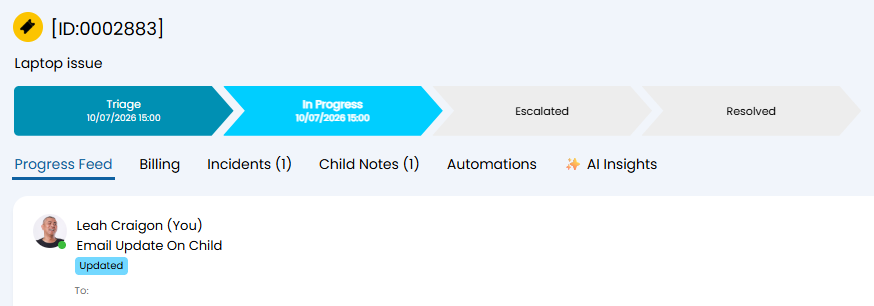
Fig 11. Email copied onto the parent ticket