SLA Hold Reminder Overrides
- sla hold reminders
- sla
- notifications
- service level agreements
- sla hold
- sla override
- sla hierarchy
In this guide we will cover:
- Hierarchy Used for SLA Hold Reminders
- Locations to Enable
Hierarchy Used for SLA Hold Reminders
SLA hold reminders follow a slightly different process from a typical override hierarchy. Instead of one taking precedence over another, disabling one takes precedence over any of the other areas where it is enabled.
They require every location listed below to be enabled in order for them to be sent to the End-User. If any are disabled, the reminder will not be sent. This means if you wish to send reminders on certain Tickets but not others, they must be enabled globally and then enabled/disabled in another area - either Ticket Type, Status, or the SLA used.
For example:
If enabled globally, on the Ticket Type, on the Status, but not on the SLA the Ticket uses, the reminder would not be sent.
If the same Ticket Type and Status was set on another Ticket using a different SLA that does have it enabled, the reminder would be sent.
Locations to Enable
Ticket Type
In Configuration > Tickets > Ticket Types, choose a ticket type and go to the "Settings" tab. Set "Enable sending of SLA hold reminders".
If disabled, any Tickets of this Ticket Type will not send SLA Hold reminders.
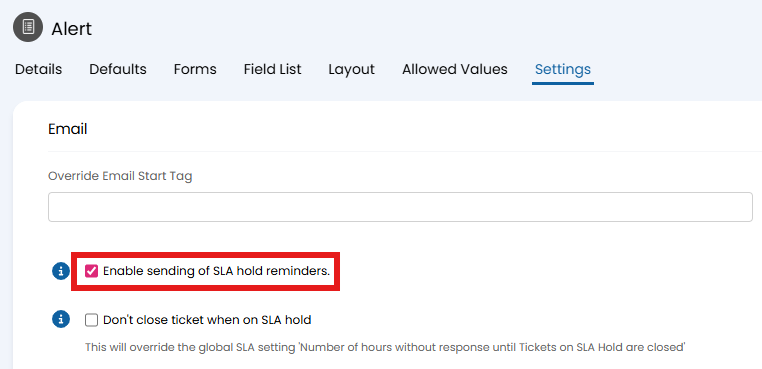
Fig 1. Ticket type reminder option.
Status
In Configuration > Tickets > Statuses, choose a status and go to the "Details" tab. Set "Enable sending of SLA hold reminders".
If disabled, any Tickets using this Status will not send SLA Hold reminders.
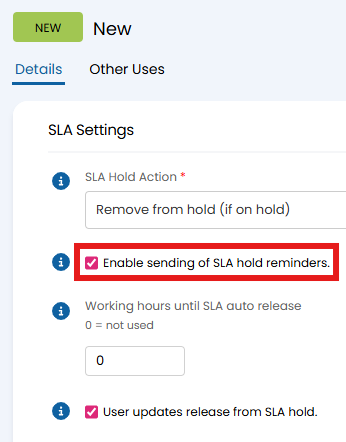
Fig 2. Status reminder option.
Service Level Agreement (SLA)
In Configuration > Service Level Agreements > Service Level Agreements, choose an SLA and go to the "Details" tab. Set "Send SLA reminders for Tickets with this SLA".
If disabled, any Tickets with this SLA will not send SLA Hold reminders.
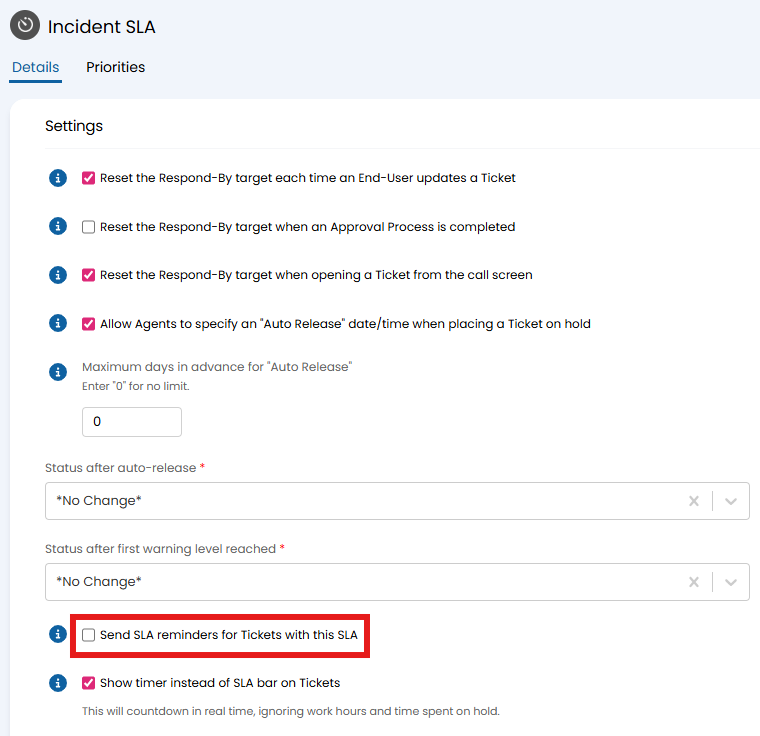
Fig 3. SLA reminder option.
Global
In Configuration > Service Level Agreements > General Settings, set "Enable SLA Hold Reminder Emails".
Note: If you wish to send SLA Hold reminders anywhere within your system, this must be enabled globally. As the most general one in this list, it applies throughout the system.
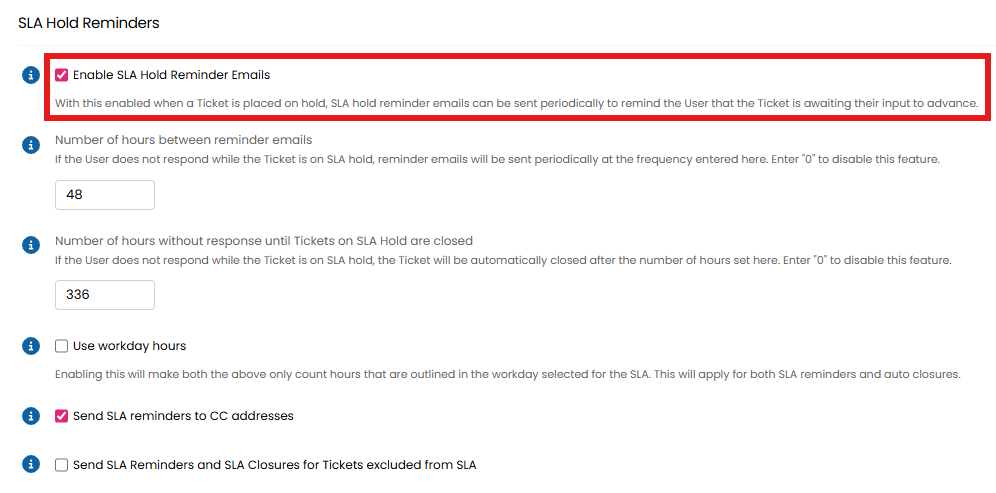
Fig 4. Global reminder option.