Chat Profile (for Self-Service Portal) Overrides
- self service portal
- chat
- portal
- chat profile
- ssp
In this guide we will cover:
- Hierarchy Used for Chat Overrides
- Override Locations
Different chat profiles can be overridden for Users within the Self-Service Portal with the below areas of the system.
Hierarchy Used for Chat Overrides
The chat profile that will be used within the Self-Service Portal will be determined by the following hierarchy:
- User Role
- Customer
- Organisation (if multi-tenancy is used)
- Global
Override Locations
User Role
Under Configuration > Users > User Roles > select a role > Permissions tab > 'Self Service Portal Chat Profile Override'.
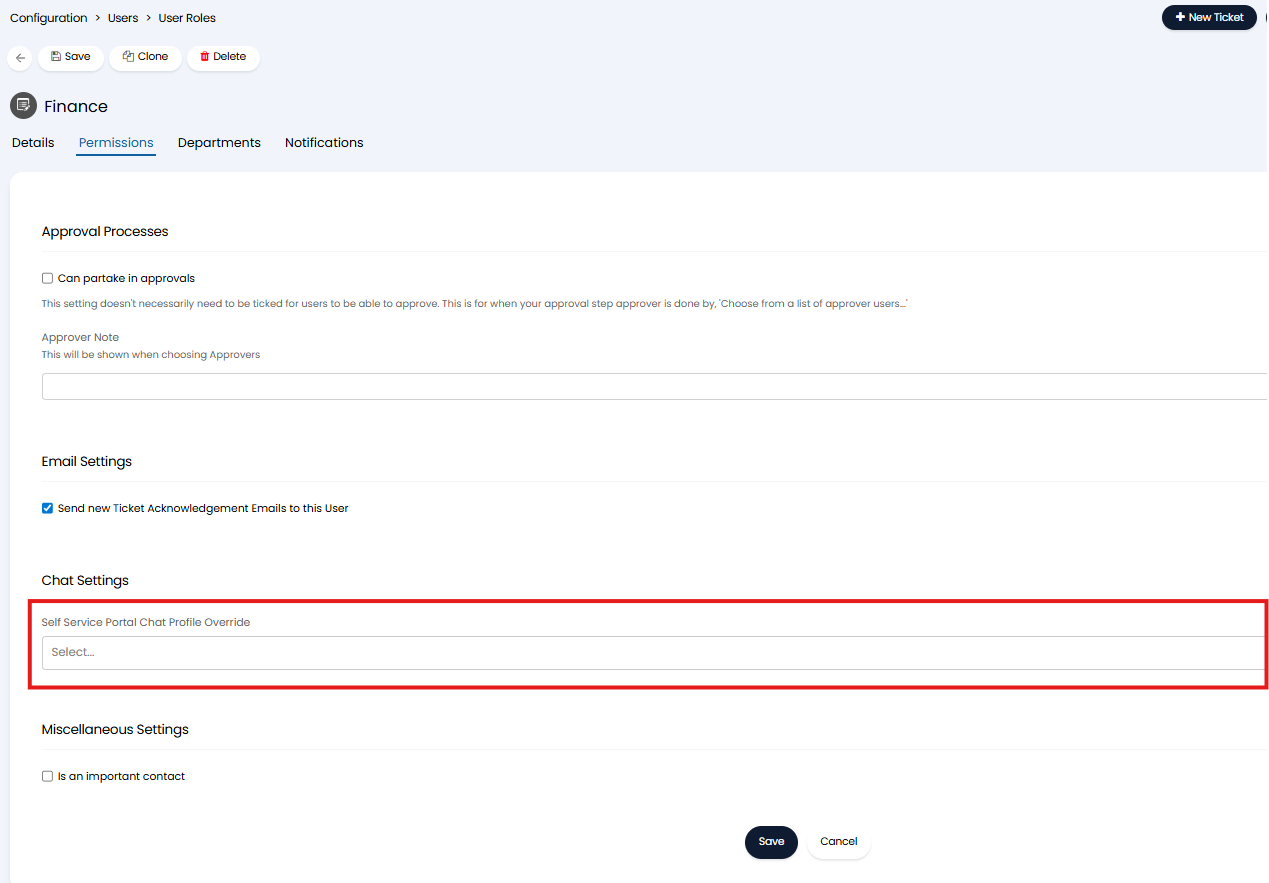
Fig 1. User role chat profile override.
The chat profile set here will be used for any users with this role, this will override all other profile overrides. If set to *None* the user will not be able to use any chat profiles. If the user has multiple roles, the chat profile override set against the role with the lowest ID (role ID) will be used. Role ID is visible in the URL when configuring the role.
If this field is not set, this will result in no chat profile override being set for the user role, so the profile that shows for users with this role will be determined by the chat profile set against the user's customer (the next in the hierarchy). From v2.246+ the option *Default* will be able to be chosen here which achieves this same outcome as not setting this field.
Customer
Within the Customer profile > "Settings" tab > "Self Service Portal" dropdown, set the "Self-Service Portal Chat Profile".
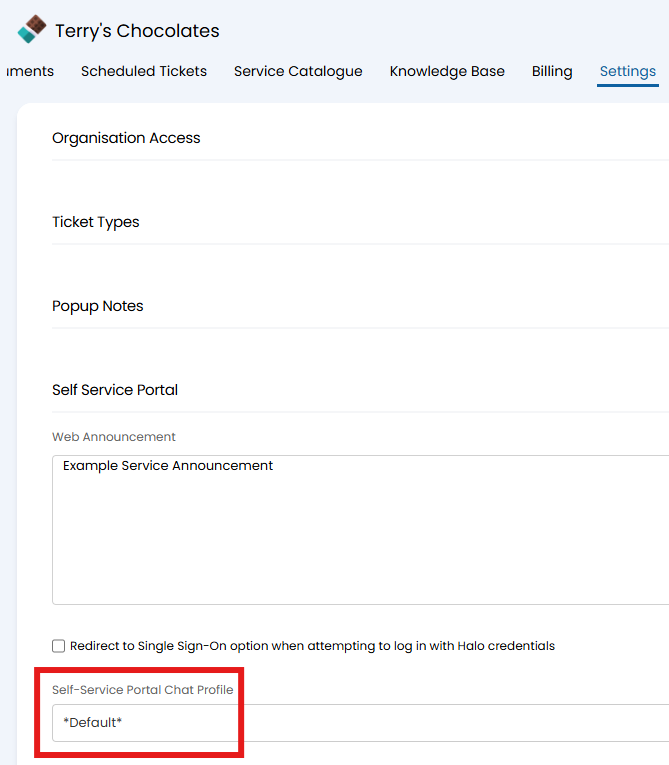
Fig 1. Customer chat profile override.
Organisation (if multi-tenancy is used)
Navigate to Configuration > Organisations/Tenants > Configure Organisations, and choose an Organisation. Switch to the "Settings" tab, and set the
"Self Service Portal Chat Profile Override".
This option will only show if "Enable Multi-Tenancy" is enabled in Configuration > Organisations/Tenants.
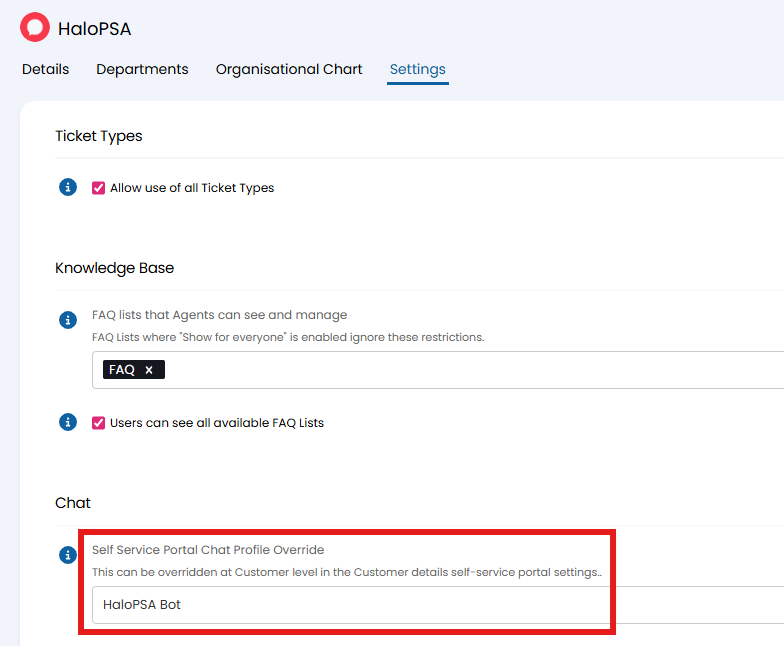
Fig 2. Organisation chat profile override.
Global
To set the global level setting, navigate to Configuration > Chat, and set the below. This will show when "Enable Chat for End-Users on the Self-Service Portal" is enabled above it.
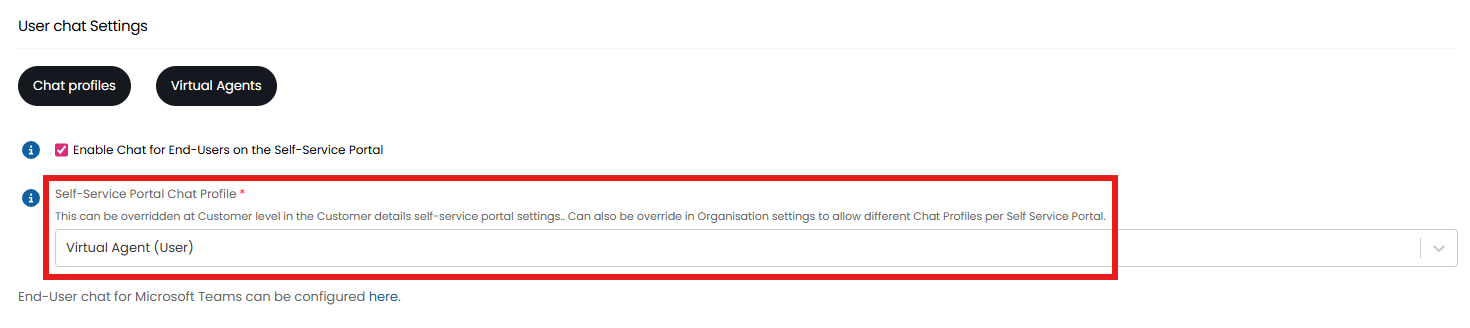
Fig 3. Global chat profile setting.