Changing your Halo URLs
This article outlines how to change your Halo agent and user portal URLs.
This guide only applies if you are running Halo yourself, on-premise.
Prerequisites
- You have access to IIS and the certificate store on the server which is running the Halo web application
- Please ensure you have your SSL certificate(s) available and imported into the certificate store on the Halo app server
- You have configured the DNS records for the new URL you are planning to use
Update the Bindings in IIS
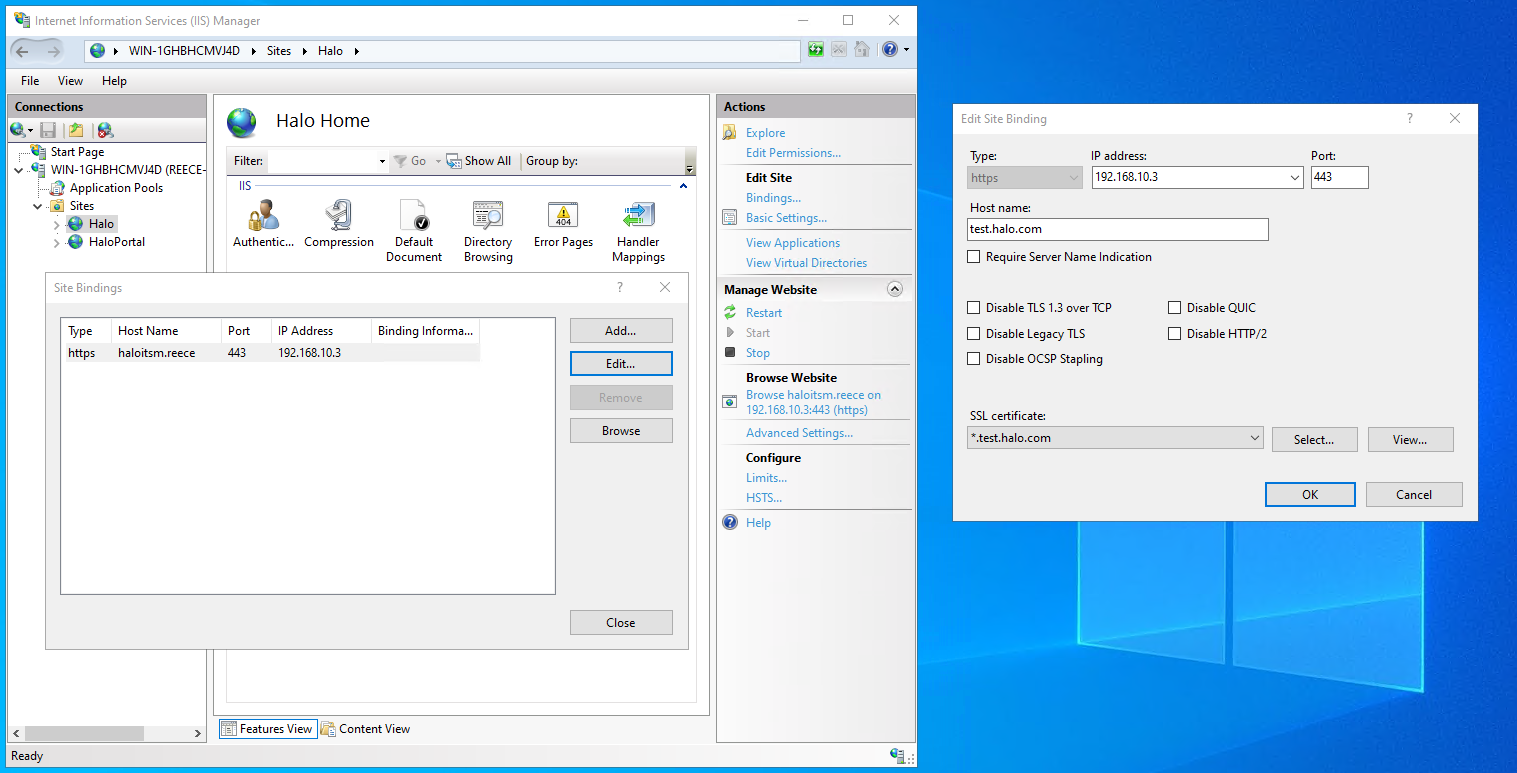
- Navigate to IIS -> Select the site running Halo -> Select 'Bindings' from down the right hand side
- Edit your existing binding
- Change the hostname field to your new URL you are wanting to use
- Change the certificate to the one for your new URL
Update the Halo Configuration
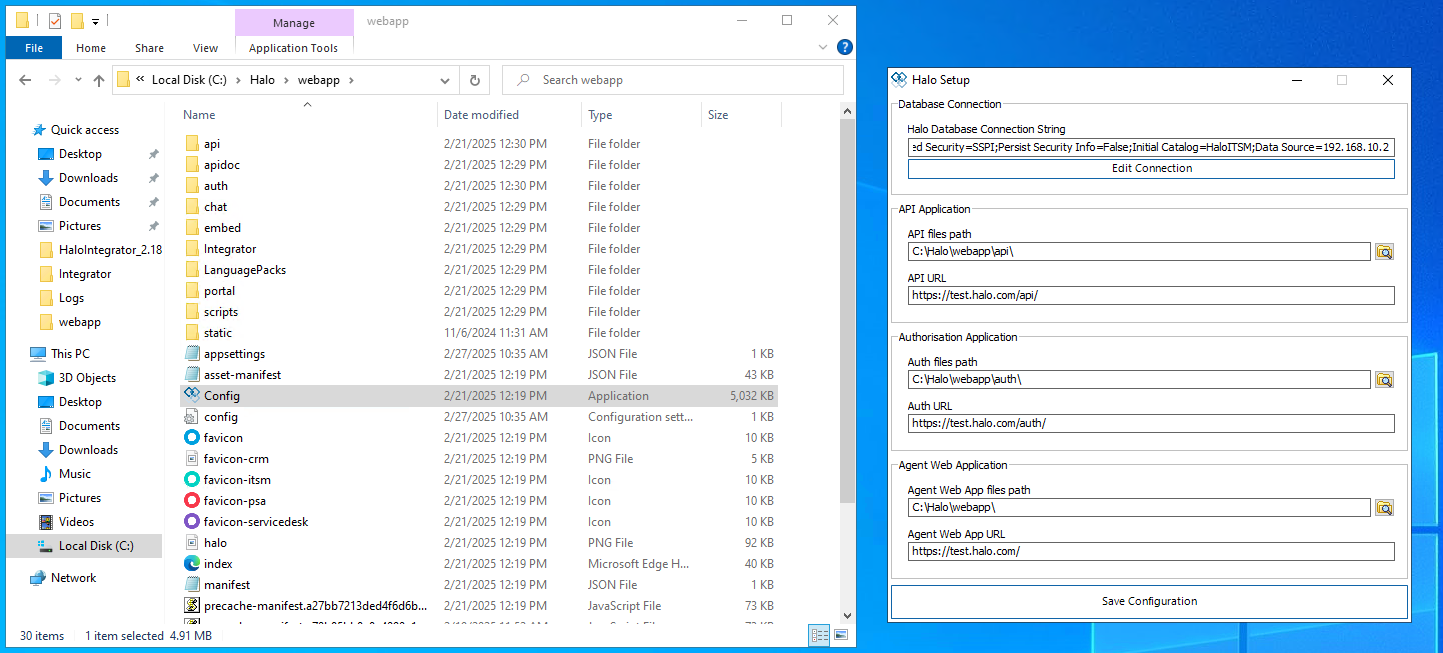
- Navigate to your Halo root directory
- Run 'Config.exe'
- Update the API, auth and agent webapp URLs
- Restart the Halo site in IIS
Update the Bindings in IIS
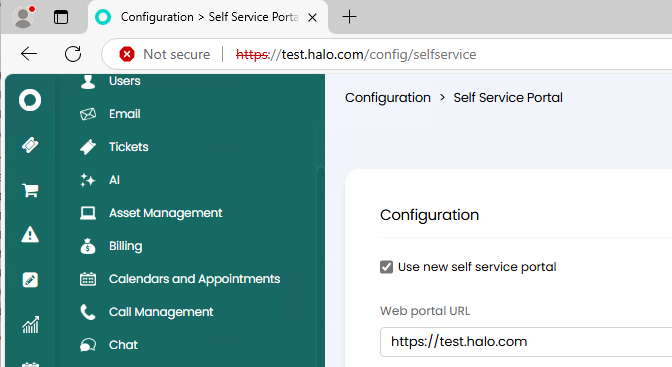
If this change affects your self service portal URL, you will need to update the URL in your Self Service Portal config within Halo: