Remote Support
In this guide we will cover:
- What is Remote Support
- Setting up Remote Support
- Inviting Users
What is Remote Support
Remote Support is a tool which allows Agents to view and take control an Asset remotely. In order to use Remote Support in Halo, you must be connected to a Remote Support Integration.
The following Integrations can be connected to Halo for Remote Support sessions:
- LogMeIn Rescue
- Beyond Trust
- ScreenConnect/Connectwise Control
- GoTo Resolve
- Splashtop
- Anydesk
- GoToAssist Remote
- ISL Online
- N-Able Take Control
- TeamViewer
- Ninja One
Setting up Remote Support
To set up Remote Support you will first need to set up your Integration. Follow the relevant guide linked above for more information. Once your Integration is set up, head to Configuration > Remote Support > General Settings.
Under the General Settings section you can specify the "Default User" to use when Remote Sessions do not have a recognised User, and control how Agents can send invites.
Allow Agents to invite Users to Remote Sessions for other Agents - Allows Agents will be able to invite Users to remote sessions on behalf of another Agent, for example.
Allow Agents to send quick Remote Session invites from the Ticket screen - Allows Agents to send a Remote Session invite from the "More options" menu (...) at the top right of the ticket view.
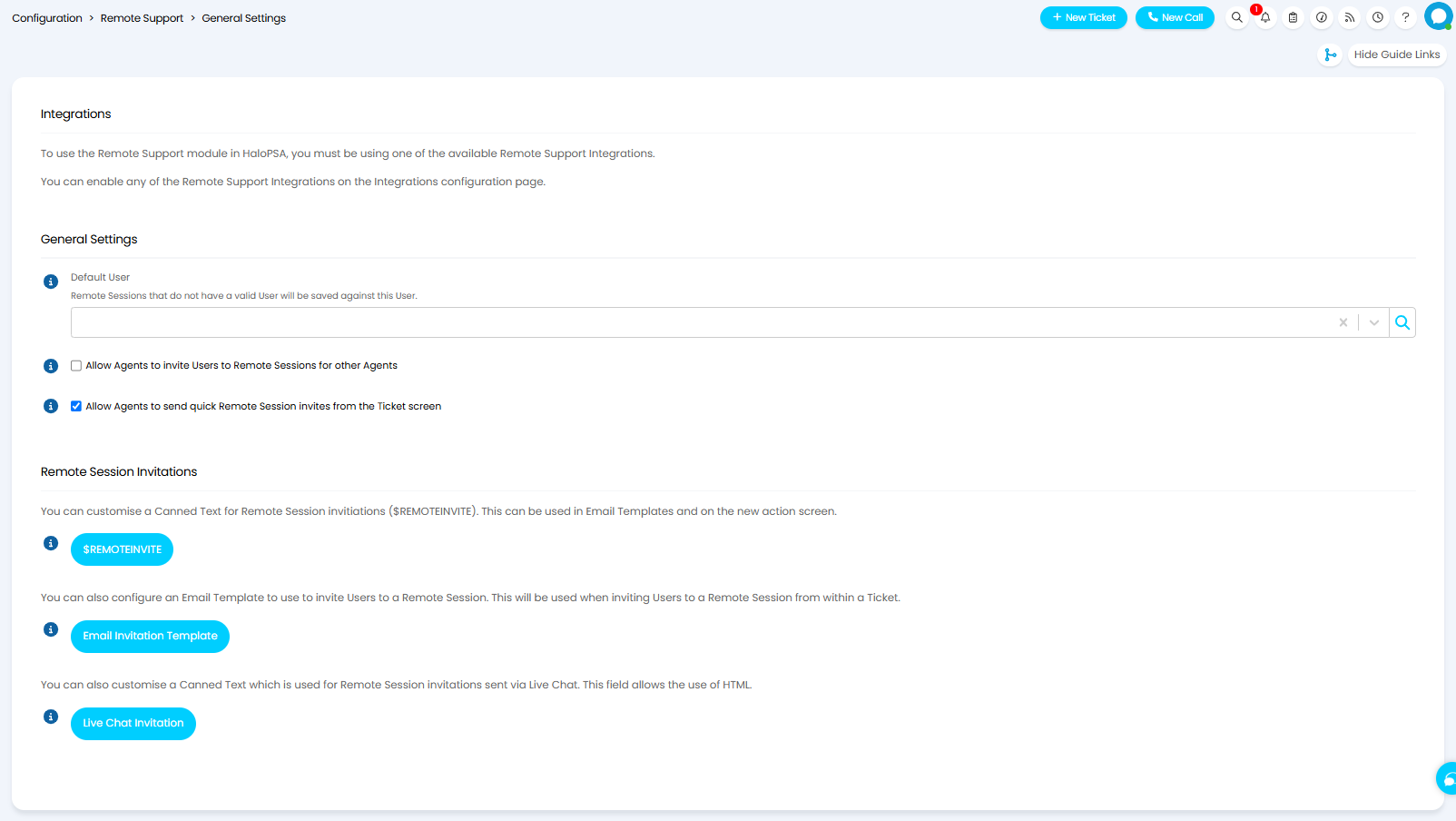
Fig 1. Remote Support Settings
Inviting Users
Users can be invited to Remote Sessions via email, or live chat. To invite a User to a session, include the dollar variable $-REMOTEINVITE in an Email Template or in the new Action screen. This will insert a Canned Text including a link to the Remote Session. This Canned Text can be edited by clicking on the "$-REMOTEINVITE" button in Configuration > Remote Support > General Settings.
Actions
To send a Remote Session invite using an action, you can create an action with system use "Remote Session Invitation".
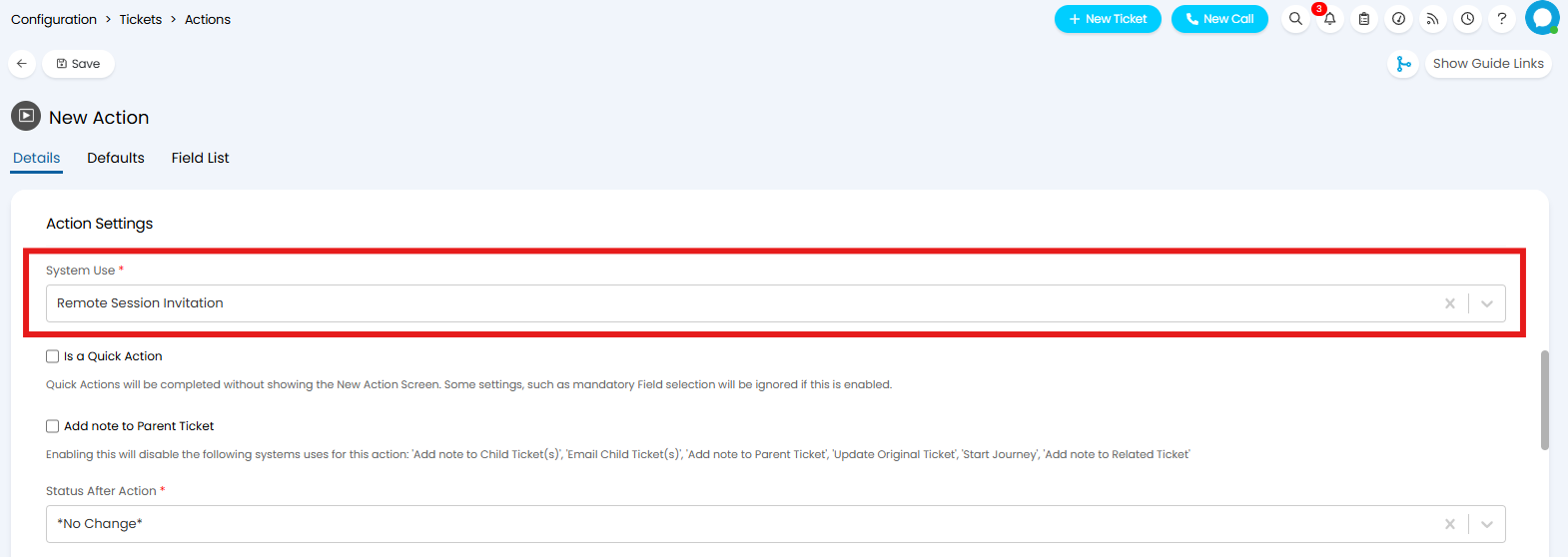
Fig 2. Remote Session Invitation System Use
This will send an email to the User with an invite link. This uses the "Remote Support Invitation" email template, which can be edited by clicking the "Email Invitation Template" button in Configuration > Remote Support > General Settings. Ensure the variable $-LINKTOREMOTE or $-REMOTESESSIONCODE are included in your template in order for the URL/Code to be generated by your chosen Remote Support Integration. Alternatively include the $-REMOTEINVITE variable to insert your previously configured Canned Text (providing this Canned Text includes the variable $LINKTOREMOTE or $REMOTESESSIONCODE).
Ticket Details
By enabling the Remote Support setting "Allow Agents to send quick Remote Session invites from the Ticket screen", you can send a remote session invite via the "More options" menu (...) at the top right of the ticket view.
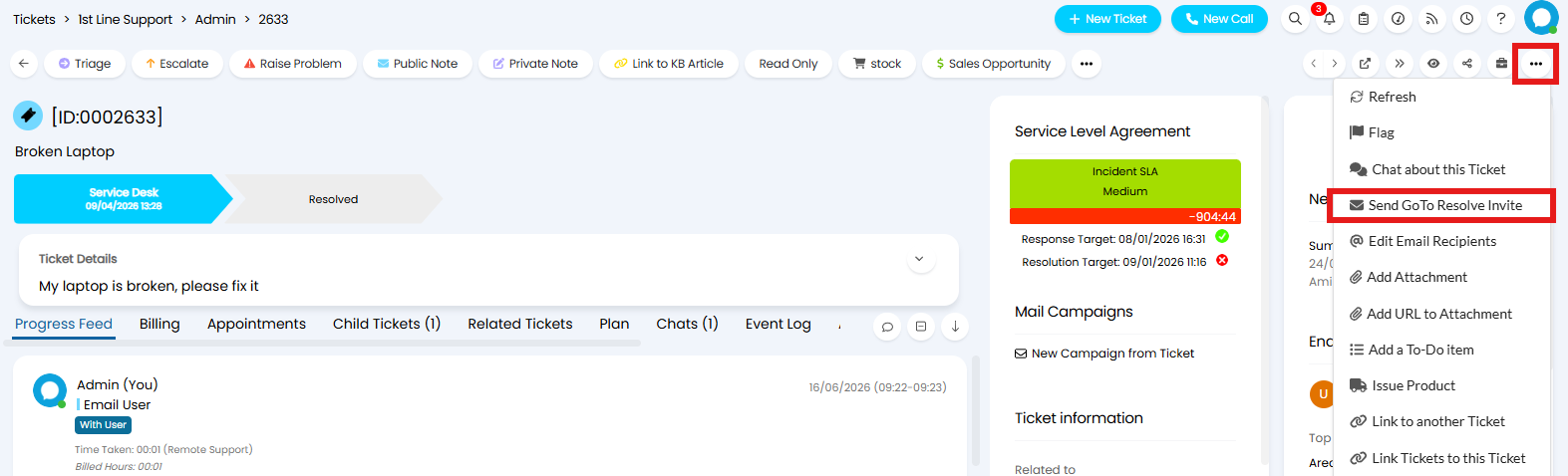
Fig 3. Sending a Remote Support invite from a Ticket
This will open a modal window where you can specify the emails to send the invite to.
This will send an email to the User with an invite link. This uses the "Remote Support Invitation" email template, which can be edited by clicking the "Email Invitation Template" button in Configuration > Remote Support > General Settings. Ensure the variable $-LINKTOREMOTE or $-REMOTESESSIONCODE are included in your template in order for the URL/Code to be generated by your chosen Remote Support Integration. Alternatively include the $-REMOTEINVITE variable to insert your previously configured Canned Text (providing this Canned Text includes the variable $LINKTOREMOTE or $REMOTESESSIONCODE).
Live Chat
When an Agent is using the Live Chat to talk to a User, they can use the Remote Support invitation from the top left menu to send a message with a link to the User.
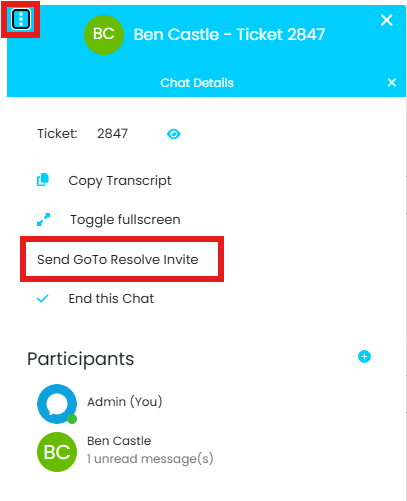
Fig 4. Sending a Remote Support invite from a Live Chat
This will use the Live Chat Invitation template, which can be customised by clicking the "Live Chat Invitation" button in Configuration > Remote Support > General Settings. Ensure the variable $-LINKTOREMOTE or $-REMOTESESSIONCODE are included in your template in order for the URL/Code to be generated by your chosen Remote Support Integration.