Customer Relationships
- customer relationship
- relationship field
In this article we will cover the functionality behind the 'Relationship' field against a customer. If you are looking for information on customer relationship management functionality check out the following:
Against each of your customers' profiles in Halo you will find a field called 'Relationship'.
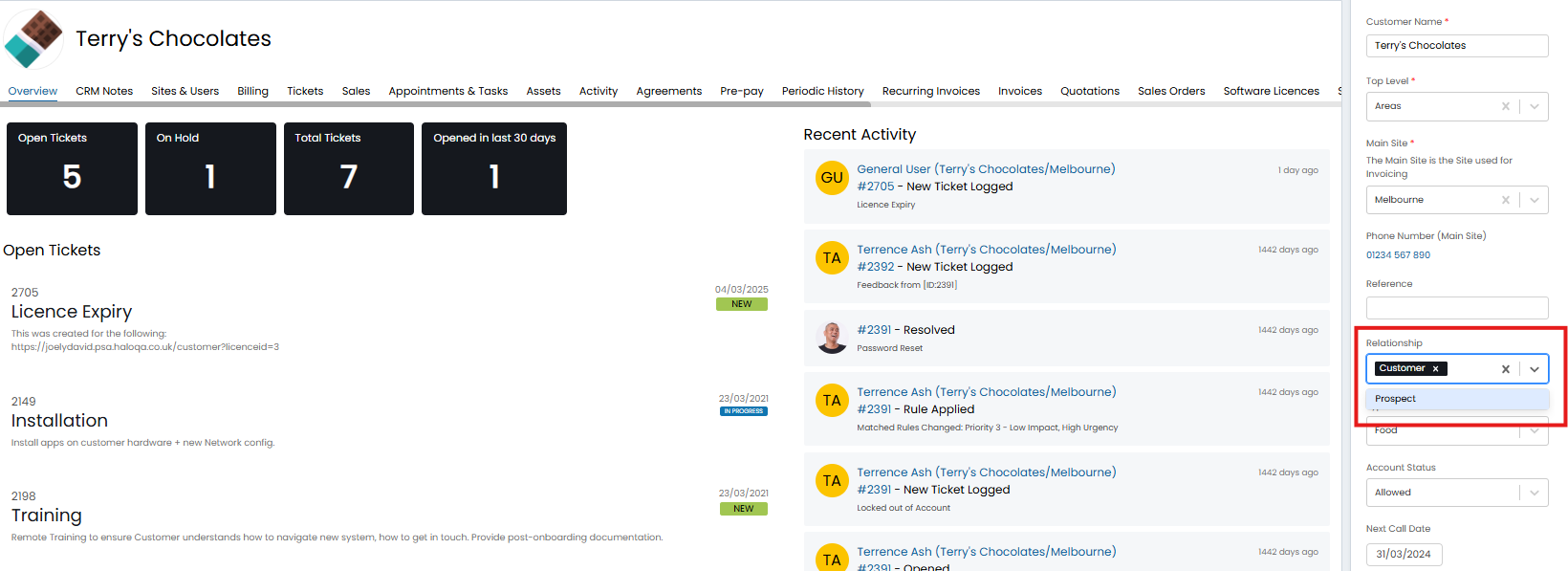
Fig 1. Customer relationship field
This field is used to denote what your relationship is with this customer, primarily used for sales purposes. Allowing you to categorise your customers based on your relationship with, useful for creating ticket lists based on customer relationship, and when reporting on customers. Pop up notes can also be configured to show against customers based on their relationship type.
You could also use this field to differentiate between customers and prospects if you are not using the accounts and prospects functionality.
Out-of-the-box there are some pre-set options to choose from in the relationship field, however, more can be configured.
Create a new Relationship Option
Head to Configuration > Users > Customer Relationships > New.
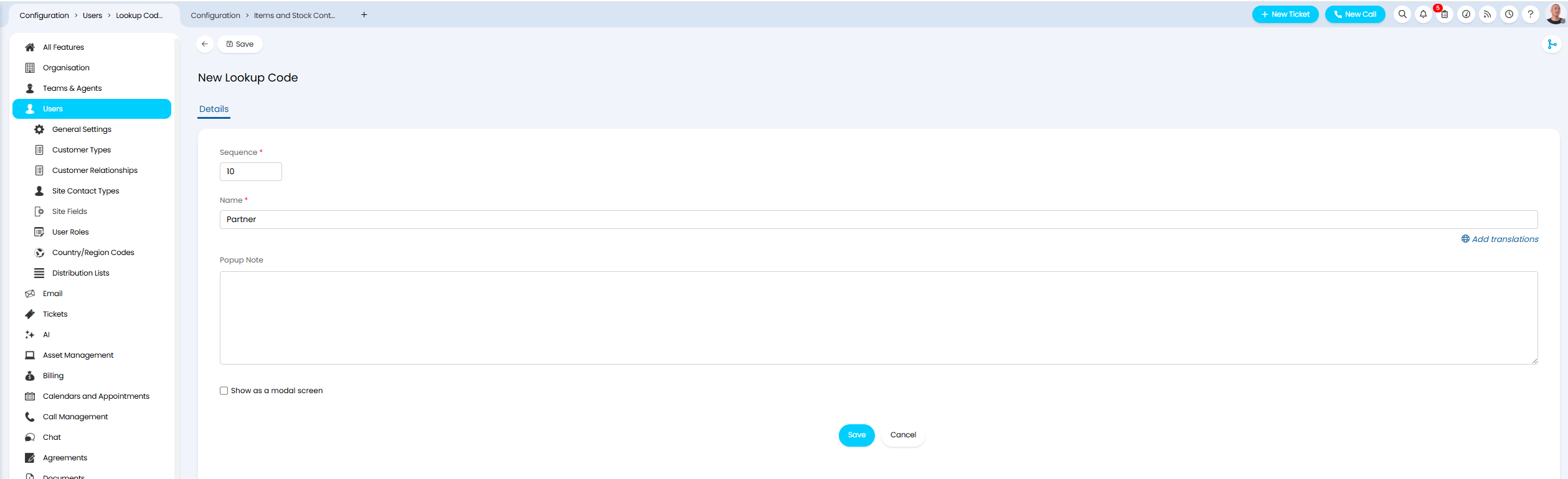
Fig 2. New Relationship type
Sequence - Controls the order this option will appear in the field.
Name - Controls the name of the option.
Popup Note - Enter text here if you would like a pop up note to show against tickets belonging to customers who have this relationship type selected.
Show as a modal screen - Enable this if you would like the pop-up note to show as a modal screen.
Now save the relationship type. This will now be available to choose from in the field.
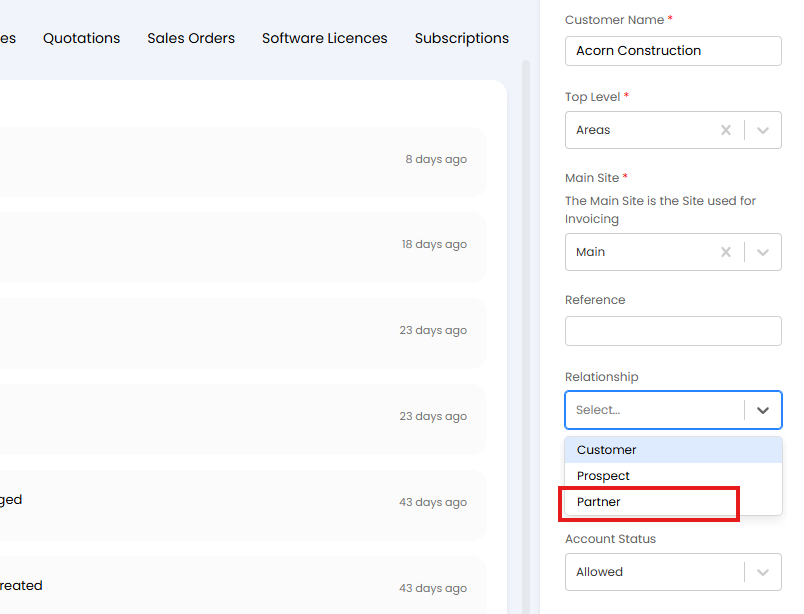
Fig 3. New option in Relationship Field