Disallowing New Tickets via Email
- tickets
In this guide we will cover:
- Disallowing Tickets via Email Globally
- Disallowing Tickets via Email per Mailbox
Admin Guides:
Disallowing Tickets via Email Globally
In Configuration > Email > General Settings > Incoming Email, there are two options for disallowing tickets via email.
The first is "Don't allow new Tickets via email". Upon selection, a dropdown named "Respond with email template" will appear. This is where you can set the email template that automatically goes back to users when they try to log tickets this way.
The additional setting "Don't allow new supplier tickets via email" will show when "Don't allow new Tickets via email" is set to prevent Suppliers creating Tickets via Email.
Note: Users will still be able to update tickets via email.
A template that states something along the lines of "Tickets cannot be logged with us via email, please use the Self-Service Portal" is ideal here.
The second option is to "Prevent stopped accounts from creating new tickets via email". This will match the user emailing in with the email against their stopped account, and prevent new tickets from being created. The user will also get no "New Ticket Logged" email.
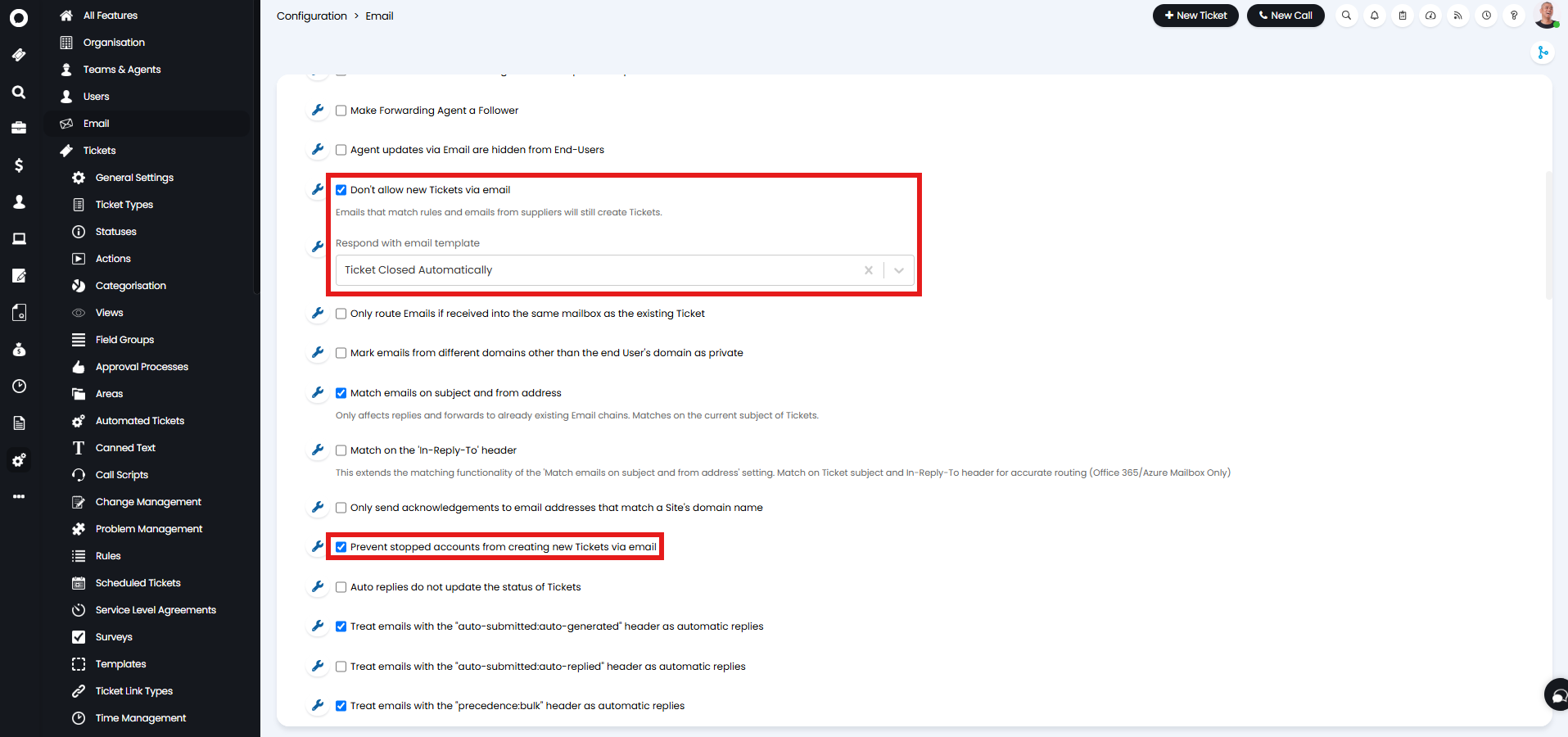
Fig 1. Preventing new tickets via email globally.
Disallowing Tickets via Email per Mailbox
The ability to log new tickets via email can also be disallowed per mailbox. This allows you to prevent new tickets being logged when emails are sent to specific mailboxes, useful for mailboxes belonging to escalation only teams.
To do this head to, Configuration > Email > Mailbox Setup, choose a mailbox.
In the "Incoming" tab, the same "Don't allow new Tickets via email" option will appear. When enabled, emails sent to this mailbox will not create new tickets, they will only be able to update existing tickets.
When enabled a dropdown to choose an email template to respond with will appear. By default, this will be set to "Use Global Setting" and will follow the global choice, but this can be changed to be a different template or to send none if you would not like an email response to be sent automatically.
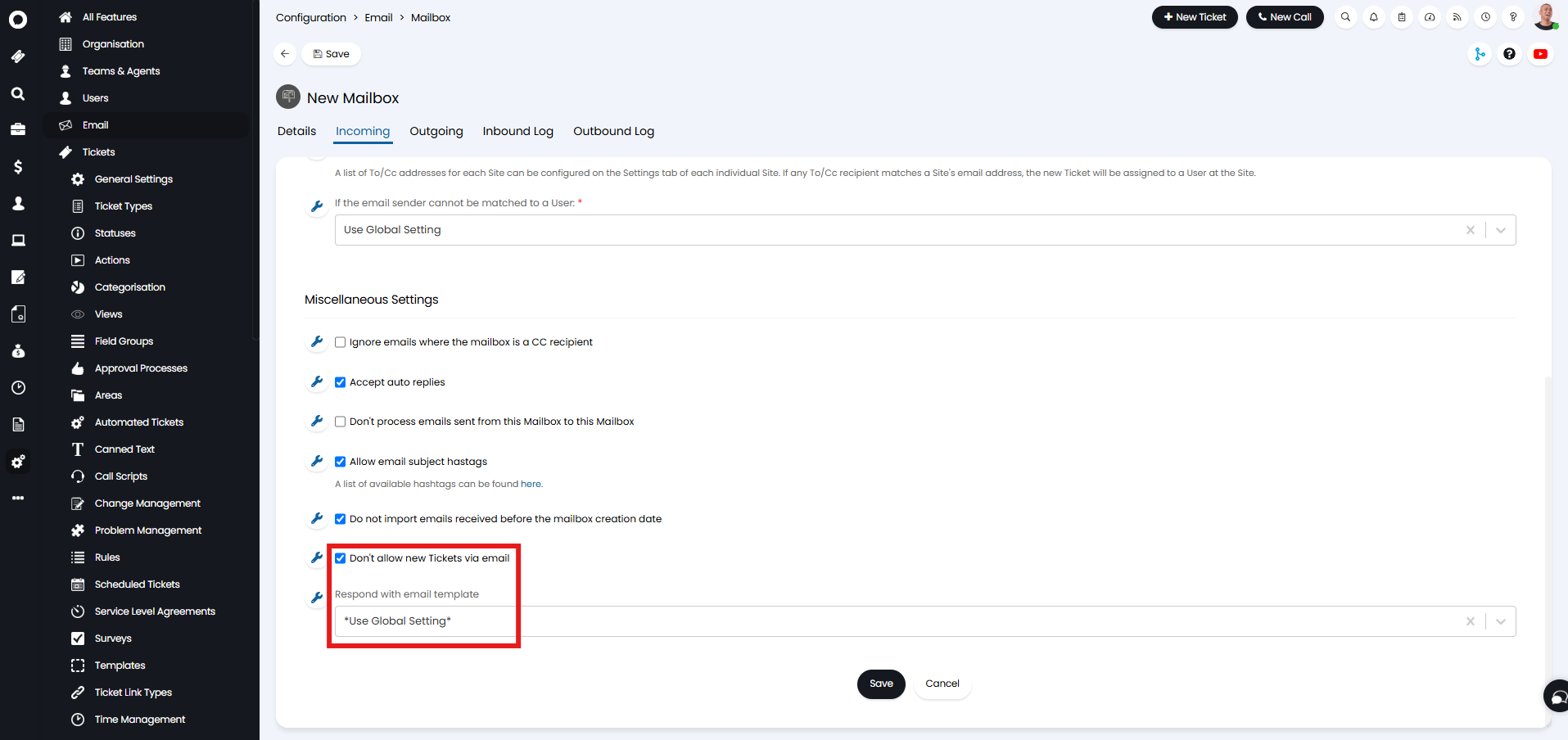
Fig 2. Preventing new tickets via email per mailbox.