SLA and OLA Notifications
In this guide we will cover:
- What are SLA and OLA Notifications?
- Configuring Warning Thresholds
- Setting Up Warning Notifications
Admin Guides:
Related Guides:
What are SLA and OLA Notifications?
Service Level Agreement (SLA) notifications are essential tools that help team members stay proactive in meeting response and resolution targets. This guide explains how these notifications work and how to configure them effectively. OLA notifications can also be configured , these are set up in a similar way to SLA notifications and are designed to help manage operational targets.
Configuring Warning Thresholds
Before you setup your notifications you will need to configure when warnings should be issued. To do this, navigate to Configuration > Service Level Agreements > General Settings.
For configuring SLA Warnings, scroll to the "Notifications" section.
Here you will find the First SLA Warning, which serves as an initial alert that an SLA deadline is approaching, and the Second SLA Warning, which provides a final alert before the SLA deadline.
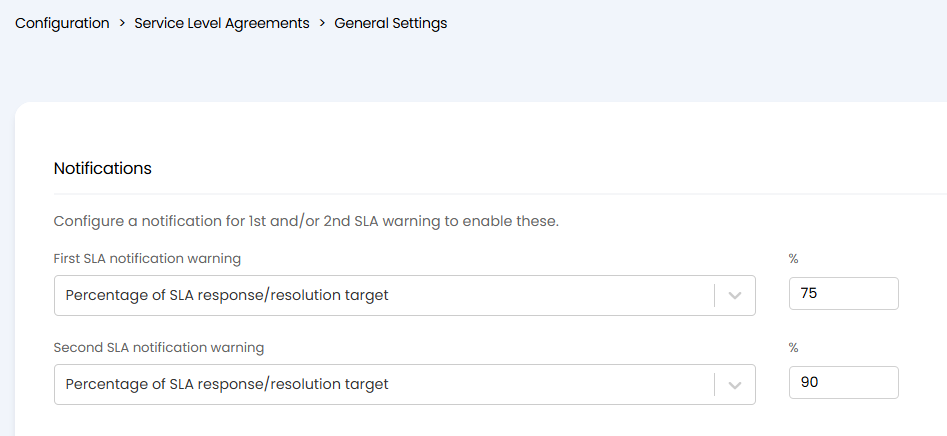
Fig 1. SLA Warnings setup
For OLA Warning configuration, scroll to the "OLA Notifications" section, and select the "Enable OLA events" checkbox. With this enabled you will be able to set the thresholds for each warning.
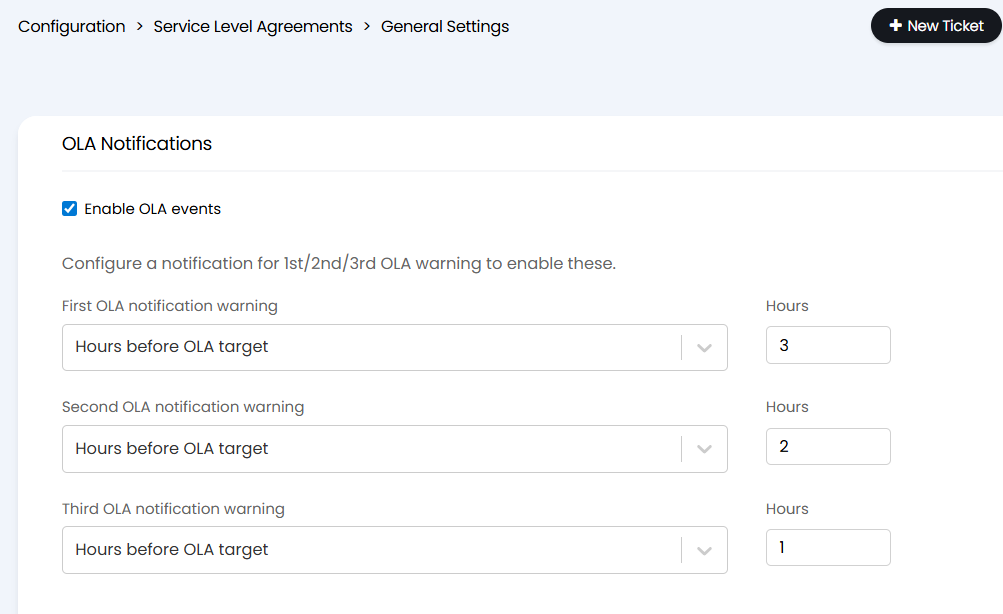
Fig 2. OLA Warnings setup
Both SLA and OLA warning thresholds can be configured using one of the methods outlined below, you will need to set your chosen method using the notification warning drop-down:
Set warnings to trigger when a certain percentage of the response or resolution time remains
For example: A warning at 75% means it triggers when 75% of the available time has elapsed
Set warnings to trigger a specific number of hours before the deadline
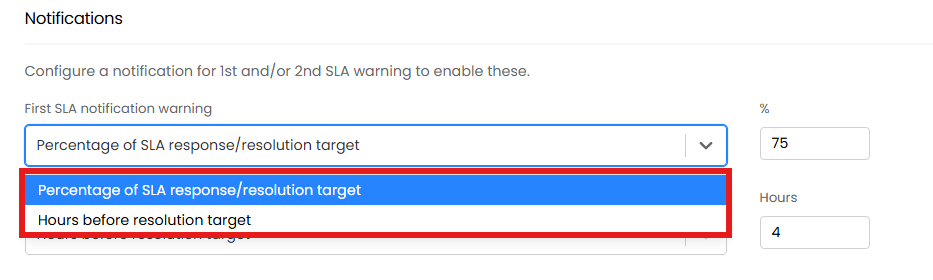
Fig 3. Calculation Method
Once you have chosen which method to use you will need to set a value to determine what percentage/how many hours before the warning should trigger.
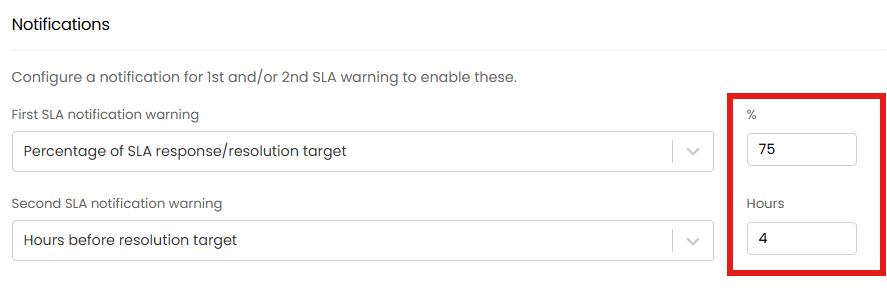
Fig 4. Hours/percentage complete
From v2.248+, Tickets that pass the SLA warning percentages/days will now be stored in the FaultsMetrics table. Similarly, OLAs that pass their warning percentages/days, will get stored in the FaultOLA table.
Setting Up Warning Notifications
For both SLA and OLA notifications navigate to Configuration > Notifications.
Here you will need to create or edit a notification with the relevant SLA or OLA warning as the trigger. You will need to create a notification for each warning.
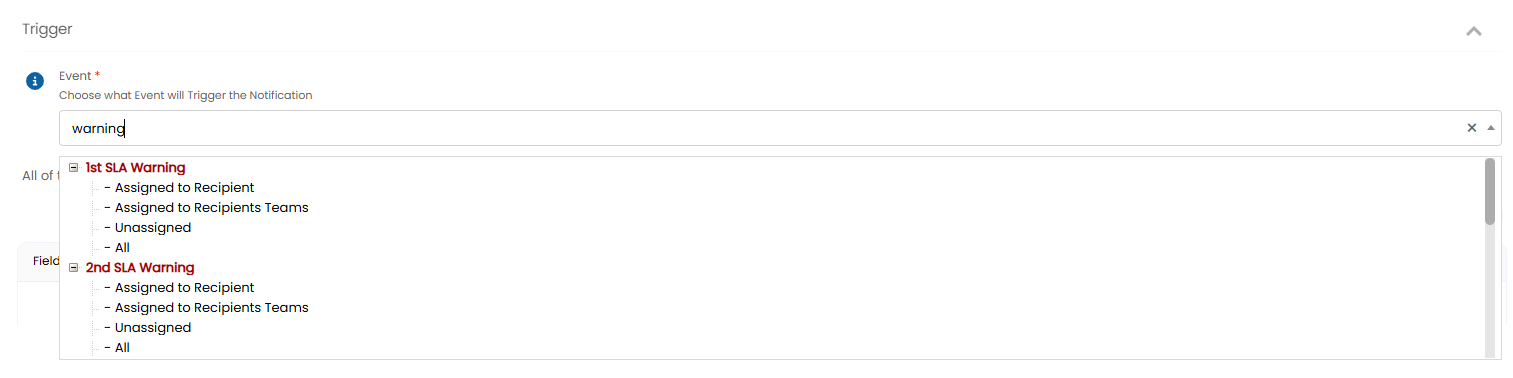
Fig 5. SLA Warnings notification trigger
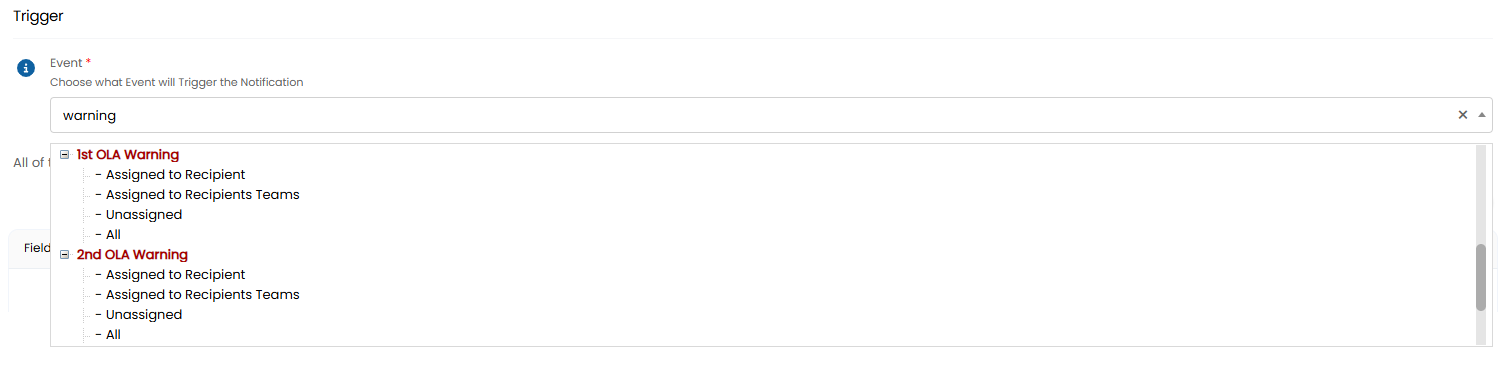
Fig 6. OLA Warnings notification trigger
Notification Delivery Methods
When an SLA warning is triggered, the system can notify agents through three channels:
- Email notifications
- Pop-up alerts within the system
- Mobile Push
Note: Agents must be subscribed to receive these notifications. This subscription-based approach ensures that only relevant team members receive the alerts.
- Consider your team's typical response patterns when setting warning thresholds
- Ensure enough time between warnings for agents to take action
- Account for different time zones if your team operates globally
- Test notification settings with a small group before rolling out widely