Departments
- organisation
Departments sit one level above teams. Departments can be used to give agents access to all Teams under a department in a fast and efficient way. Generally this is used to ensure they have visibility of all teams under a department.
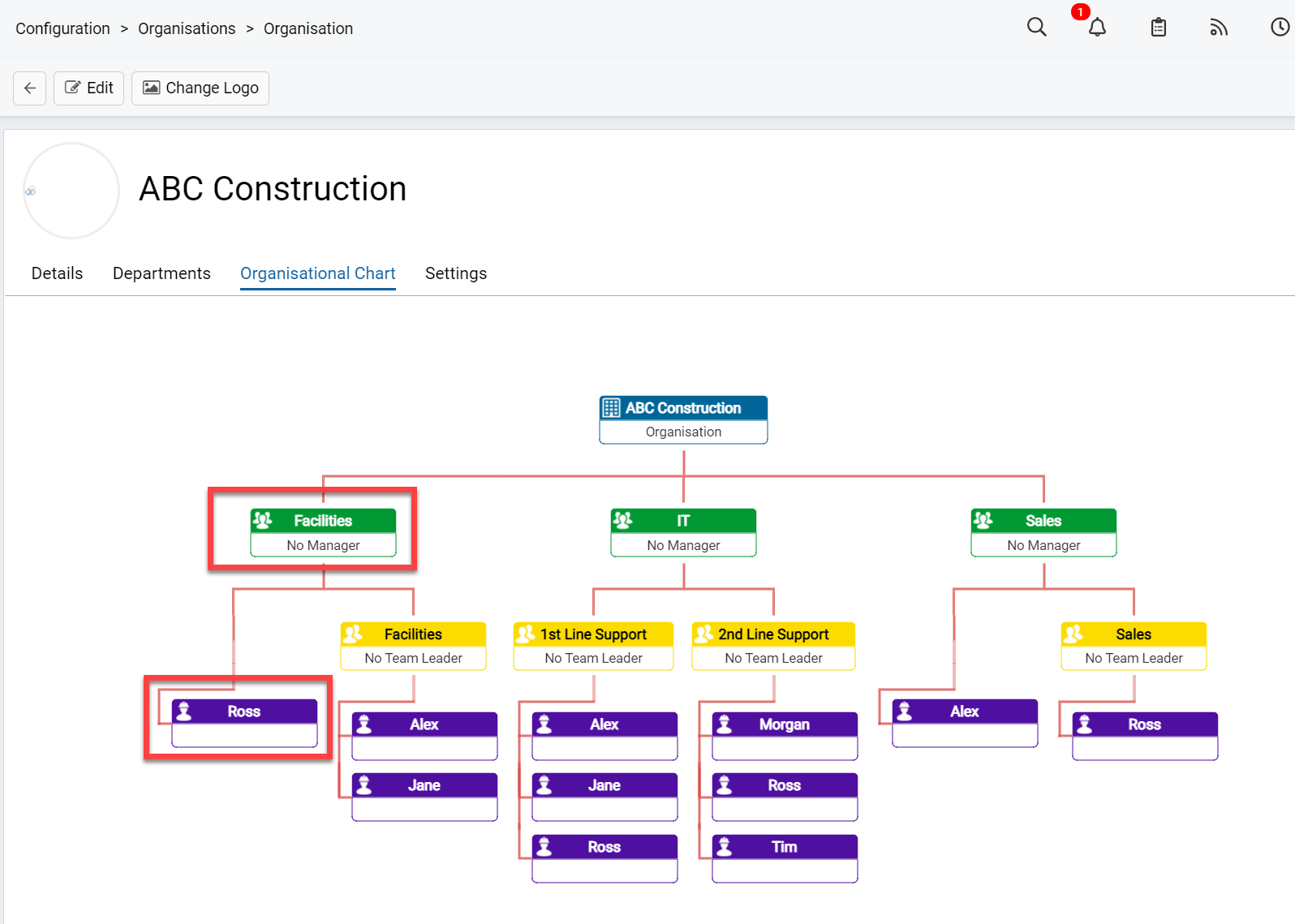
Fig 1. Facilities Department Membership
You can set a department as an Agent Department(Agent Departments can contain Agents and Teams. All Departments can contain Users), this is how we can add agents to the members list(there will be a table for agents as well as users):
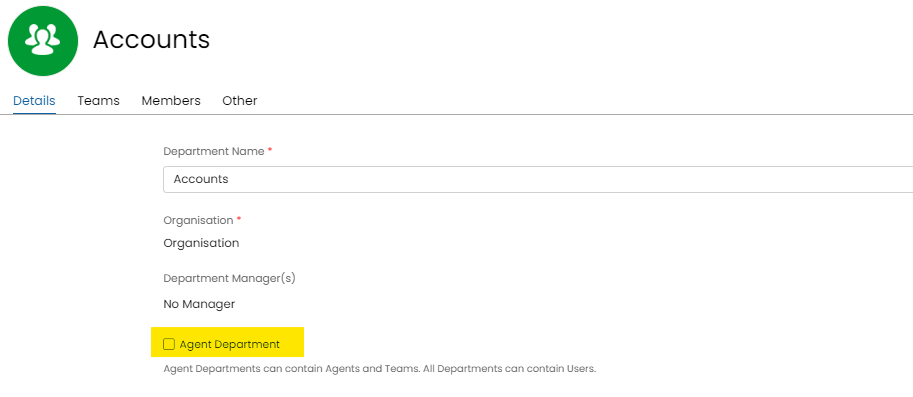 Fig 2. Agent Department Option on the Details Tab of a Department
In the above organisational chart the agent Ross has been given Department View All access to the Facilities department. This means that he can see all teams under the department, without the administrator needing to go into every team and add his with "No Assign" permissions In order to add the agent into the Department you can achieve this either via the Agent's Permissions, or the Role Permissions.
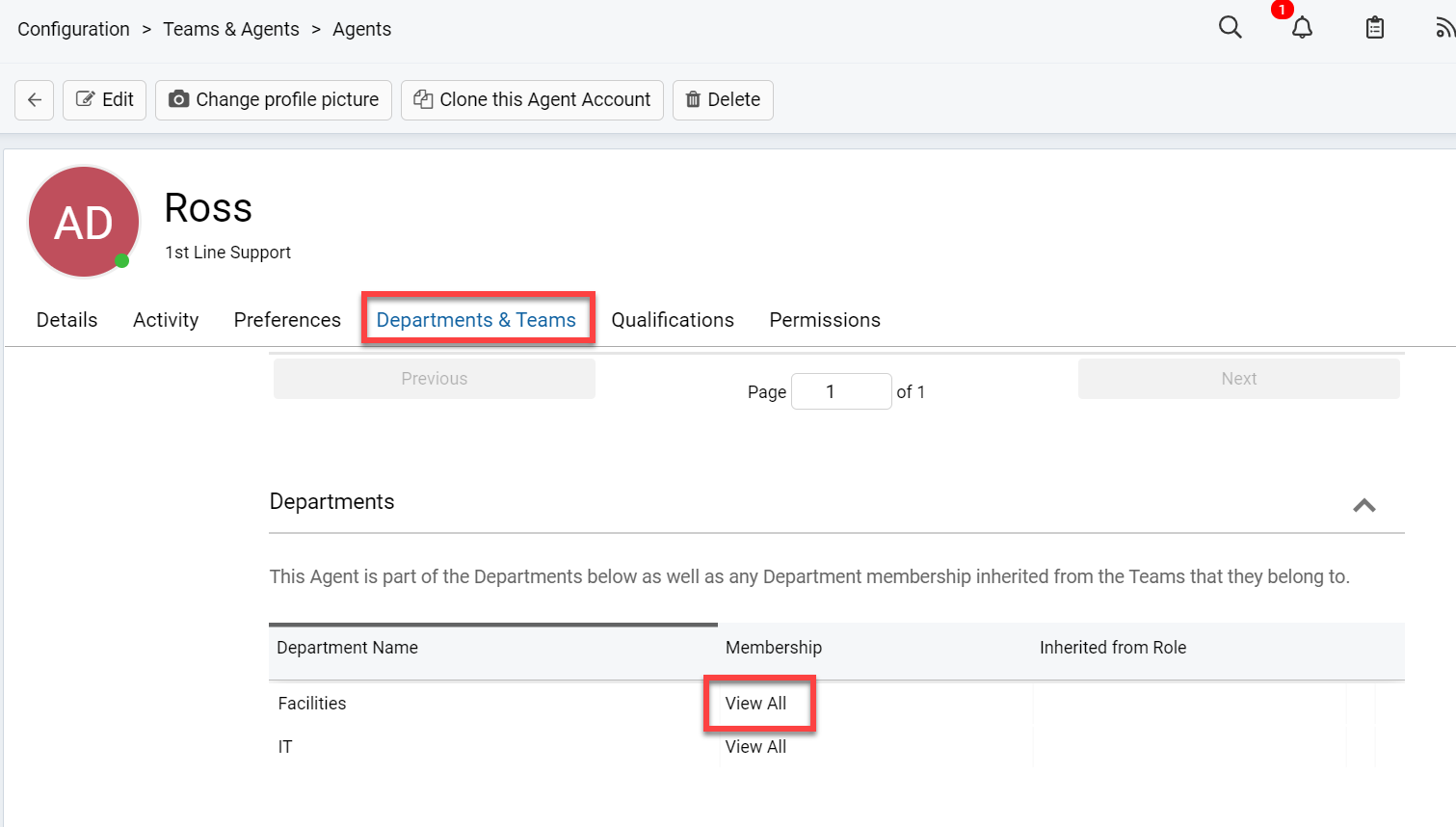 Fig 3. Adding an agent or role to a department
You can also assign a department manager under departments. This allows you to give a particular agent an additional option for some settings related to their department.
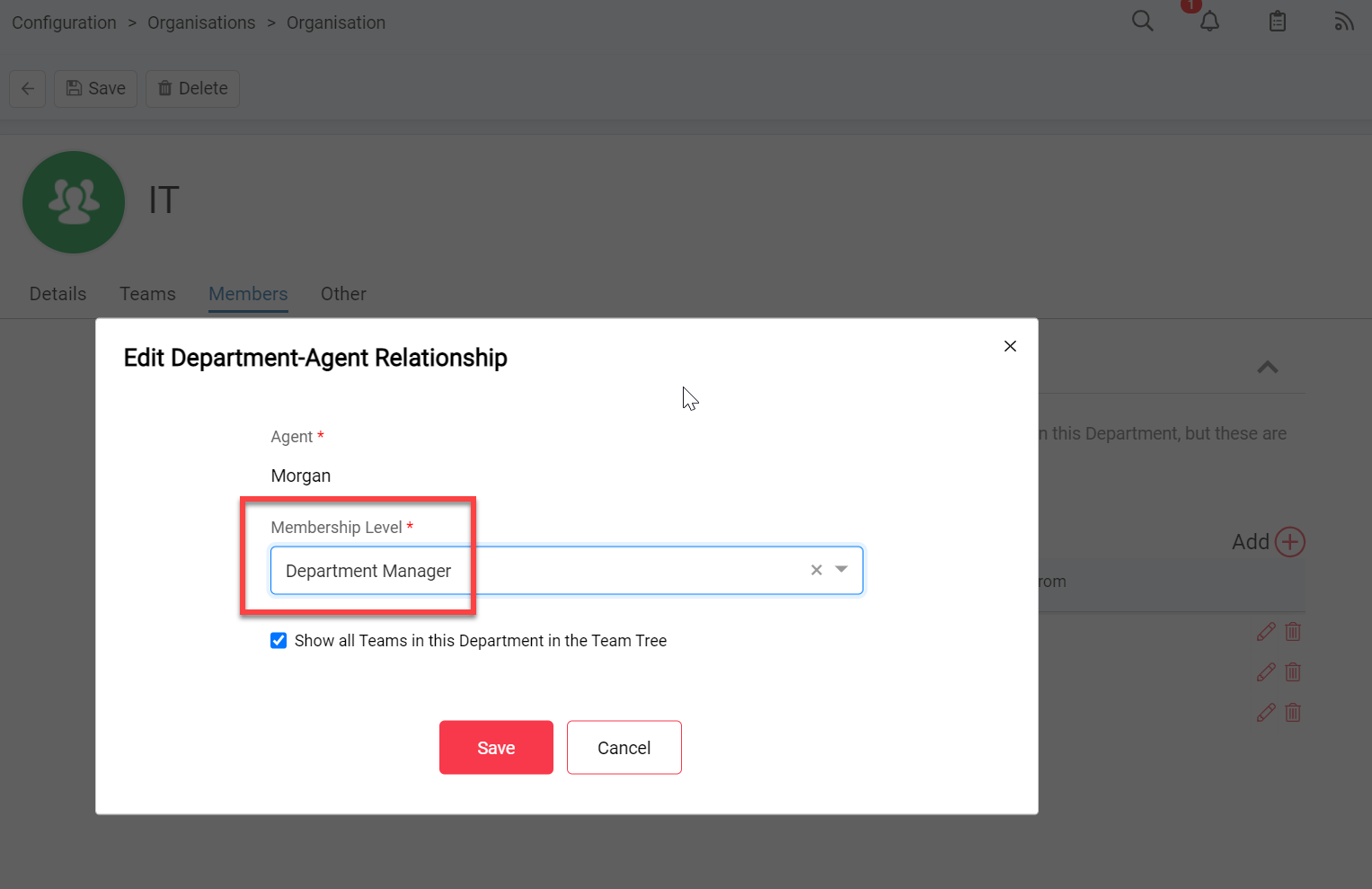 Fig 4. Assigning a Department Manager under Config > Organisation > Departments
Membership Levels include:
- Basic Member: Granting access to the Tickets Assigned to a particular Agent, across departments
- View All: View all Tickets assigned to Teams within the given department
- Modify All: Modify all Tickets assigned to Teams within the given department
- Department Manager: This is Modify all + options for specific notification functionality (notifications to be sent to department managers for a given event)
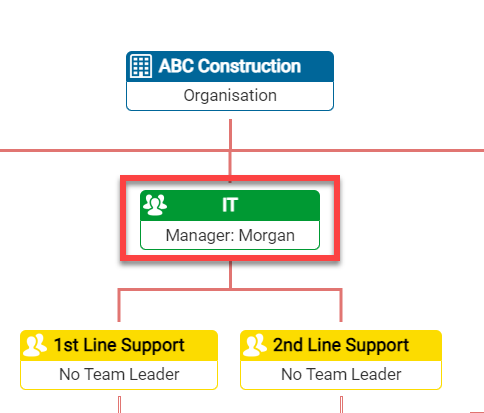 Fig 5. Department Manager in the Organisational Chart