Ninja Systray Icon
- Ninja
- NinjaRMM
- systray
- tray icon
- NinjaOne
In this guide we will cover:
- Modifying Ninja Emails
- Creating a Halo Email Rule
Related Guides:
If you are using the Systray Icon in NinjaOne that raises tickets, this can be modified so that tickets are created in Halo.
Modifying Ninja Emails
In Ninja, go to Configuration > Branding > Systray Icon and modify the email address it sends to. This needs to be set to a mailbox connected to Halo.
Creating a Halo Email Rule
Now that it is sending to Halo, you can create an email rule using the "NinjaOne System Tray Email" type.
Typically the from address will be noreply@rmmservice.com.
The body of the email sent needs to contain the format below at the to of the matching area. This detail is then used to match to a specific user and device.
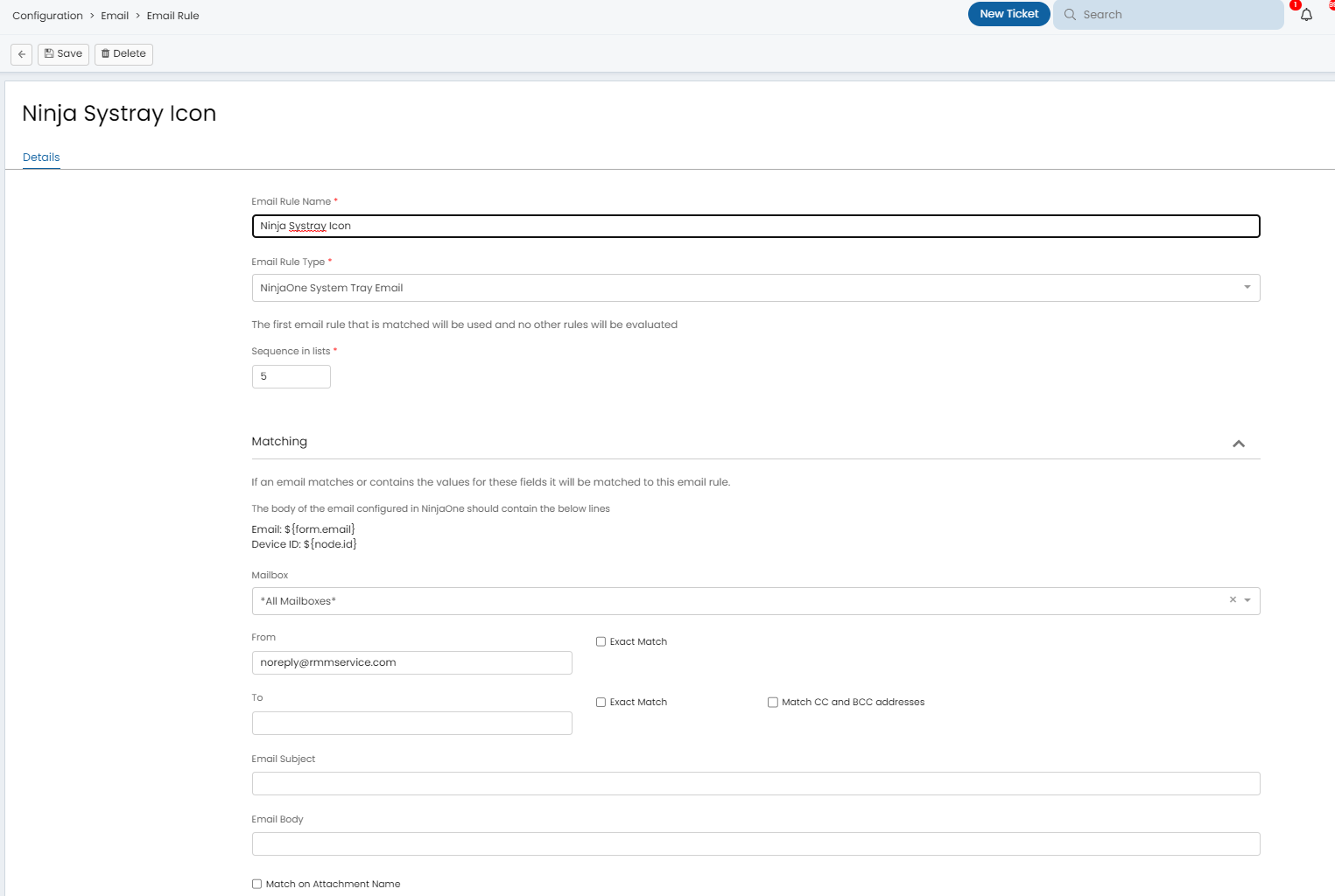
Fig 1. Creating an email rule.
For information on matching fields through email rules, please refer to this guide: Email Rules if using the end of line match type, the rule will continue to match until it finds a line break html tag "<br>" or \r\n