Merging Tickets
- merge
- update
- Ticket
In this guide we will cover:
- What is Merging?
- Merging Two Tickets
- Unmerging Tickets
What is Merging?
Halo allows the merging of two tickets into one another. When tickets are merged, all actions and items (items from v2.240+) on one ticket are moved onto another. This can be done for a variety of reasons, often this is because an end-user has sent in two tickets for the same issue. If a ticket that has been closed via merge gets updated by an end-user, the update will automatically go to the ticket it has been merged into.
Merging Two Tickets
Open the ticket you'd like to merge into another ticket.
Click the merge button, found by clicking on the 3 dots in the upper right-hand corner of the ticket screen.
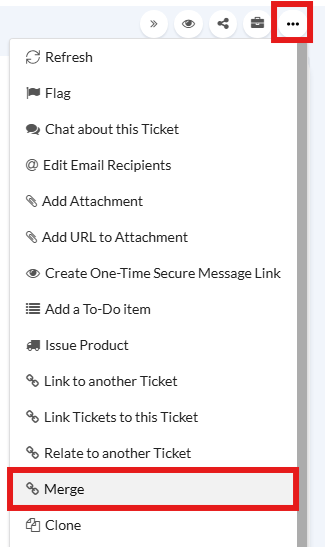
Fig 1. Merge option in the dropdown.
This brings up the merge screen, where you can search for the ticket you want to merge this one into - i.e. click "Merge" on ticket 2 to merge it into ticket 1, and closing ticket 2.
By default, this screen is filtered by open tickets and the client which the current ticket is linked to. Simply change these if it is filtering out the ticket you are looking for. Select a ticket or search for one, and then "Confirm Selection".
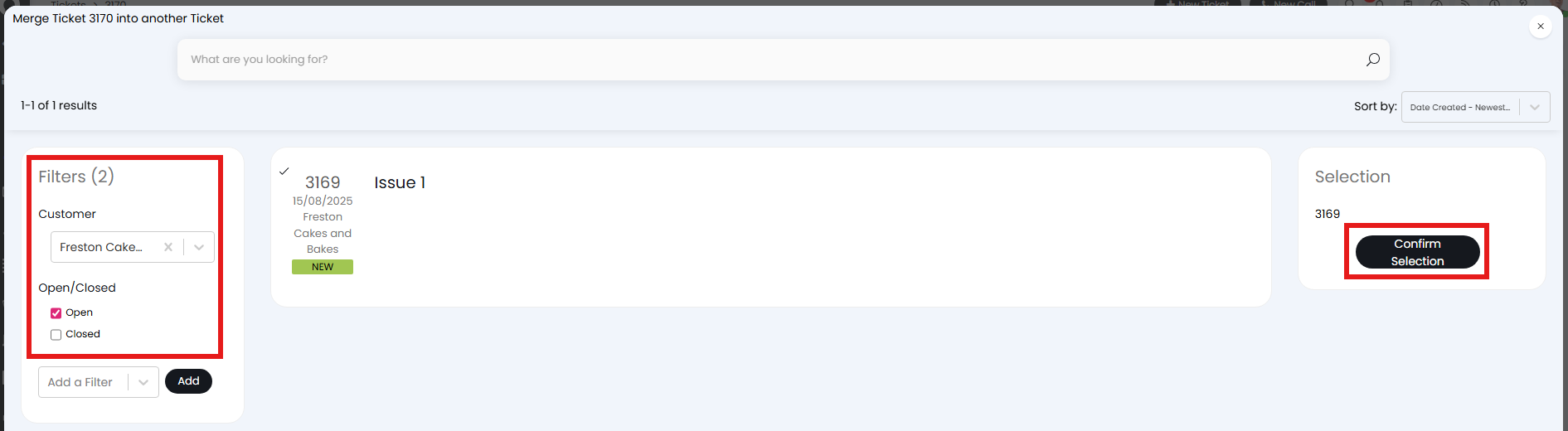
Fig 2. Selecting a ticket to merge into.
Unmerging Tickets
It is possible to "un-merge" a ticket. After merging, the ticket can be un-merged by going to the ticket that was merged from (not the ticket merged into) and then clicking on un-merge from the system options.
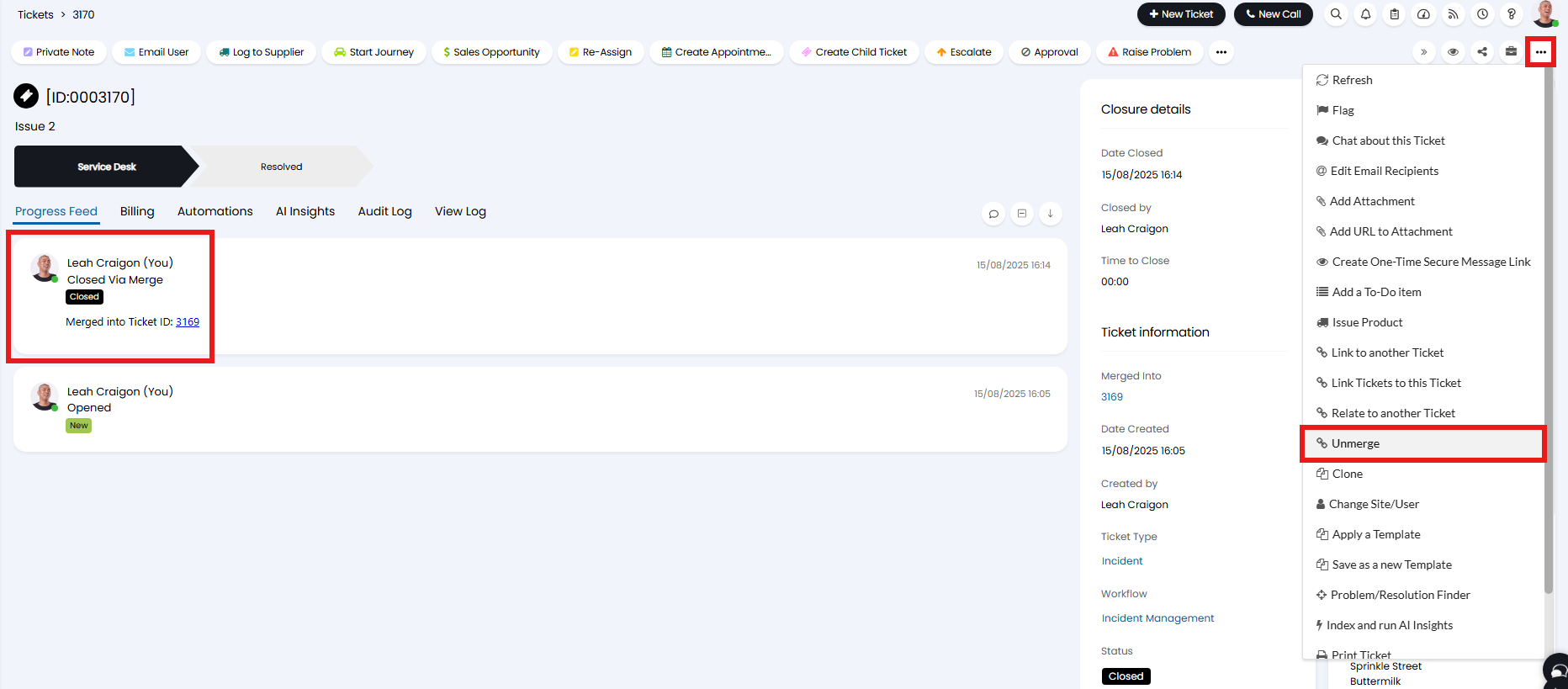
Fig 3. Selecting the unmerge option.
A popup will show to warn about how the unmerge will function, and to confirm to do so.
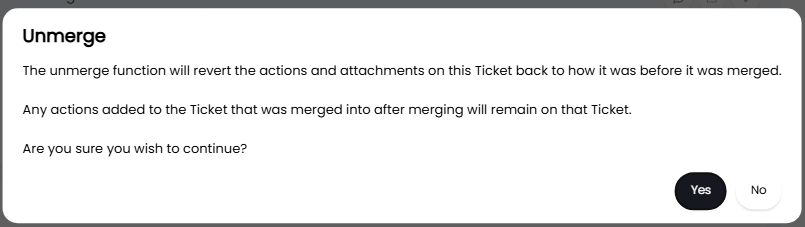
Fig 4. Unmerge popup.
The initial ticket (1) that was merged into will keep any actions that took place on it after the initial merge.
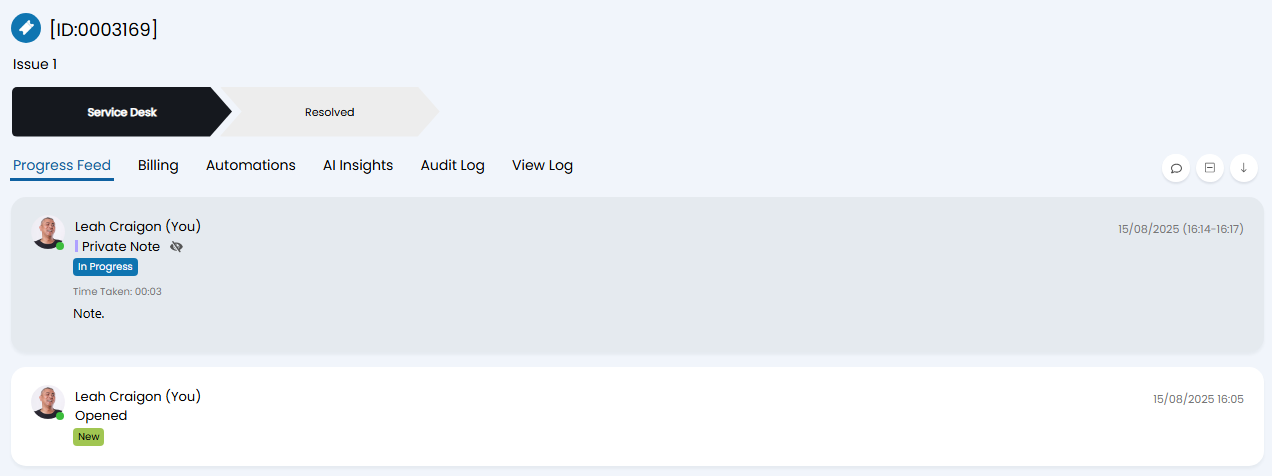
Fig 5. First ticket after being unmerged from.
The ticket that was merged and then unmerged (2) will reopen with an additional action to show this.
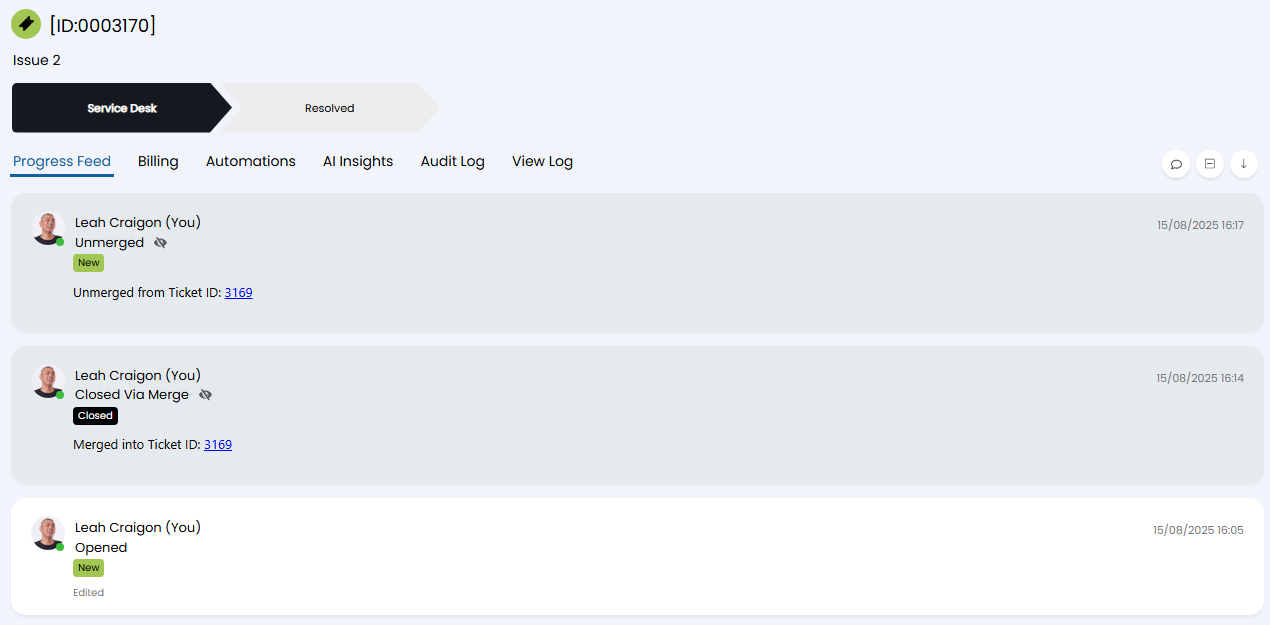
Fig 6. Second ticket after being unmerged from the first.