Missing or Deleted Tickets
- deletion
- delete tickets
- delete
- deleted
- forbidden
- deleting
- deleted tickets
- permanent delete
In this guide we will cover:
- Why can't I access a Ticket?
- Recovering Deleted Tickets
- Preventing Agents from Deleting Tickets
Why can't I access a Ticket?
The below screen indicates a ticket that cannot be accessed.
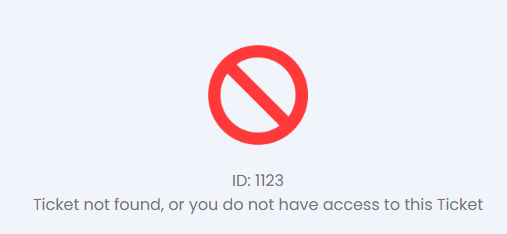
Fig 1. Inaccessible Ticket.
There are a variety of reasons as to why this may be the case.
- The Ticket has been deleted.
- The Ticket has been hidden from your view, either in a section you cannot view, or holds an attribute restricted from your view such as category, ticket type, ticket group etc.
- The Ticket has been merged into another one.
The most efficient way to understand why a ticket is inaccessible is by reporting on it. The following is a SQL script which when run will show whether a ticket has been deleted and so on.
First, head to your Reporting Suite. Click "New" in the top right-hand corner and head to "Data Source". Select the source called *Write a custom SQL Query*. Paste the below script into the text box and head to "Preview Report". Pick the date range for the ticket's submission and then click on the load button.
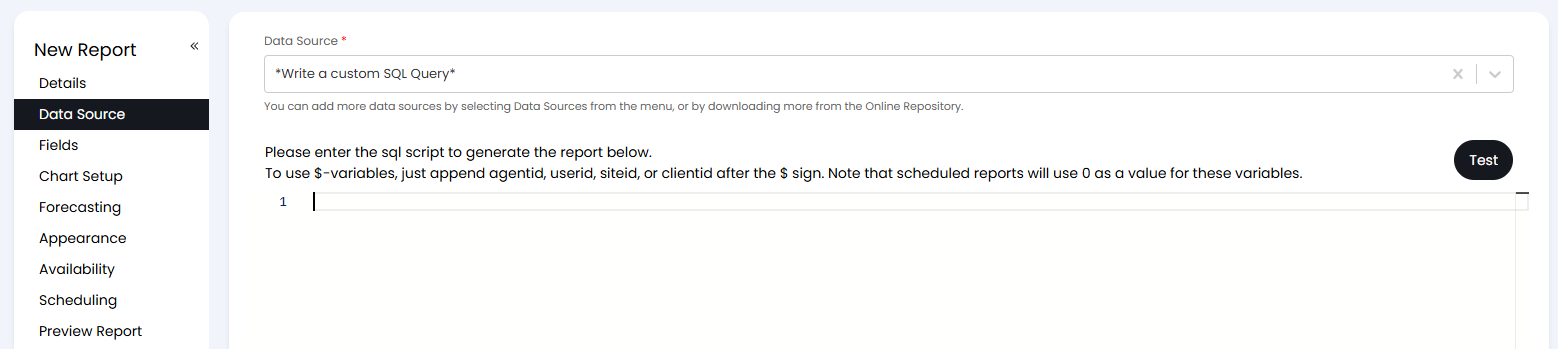
Fig 2. Custom SQL Data Source.
SELECT faults.faultid AS [Ticket Number],
CASE
WHEN fdeleted > 0 THEN 'True'
ELSE 'False'
END AS [Ticket deleted?],
LEFT(dateoccured, 19) AS [Ticket Submitted],
tstatusdesc AS [Status],
sectio_ AS [Team],
rtdesc AS [Ticket Type],
Category2 as [Ticket Category],
Acurrent.uname AS [Assigned Agent],
LEFT(datecleared, 19) AS [Closure Date],
Acleared.uname AS [Closing Agent],
CASE
WHEN fmergedintofaultid > 0 THEN 'Ticket Merged into '
+ Cast(fmergedintofaultid AS NVARCHAR)
ELSE 'Not Merged'
END AS [Ticket Merged]
FROM faults
LEFT JOIN requesttype
ON requesttypenew = rtid
LEFT JOIN uname Acurrent
ON assignedtoint = Acurrent.unum
LEFT JOIN uname Acleared
ON clearwhoint = Acleared.unum
LEFT JOIN tstatus
ON tstatus = status
WHERE dateoccured BETWEEN @startdate AND @enddate
Recovering Deleted Tickets
If the Ticket has not been permanently deleted, it can be recovered. In Configuration > Advanced Settings, click on the "Deleted Tickets" button.
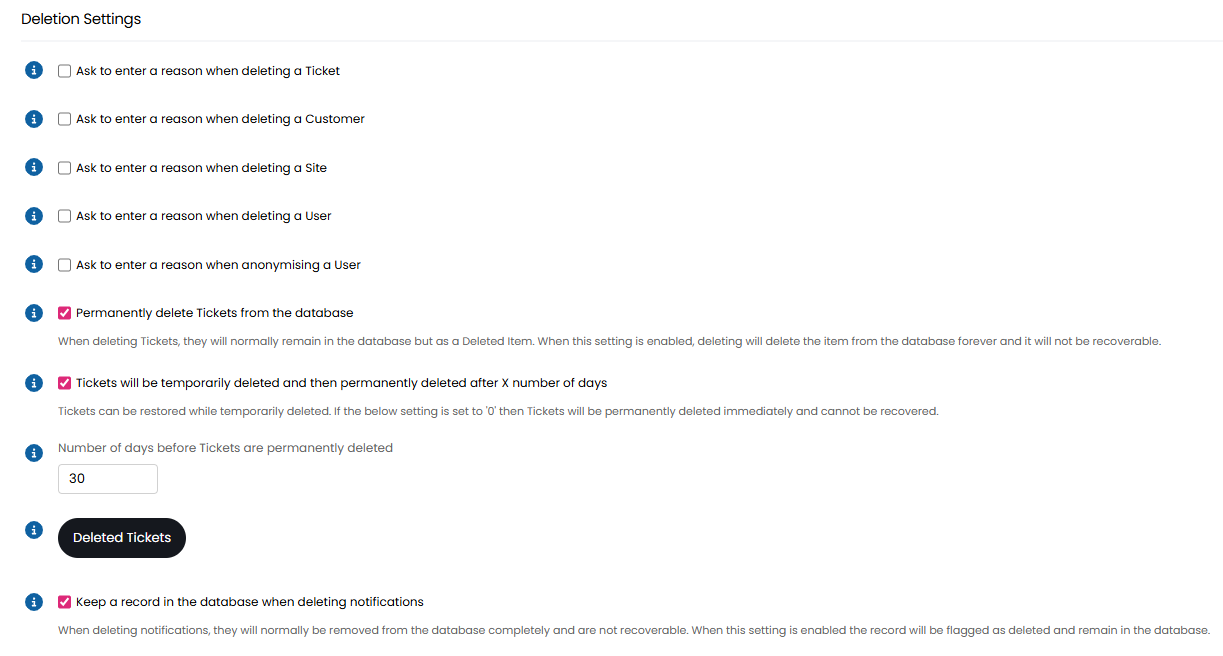
Fig 3. Deletion Settings.
Select the Ticket with the checkbox next to it, hover over "Edit", and choose "Recover".
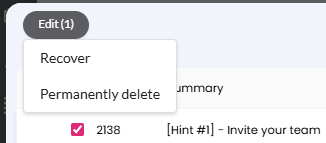
Fig 4. Recovering a Ticket.
Permanent deletion can be enabled/disabled through the following option in Configuration > Advanced Settings.
- Permanently delete Tickets from the database: When unselected, deleting Tickets will remove them from the UI but maintain records in the DB. When checked, Tickets are also deleted from the DB.
- Tickets will be temporarily deleted and then permanently deleted after X number of days: This checkbox will show if the above is enabled. When selected, a field will show to choose the number of days that permanent deletion occurs. Before that day threshold, tickets can still be recovered.
- Number of days before Tickets are permanently deleted: This field will show if the above is enabled, and will default to 30 days. The number entered here will become the number of days after deletion that permanent deletion of ticket occurs.
If "Permanently delete Tickets from the database" is enabled and "Tickets will be temporarily deleted and then permanently deleted after X number of days" is disabled, Tickets will be permanently deleted immediately and they cannot be recovered. For this reason, it is highly recommended to either set a number of days to permanently delete after, or disable permanent deletion completely.
Preventing Agents from Deleting Tickets
You can stop Agents from being able to delete tickets by setting "Can Delete Tickets" to "No" in the "Permissions" tab of their Agent profile.
Note: Their role may inherit a higher permission, and the highest level of access takes precedence, so make sure to check that they are not inheriting higher permissions from a role (like this Agent is below), as this will override due to it being a higher permission.
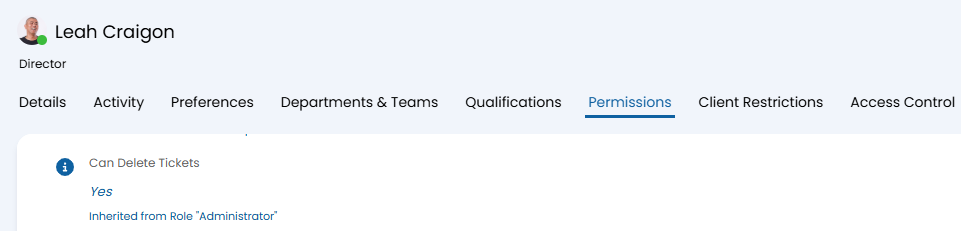
Fig 5. Can Delete Tickets permission.
You can also enable "Ask to enter a reason when deleting a Ticket". This will not prevent Agents from being able to delete Tickets, but may prevent accidental deletions as the reason will need to be entered before the deletion is processed.