Ticket Category Defaults and Overrides
In this guide we will cover:
- Hierarchy Used for Category Defaults
- Defaults Locations
- Additional Overrides to Consider
Hierarchy Used for Category Defaults
The category that will be set will be determined by the following hierarchy:
- Action
- Client
- Ticket Type
Defaults Locations
Action
In Configuration > Tickets > Actions, go to the "Defaults" tab and set the "Default Category". If the Field is added to the Field List, the dropdown will default to this option, but can be manually changed. If not, the category value will be automatically set upon submitting the action.
Note: The name of these fields will be set based on the "Label" you set against the category in Configuration > Tickets > Categorisation.
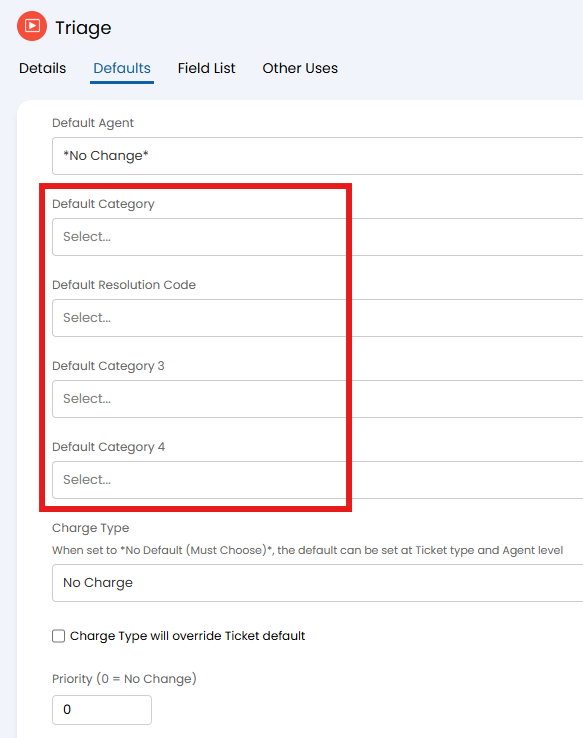
Fig 1. Setting category from an action default
Client
On a client profile, go to the "Settings" tab and set the "Category Default".
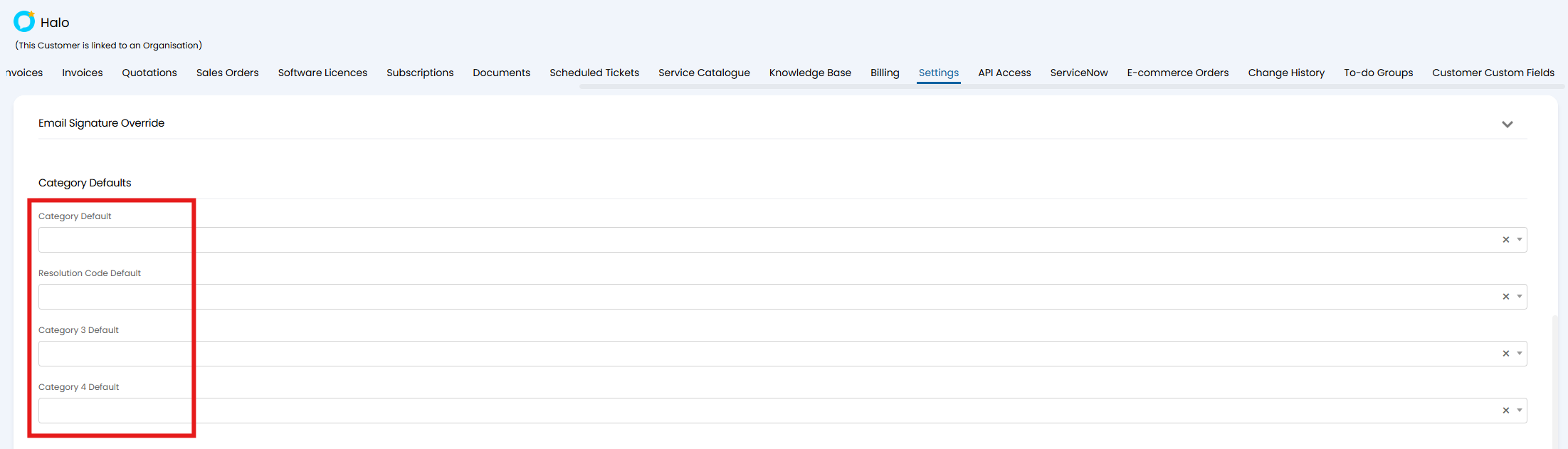
Fig 2. Setting category from a client default
Ticket Type
In Configuration > Tickets > Ticket Types, go to the "Defaults" tab and set the "Category".
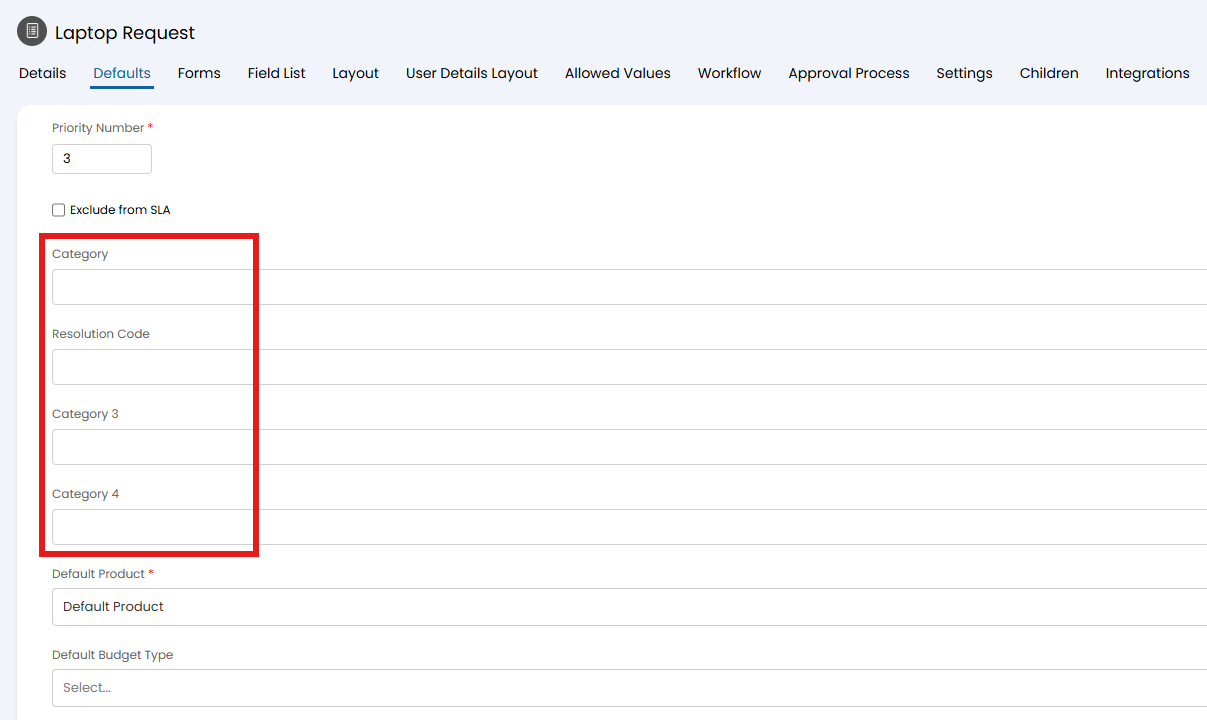
Fig 3. Setting category from a ticket type default
Additional Overrides to Consider
Whilst the above will set a default, defaults can be overridden by manual selection from a dropdown (i.e. on an action or ticket type), or automatically from a ticket rule outcome or ticket template that applies after logging.
Manual Overrides
In Configuration > Tickets > Actions, or Configuration > Tickets > Ticket Types, the "Category" field can be added in the "Field List" tab. If ta default above is set, the dropdown will default to this option, but can be manually changed from the action or ticket screen. If not changed, that default value will be set upon submitting the action.
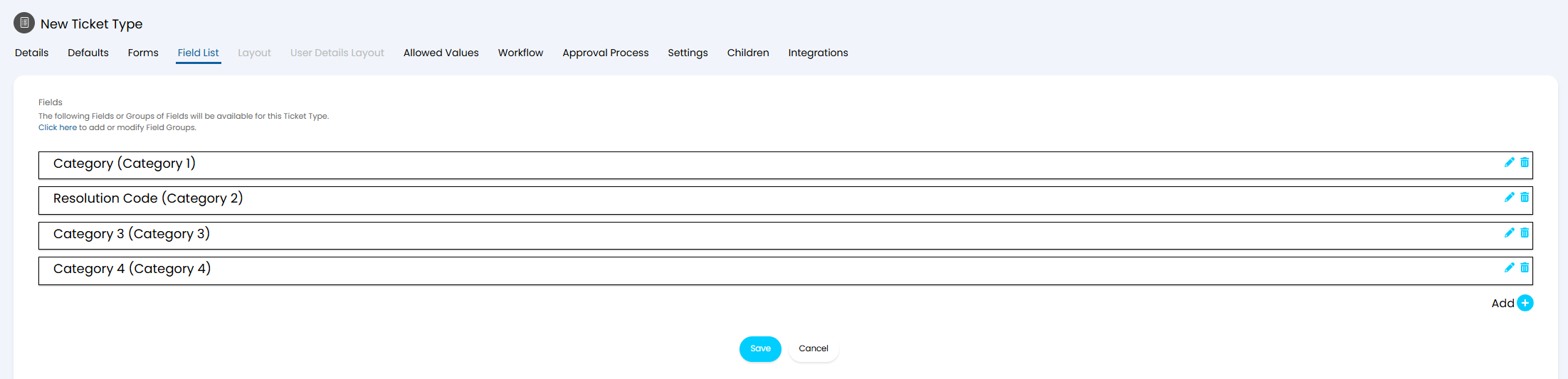
Fig 4. Setting category from an action dropdown
Automatic Overrides
In Configuration > Tickets > Rules, scroll to the "Outcomes" section and set the "Category" field.
Note: If "Check rules after the Ticket has been submitted instead of on the New Ticket screen" is enabled in Configuration > Tickets > General Settings, the defaults will be overridden after logging instead of on the new ticket screen.
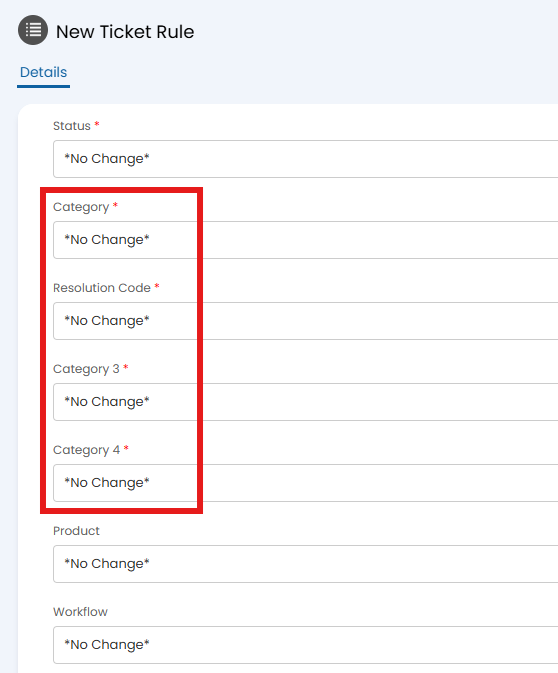
Fig 5. Setting category from a ticket rule outcome
In Configuration > Tickets > Templates, go to the "Values" tab and set the "Category" field.
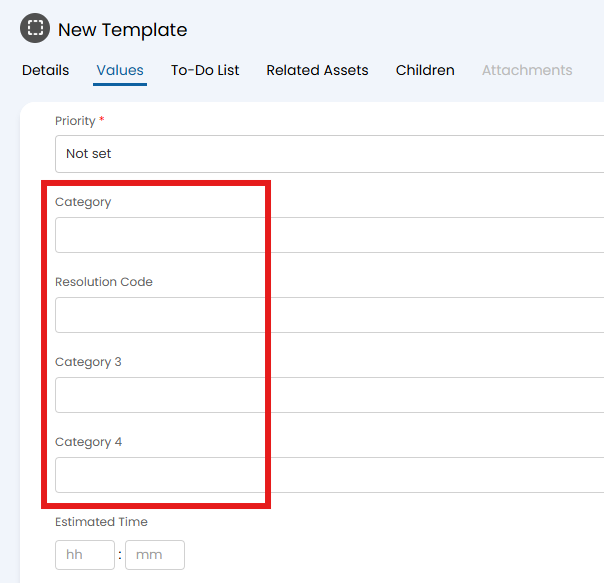
Fig 6. Setting category from a ticket template value