Allow Users to Update their own Details from the Portal
In this guide we will cover:
- Allow Users to Update system User fields
- Allow Users to Update Custom Fields
- Editing Fields in the Portal
Users can be allowed to update their own user details from the self service portal. Making it easier for users to keep their details up to date as they do not need to rely on/wait for agents to update the details for them. This functionality is also available for supplier users, but for information on setting this up for supplier users please see our guide on supplier users.
Allow Users to Update system User fields
The following system fields can be added to the portal to allow users to update them:
- Username
- First name
- Surname
- Title
- Date of Birth
- Department
- Job Title
- Reports To
- Working Hours
- Additional Information
To allow users to update one/some of these fields, head to Configuration > Self Service Portal > enable "Allow Users to edit system Fields on the Portal". Then you will be able to select which fields users can update.
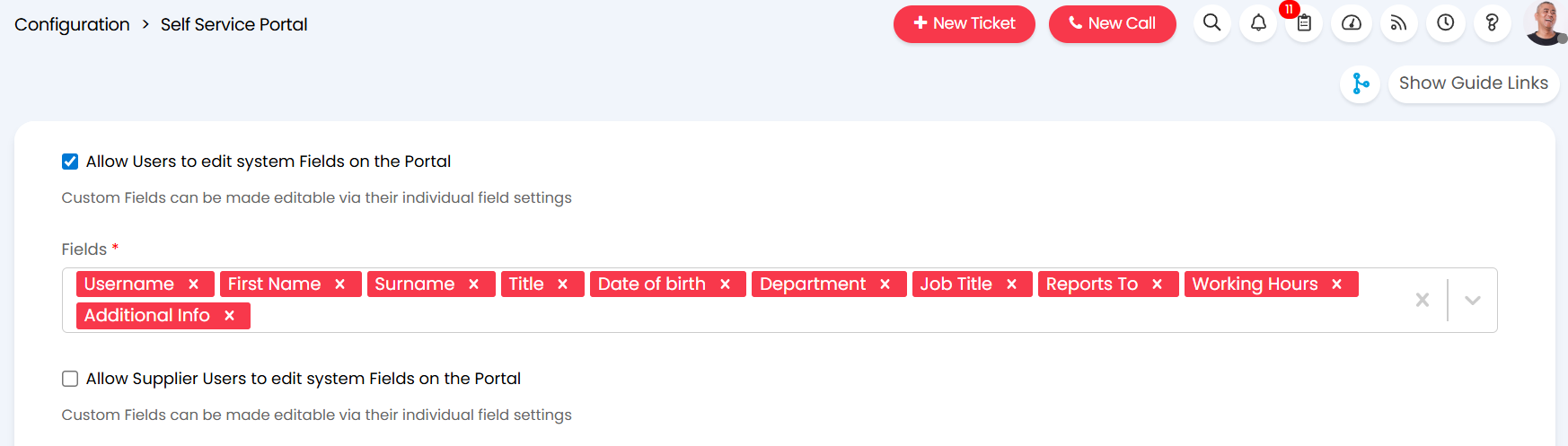
Fig 1. Allow users to edit system fields in the portal
Allow Users to Update Custom Fields
Any user custom fields created can also be added to the portal to allow users to update them. To add a field to the portal this will need to be set against the field itself.
Head to Configuration > Custom Objects > Custom Fields > change the entity to User > select a field > enable "Allow Users to edit this Field on the Portal".
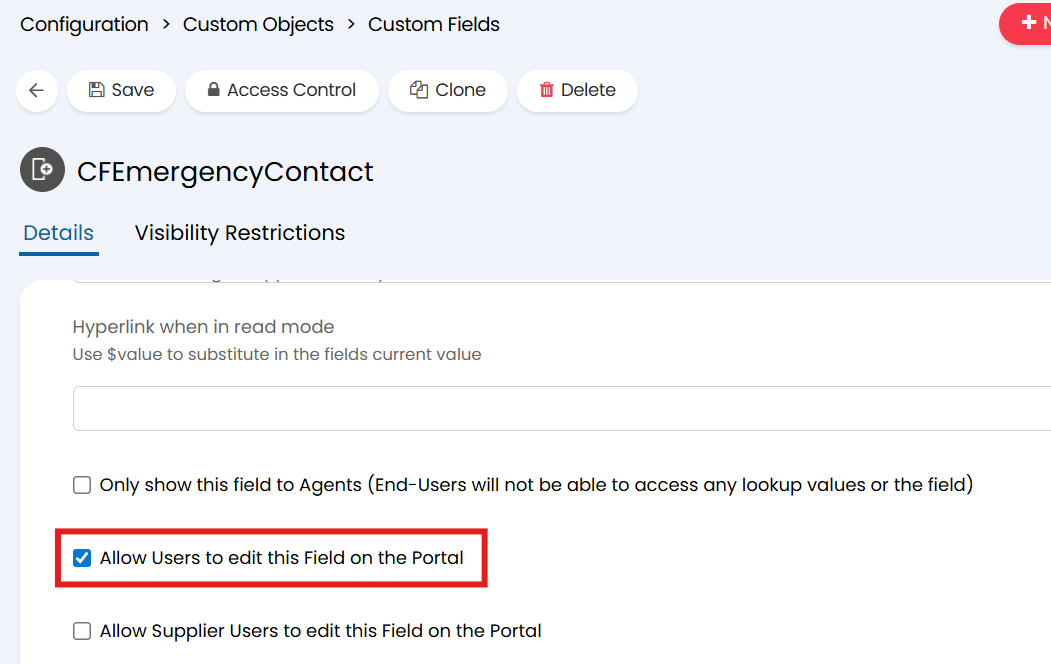
Fig 2. Allow a custom field to be edited on the portal
Editing Fields in the Portal
Users can now update the chosen fields under the "Settings and Preferences" section of the portal. Accessed by selecting their profile in the top right.
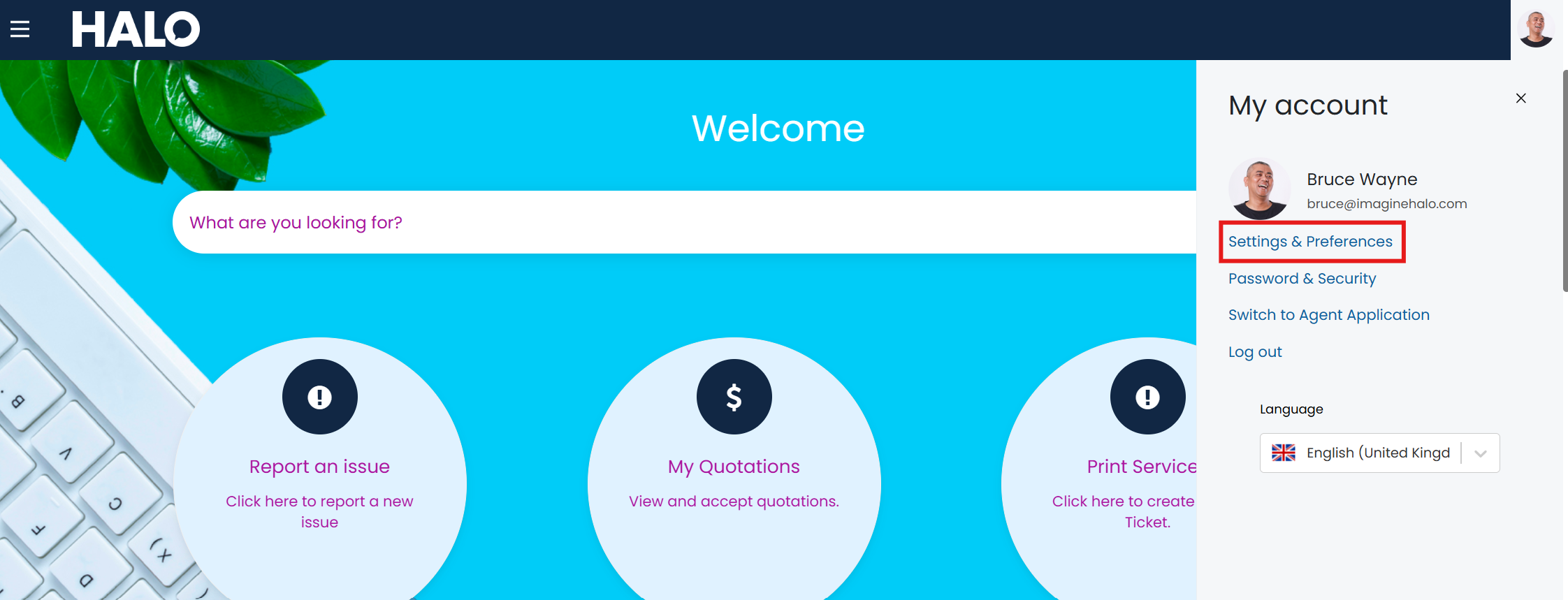
Fig 3. Access Settings and Preferences
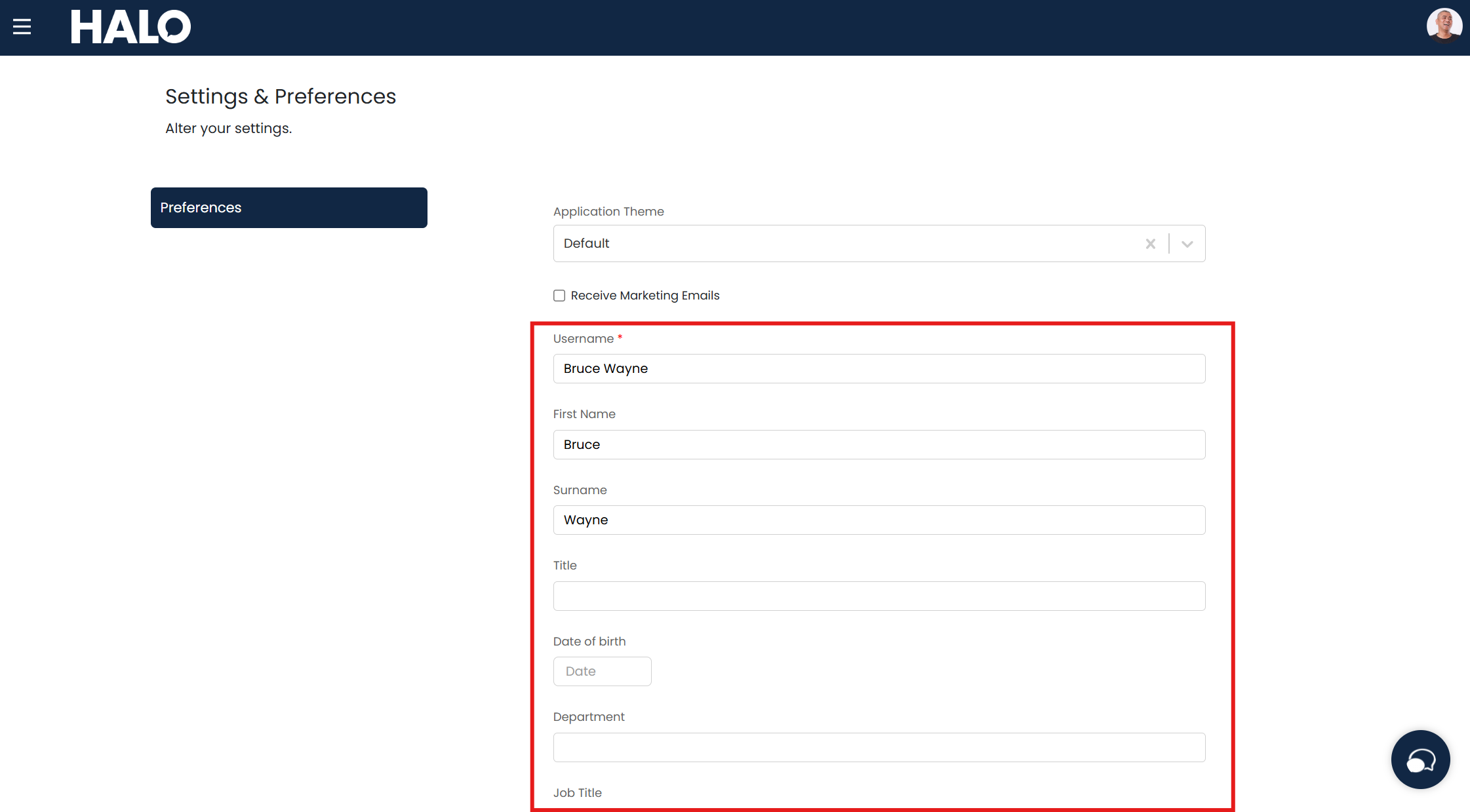
Fig 4. User Details to update