Agent Cost Tracking and Profitability Reporting
- cost tracking
- agent cost
- costs
- profitability
- agent profitability
In this guide we will cover:
- What is Agent Cost tracking?
- Setting Agent Costs
- Profitability Reports
What is Agent Cost tracking?
The reporting suite in Halo can be utilised to create profitability reports based on real time data. This allows you to track the profitability of different areas of your business, including the profitability of services involving Agent labour, such as support services. In order to use this functionality effectively, you will need to set the cost for each of your Agents.
Setting Agent Costs
Before you can create profitability reports, ensure you have set the 'cost' for each of your Agents. This will determine how much this Agent costs you per hour of work they complete.
To do this, head to Configuration > Teams and Agents > Agents > select an Agent > see the 'Cost per hour' field.
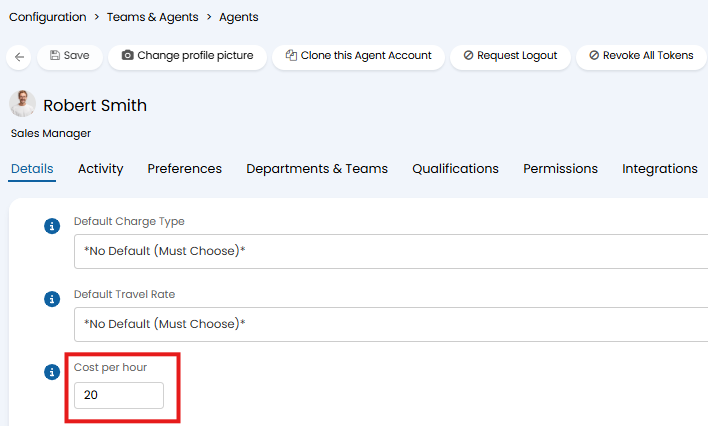
Fig 1. Cost per hour
The cost here should be entered in your default currency.
You can enable the ability to track the historic cost of Agents too. This is useful as it allows you to report on historical data, accounting for changes in the Agent's cost, such as if the Agent has received a pay-rise.
Enable Historic Cost Tracking
Head to Configuration > Advanced Settings, here enable 'Enable Agent Cost History Tracking'.
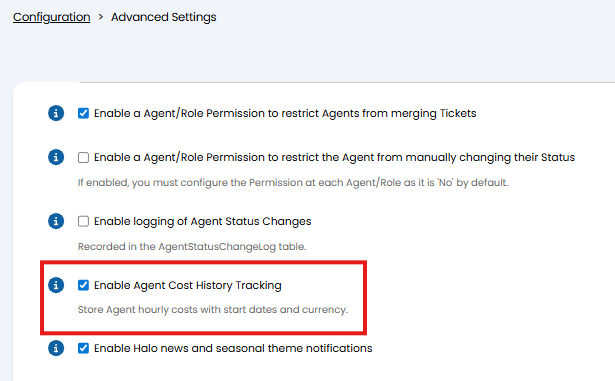
Fig 2. Enable Agent Cost History Tracking
When enabled, the 'Cost per hour' field against each Agent profile will be replaced with an 'Agent Cost Tracking' table, as shown in figure 3.
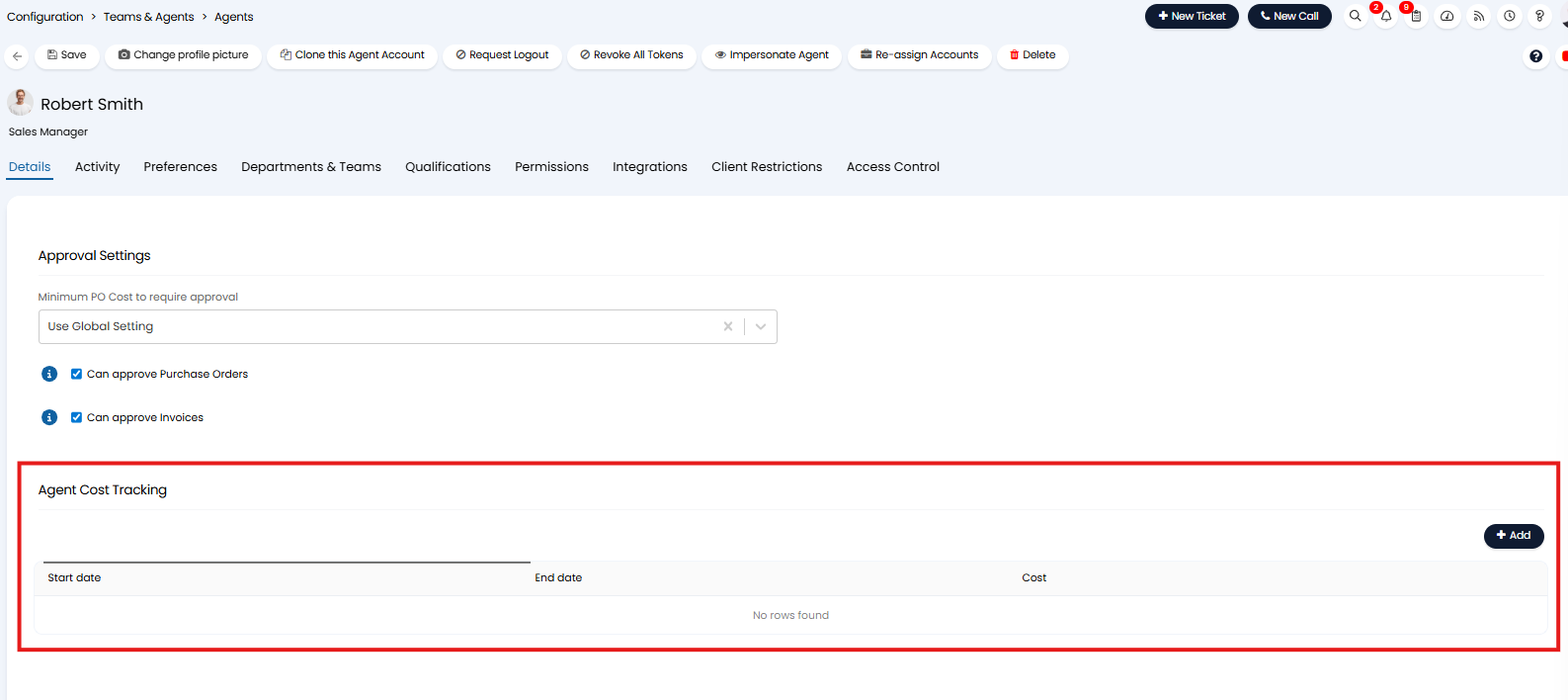
Fig 3. Agent Cost Tracking table
The Agent Cost Tracking table allows you to record the cost of an Agent between a set time period, as well as the currency you would like to record this cost in.
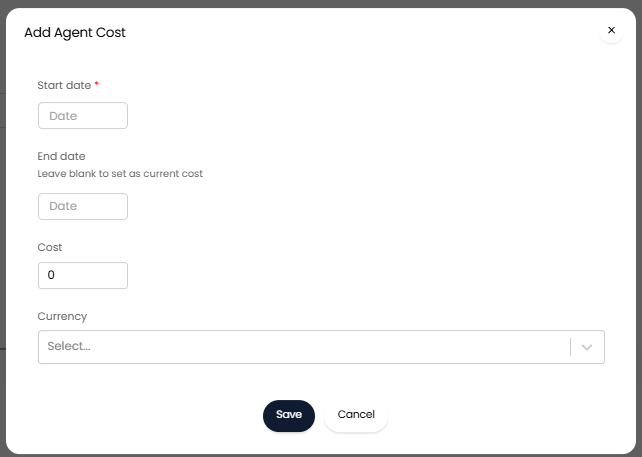
Fig 4. Adding an Agent cost entry
In the figure 5 example cost records have been added so that between the period 01/04/24-01/04/25 any work this Agent does will have a cost of £20 an hour. From 02/04/25 any work this Agent does will have a cost of £25 an hour.
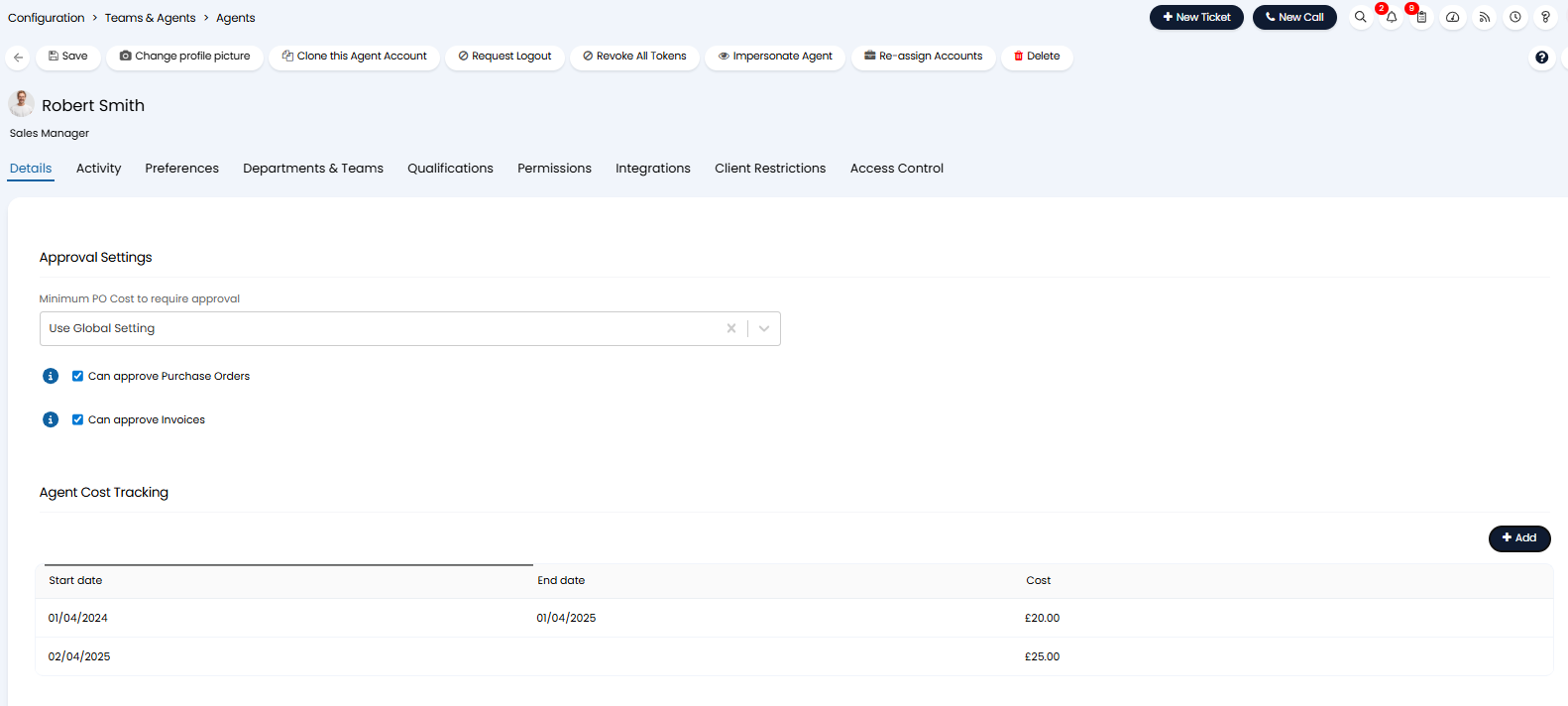
Fig 5. Historical Agent cost records
This means, any profitability reports will take into account this change in the cost of this Agent. Cost (and profitability) will be calculated differently based on the time period you are viewing data for.
Note: If you are recording the cost of an Agent in a different currency to your default currency, this cost will be converted to your default currency (in line with current conversion rates) to calculate the profitability.
Profitability Reports
Some profitability reports can be found in our Online Repository, available to all customers out-of-the-box. These can provide a good base to use when creating profitability reports, most reports will need to be adjusted to fit your specifications. For information on using our Online Repository, check out Report Online Repository