MS Teams Chat Integration
This article explains how MS Teams chat integration enhances collaboration a Major Incident within HaloITSM. This feature allows for real-time communication directly within the Major Incident record, facilitating quicker resolutions.
To use MS Teams chat within HaloITSM, first ensure that the integration is set up by your system administrator.
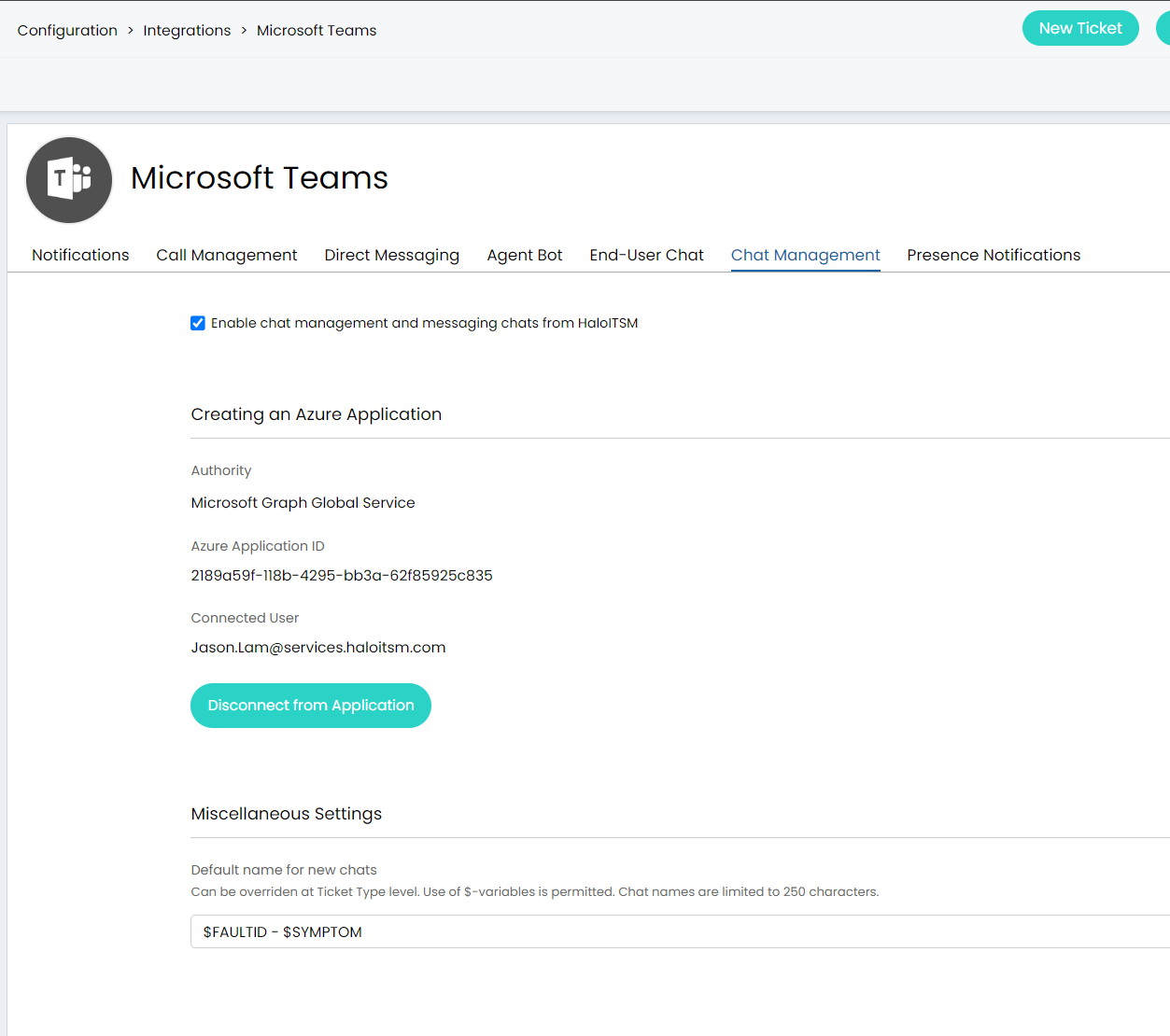
System Administrators can navigate to the tab on the Microsoft Teams integration module and enable "Enable chat management and messaging chats from HaloITSM"
The application requires a mixture of delegate and application permissions. These permissions include: chat.read, chat.readwrite, chatmessage.send, and chat.read.all.
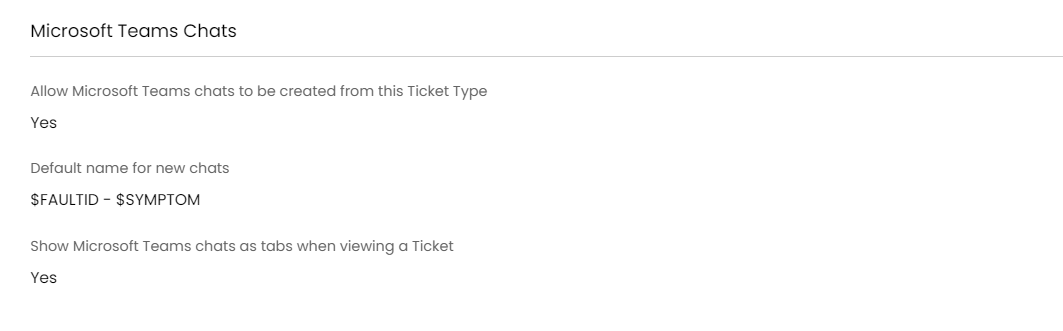
The option to enable the ability to see and create new chats is then turned on at Ticket Type level (Configuration>Tickets>Ticket Types>Major Incident. There is also an option to specify a default name for new chats that will auto-populate on the creation screen, which overrides the global setting found in the integration setup screen. You can also choose to show chats created from the Major Incident Record as tabs on the console.
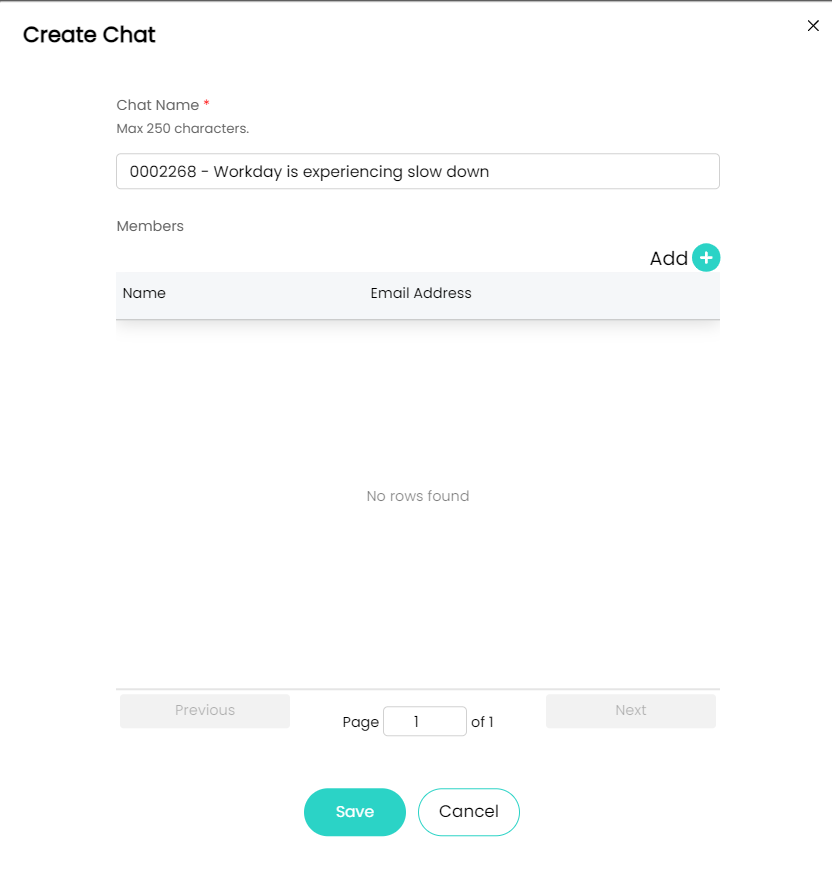
The user who authorized the integration will be automatically added as an owner of the chat during the creation. Only user(s) imported via the Azure Active Directory integration can be added as a member.
Once active, you can initiate a chat by clicking on the 'Add' icon in the Chat Stream area within the Major Incident console.
This opens a chat window where you can message team members, share files, and discuss the Major Incident in real-time.
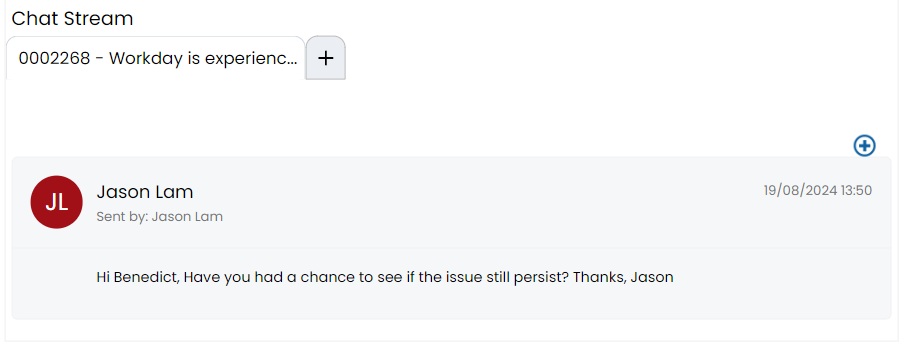
Once the chat is created, a new tab will display on the section. As part of the chat creation, a subscription to the chat will be created so that any new messages added to the chat from within Microsoft Teams will be automatically imported.
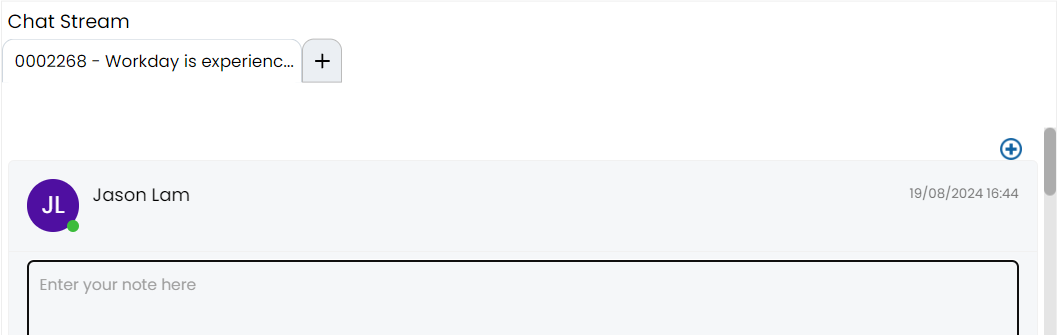
Using the blue plus icon in the top right hand corner, new messages can be sent to the chat from Halo. Any message sent from Halo will show in the message list as being sent by the user who authorized the integration, but a sub header showing the agent who performed the action is also shown for auditability.
A background service will renew any chat subscriptions that are close to expiry on open Tickets. Once a Ticket is closed, the subscription will no longer be renewed and new messages will no longer be imported from Microsoft Teams.
The above functionalities ensure all chat history is automatically logged against the Major Incident record, ensuring that all communications are documented and can be referenced later. This integration eliminates the need to switch between platforms, allowing you to stay focused on the resolution process and enhancing overall team collaboration.