Streamlining Major Incident Management with HaloITSM
Managing major incidents effectively is crucial to maintaining business continuity and minimizing the impact on operations. With HaloITSM, handling major incidents is not only seamless but also highly efficient. HaloITSM offers an intuitive interface designed to simplify the entire major incident management process—from identification to resolution, reporting, and automatic problem generation.
Our platform is equipped with the Major Incident functionalities Out-Of-The-Box. With built-in workflows, automated notifications, and customizable consoles, HaloITSM empowers your IT teams to stay ahead of any major incidents, reducing response times and enhancing communication across all stakeholders.
Logging a Major Incident Ticket
A major incident management ticket can be created through several methods—either directly through an incident ticket, via email, or by raising a standalone major incident ticket.
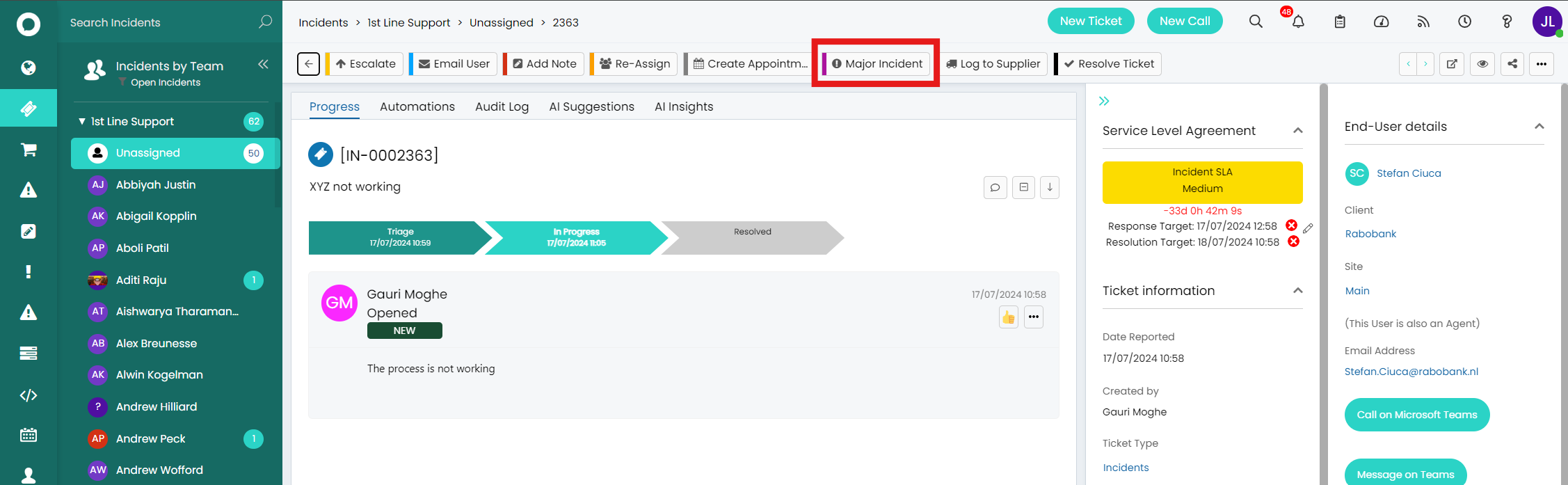
- Through an incident ticket: Log into HaloITSM and navigate to the “Incidents” area. Click on any incidents record, and in the tickets that are at the right stage of the workflow, there is an action “Major Incident.” The action can be used to create a Major Incident ticket having the agent to provide information in the list of configurable fields.
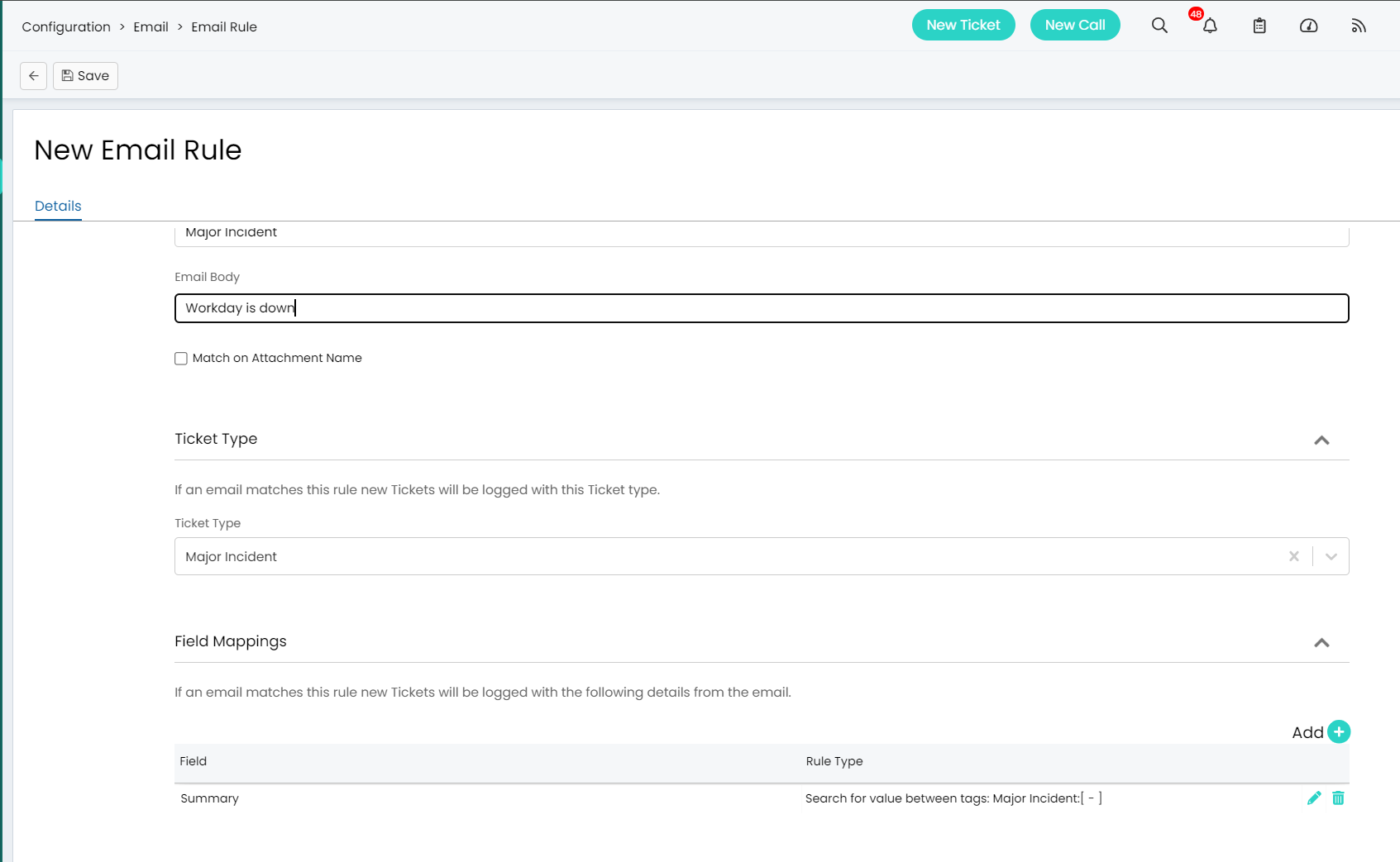
- Via Email: You can also log a major incident by sending an email to {emailname}@haloitsm.email. We can set up email rule(s) to create an incident record. For example: the email rule can be set up for the subject line to include “Major Incident” and format the body of the email that contains all necessary details such as the description of the Major Incident, its impact, and any attachments that can aid in its resolution. HaloITSM automatically converts this email into a Major Incident ticket, streamlining the logging process.
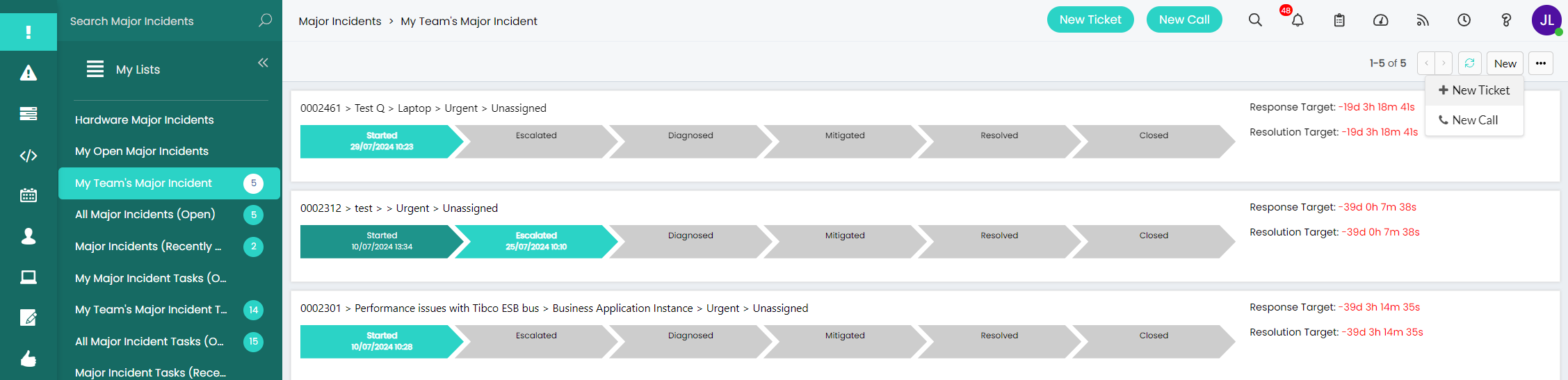
- By raising a standalone major incident ticket: Agents can also navigate to the Major Incidents Area and log a new ticket on the top right of their screen within the agent portal. This encourages agents to spot Major Incidents early and with the ease of logging, all teams are immediately notified of the Major Incident, limiting the further impact the Major Incident can cause.
Managing and Escalating the Incident
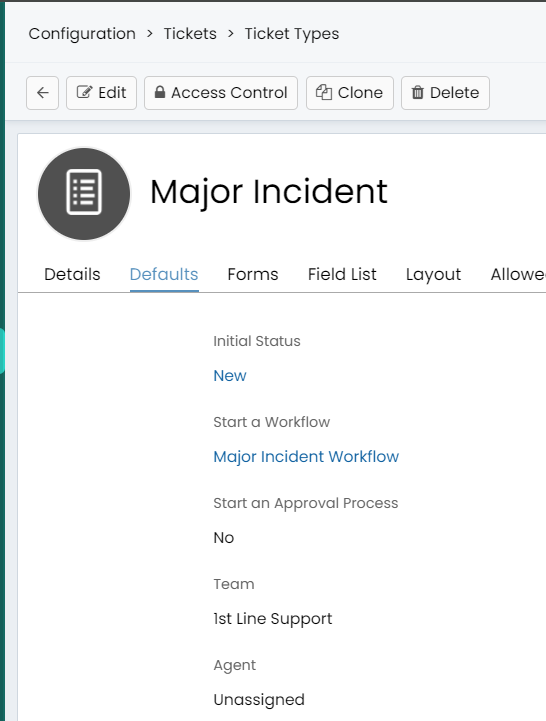
A Major Incident is immediately assigned according to the predefined configuration, ensuring that the appropriate teams are alerted without delay.
The major incident will immediately appear in your major incident dashboard with the summary of the major incidents, the respective state of the workflow that they are in, alongside with the date reported, the response target, and the resolution target of the major incidents.
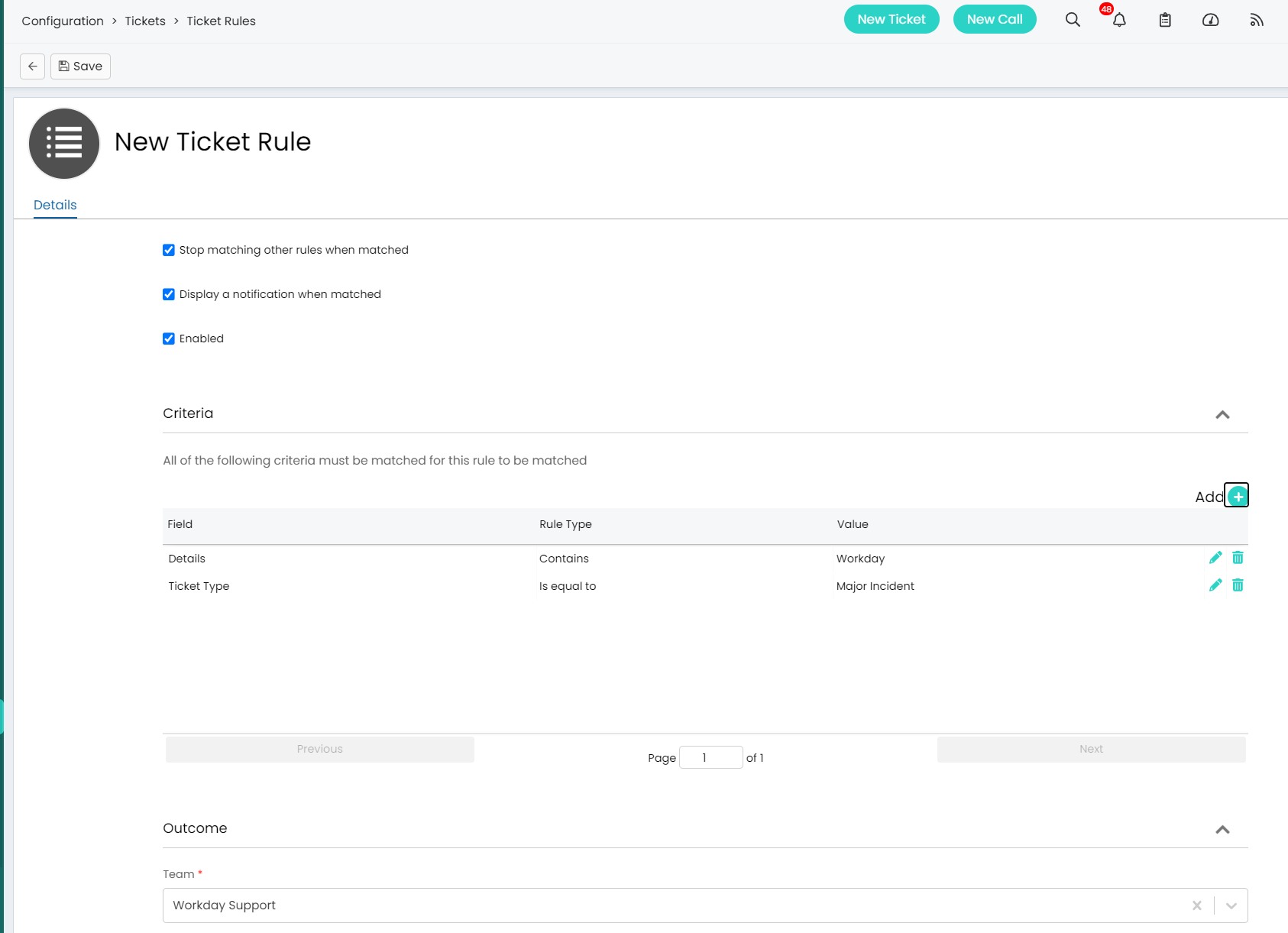
- Assignment and Escalation: The system assigns the ticket to the relevant team based on pre-defined configuration, which can be based on the Maor Incident’s nature and Impact. In cases where the assigned team is unable to resolve the issue within a set timeframe, HaloITSM can automatically escalates the ticket to higher-level support, ensuring continuous attention and effort towards resolution.
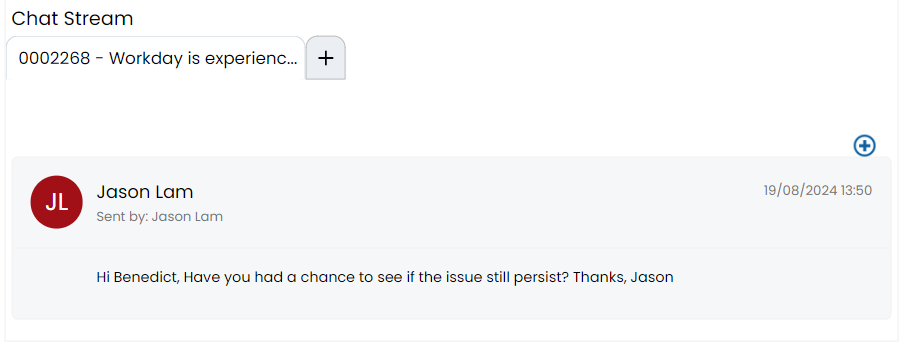
- Real-Time Collaboration: HaloITSM enables real-time collaboration across teams and stakeholders through integrated communication tools. The platform’s collaboration features include internal chat, Microsoft Teams Chat and real-time updates, allowing all parties to stay informed and work together efficiently.
Monitoring and Resolution
HaloITSM provides a comprehensive Major Incident Console that allows Major Incident teams to have an overview and monitor the progress of each major incident. These dashboards offer a real-time view of the major incident’s progress, including any actions taken, current team assignments, and pending tasks.
- Record Tracking: The platform tracks every step taken to resolve the incident, providing a complete audit trail. This includes timestamps, team notes, and any changes in status, offering a transparent view of the incident’s lifecycle.
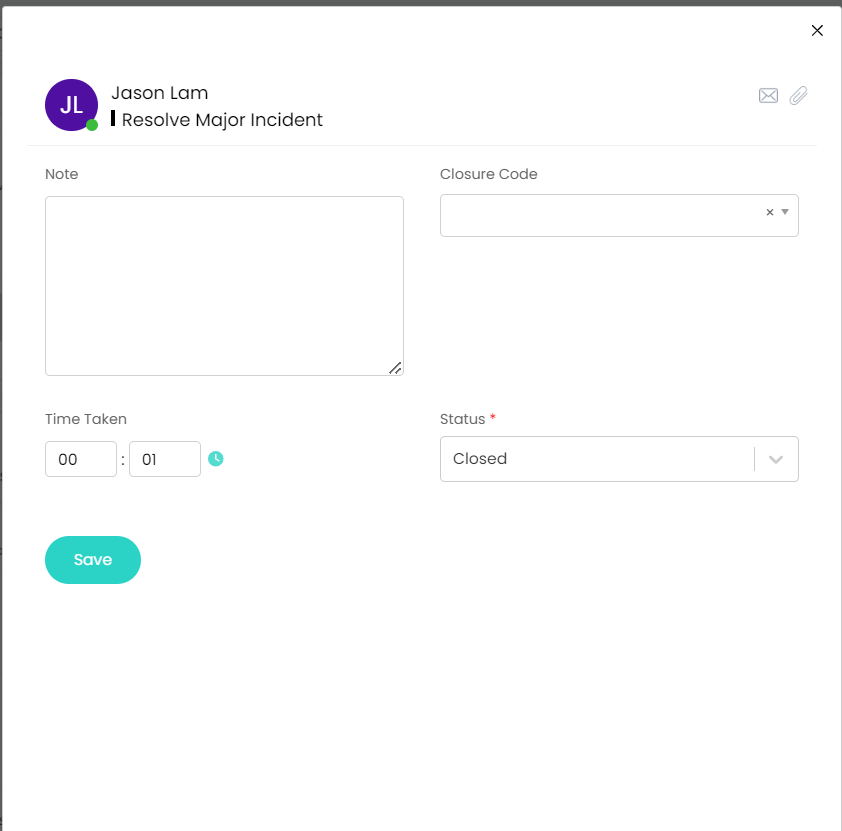
- Resolution and Closure: Once the issue has been resolved, the major incident is updated in the system, and a resolution note is added. HaloITSM automatically notifies all stakeholders of the major incident’s resolution. Before closing the ticket, you can ensure that all documentation and audit trails are complete, and gather feedback from the impacted users to improve future incident management processes.
Post-Incident Review
After the resolution of the major incident, HaloITSM facilitates a post-incident review. This review allows you to assess the major incident’s impact, evaluate the effectiveness of the response, and identify areas for improvement. The platform generates comprehensive reports that detail the major incident’s timeline, response actions, and resolution outcomes. These insights are invaluable for refining your major incident management processes and preventing future occurrences.
Conclusion
HaloITSM’s robust and user-friendly features streamline the major incident management process from start to finish. By leveraging automated workflows, real-time collaboration tools, and comprehensive reporting capabilities, your IT teams can handle major incidents more efficiently, minimizing downtime and ensuring swift resolutions. Whether you're logging incidents or managing them, HaloITSM provides the tools you need to maintain business continuity and enhance your overall IT service management strategy.