Charge Type Overrides Explained
- charge type heirarchy
- charge types
- charge type will override ticket default
In this guide we will cover:
- Charge Type hierarchy
- Setting Locations
- Overriding the Rates used for Charge Types
Charge types can be defaulted in various places to have the charge type change based on the ticket an action is being logged on, the action that is being logged and the agent that is logging the action.
As charge type defaults can be set in various places, in this guide we will outline each level (location) a default can be set and the hierarchy these settings use. We will also look at how to set charge type rate overrides.
Charge Type Hierarchy
The following diagram outlines what the hierarchy of charge type defaults are, and how this is determined.
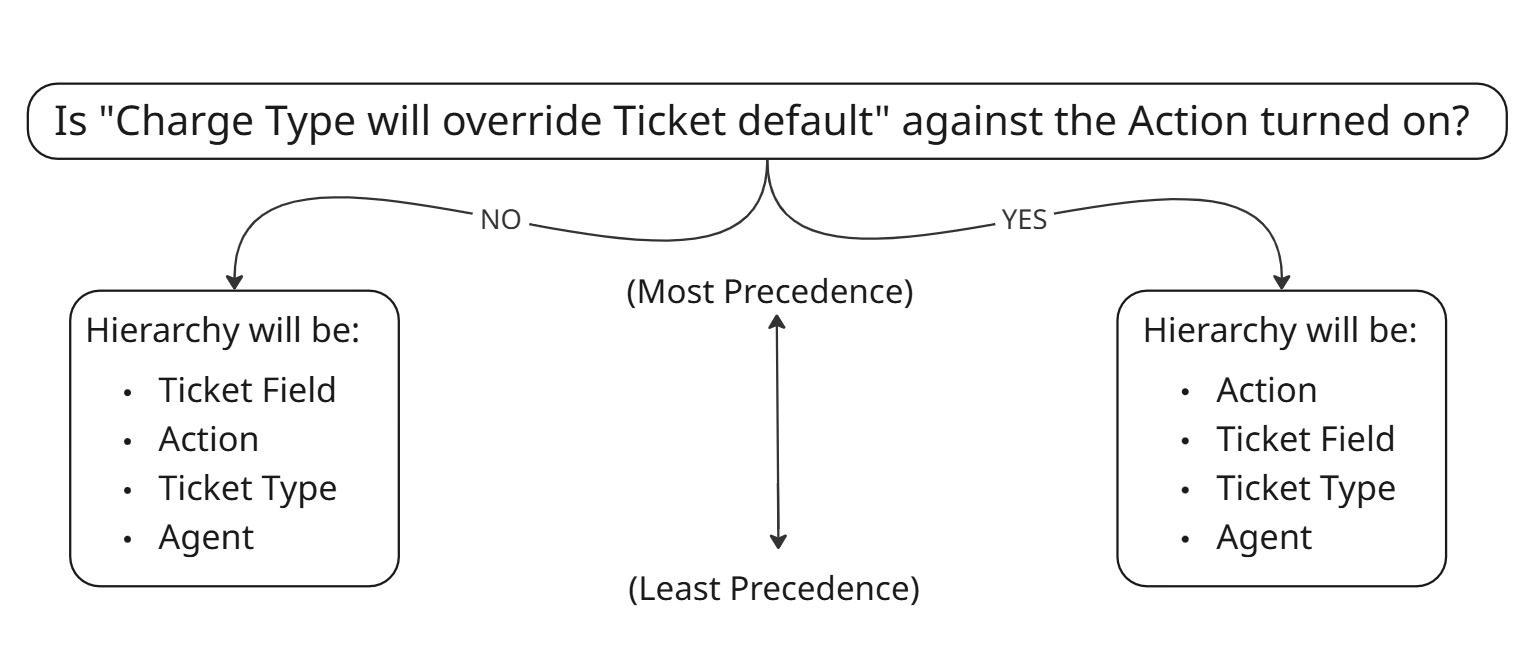 Fig 1. Charge Type Default Hierarchy
The hierarchy used will depend on the setting "Charge Type will override Ticket default" which can be found against an action. Under Configuration > Tickets > Actions > select an action > Defaults > "Charge Type will override Ticket default".
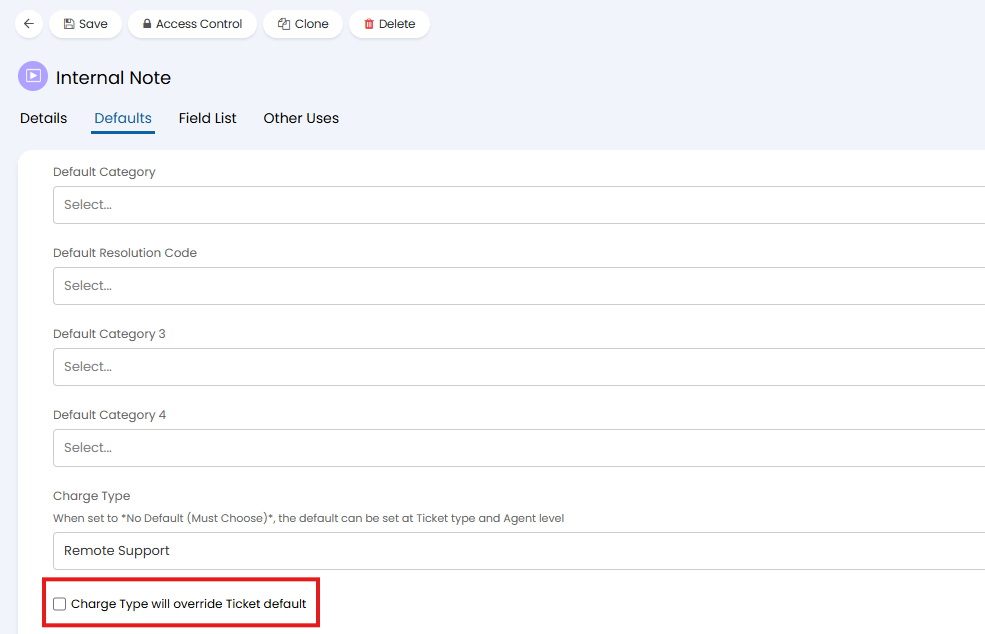
Fig 2. Charge Type will override Ticket default setting
Setting Locations
In this section we will run through each location/level email charge type defaults can be set.
Ticket Field
The field "Default Charge Rate" can be added to ticket types to allow agents to choose the default charge type for the ticket when logging.
This is added under Configuration > Tickets > Ticket Types > select a Ticket Type > Field List tab > Add "Default Charge Rate".
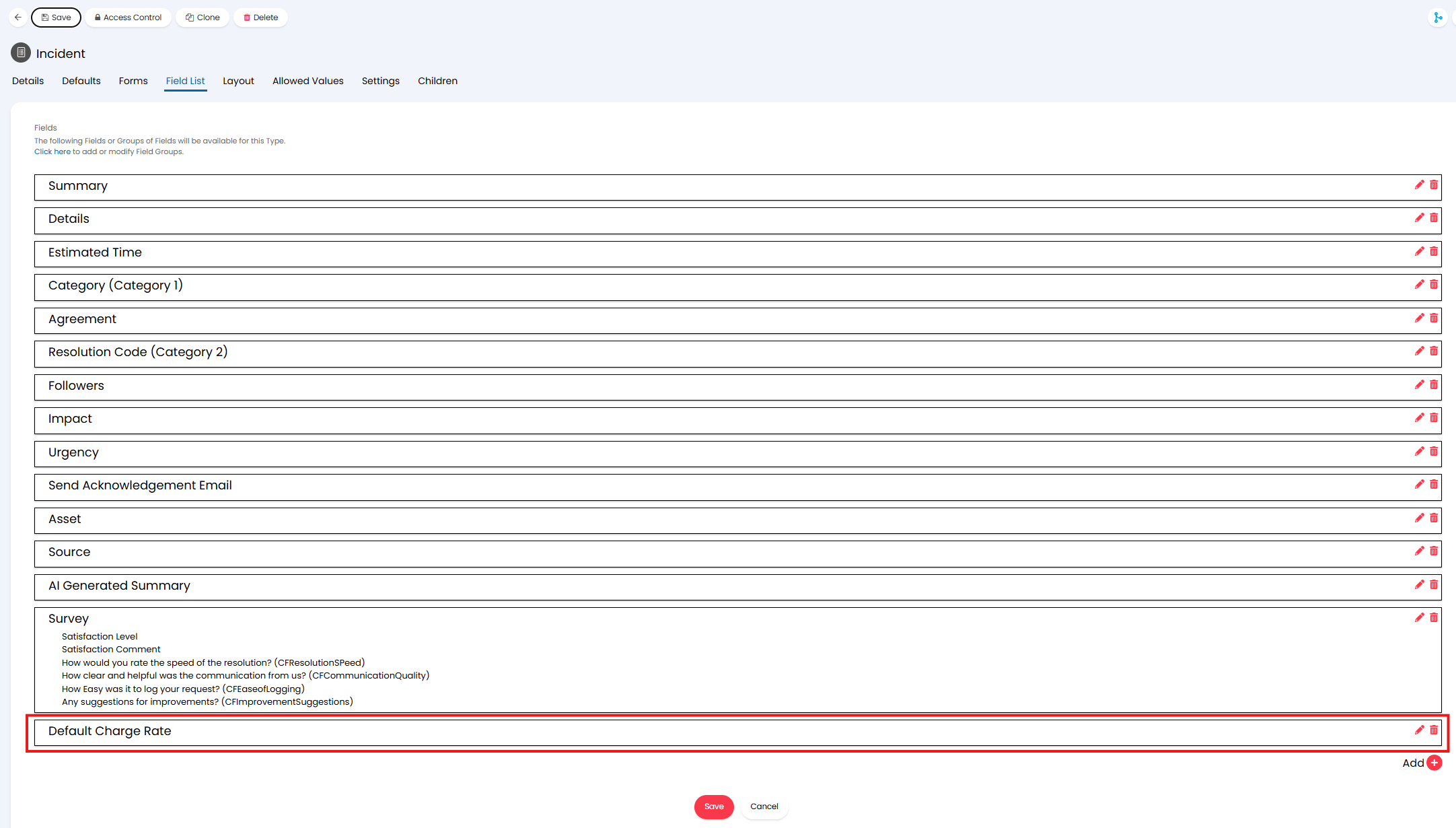
Fig 3. Default Charge Type Field
When the ticket is logged the "Default Charge Rate" chosen will be visible in the ticket details.
Action
In Configuration > Tickets > Actions > select an action > Defaults tab, set "Charge Type".
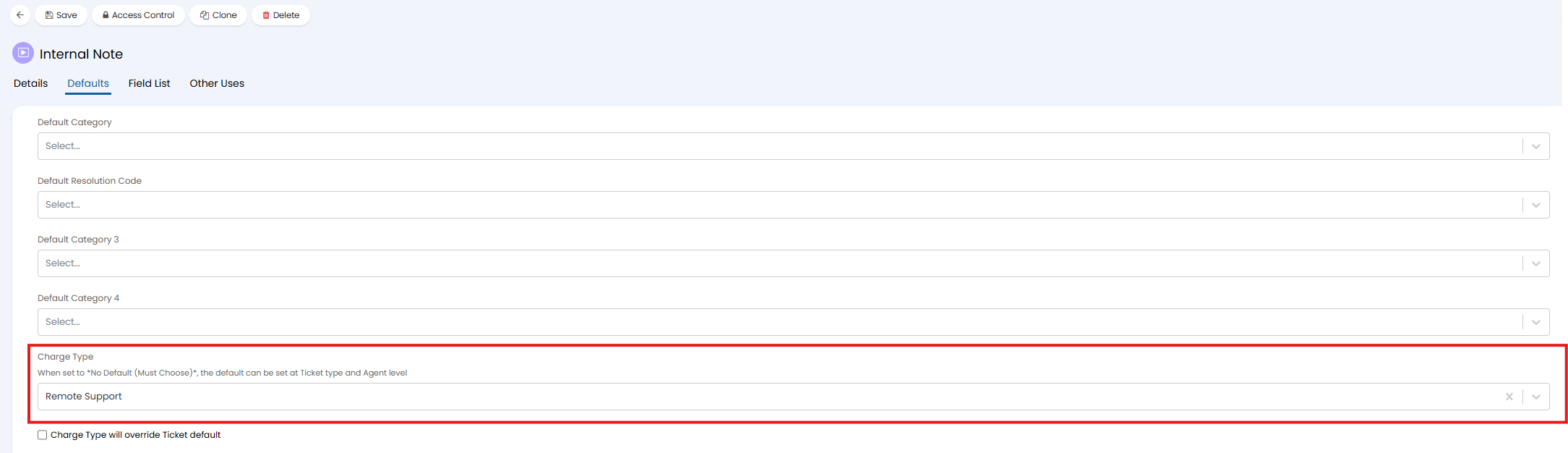
Fig 4. Action Charge Type Default
Ticket Type
In Configuration > Tickets > Ticket Types > select a ticket type > Settings tab > Billing section, set "Charge Type".
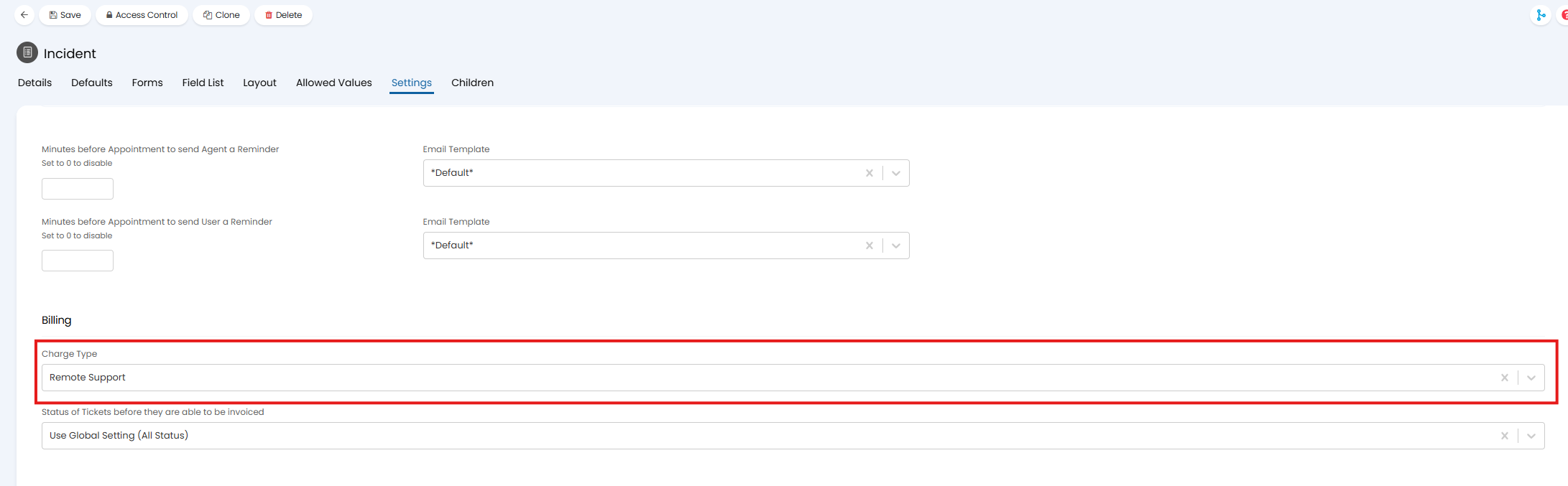
Fig 5. Ticket Type Charge Type Default
Agent
In Configuration > Teams and Agents > Agents > select an Agent > Details tab > Agent Details section, set "Default Charge Type".
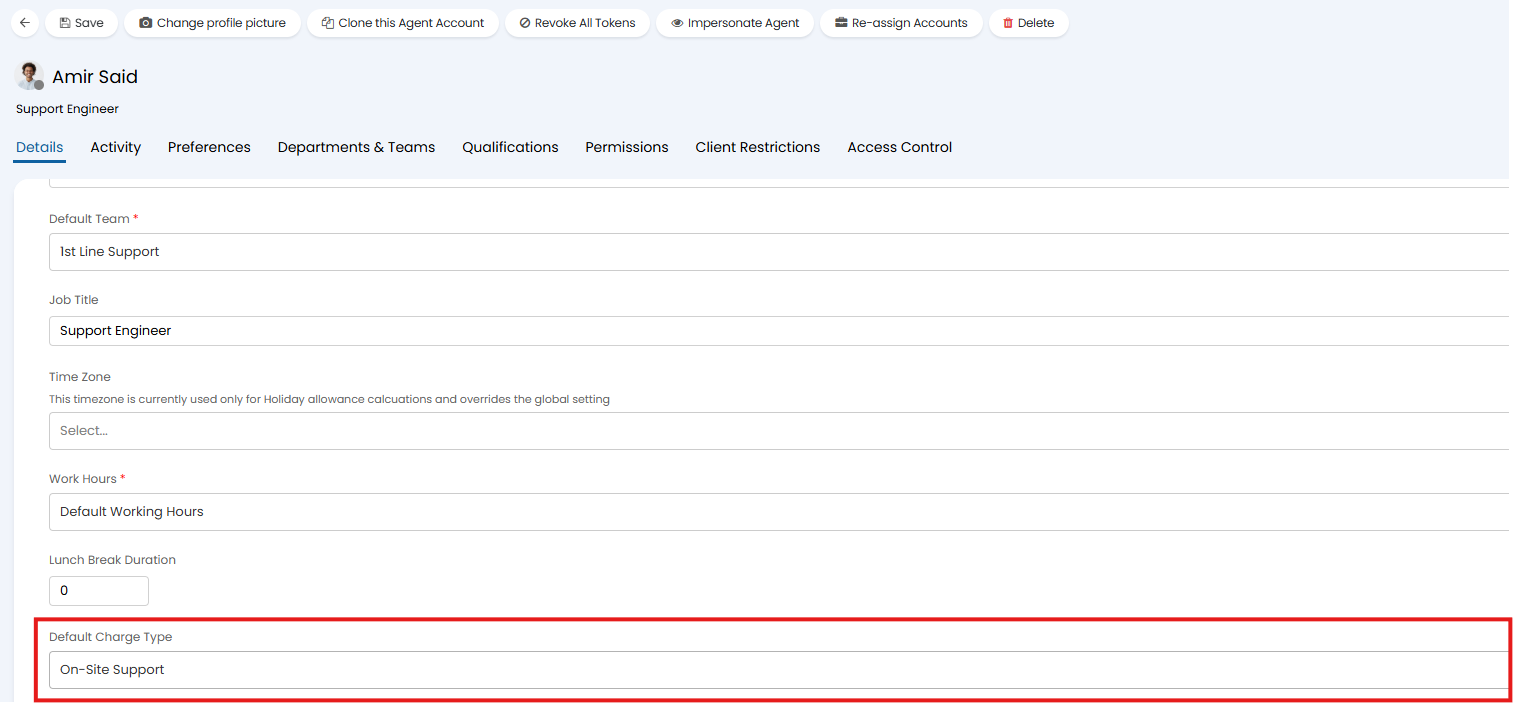
Fig 6. Agent Default Charge Type
Charge Type Hierarchy for Appointments
When completing an appointment agents can select the charge type to bill the appointment time with but the value here can be defaulted. The defaults used for appointment charge types will differ to the standard charge type hierarchy as appointments are not always associated with an action. When completing an appointment the hierarchy shown in Figure 7 will be used.
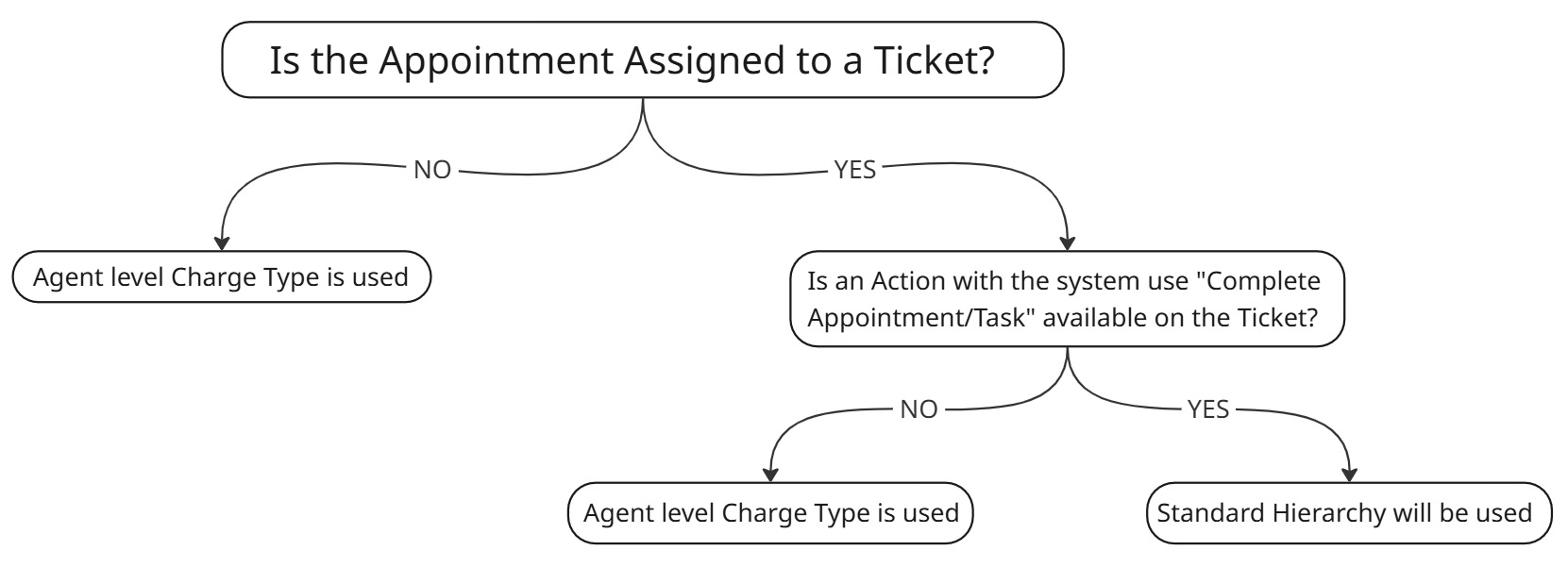
Fig 7. Hierarchy for Appointment Charge Type
You will be able to see if an appointment is assigned to a ticket when viewing an appointment.
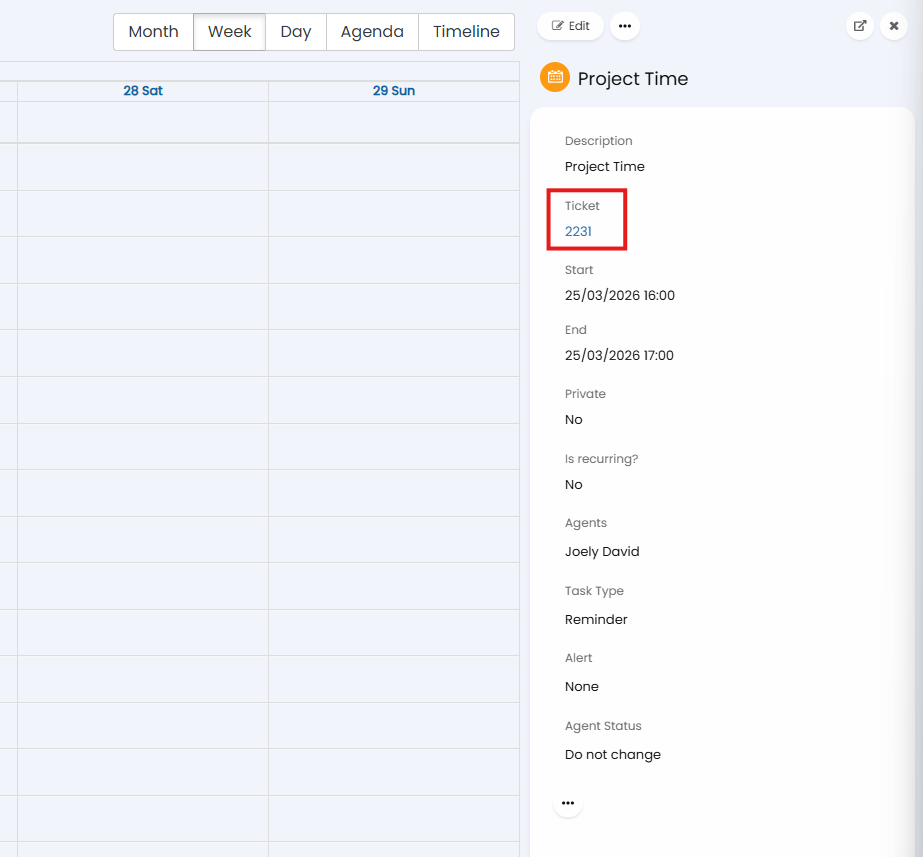
Fig 8. Appointment assigned to a Ticket
Any appointments not assigned to tickets will use the "Default Charge Type" for the agent that completes the appointment.
Appointments that are assigned to tickets will only use the "Default Charge Type" for the agent if there is not an action with the system use "Complete Appointment/Task" available to use on the ticket. Whether an action is available to use is based on the workflow assigned to the ticket and the step of the workflow the ticket is at.
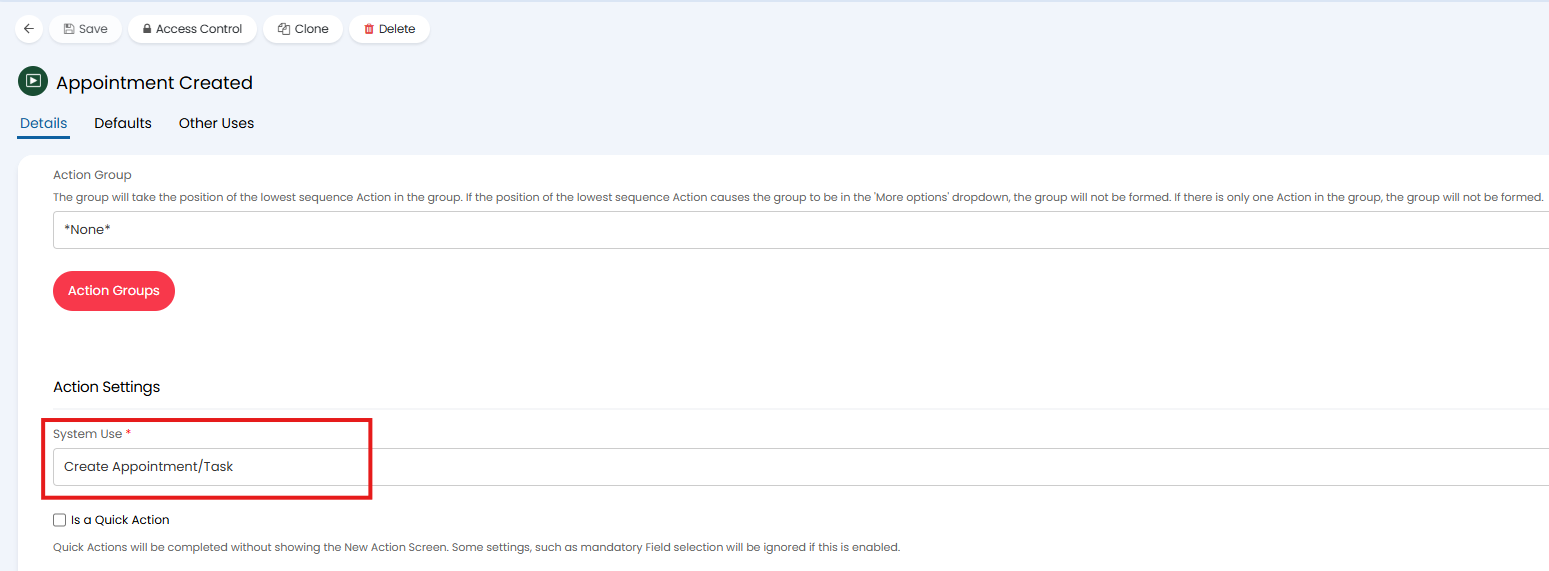
Fig 9. Action with system use to complete an Appointment
If this action is on the ticket, regardless if it is used to complete the appointment or not, the standard charge type hierarchy will be used to determine the default charge type.
Overriding Rates used for Charge Types
The charge types that can be used can be restricted per customer and per agreement. As well as this, the rate at which a charge type is charged can be overridden per customer and per agreement. These overrides/restrictions are found in the following locations:
- The Billing Tab of a Customer:
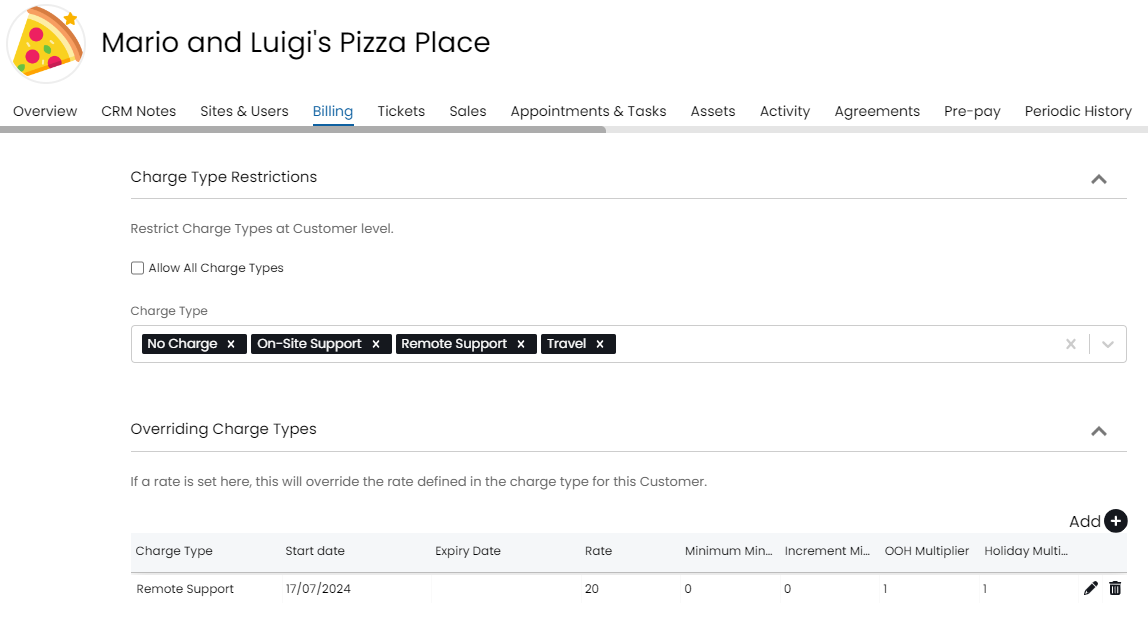
Fig 10. Override charge type rate per customer
- Charge Types tab of an Agreement:
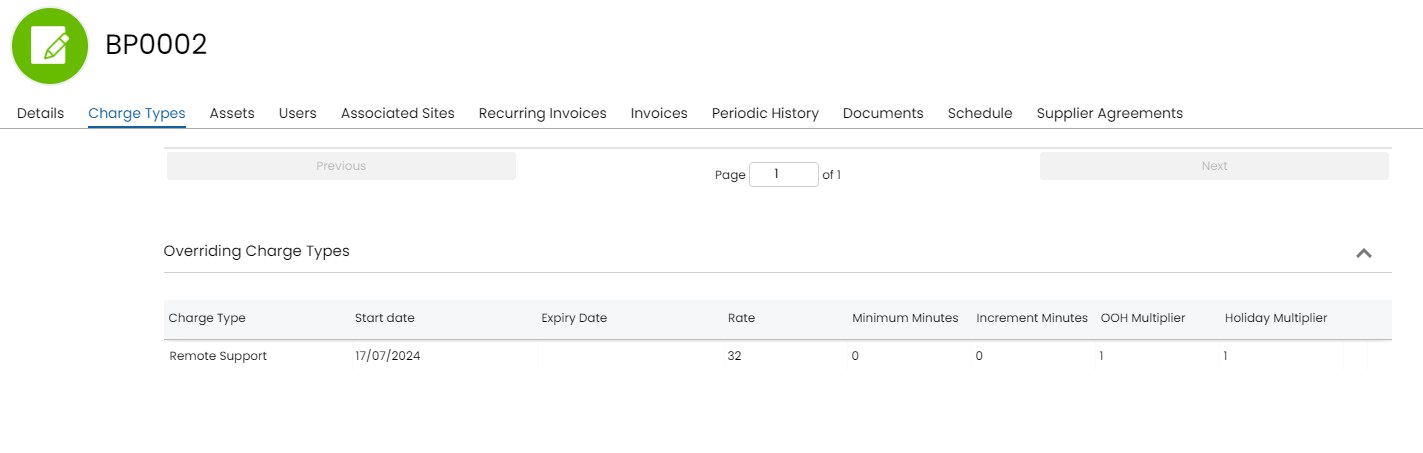
Fig 11. Override Charge Type Rate per Agreement
If the agreement has the overriding charge type attached, then the system will take the override set at the agreement level when billing for labour on tickets. If the agreement override is not present then the customer override will apply. For an agreement to be set on a ticket type you will need to attach the agreement field to the field list of the ticket type and make sure the visibility is set appropriately:
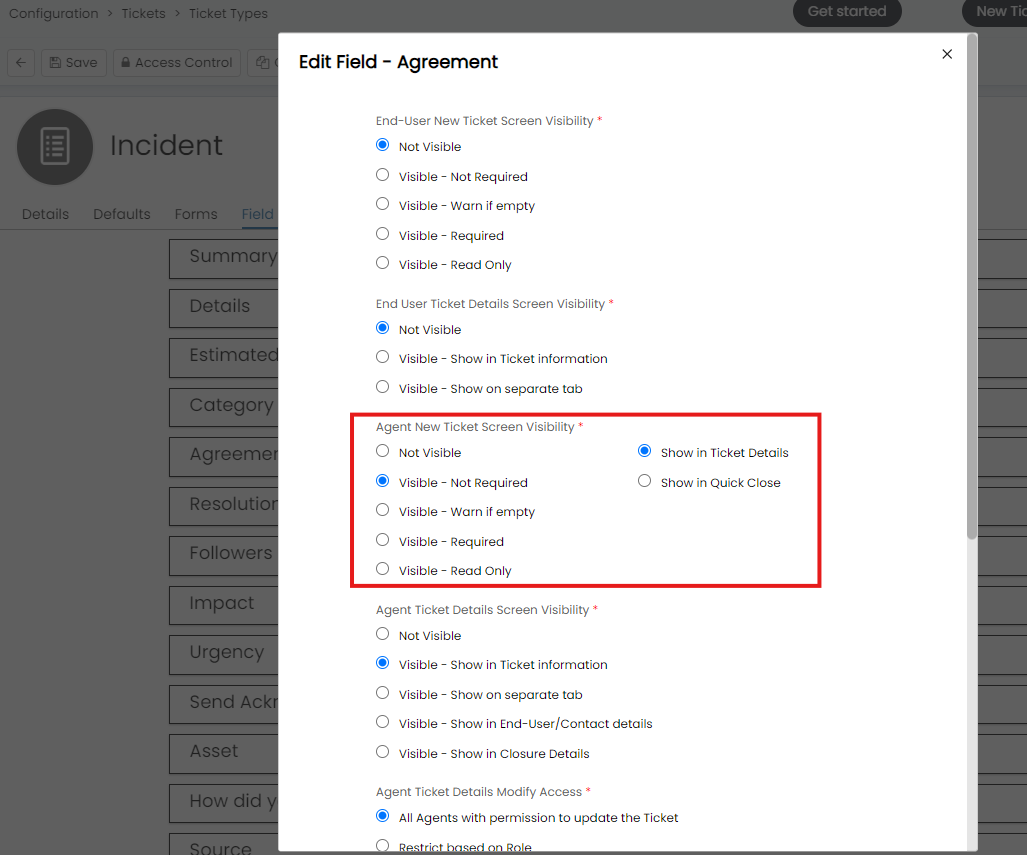
Fig 12. Make Agreement field visible on Ticket Type
If a charge type becomes inactive this will be reflected in the charge type overrides tables. The name of the charge type will be replaced with "inactive" to indicate to agents that this charge type is no longer in use. Agents cannot use inactive charge types so this overriding rate will never apply.
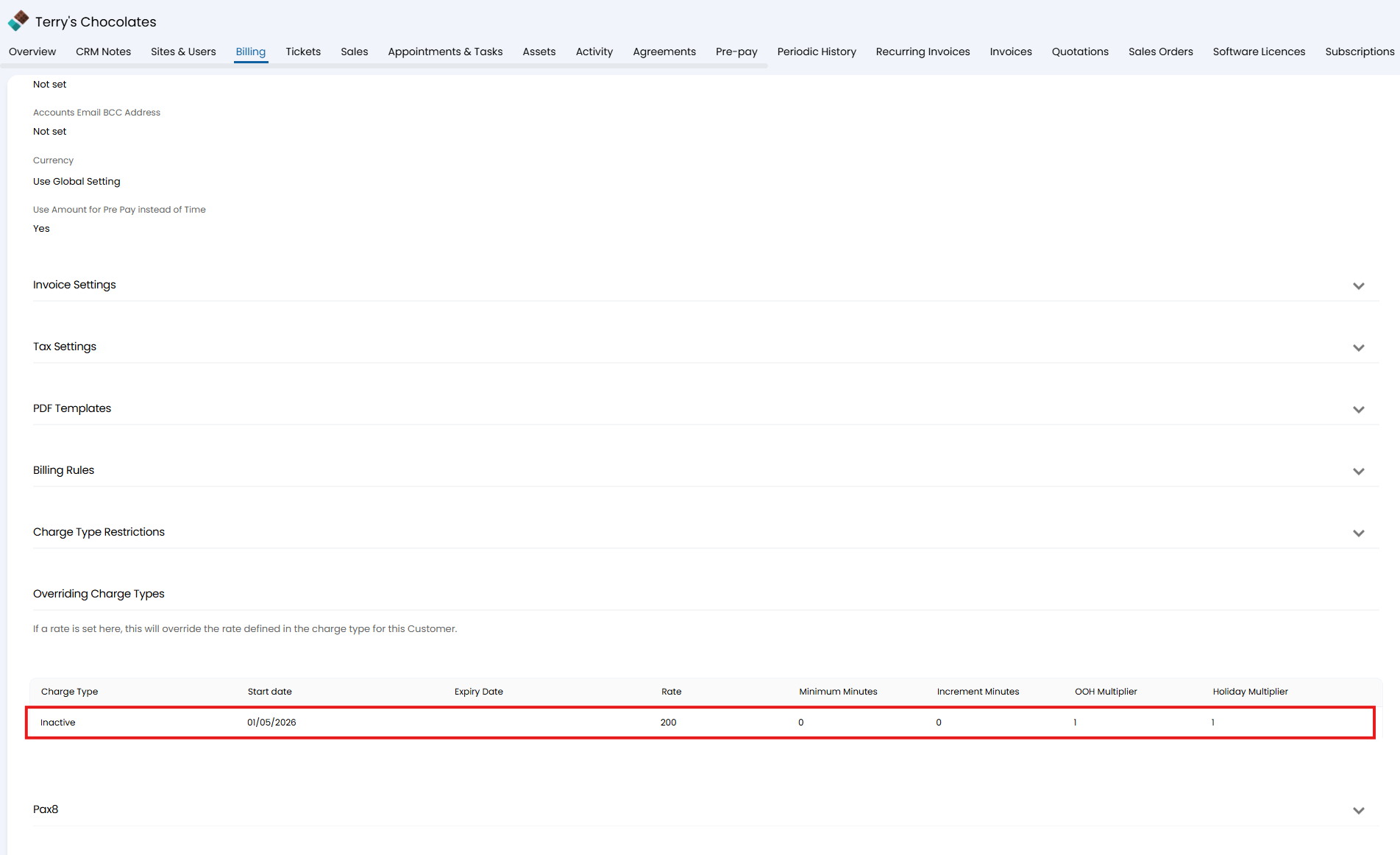
Fig 13. Inactive Overriding Charge Type