Ad-Hoc Items on Quotes and Orders
In this guide we will cover:
- Adding Ad-hoc Products
- Receiving Stock of Generic Products
Adding Ad-hoc Products
When Creating Quotes and Orders, you can add an Ad-Hoc Product. This feature allows you to specify the product description for each line added. In the below example (Fig 1) I have clicked the button "Add Generic Product" and then I have added the product with description "Ad-Hoc Product":
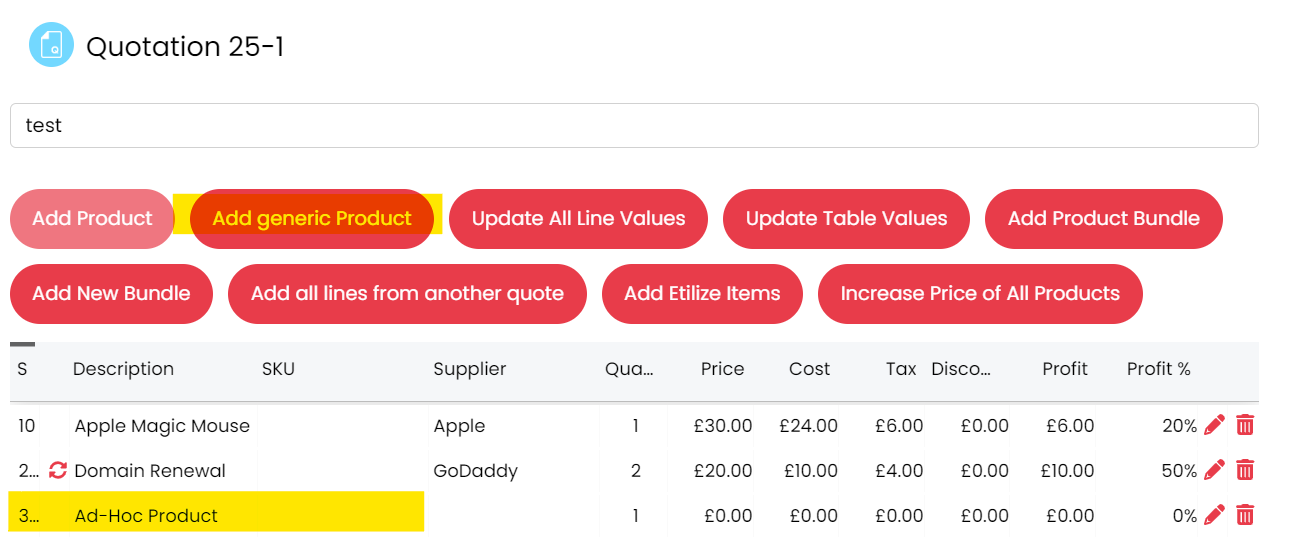
Fig 1. Adding a Generic Product to a Quote
This will be useful for adding in certain products or services that are non-standard to your inventory. To configure this, there is an option at the top of the configuration settings for Quotations, Sales Orders and Purchase Orders for setting a default Product against this Ad-Hoc feature. Any product can be picked as the ad-hoc product:
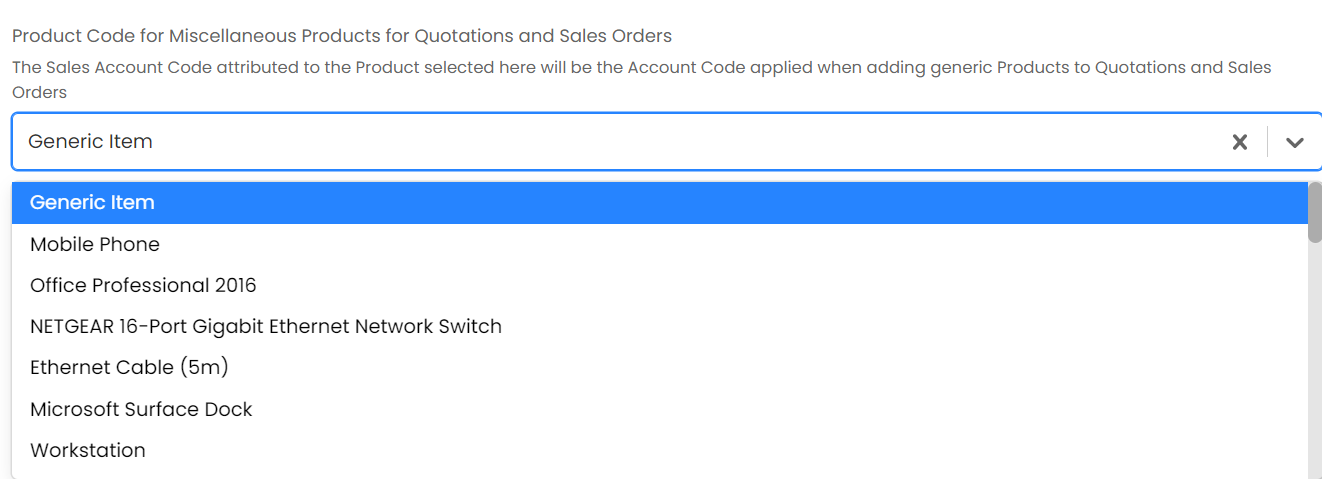
Fig 2. Miscellaneous Product Code for Quotes and Sales Orders (Configuration > Quotations, or Configuration > Sales Orders)
Note: If the dropdown for this miscellaneous product is changed on the quotation configuration page, it will update on the other config pages. I update the quotation config, by doing this, the purchase and sales order config pages will also update to have the same product:
Fig 3. Miscellaneous Product Code for Purchase Orders
Receiving Stock of Generic Products
The stock for the Ad-Hoc Products will be the stock of the Product set on these single select fields shown in Fig 2 and 3. If there are no Ad-Hoc Products in stock, you can receive stock from the Product Page, so in this case I received stock for the "Generic Product" and set the cost to 0, as we can set the cost and price when adding the Product onto the quote/ order.
The Generic product:
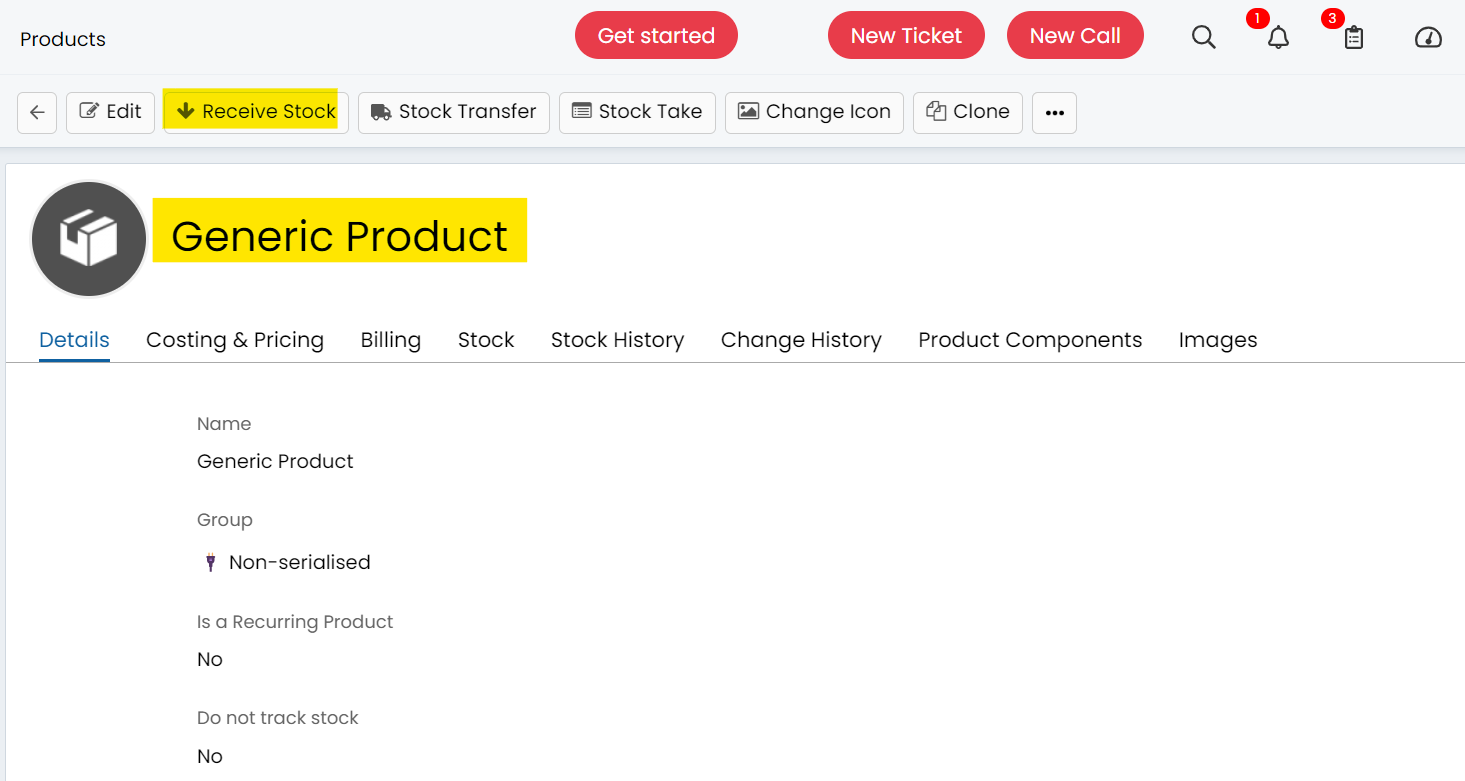
Fig 4. The Generic Product's Page
Now when you add an Ad-Hoc Product to i.e. a Sales Order, you can set the description, stock location, cost. Just the same way you do with any other Product.
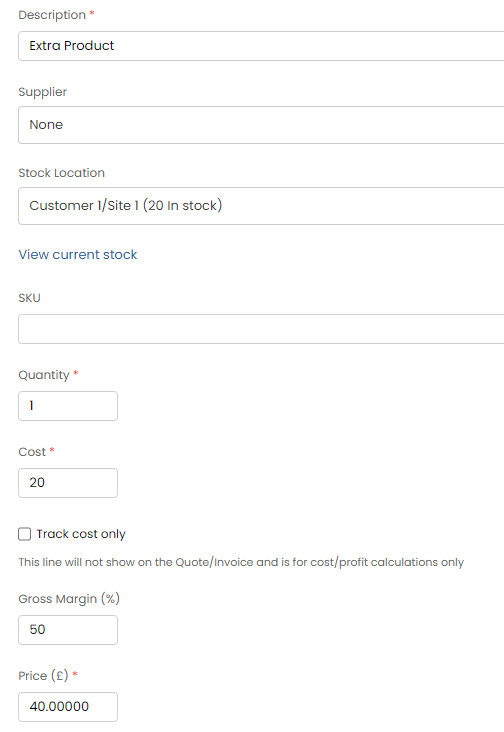
Fig 5. Adding an Ad-Hoc Product to a Sales Order