Sites
In this guide we will cover:
- What are Sites in Halo?
- Importing Sites
- Email Domain Name Matching
What are Sites in Halo?
Sites are usually used to represent the different physical locations a customer may have. Using HaloPSA as an example you would have the Client first, then the 3 different locations that they had offices as Sites underneath.
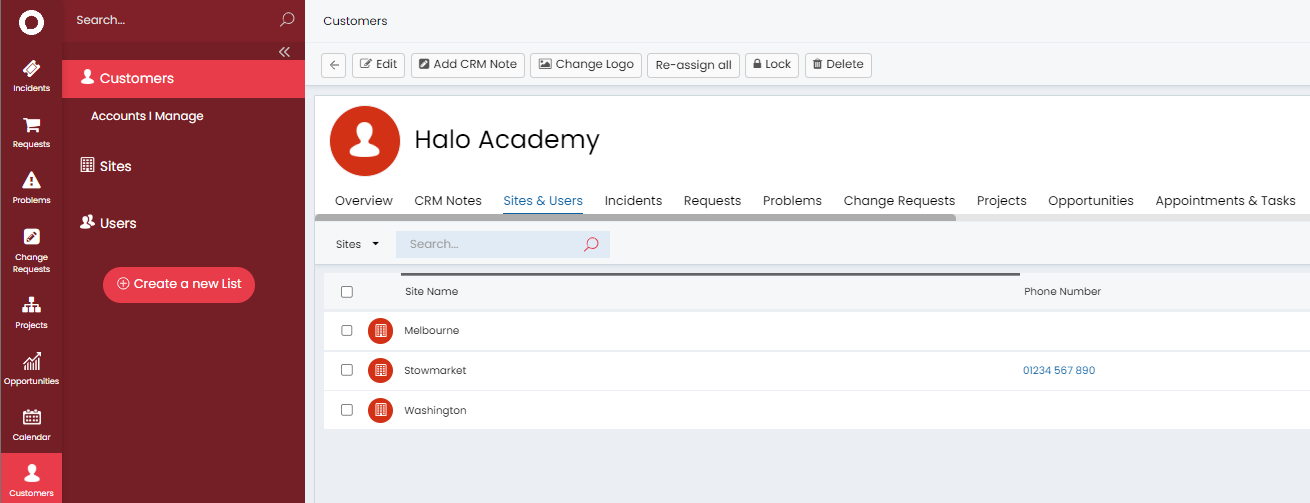
Fig 1. Different Sites under the Client
Importing Sites
Sites can be added manually using the New > New Site button in the Customers area, or you can import them via CSV, or via one of the many integrations we offer with other systems. Integrations that create Customers will often create a site named "Main" if the integration does not have a concept of sites/locations.
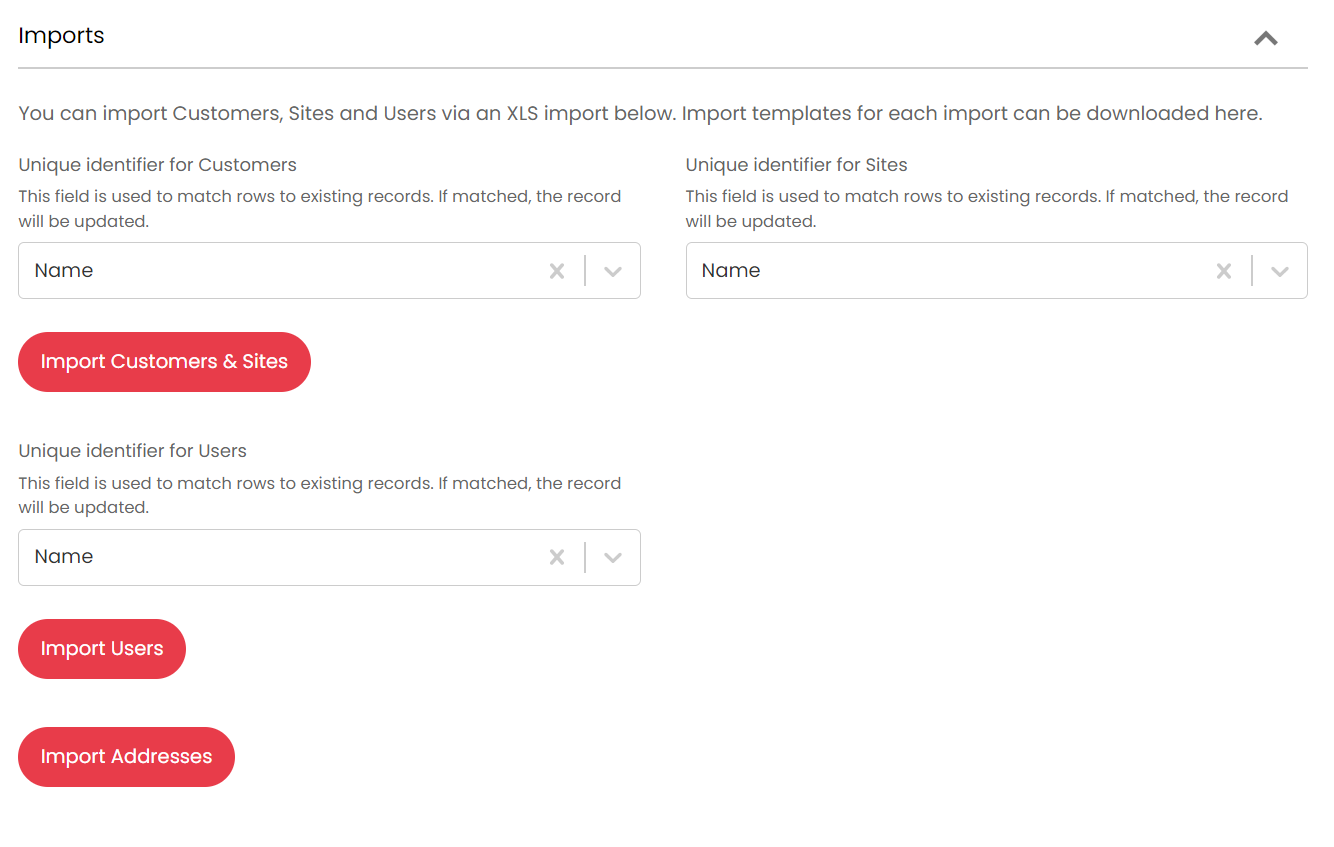
Fig 2. Importing Clients/Sites into Halo
Email Domain Name Matching
One of the key config options for the sites is the email domain matching facility. This allows you to route tickets from unknown users with known domains to the correct customer and site combination and create the user at the correct location. This is included on the import spreadsheet via CSV.
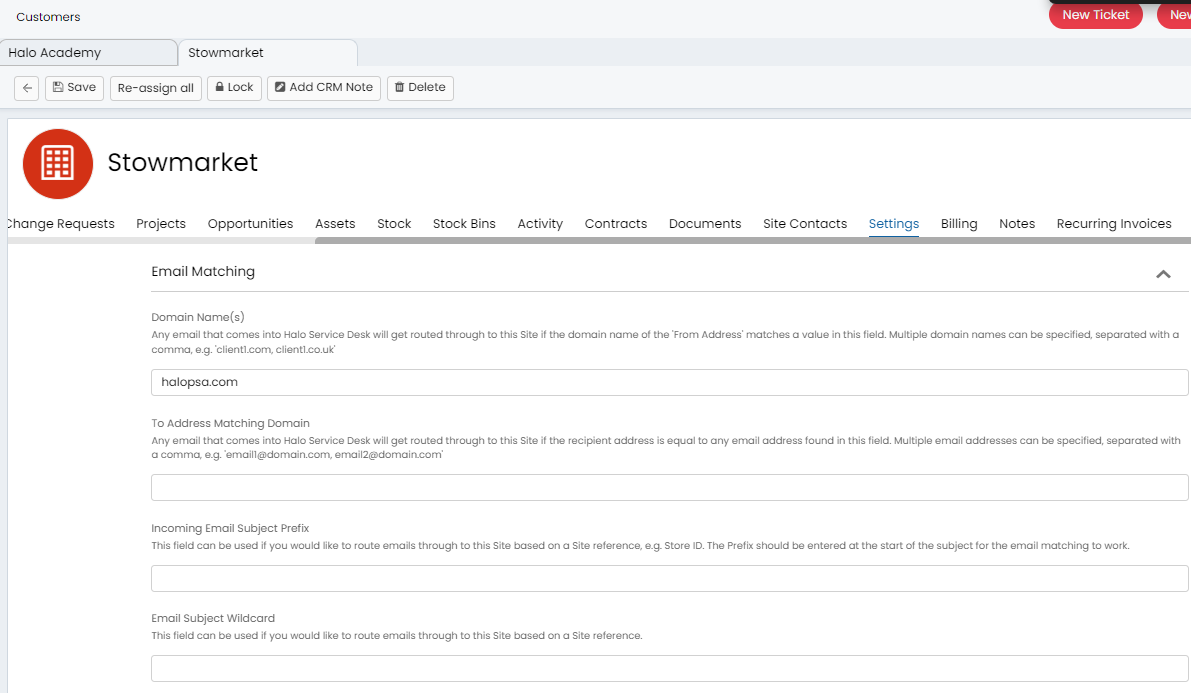
Fig 3. Site level email domain matching