Ticket Groups
- group
- tickets
- Ticket
- roles
- tickets general settings
- grouping
- ticket grouping
- ticket group
- ticket groups
- general settings
- agents roles
In this guide we will cover:
- Use Case
- Configuring Groups
- Setting Agent/Role Restrictions
Admin Guides:
Use Case
Ticket types can be grouped, which has a great use case for delegating ticket type access based on roles. When you create new ticket types, there is no longer a need to add those ticket types to the role, as the agent role can automatically inherit access based on the group.
To enable this feature go to Configuration > Tickets > General Settings:

Fig 1. Show an additional level for grouping Ticket Types
Configuring Groups
Once enabled, there will be an option to add a ticket type to a group when configuring ticket types (details Tab, 3rd from the top).
Fig 2. Adding ticket type to a Group
Note: From v2.240+ Ticket Type groups can be configured under Configuration Tickets > General Settings > Ticket Types Groups.
Type in a new value to create a group for the dropdown, this value will then be available on the group dropdowns of other ticket types.
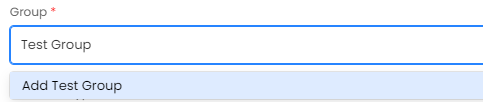 Fig 3. Adding a New Group
Setting Agent/Role Restrictions
You can then add this to permissions on the agent roles Configuration > Teams & Agents > Roles.
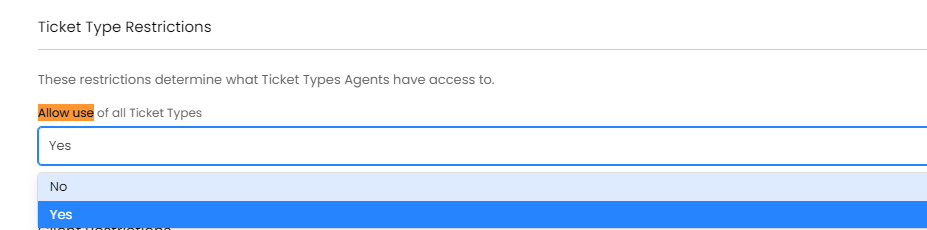
Fig 4. Ticket Type Restrictions
Setting the Agent role to configure the accessible ticket groups for agents with that role:
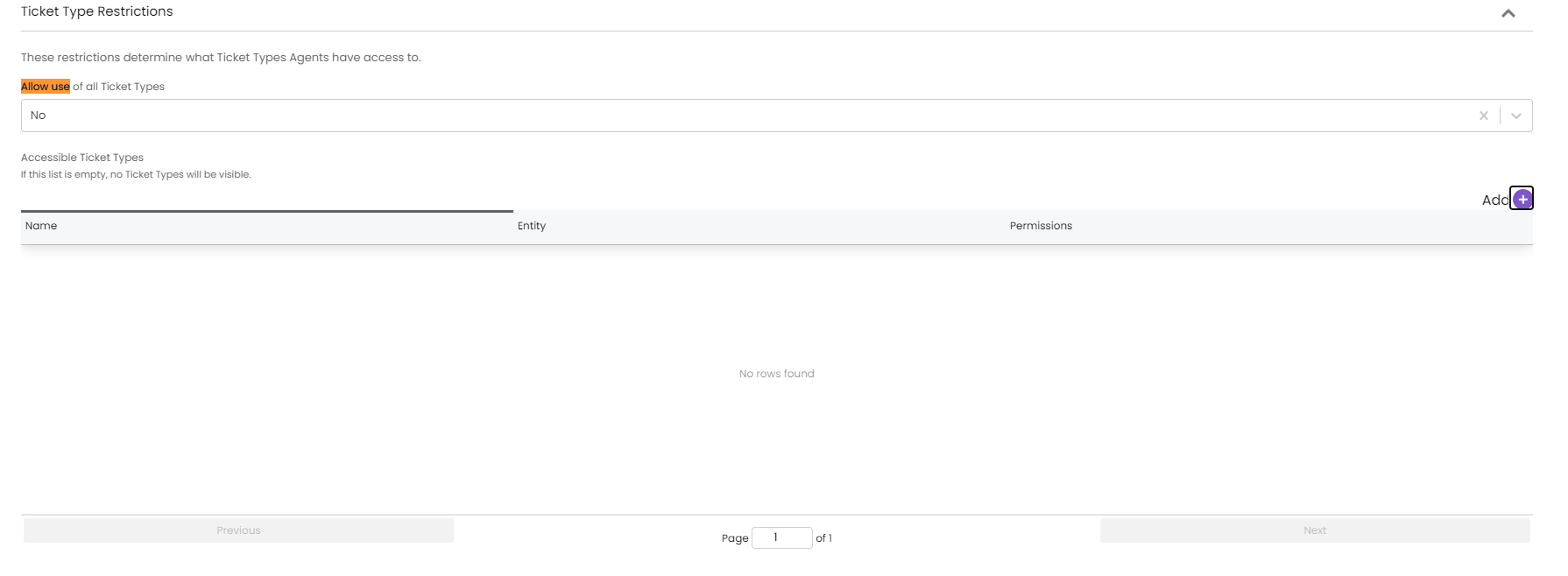
Fig 5. Accessible Ticket Types area
On adding a new line to the table, change the entity to ticket type group and then select a ticket type group.
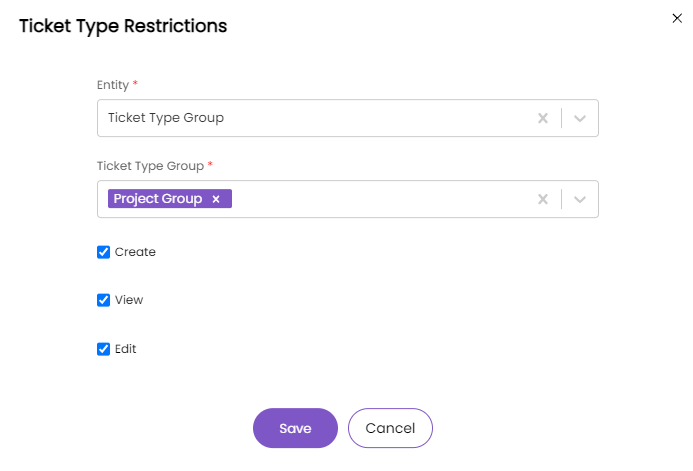
Fig 6. Ticket Type Restrictions options
The benefit is that now when a new ticket type is created, as long as there is a ticket type group that the ticket type is in, the agents roles will update to include that ticket type in the list they have access to, and there is no need to manually add in the ticket types that they are allowed.