Self Service Portal
A key feature to HaloITSM is the Self Service Portal. You can view your Self Service Portal quickly by clicking on your account icon in the top right and hitting "Switch to End-User Portal" which will take you to your portal URL - $Yourportalurl
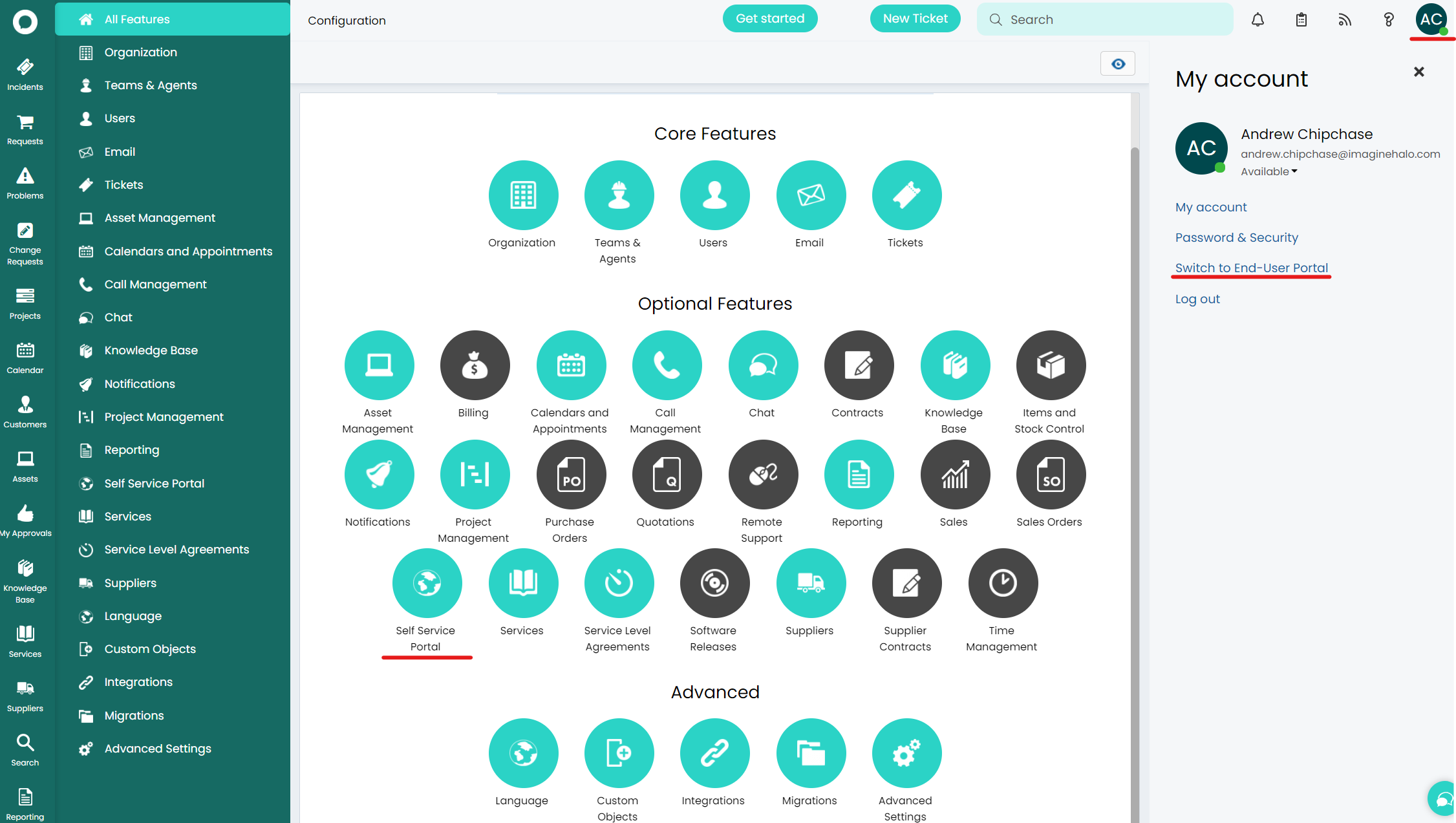
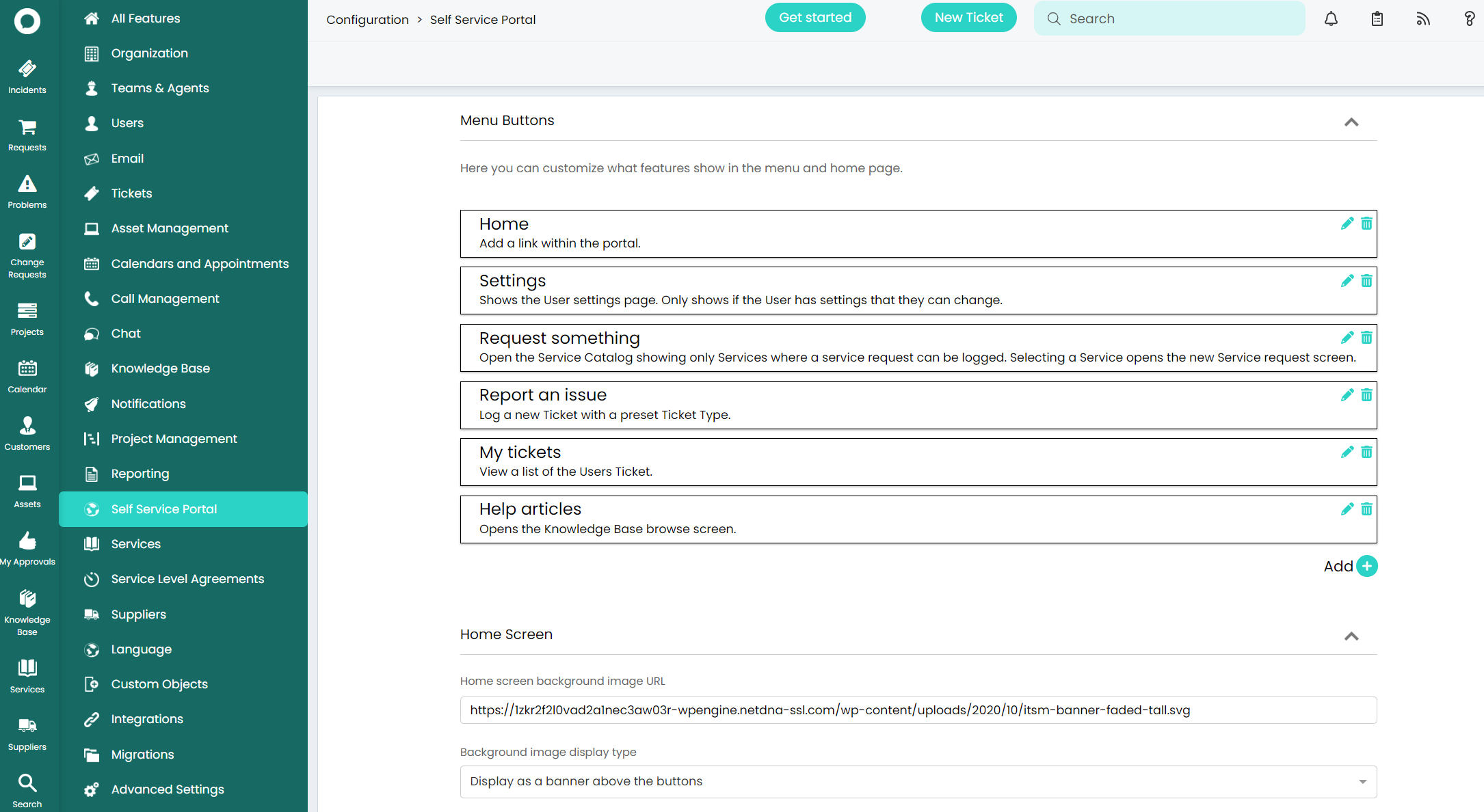
To edit the look and feel of your portal head to Configuration > Self Service Portal. Here you will be able to change the portal logo, the background image and much more.
The key area to understand is the menu buttons, these are the widgets available to your end users on the portal. They each have a system use but can be customised and access restricted. We have added some default ones for you that split up Service Requests (Request something), Incidents (Report an issue), My Tickets and Knowledge Base.
Much more can be customised on the portal. Please check out our in-depth guide or contact the team for more information!