IPECS Integration
In this guide we will cover:
- What is the IPECS Integration?
- Enabling Call Management
- Connecting IPECS
What is the IPECS Integration?
IPECS can be integrated with Halo to display the call screen when a call is received from IPECS.
Enabling Call Management
First, we want to ensure that your Call Management module is enabled.
To do this, head to the Configuration > Channels > Call Management.

Fig 1. Call Management module.
If it is enabled, it will be coloured and if it is disabled, it will be grey. To enable, hover over the module and press the '+'.
Connecting IPECS
Click into the module, then select 'General Settings'. Then grab the URL given under the 'Integrations' tab.
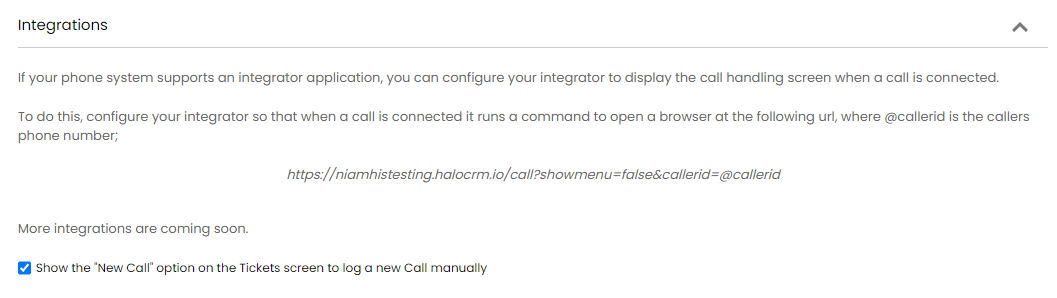
Fig 2. URL.
Next, head to your IPECS cloud settings tab, then Tools > Options > Call.
Here you'll want to enable the 'Use CRM pop-up' setting, then 'search' and here you can insert the URL and any settings that are applicable to you.
For IPECS CCX Integration, you will need to change callerid=@callerid to callerid={NUMBER}
After this, there are some default Halo settings to configure.
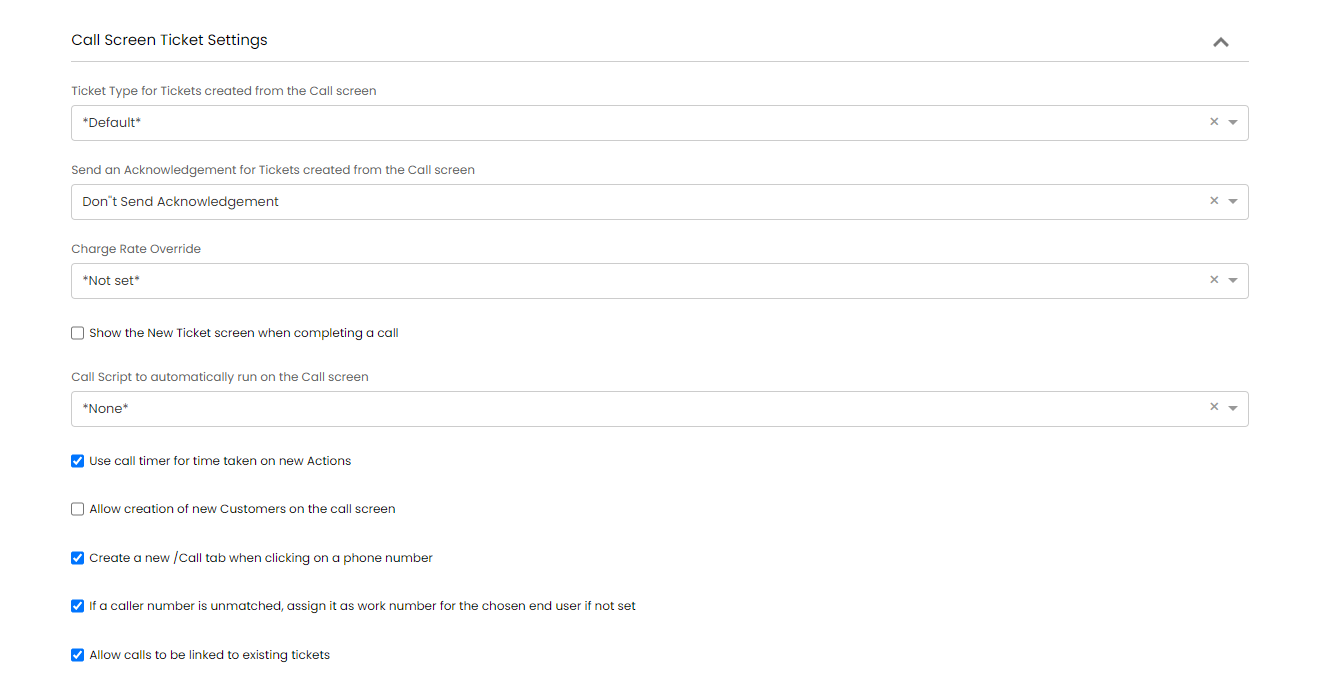
Fig 3. Call screen configuration.