Halo have removed this guide from their knowledge base. This is our last mirrored copy, kept so existing links keep working — it may now be out of date.
Custom Fields - Field Types
A guide to explain the different types of fields you can create when making custom fields.
When creating custom fields on HaloCRM, whether it is for forms, customers, tables etc, each new field must have a field type assigned to it.
Currently, there are 9 different field types can get be created.
Text: A short line of plain text – no use of special fonts or addition of images.

Memo: Larger box for plain text – no use of special fonts or addition of images/canned text etc (though HTML can be used)

Single Selection: A drop down menu for a single selection choice. Options can be added at any time, or can be generated with dynamic SQL.
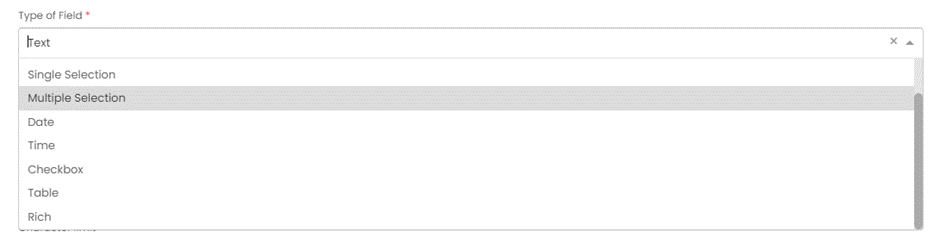
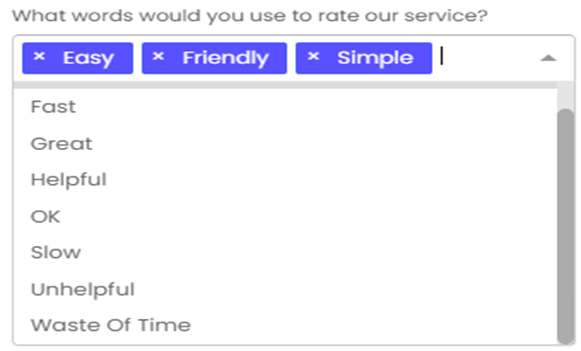
Multiple Selection: A drop down menu where multiple values can be selected. Options can be added at any time, or can be generated with dynamic SQL.
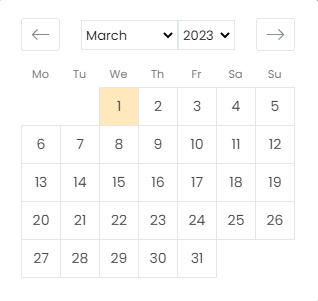
Date: This shows as a calendar and has dropdowns on month and year for faster selection.
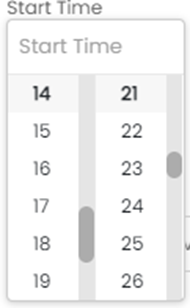
Time: 24 hour clock selection to the minute.
Checkbox: Simple checkbox feature (note: if this is mandatory it MUST be ticked in order to submit the ticket)
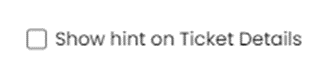
Table: Shown as table for option selection (currently the table has to be linked and cannot be created within the custom field configuration).
Rich: Rich text boxes are a more advanced memo box with the option to insert images, canned texts, hyperlinks and make writing bold, italic or different colours/fonts etc. It is what we use on most system field for larger pieces of writing.
