Agent and User Impersonation
- Permissions
- Agent
- User
- user_impersonation
- impersonate
- impersonation
- log in as
- log in
In this guide we will cover:
- How to impersonate agents and users
- Multi-Tenancy Portal Section when impersonating Users
How to impersonate agents and users
Agent and user impersonation can be enabled in advanced settings:
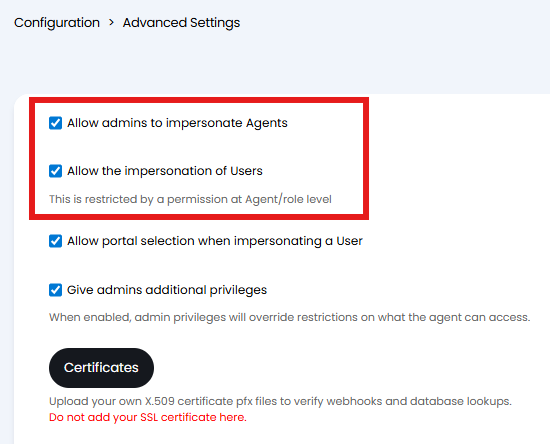
Fig 1. Allow user/agent impersonation
This will add a button to the agent and user details screens to allow admins to impersonate them by temporarily logging in as them, allowing the admin to check they have the correct permissions.
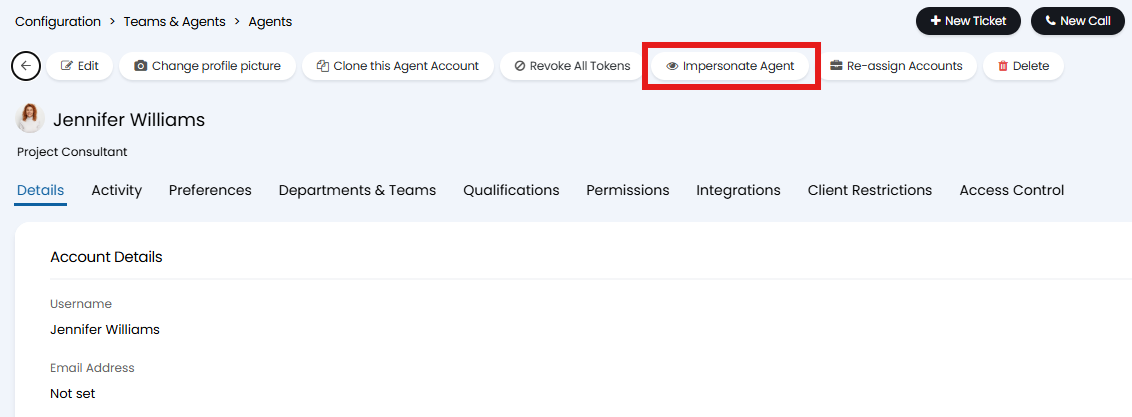
Fig 2. Impersonate Agent button
A banner and a button will be displayed at the top of the screen to allow the admin to switch back to their account.

Fig 3. Banner to switch back to account
Note: When logging into the portal, you can use your credentials, this will still log you in to the account of the user being impersonated
Multi-Tenancy Portal Section when impersonating Users
If using Multi-Tenancy you can choose which Portal to view when impersonating a User. To do this head to Configuration > Advanced Settings, and enable "Allow portal selection when impersonating a User". With this setting enabled, a popup will show when impersonating a User allowing you to select which portal to view.
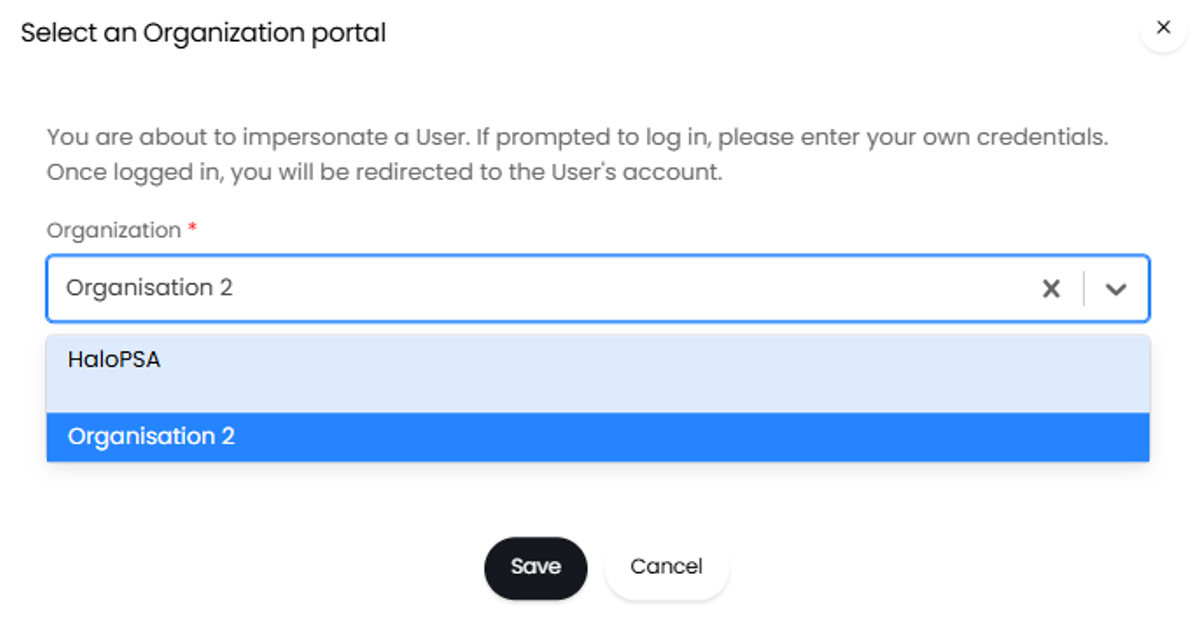
Fig 4. Selecting an organisation portal