Amazon Bedrock Integration
- bedrock
In this guide we will cover:
- What is the Amazon Bedrock Integration?
- Connecting to Amazon Bedrock
Note: This Integration is available from v2.244+.
What is the Amazon Bedrock Integration?
The native integration with Amazon Bedrock can be used to write responses on Tickets or improve on response Agent's have written themselves. It can also be integrated into your Live Chat to respond to a Customer, taking the given context into account.
There is various other functionality that can be achieved once Amazon Bedrock is connected to your Halo instance. For information on the functionality available checkout Leveraging AI in Halo.
A list of available models and their pricing per million tokens can be found here.
Note: Currently this connection cannot be used with AI Agents, external MCP servers, and runbook-based functionality.
Connecting to Amazon Bedrock
To enable this Integration, head to Configuration > Integrations, and head to the AI section. Here you you will find the Amazon Bedrock module. Hover over the Integration, and click the '+' icon to enable it.
Note: If the Integration is already enabled it will instead show a cross when hovered over. If this is the case you can skip this step and click into the module to open the configuration.
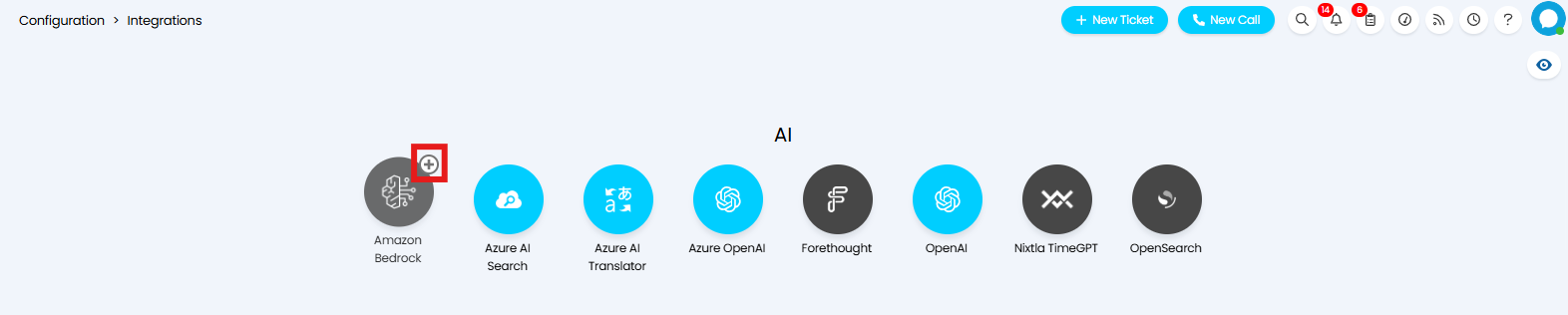
Fig 1. Enabling the module
Once enabled, click into the module to configure your connection. Here specify the Region, and Model to use for your connection. If this is left blank, it will use "openai.gpt-oss-20b".
In order to create the connection you will need an API Key. To generate this Key you will need to head into your Amazon Bedrock account, and follow the steps outlined here. Once generated, copy and paste this Key into the "API Key" field.
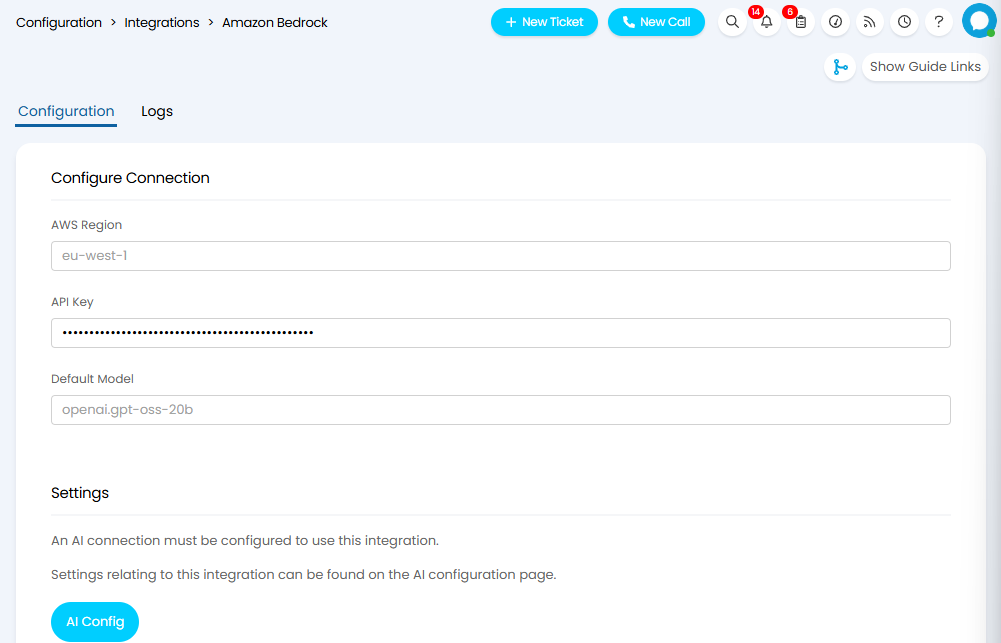
Fig 2. Connecting to Amazon Bedrock
Next, click the "AI Config" button to redirect to Configuration > AI > General Settings. Here you will be able to select your Amazon Bedrock connection as your default AI connection.
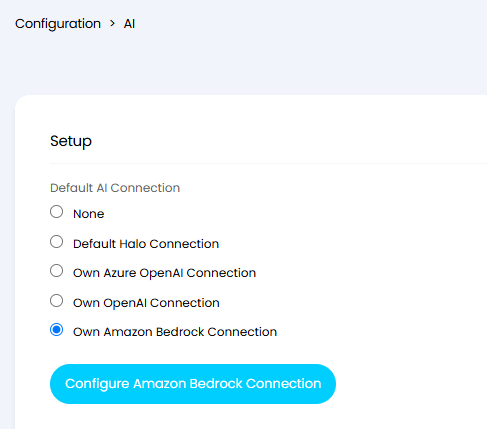
Fig 3. Setting Amazon Bedrock as the Default AI Connection
For more information on how to leverage AI in Halo, see our guide linked here.
Note: The Amazon Bedrock Integration uses the Amazon Titan Text Embedding v2 model to generate embeddings for tickets, articles and services. IF you have previously used the OpenAI / Azure OpenAI connection to create embeddings, you must clear the vector database before switching to Amazon Bedrock, as the old vectors will be incompatible.