Generating Agreement References
In this guide we will cover:
- Auto-Generating Agreement References
- Agreement Type Prefixes
- Setting Next Contract Reference
- Manual Overrides
- Generate Agreement Reference Per Client
Related Guides:
When creating a new agreement, the reference field is always mandatory as it is the identifier for the agreement in your Halo environment. The reference can either be auto-generated or manually entered and, if auto-generated, a number of overrides/defaults can be set to control the behaviour of the generation. This guide will outline the ways of generating agreement references and the hierarchy the different settings take.
Note: The words 'agreement' and 'contract' are used interchangeably within Halo to refer to the same thing, as such they will also be used interchangeably within this guide.
Auto-Generating Agreement References
When auto-generating a reference for an agreement, you have the option of either allowing the default system behaviour to dictate how the reference is formatted or you can override it to format according to your specific referencing conventions. The following diagram in Figure 1 illustrates the hierarchy of settings when creating a new agreement reference.
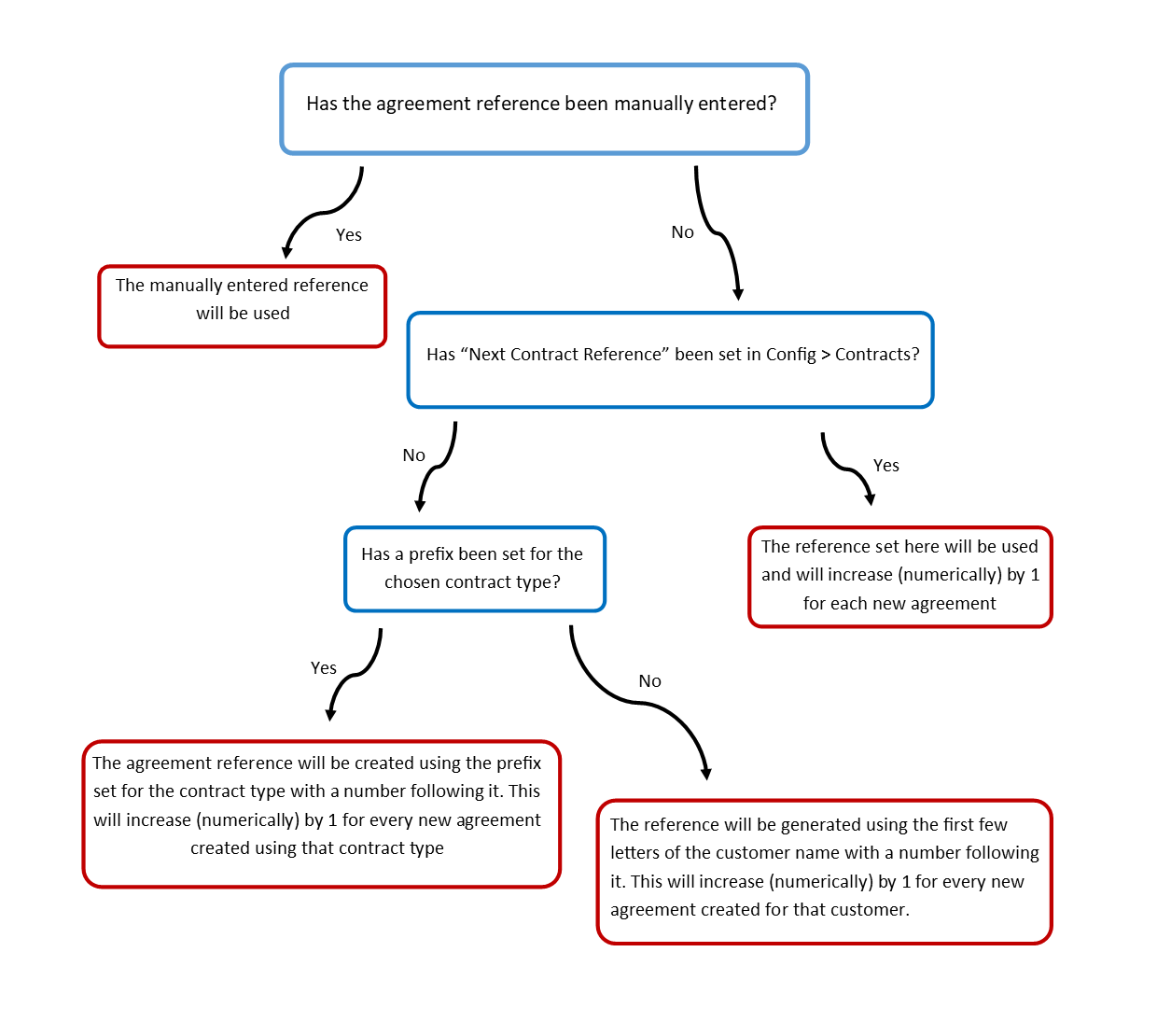
Fig 1. A hierarchy diagram for generating agreement references in Halo
The rest of this section outlines the default behaviour for auto-generation of references, and the settings that can override this behaviour.
Default Behaviour
When creating a new agreement, you will notice that there is a "Generate" button next to the "Contract Reference" field.
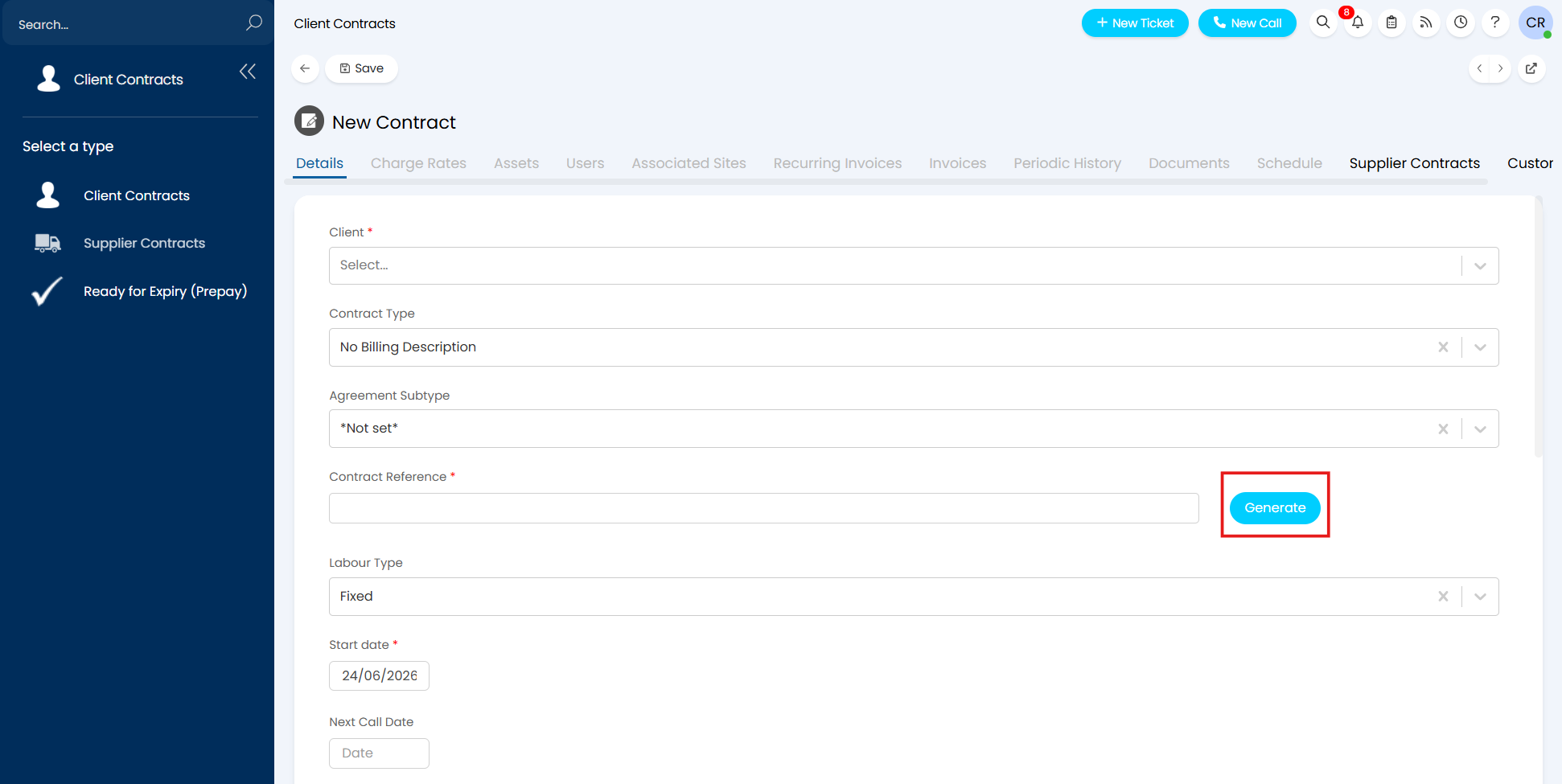
Fig 2. The button for auto-generation of agreement references
When you select this button, Halo will auto-generate the agreement's reference for you.
Without any overrides or prefixes set in settings or against the contract type, this auto-generation will use the first few letters of the client's name and then add a numerical value afterwards.
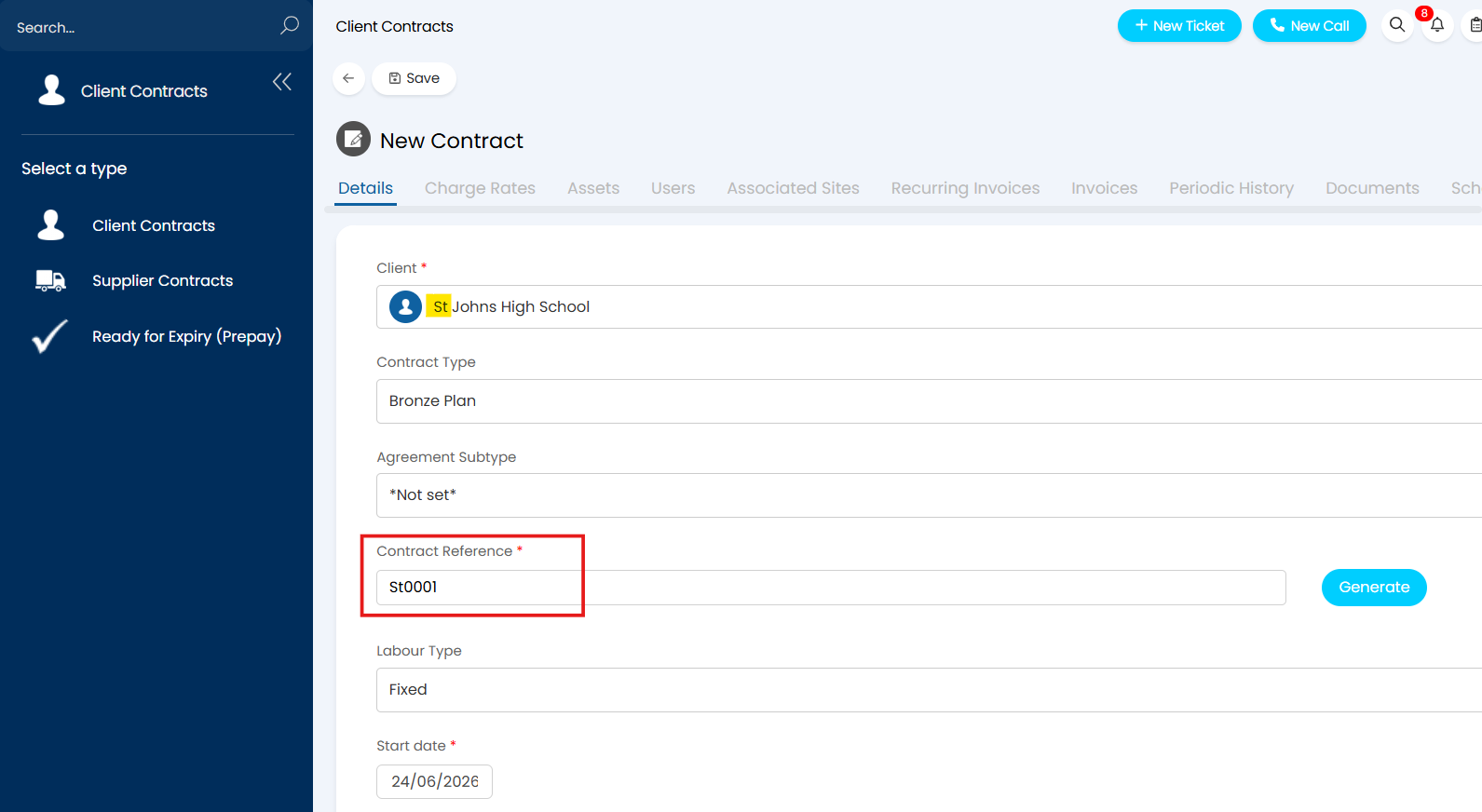
Fig 3. Auto-generation of an agreement reference
For each new agreement generated for the client, the values will count up numerically in order to create a new agreement reference each time.
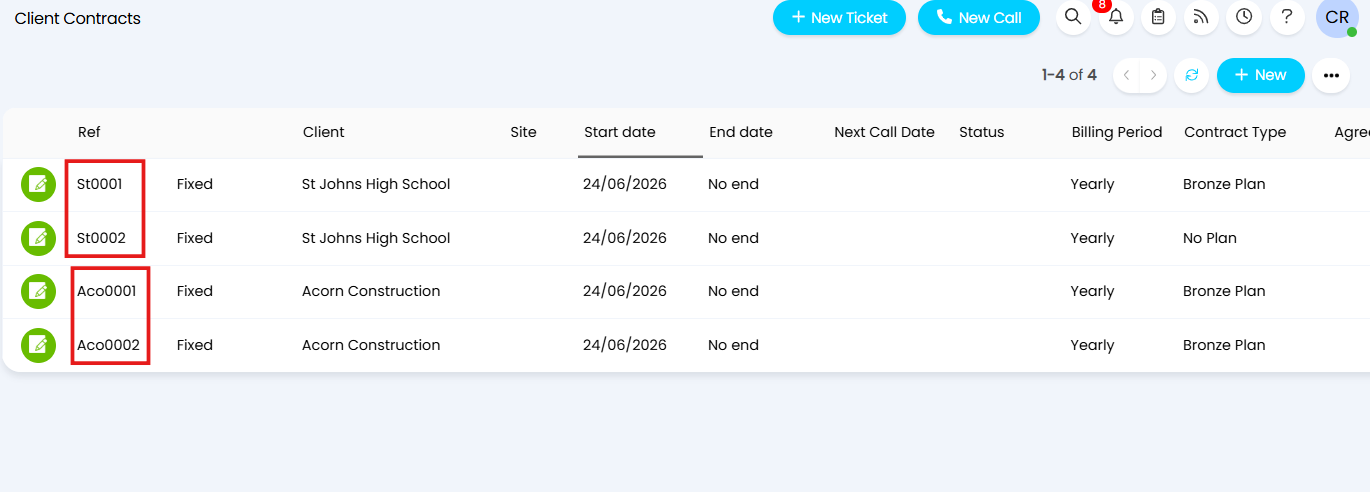
Fig 4. A unique agreement reference will be generated each time
Agreement Type Prefixes
An agreement prefix can be set at the contract type level if, instead of allowing the default behaviour of using the first few letters of the client name, you want to control the letters set at the beginning of the agreement reference.
To set this up, navigate to Configuration > Contracts (Agreements in some instances), and scroll to "Miscellaneous Settings" where you will find the "Contract Type" button.
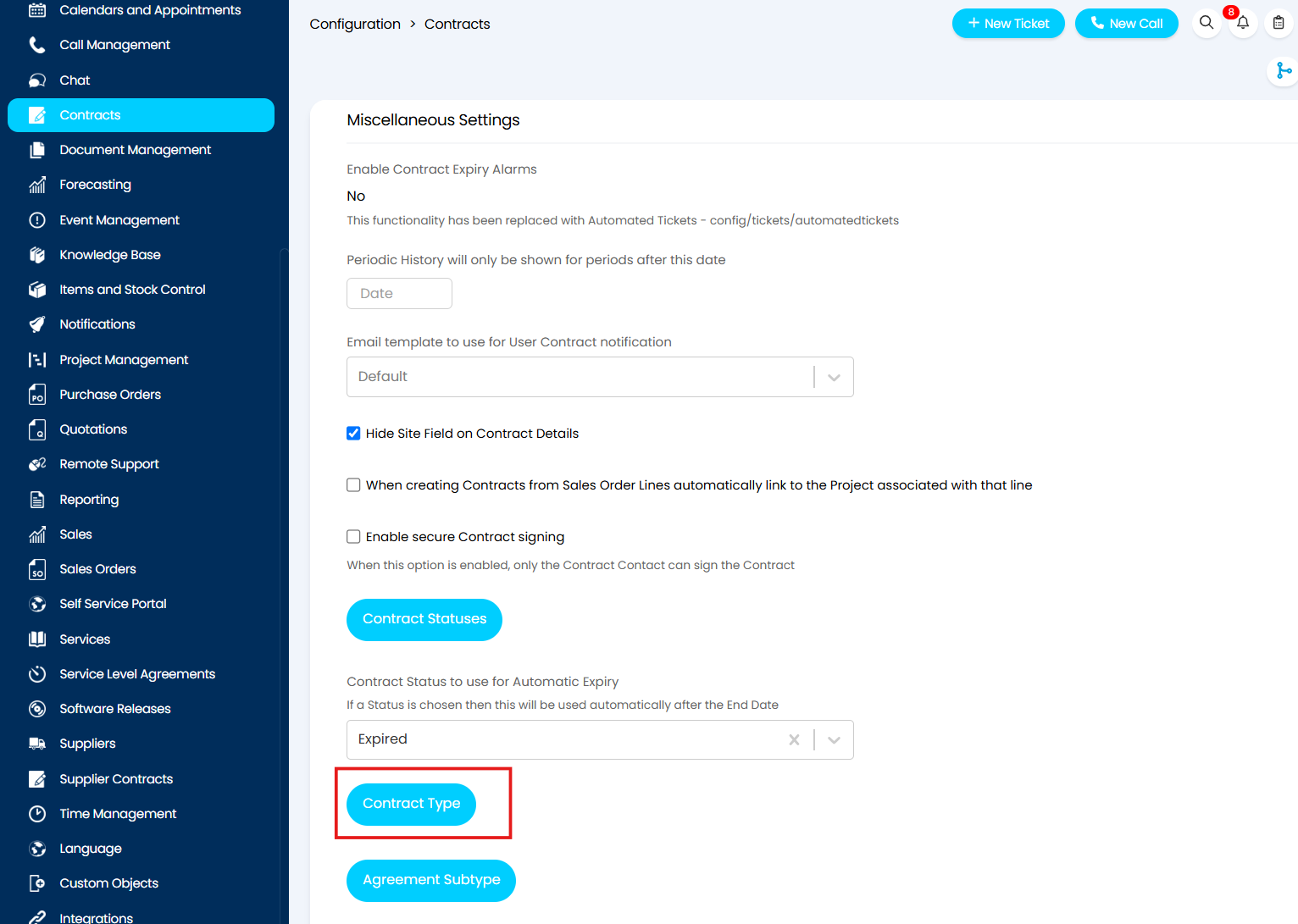
Fig 5. Navigating to the contract types area in Halo
Select this button to take you into the Contract Types area where you can create new contract types or edit existing ones.
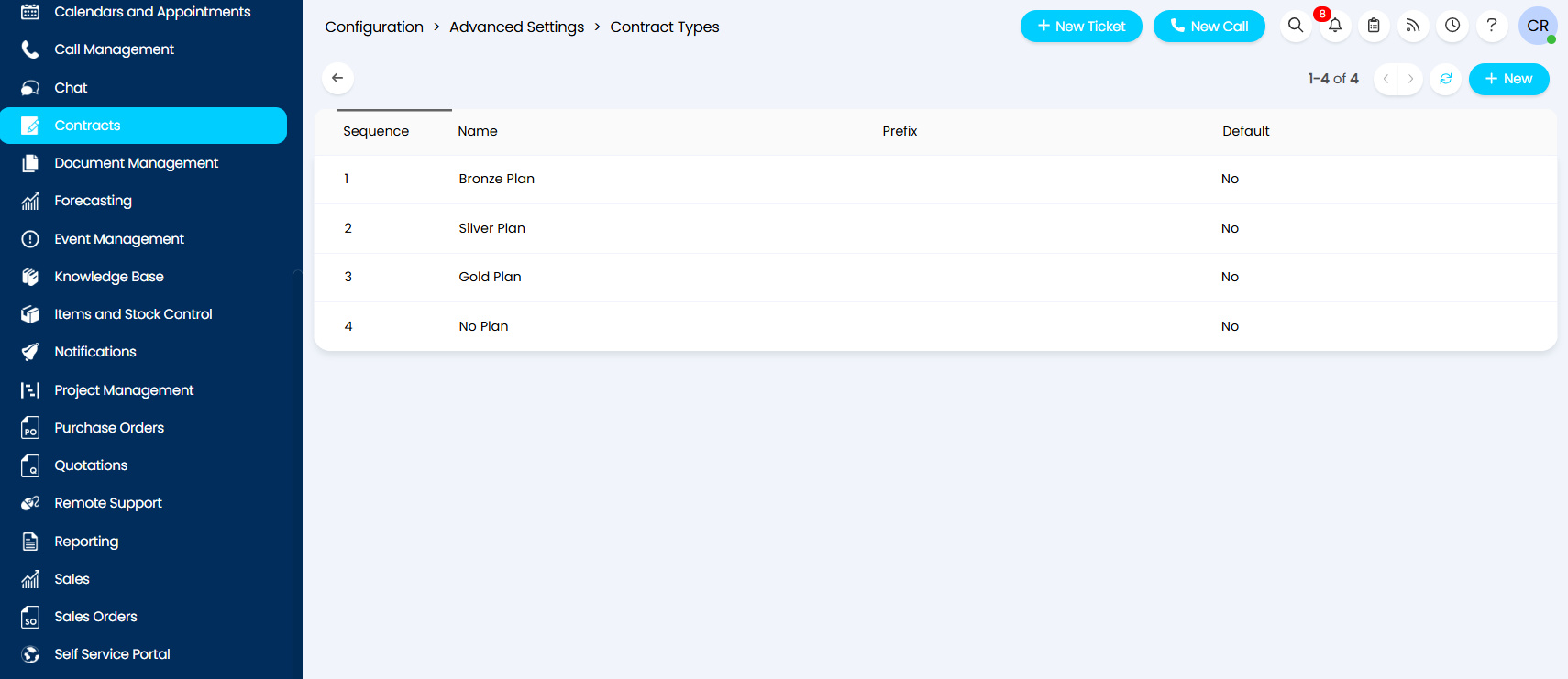
Fig 6. The contract types area in Halo
When editing a contract type, you will see a "Prefix" field. Whatever you enter here will be automatically applied to all new contracts of that contract type.
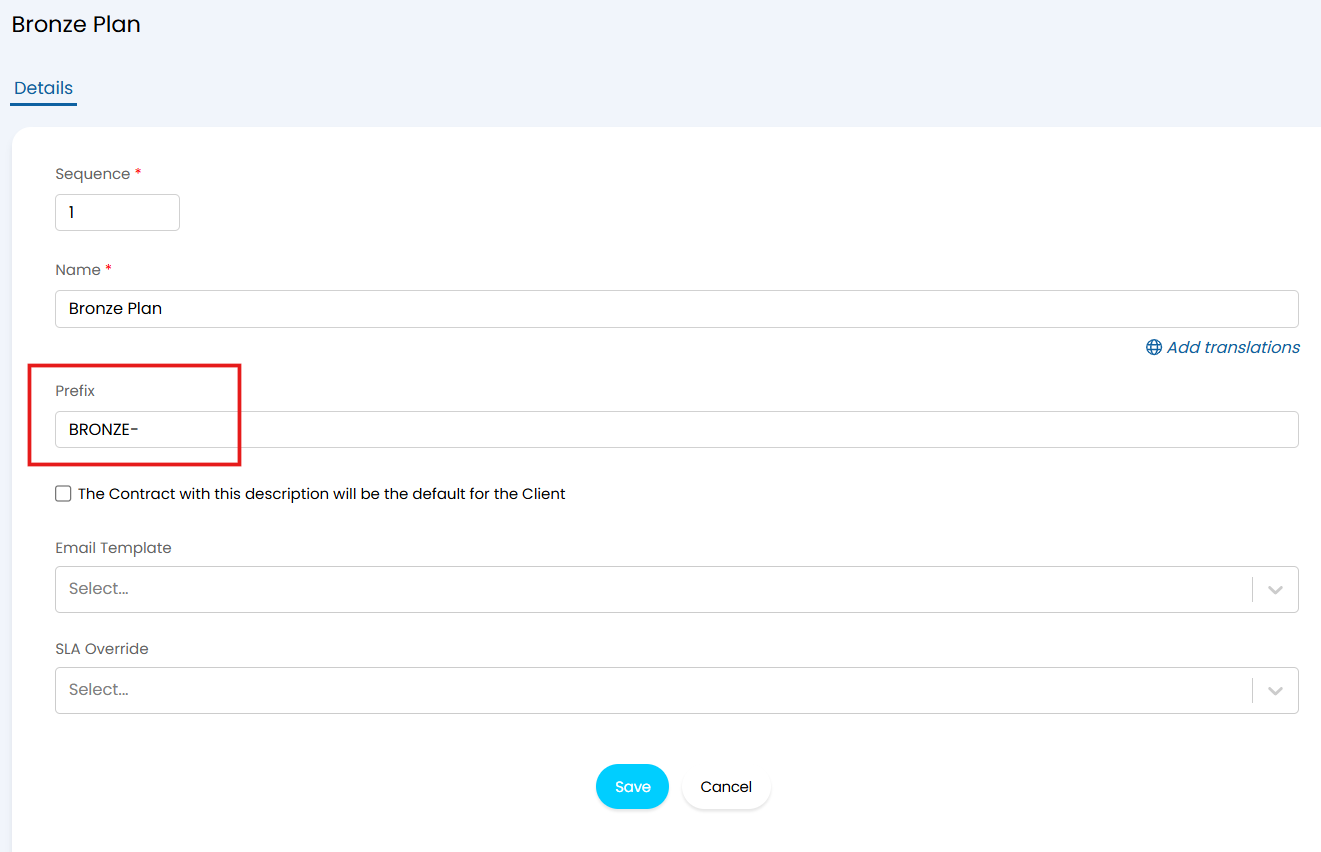
Fig 7. Setting the prefix for a contract type
Note: Prefixes entered here can contain any type of character or symbol.
Now when I auto-generate the reference for a new contract for the same customer that was used for the example in Figure 2, instead of using the first letters of the client name, Halo has used the prefix set in the contract type.
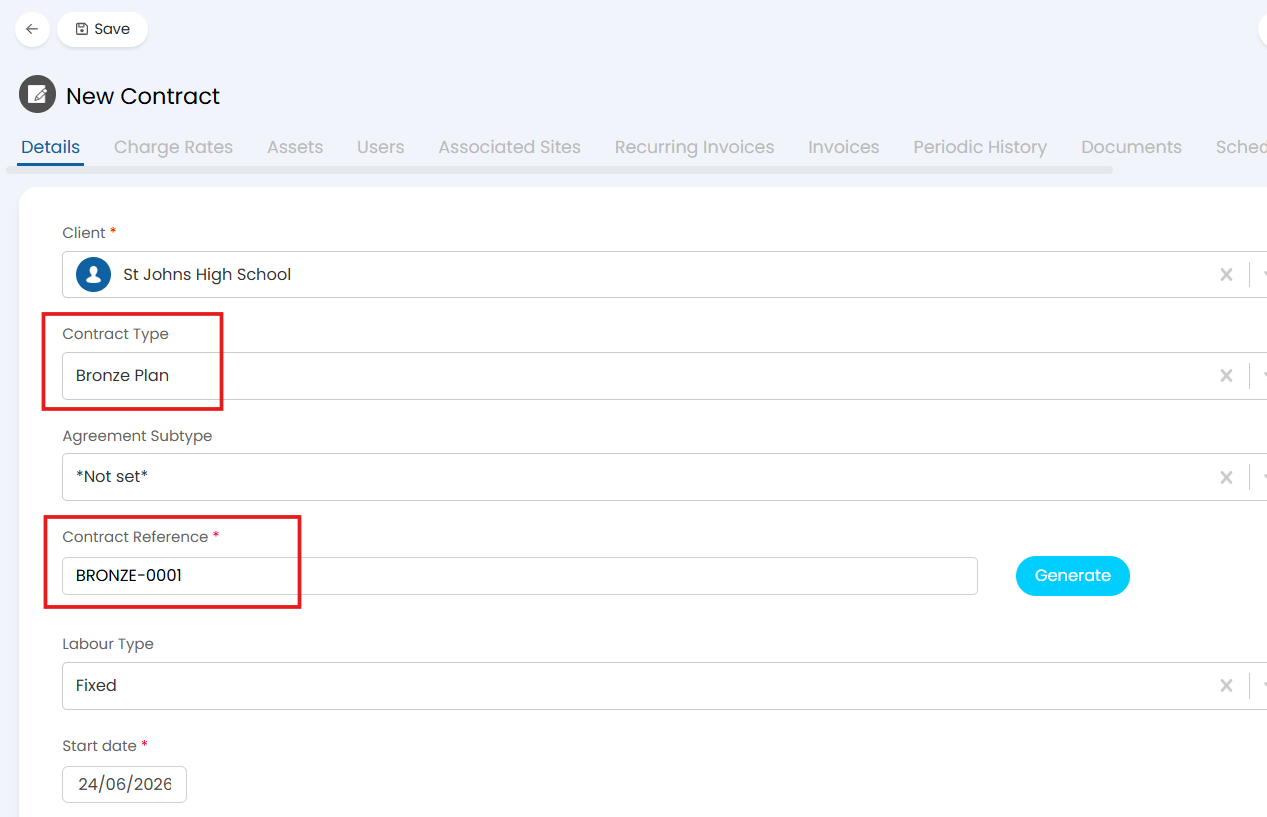
Fig 8. Auto-generating a contract reference using the prefix for the contract type
If you want to learn more about creating agreement types, please refer to this guide: Creating Agreements and Contracts.
Setting Next Contract Reference
It is possible to set a global default for all agreement references generated in Halo.
To do this, navigate to Configuration > Contracts, and scroll to the "Defaults" section where you will see a "Next Contract Reference" field.
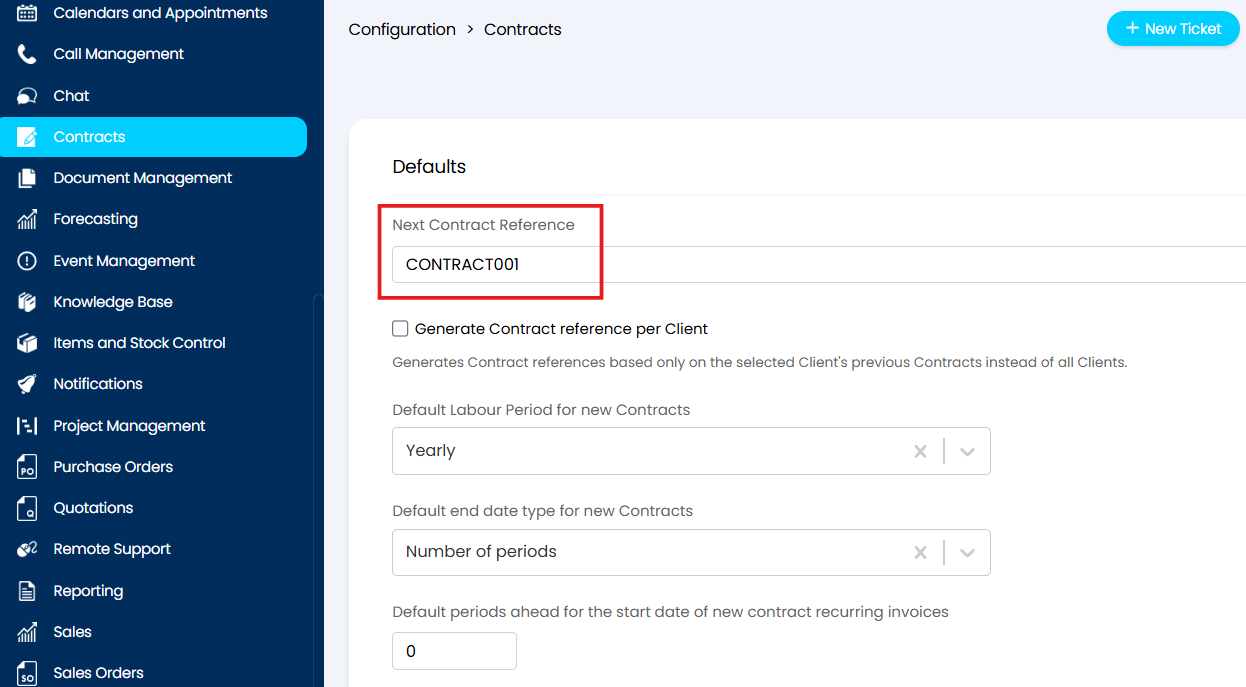
Fig 9. Setting a globally defaulted agreement reference
Setting this field will set every new auto-generated agreement reference in the system for every client to follow this pattern, counting up numerically with every new agreement created.
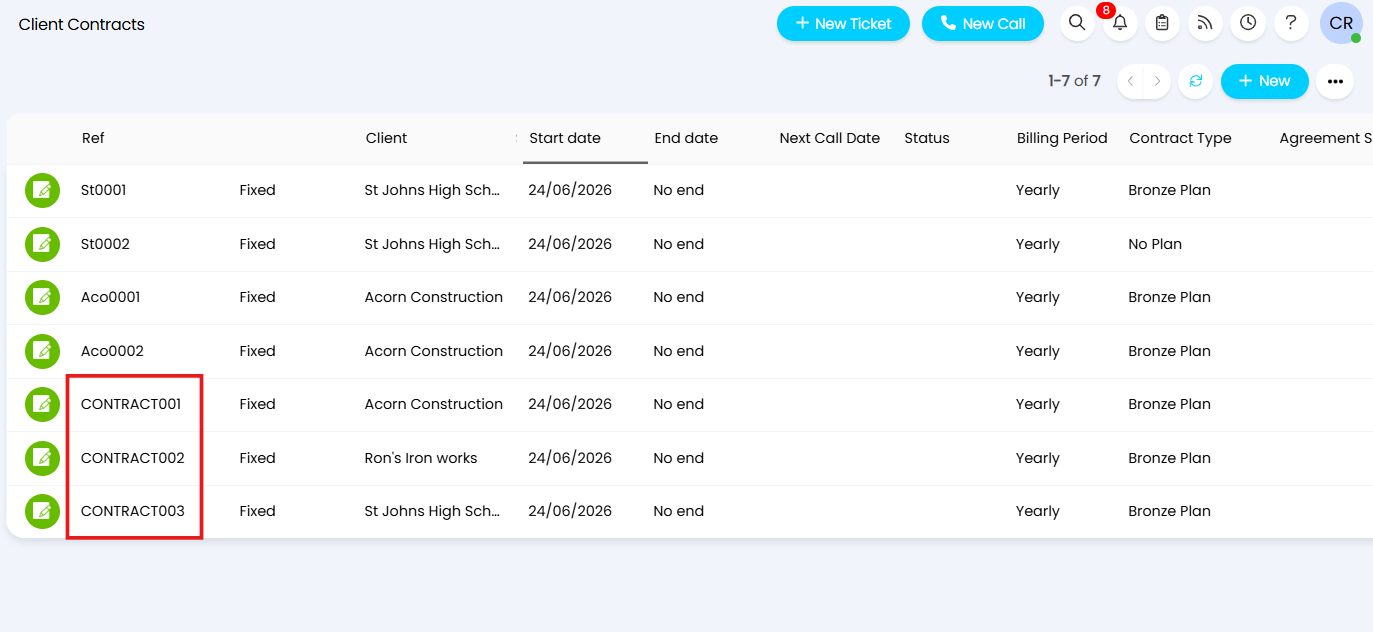
Fig 10. Globally defaulted agreement references
Note: This global default will override any prefixes set for contract types meaning those prefixes will not be used.
Manual Overrides
Although agreement references are mandatory, auto-generation of those references is not. As such, you are able to manually enter a reference and this will override any defaults set.
For example, I have manually set the reference for the new agreement in Figure 11 to "ABC1122".
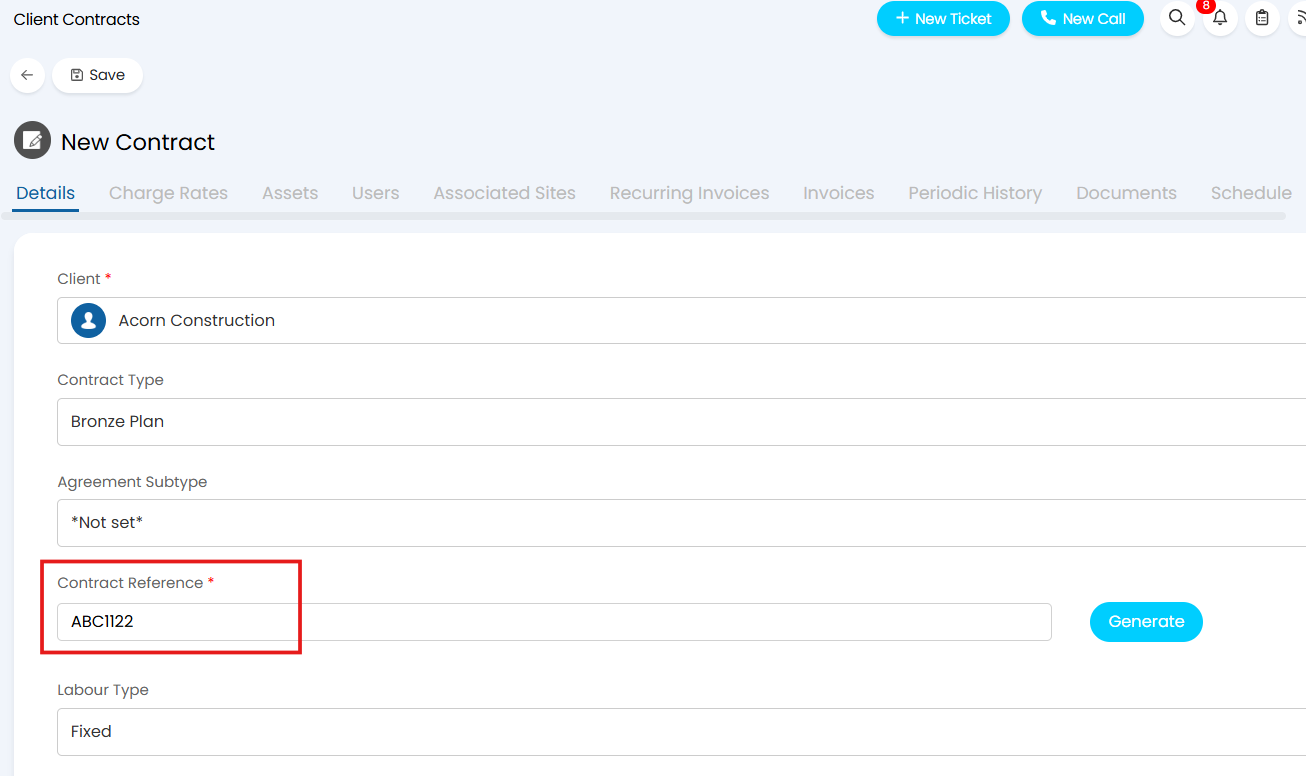
Fig 11. Manually entering the reference for a new agreement
Despite the contract type for the new agreement having a prefix set, the manually entered reference will override it.
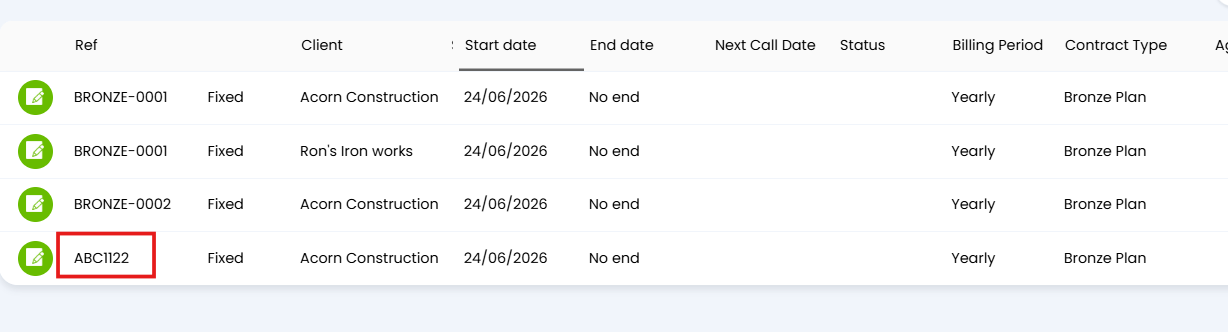
Fig 12. A manually entered agreement reference will override all defaults set
Similarly, if you edit an existing agreement and change the reference, that will also override anything set there.
Generate Agreement Reference Per Client
If I were to try and manually enter an a reference for a new agreement that already existed as the reference for another existing agreement, Halo would not allow the agreement to be saved and would return the error demonstrated in Figure 13.
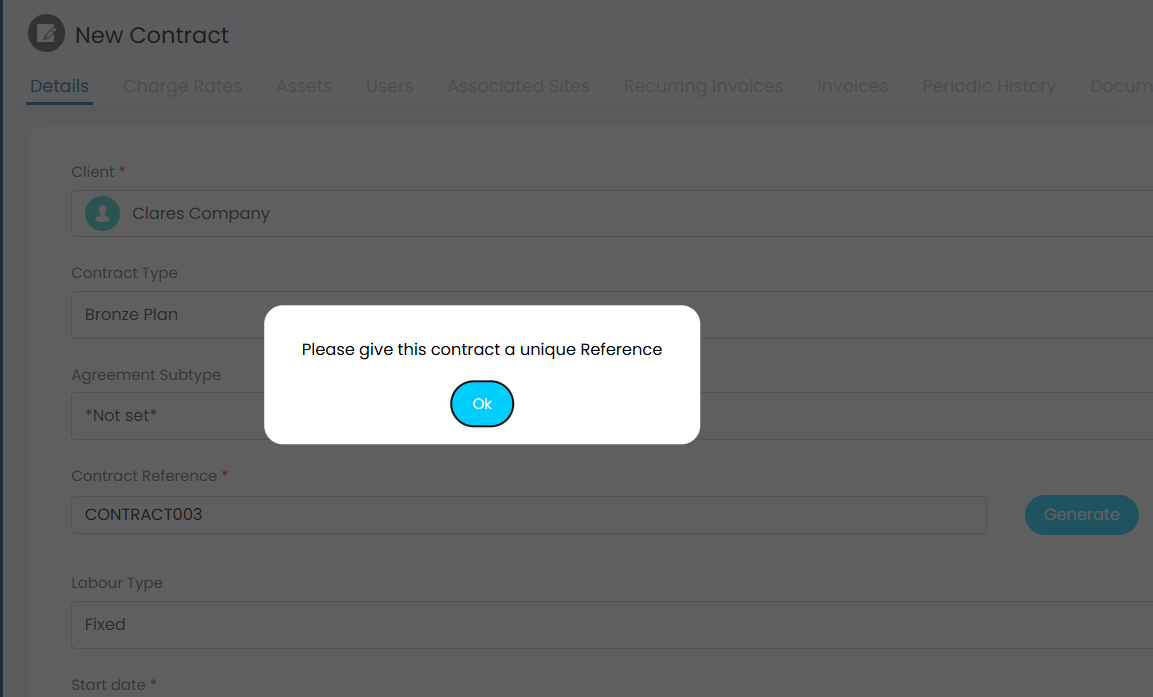
Fig 13. By default, all agreement references in Halo must be unique
As the reference is the main identifier for a contract, this is the default behaviour of Halo in order to prevent duplicate agreement references and the confusion that could result from that.
However, it may be the case that you only need unique referencing to be enforced within each client, not across all clients, meaning that a duplicate reference is allowed if it is for a different client.
To force Halo to allow this, navigate to Configuration > Contracts, and scroll to the "Defaults" section. Enable the checkbox setting labelled "generate contract reference per client".
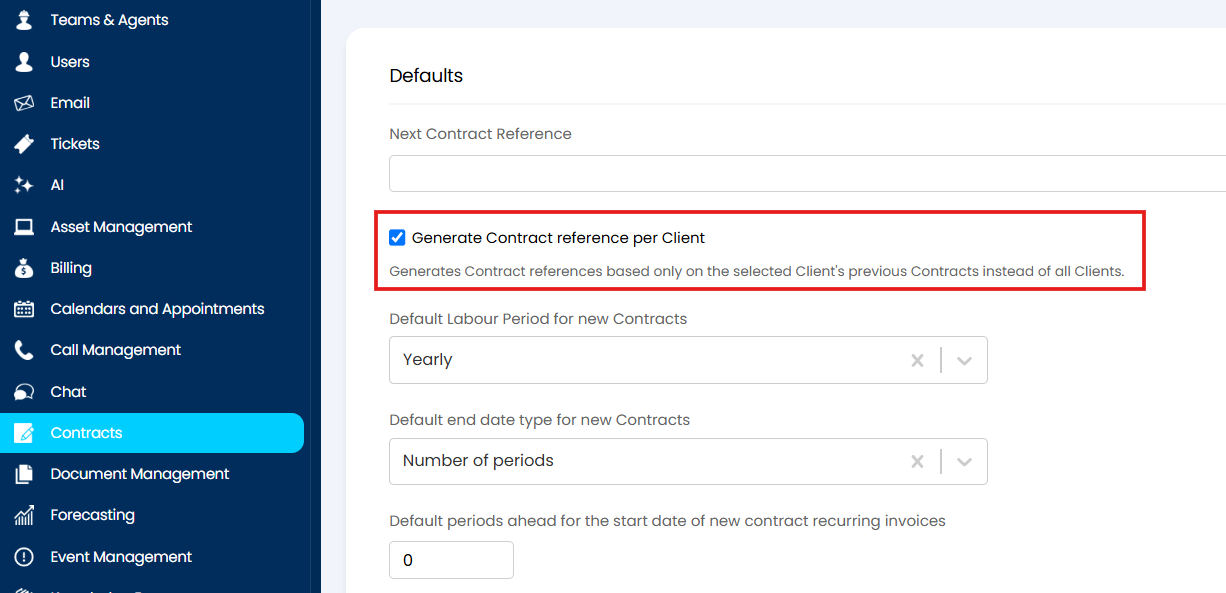
Fig 14. The setting to generate unique contract references per client
With this setting enabled, duplicate references are possible as long as the contracts are against separate clients.
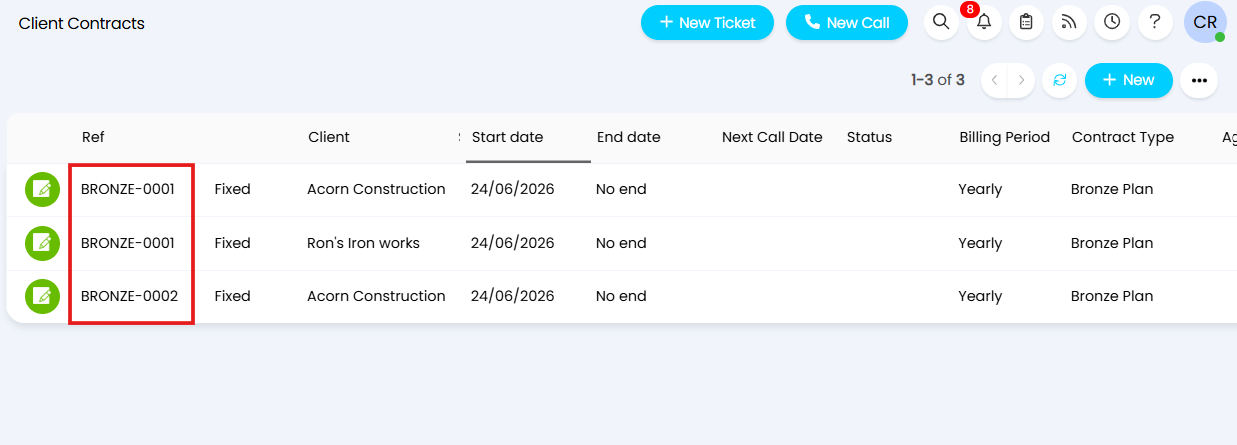
Fig 15. Auto-generated references with the setting in Figure 11 enabled