Client & Site XLS template fields
Client & Site XLS template fields
| Column Header | Halo Field name | Location in Halo |
| TopLevel | Top Level | Details tab of a Client. When Top-Levels are enabled this field will show. This determines the overarching categorisation/grouping level for a Client. |
| CustomerName | Client Name/Customer Name | Mandatory field. Details tab of a Client. This is the name of the Client. |
| AccountsID | Customer ID for Accounting Integration | Billing tab of a Client. This is the ID used for to identify this Client in Accounting Integrations. |
| SiteName | Site Name | Details tab of a Site. This is the name of the Site. |
| AddressLine1 | Address Line 1 | Details tab of a Site. 1st Line of Site's address. |
| AddressLine2 | Address Line 2 | Details tab of a Site. 2nd Line of Site's address. |
| AddressLine3 | Address Line 3 | Details tab of a Site. 3rd Line of Site's address. |
| AddressLine4 | Address Line 4 | Details tab of a Site. 4th Line of Site's address. |
| PostCode | Post/Zip Code | Details tab of a Site. The Site's Postcode/Zip Code. |
| SitePhoneNumber | Phone Number | Details tab of a Site. The Site's phone number. |
| SiteEmailDomain | Domain Name(s) | Settings tab of a Site. The Domain of emails from this Site. This is used for Domain matching to assign Tickets to the correct Site even when no User is matched. |
| SiteMemo | Notes | Details tab of a Site. Notes about the Site. |
Importing Sites which belong to Multiple Clients
If you have set your "Customer-Site-User Relationship" in Halo, such that a site can belong to multiple customers (option shown in Figure 1). Site imports via csv can be used to create and update a site with multiple Clients.
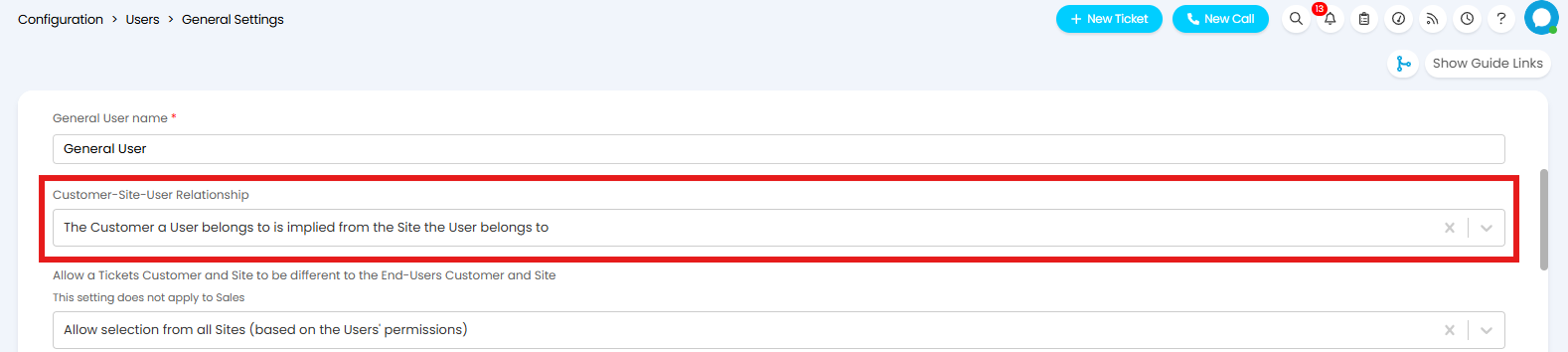
Fig 1. Customer-Site-User-Relationship
To do this you will need to structure your import template such that there is a row for each of your sites. For each site there must be a column containing the site name, a column containing the default organisation (customer) for the site as well as another column containing all the Clients the site comes under.
These columns must be called "SiteName" (or Siteid), "CustomerName" and "siteclient" (respectively).

Fig 2. Example csv to import a site belonging to multiple clients
SiteName - Enter the name you would like the site to have.
CustomerName - Enter the name of the default customer you would like this site to belong to. If this customer does not already exist in your instance, a customer with this name will be created. If the customer already exists enter the name of the customer here. The client added here will be added to the site by default, they do not need to be added in the "Siteclient" column too.
siteclient - Here you will need to add some nested JSON to determine the clients (customers) the site will be added to.
JSON for siteclient
The JSON entered in the column here must follow the following format:
[{"id":13, "name":"Tony's Tyre Emporium"}, {"id":17,"name":"Acorn Construction"}]
In which "id" is the ID of the client you would like to add this site to and "name" is the name of this client.
When the import is run the site will be created with the specified clients.