Trustpilot Integration
In this guide we will cover:
- What is the Trustpilot Integration?
- Enabling the Trustpilot Integration
- Configuring Trustpilot Webhooks
Related Guides:
What is the Trustpilot Integration?
The Trustpilot integration allows for tickets to be logged in Halo when reviews are left on Trustpilot below a certain score.
Note: This integration requires Trustpilot webhooks, which are available on select plans only.
Enabling the Trustpilot Integration
In Configuration > Integrations, find the Trustpilot module in the "Miscellaneous" section. Hover over this, and click the plus icon to enable it.
Fig 1. Enabling the Trustpilot module
Configuring Trustpilot Webhooks
In the Trustpilot Business Admin Centre, go to Integrations > Developers > Webhook Notifications.
Select the event type of "New Review", then select "Add new subscription".
Here, add the URL shown in the Trustpilot module in Halo. The username is automatically added to this URL. You will need to generate a password with the "Generate" button in Halo, then replace the redacted values in the URL when adding this to Trustpilot.
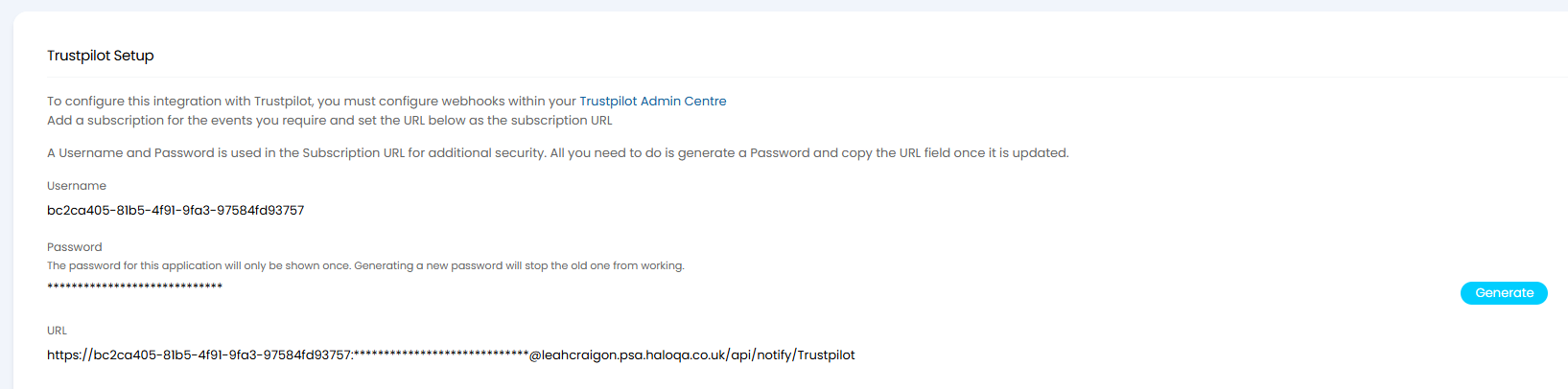
Fig 2. Credentials to use to create Trustpilot webhooks
Once webhooks have been created in Trustpilot, enable "Allow incoming Trustpilot webhooks" so these webhooks can create tickets.
Here, you can also set the criteria of when/what tickets are created.
- Review score threshold: Any reviews above this value will not create tickets.
- Ticket Type for Tickets created via Trustpilot webhooks: The ticket type that will be created for reviews.
- Default Site for new Users: User matching is done via the consumer ID from the Trustpilot webhook, and if not matched a new user will be created against this customer and site.

Fig 3. Configuring the tickets that are logged
You can additionally set the status of these tickets to update if the review is edited.
To use this functionality, ensure you set up a webhook in Trustpilot to trigger when a review is edited/revised.
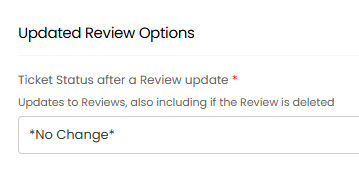
Fig 4. Updating ticket when review is edited