Automatic Logout Issues
- logout
- auto logout
- troubleshooting
- automatic logout
- logged out
In this guide we will cover:
- Steps to Stop Automatic Logouts
Sometimes you may find that certain agents are getting logged out of Halo on a repeated basis, often at a certain time or after a certain event. This guide will cover common places to check, explaining the logic throughout.
If you have any issues with logout following this guide, please contact support for further assistance.
Has the agent's permissions changed?
Note: Agents should log out for permissions to apply correctly.
If the agent's permissions have changed, it may force log them out to apply the changes correctly. If you find that agent's are getting logged out at the same time each day, it may be an integration running and applying permission changes. If you use more than one identity management tool, check that the two are not conflicting each other. They may be applying different roles to an agent each time they run.
In Configuration > Integrations > Halo Integrator, you will be able to check your "Hosted Integrator Schedule" (if hosted by us). This will show a list of integrations with the Halo Integrator enabled. Check the time of any of the integrations here, then go into "Backend Service Monitoring" to check the "Halo Integrator Log" tab. This will show each time the integrator has run, and the logs will show what has changed.
Note: The times in Backend Services will differ slightly from the schedule, depending on how many integrations you have syncing and how long each of them take to run. Check a few logs either side of your expected time if you cannot find the record.
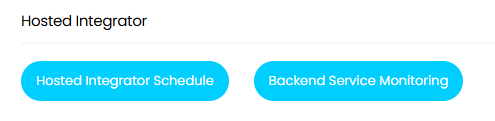
Fig 1. Hosted Integrator tracking
Is agent idle timeout enabled?
Agent idle timeout can be enabled to automatically log agents out after a certain amount of inactive time. In Configuration > Advanced Settings, check if "Agent idle timeout (minutes)" is set to anything other than 0, and if so, if it is enabled for agents using either named licences, concurrent licences, or both.
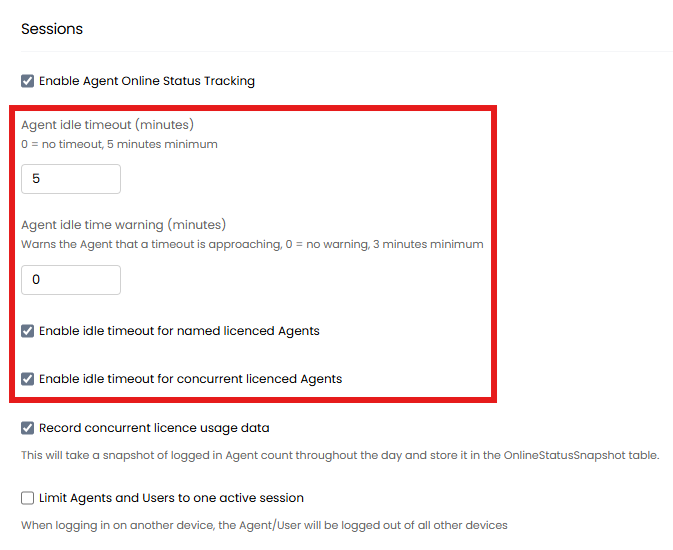
Fig 2. Agent idle timeout configuration
Are agents limited to one active session?
In the same area, agents can also be limited to one logged in Halo session. If the agent logs in from another device, it will log them out of their other sessions. Check if "Limit Agents and Users to one active session" is enabled in Configuration > Advanced Settings.
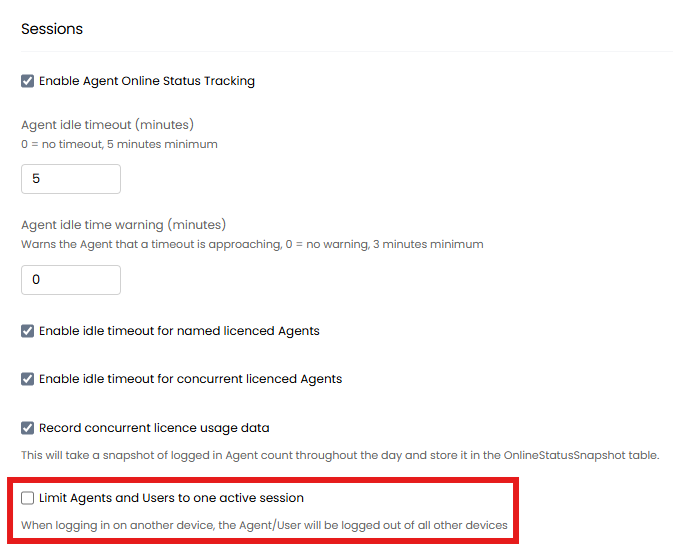
Fig 3. Active session logout option
Is single log out enabled?
Single-logout can be enabled for Single Sign On for a majority of identity management integrations. Check in either the "Single Sign-On" tab of the integration or "Halo Configuration" tab if using the separate Single Sign-On module, where you will find the option to "Enable single-logout (SLO)".
If the agent logs out of their account within that tool, it will also log them out of Halo. This option is also often associated with a security policy that logs agents out of their identity management software once a day, hence also logging out of Halo once a day.
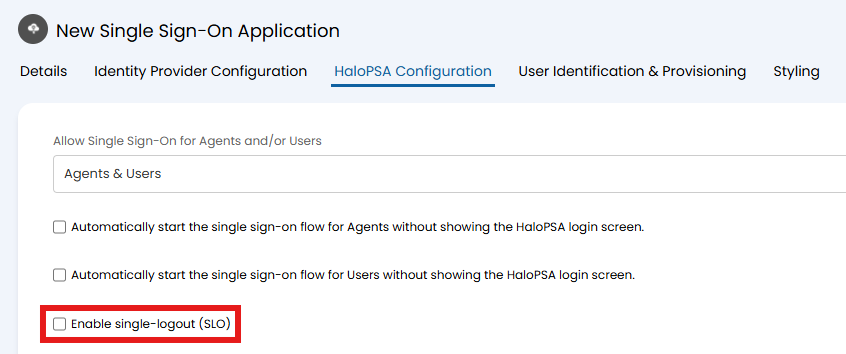
Fig 4. Single logout option
Does your identity management tool have a PIM policy?
If using delegated permissions to connect your identity management tool, any Privileged Identity Management (PIM) policy can also cause repeated logouts. Check if your tool has any time-bound limits in place if so.
Are cookies being cleared by a policy?
If cookies are being cleared, agents may be logged out of Halo. If there are any general clearing policies or software in place on your device, these are likely to be the cause if none of the above apply.
If you believe this to be the case, please contact support for further assistance to confirm.