Opinyin Integration
- integration
- opinyin
In this guide we will cover:
- What is the Opinyin Integration?
- Connecting to the Opinyin Service
- Using the Opinyin Data in Halo
Related Guides:
What is the Opinyin Integration?
Opinyin Feedback Analysis is an Agentic AI solution that gathers feedback from Halo’s native surveys*, intelligently analyses and categorises it, and identifies referral and repeat sale opportunities, as well as customers at risk of churn. The processed data is then sent back to Halo, enabling workflow automations that leverage the identified opportunities whilst also supporting comprehensive reporting and root-cause analysis of customer experience through Halo’s built-in reporting tools.
* Other sources, of feedback such as public reviews and in-site product reviews, can be captured, analysed and integrated into Halo as above
Which Opinyin licence do I need to use this integration?
You need to have an Opinyin Enterprise subscription licence with classification enabled. Opinyin offers a no-obligation 21-day trial of its service so you can see its power before committing. Head over to Opinyin and register for a trial account, and then contact Opinyin support, who will get you set up.
Connecting to the Opinyin Service
In Configuration > Integrations, hover over the Opinyin module and click the "+" icon to enable it.
Fig 1. Enabling the module.
Clicking into the module, you will find instructions to create a Halo API Application. Follow the instructions and make a note of the Client ID and Client Secret as Opinyin will need this to deploy the integration to your Halo instance.
Note: The Agent selected to login in as must have the permissions detailed below.
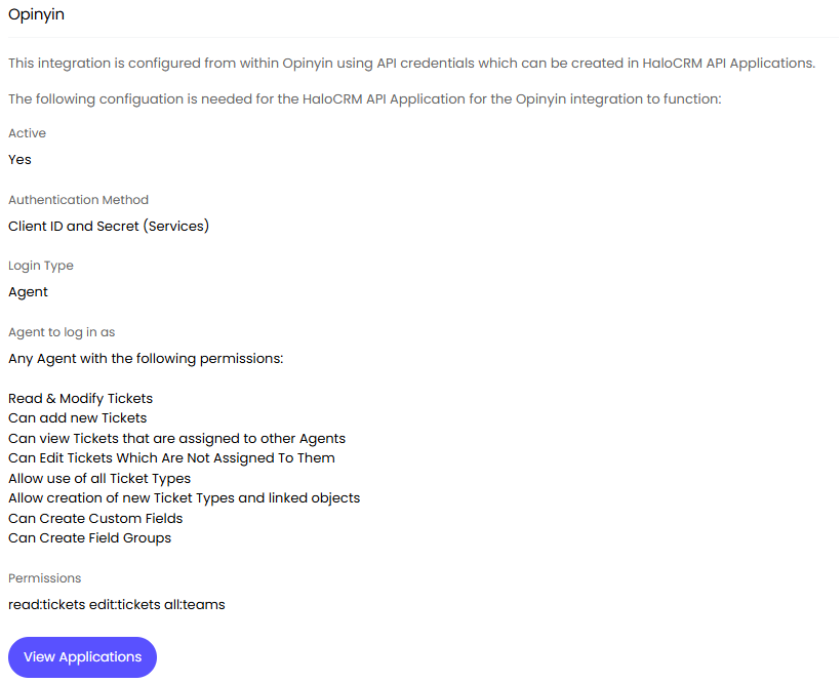
Fig 2. Creating a Halo API Application for Opinyin.
Click the "View Applications" button to be directed to create this application. Click the "New" button in the top right corner to create the application.
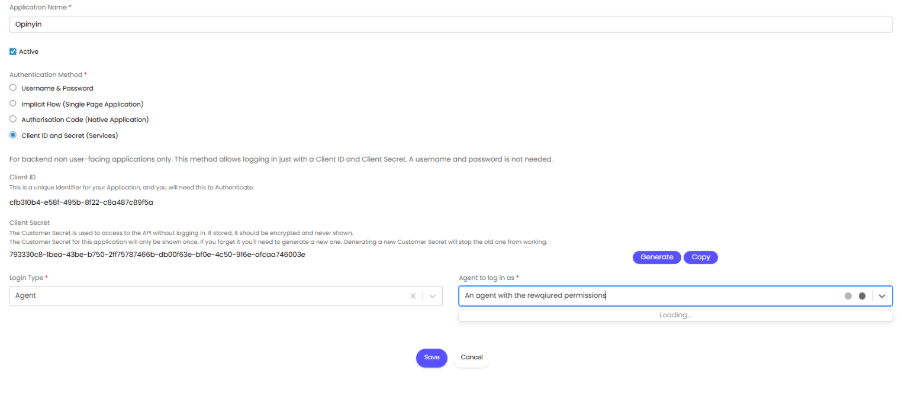
Fig 3. Creating the Halo API Client ID and Secret.
You will need to set the following permissions in the app. Opinyin will also need you to give the app ‘all’ permissions to deploy it from their server, but once this is done, this permission can be removed.
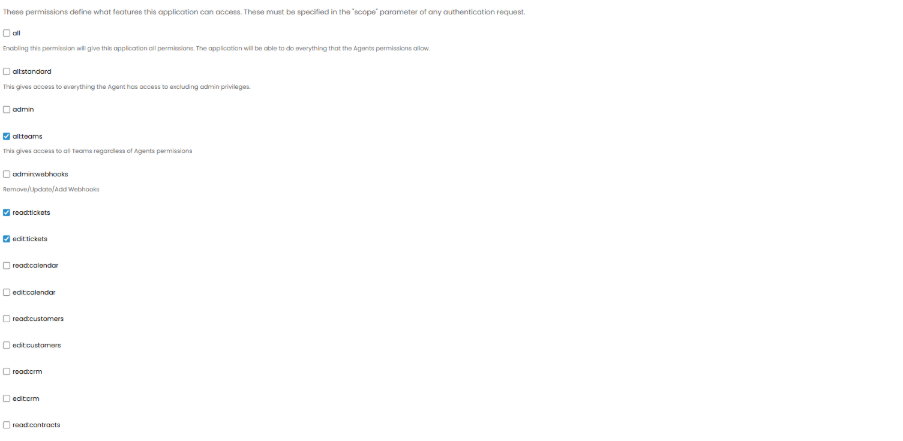
Fig 4. Applying the required permissions.
Once this is done, Opinyin Support will implement the integration and assist you in setting up your Opinyin account so that it can start capturing feedback, analysing it, and returning the data to Halo.
Using the Opinyin Data in Halo
Automation
The Opinyin service sends its analysis back to some specially created custom tables in Halo. Using Halo Runbooks, this data can be used to automatically:
- Leverage the data to create new sales leads of referral and repeat sale opportunities,
- Escalate tickets, create new tickets and send emails for customers at risk of churn
Reporting
The data sent to Halo by the Opinyin service is fully available to the reporting tools, allowing the valuable analysis to be put directly in the hands of managers and agents via dashboards so they can better own the customer experience.