Linking Purchase Orders to Projects
- Project
- project purchase order
- project items
- project products
- link PO to project
- project PO
In this guide we will cover:
- How to Link Purchase Orders to Projects
You can enable the ability to link purchase orders raised for products associated with the project to the project ticket. This allows the project ticket to automatically be updated when these products are received/the purchase order has been fulfilled.
Note: This functionality is only compatible with projects that have been created from sales orders
To enable this functionality head to configuration > sales orders and enable 'Link Purchase Orders created via line Actions to the Project on the line'.
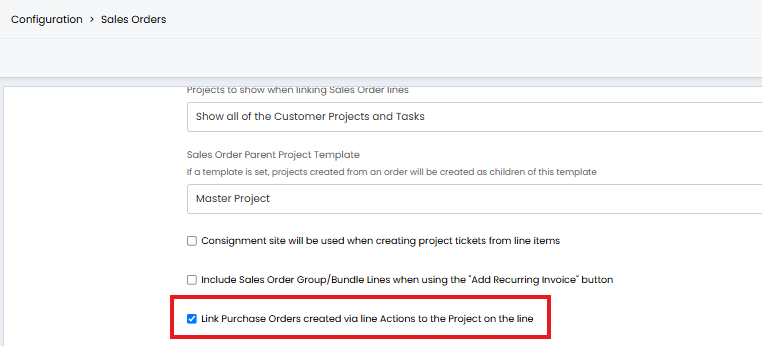
Fig 1. Setting to allow purchase orders to be linked to project tickets
Now this is enabled let's walk through how this works.
In the figure 2 example a sales order has been raised to complete an infrastructure upgrade project. The project ticket has already been created from this sales order. As part of the project some ethernet cables will need to be ordered so I have added these to my sales order.
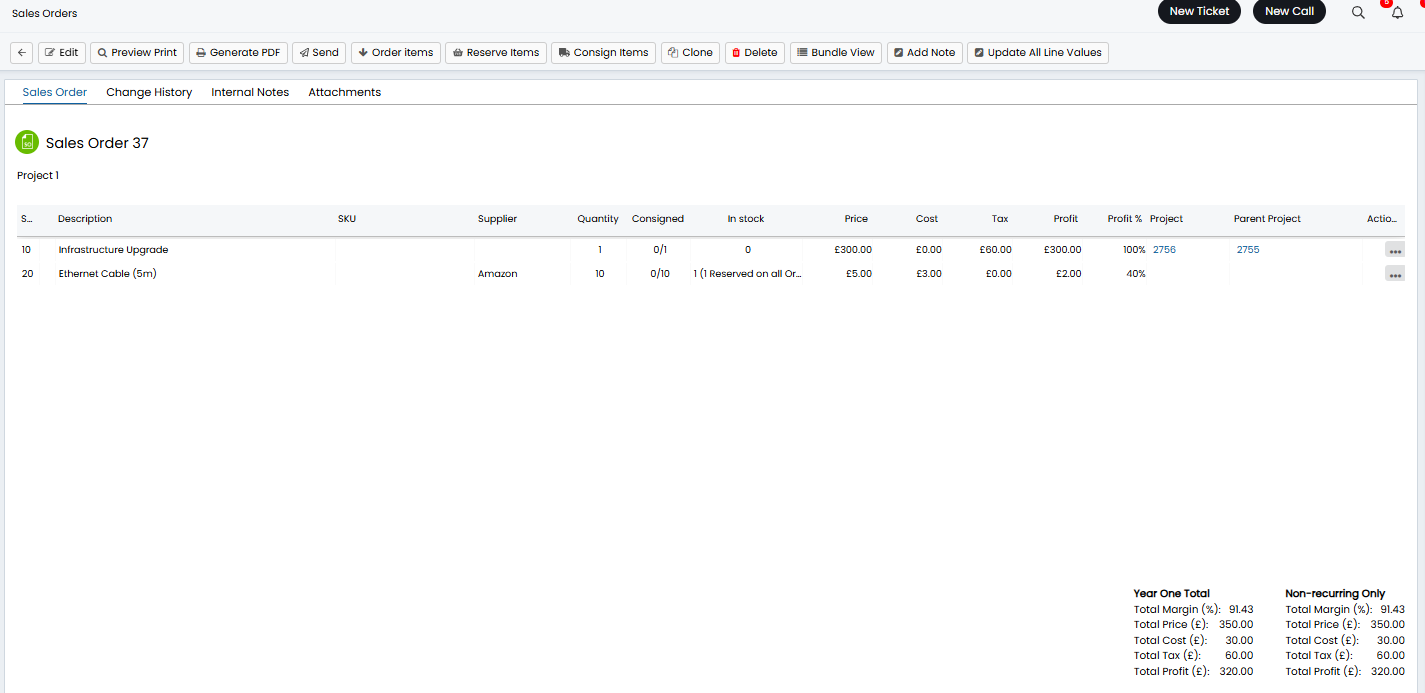
Fig 2. Sales order containing project items
Before a PO is raised for the cables they first need to be added to the project using the 'add to project and create child' action.
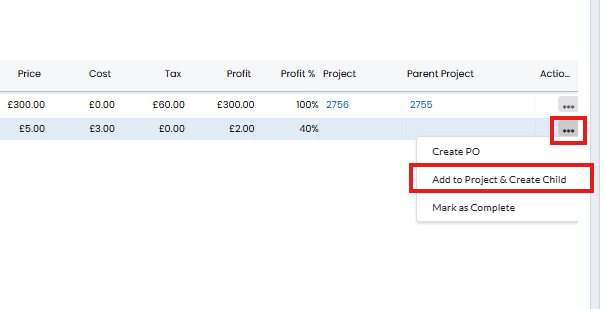
Fig 3. Add items to project
Once added, these items will appear in the project ticket under the 'Products' tab.
Now, when I raise a PO for these items (from the sales order), a link to the purchase order will become available in the project ticket (under the ticket details).
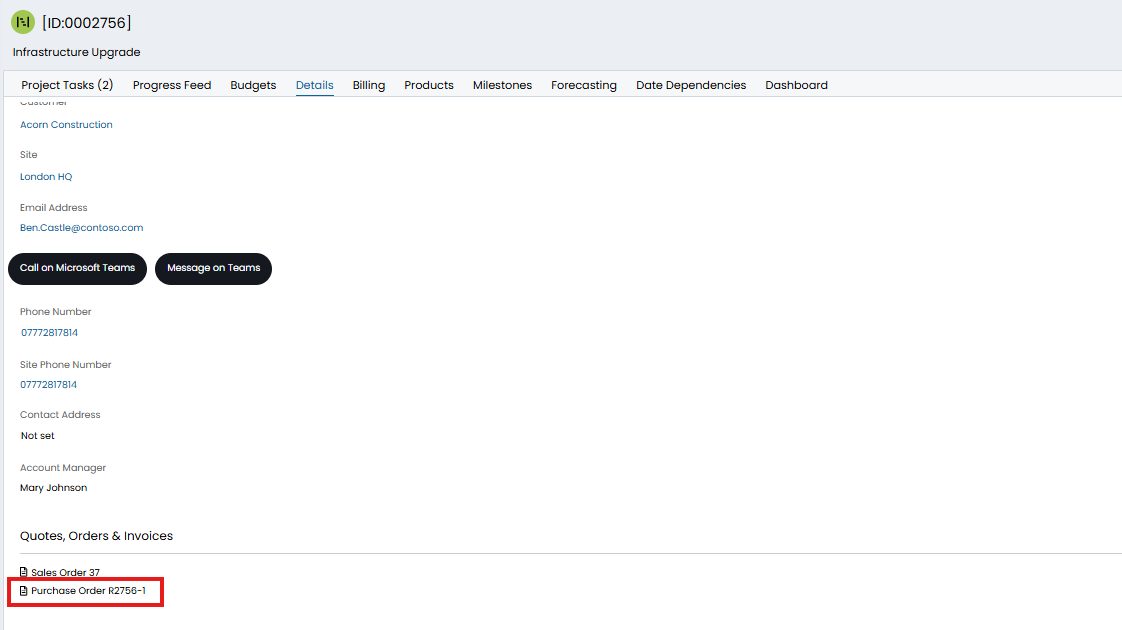
Fig 4. Link to PO from ticket
Now this link is established, when the PO has been fulfilled (all items have been consigned) the project ticket will be updated.
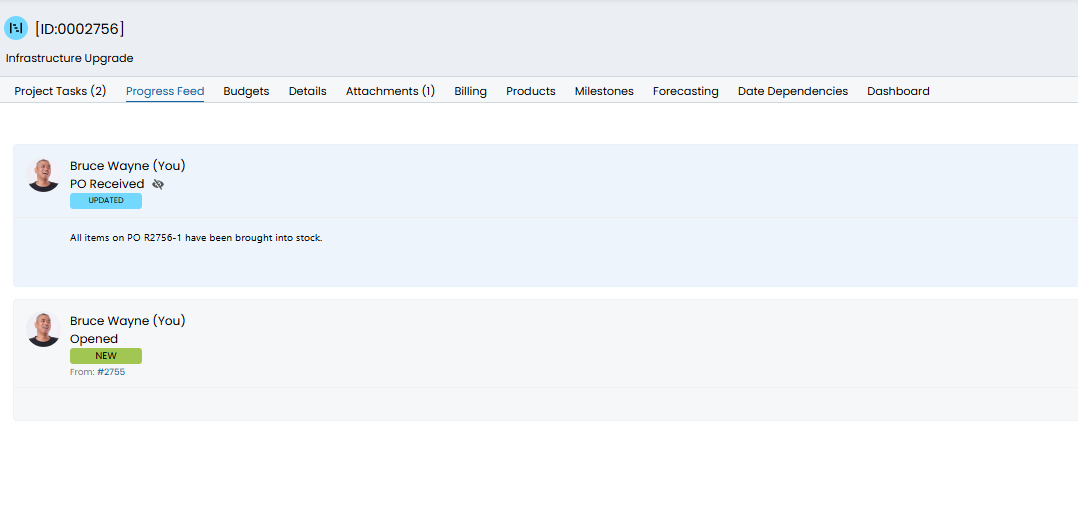
Fig 5. Ticket updated following Po fulfilment
This allows you to leave the ticket on SLA hold until the products you need have been received. Automatically updating the ticket for you without you having to check the purchase order.
Note: The ticket will only be updated when all the items on the PO have been received. Therefore it is best to raise a PO specific to the project to ensure the project ticket is updated once all the items needed have been received.