Specifying Decimal Format in PDFs
- quotation
- html
- template
- variable
- quote
- eu
In this guide we will cover:
- Setting a Default Decimal Separator
- Editing the Default on a PDF Template
- Set how Many Decimal places are used on billing PDFs
Note: This is a useful feature for our EU customers following EN16931 validation that requires ".", but may have conflicting regulations in their home country, i.e. DIN5008 in Germany.
Setting a Default Decimal Separator
In Configuration > Advanced Settings > Appearance, a "Decimal Separator" can be set. By default, this will follow your system server settings, but this can be manually set. This will affect figures loaded within Halo.
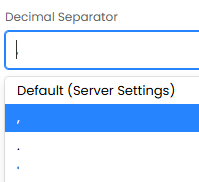
Fig 1. Setting a decimal separator.
Editing the Default on a PDF Template
This default can be overridden in different areas of a PDF template using the custom HTML.
For instance, by default the table below is inheriting the global default of "," that we set, but in the total section, it is using "." that can be achieved by overriding the variable default.
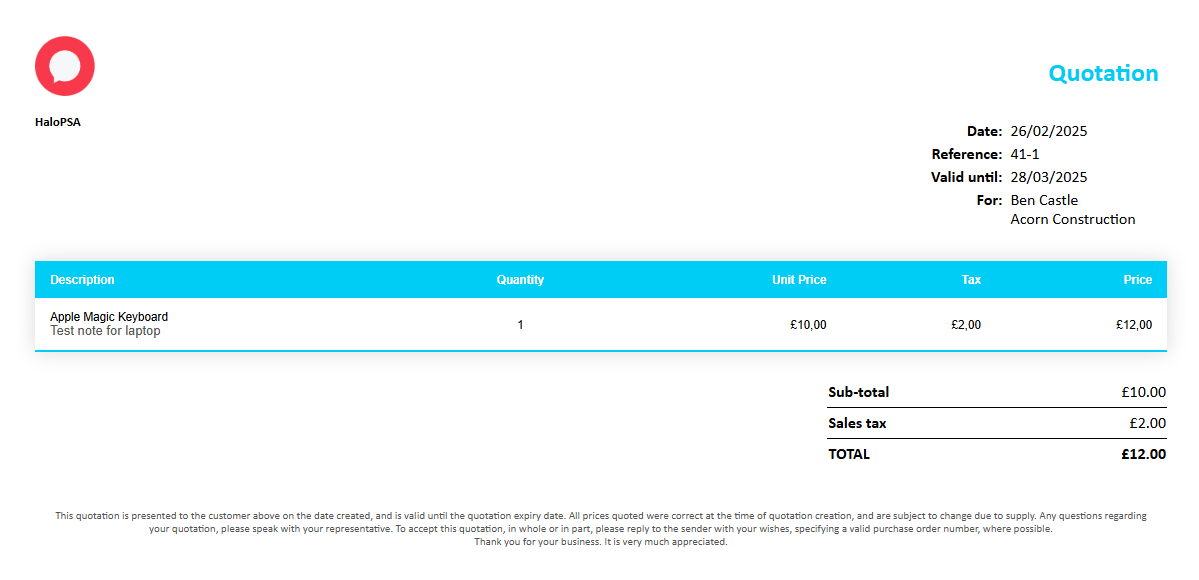
Fig 2. Quotation PDF with overridden decimals.
To override the decimal format, a suffix can be added to the variables - "{THOUSAND:,|DECIMAL:.}".
Within the figure below, we have highlighted where the decimal override is set within this variable. The comma or stop needs to be added after the colon for each word. Here is where you specify what the thousands separator is, and the decimal separator.
Here the thousand will be "," and the decimal will be ".".

Fig 3. Variable suffix.
Within the HTML of a template, it will look like the below at the end of the corresponding money variable.
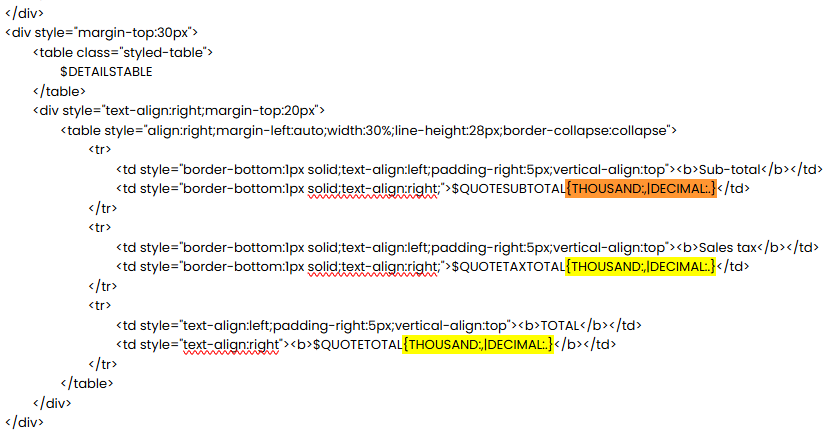
Fig 4. HTML with the variable suffix added.
Set how Many Decimal places are used on billing PDFs
To customise how many decimal places prices/costs are displayed on PDFs for billable entities (sales orders, quotes, invoices, purchase orders etc.), head to Configuration > Billing > PDF Templates > adjust "Number of decimal places for billing entity values on PDFs".
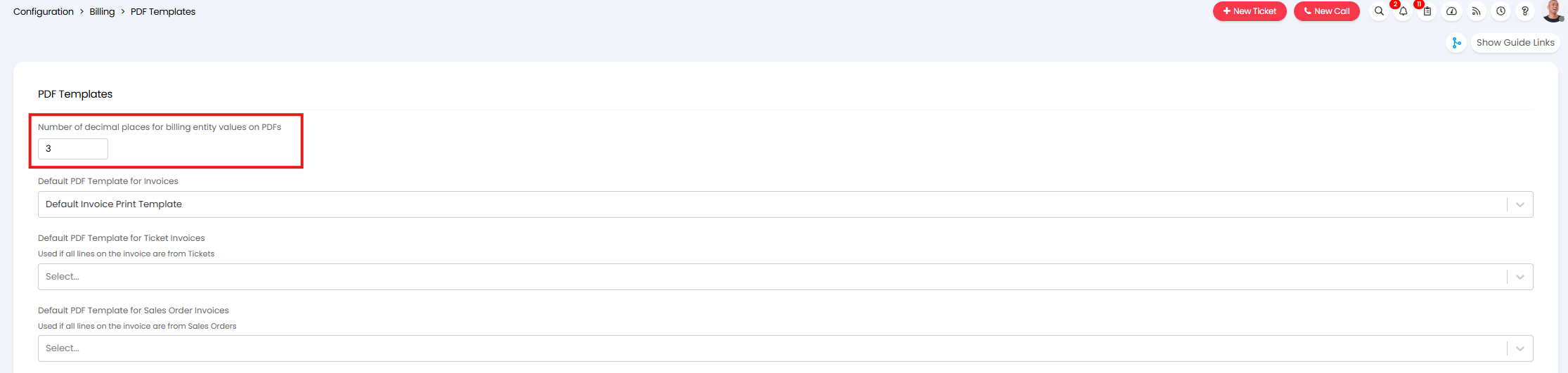
Fig 5. Number of decimal places for billing entity values on PDFs
If "3" is entered here, for example, PDFs will show prices/costs to three decimal places.
Keep in mind, this setting can be set in various other locations in Halo (such as Configuration > Quotations > General Settings) but setting it in any of it's locations will apply to all billable entities.
This only controls the decimal places on raw the prices/costs/tax on PDFs. This will not impact totals on the PDF, or prices/costs in the agent app, these will still show to two decimal places.