Release Notes
- Stable Release
- Beta
- Release Cycle
- releases
- release candidate
In this guide we will cover:
- Finding the Release Notes Area
- Mobile Specific Releases
- Searching for Release Notes
- Version Explanations
- Release Cycle
Finding the Release Notes Area
In the top right hand corner, find the question mark icon.

Fig 1. Help area
Click the Show Release Details link shown in Fig 2.
Note: If you want to find out what version you are currently on, click "About". This opens a pop-up window showing you the web-app version you are currently on, the database version and support details.
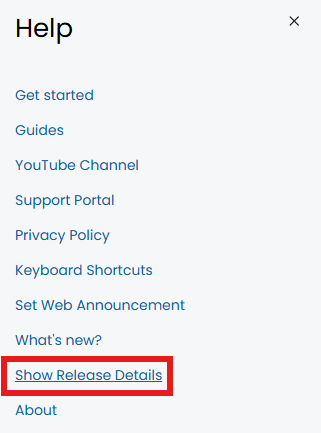
Fig 2. Show Release Details
You will then see the below screen.
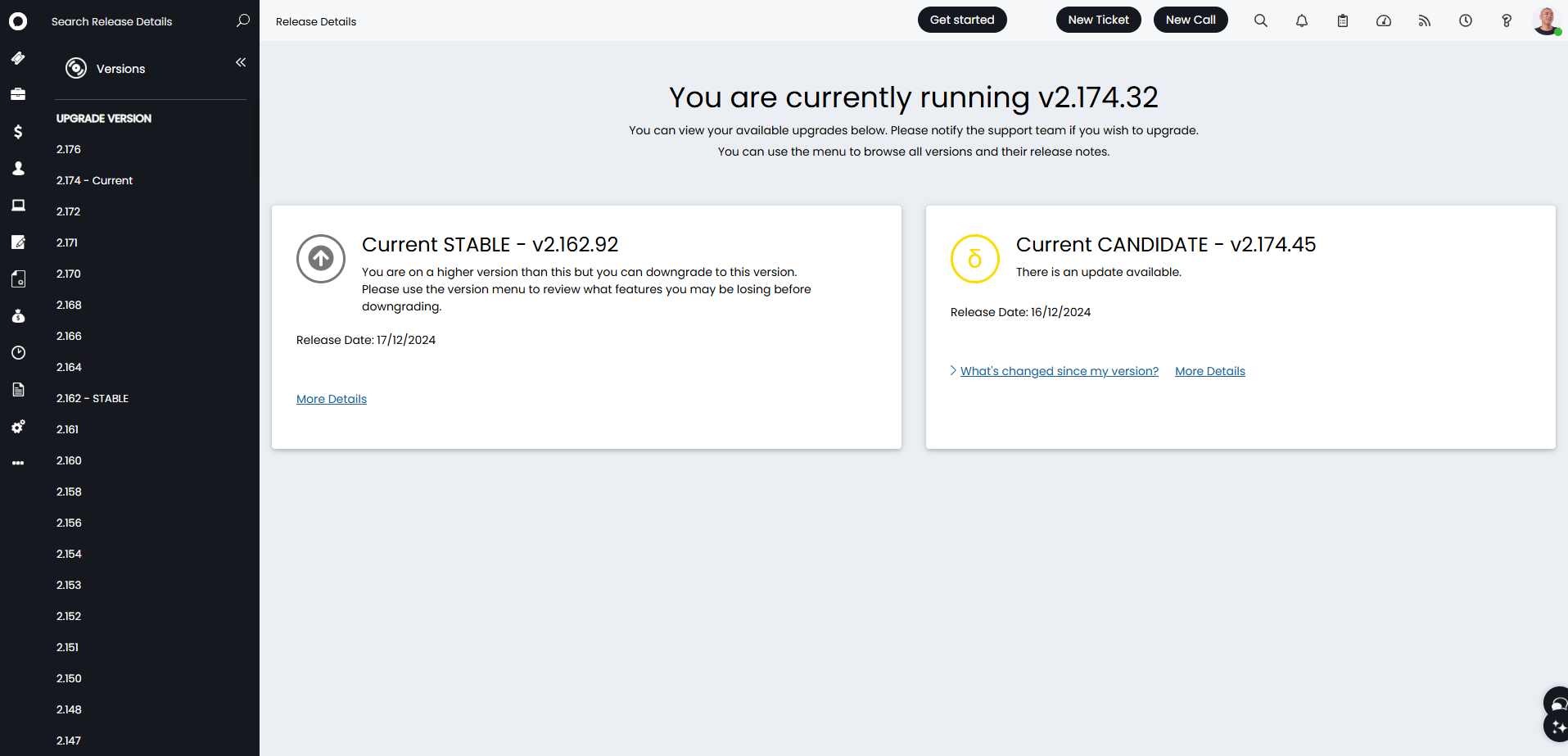
Fig 3. Release Notes Area
Mobile Specific Releases
To view a list of releases specific to the Halo mobile app, click the "Halo Versions" button in the top left. This will allow a dropdown to show "Halo Versions" (web app), or "Halo Mobile Versions" (mobile app) releases.
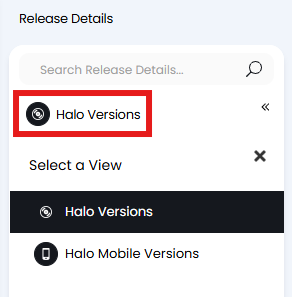
Fig 4. Viewing web or mobile releases.
Searching for Release Notes
In the top left, there is a search bar to search through release notes, and underneath is a list of release versions that you can click into. Here, I have searched "Azure" so I can see each release note with the exact string "Azure" contained within it. This does not take into account the extra information that is sometimes stored within the release notes dropdown:
Fig 5. The information stored within the release note dropdown (Click here for more information)
Any notes that do not have a version mentioned on the right of the blue box (see Fig 5) means this is something that has not been released yet.
Note: Searching for a single word will make it easier to find what you are looking for as it searches the entire string.
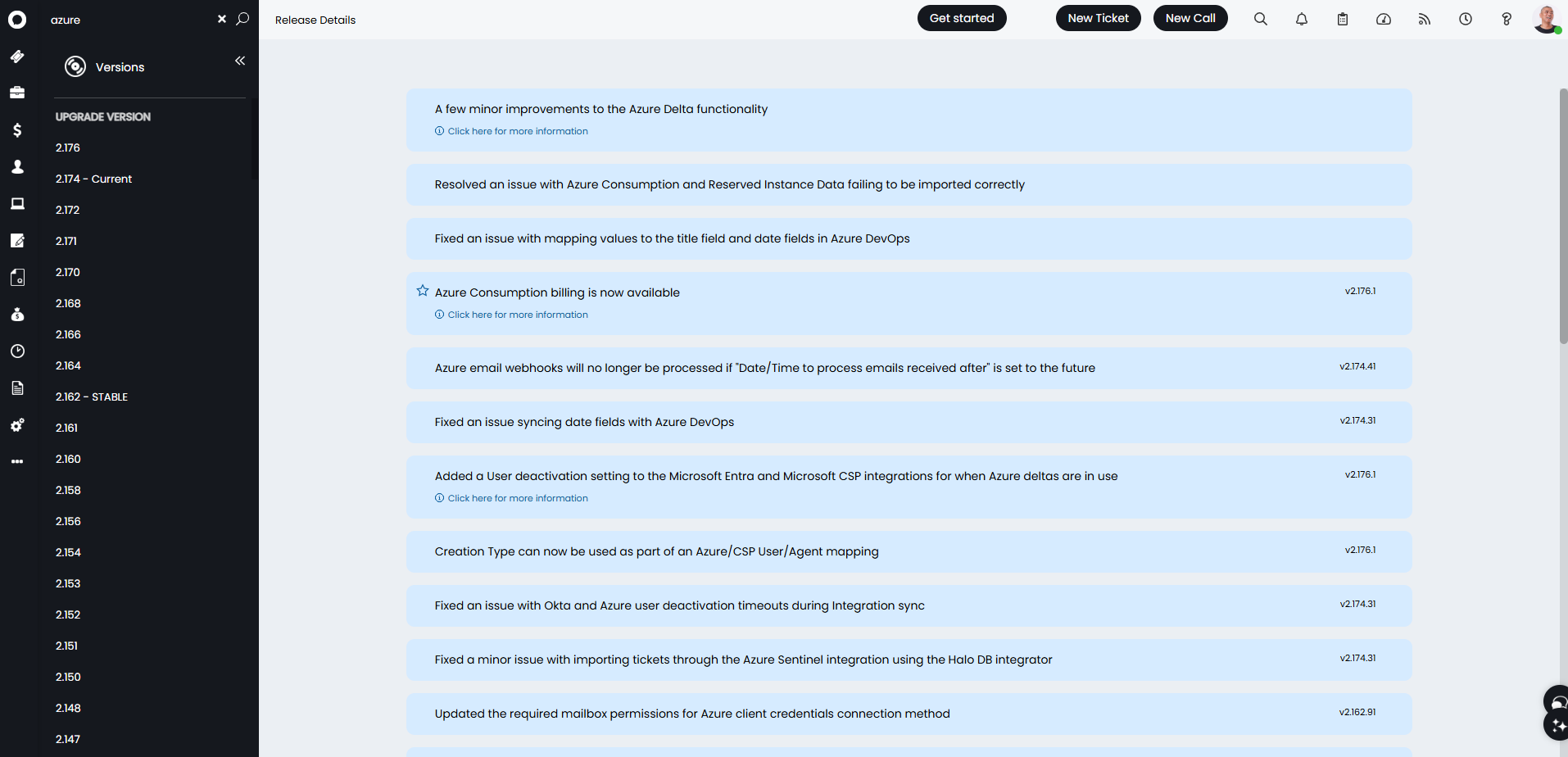
Fig 6. Searching release notes
Version Explanations
In the versions listed on the left hand side of Fig 6, they are sorted with the most recent at the top, in descending order.
Looking at the version labelled "Current" (what version my Halo is running at the moment) The first number (here as "2") refers to the version of the Halo application. This is not guaranteed to update, as it is in relation to an entire update across the board of the software.
The second number (i.e. "174") represents the current release of the version. This is representative of the new software releases by Halo, which occur every two weeks.
Where there is another number after this, like in Fig 5 and on the right side of the release notes, this refers to the patch of that release for minor fixes that have been encountered during the current two week release period.
Summary
- "2." The application version/major version number. This details major overhauls to the UI or backend and landmarks in development.
- "174." The release/database version. This will update to ensure relevant fields included in the database or changes made to the database are effectively brought forward.
- "1" The patch/minor Version. This increases when changes are made to functionality or noted bugs are found and fixed.
Email notifications can be sent for scheduled hosted upgrades to an application version or a release version. This provides the date and time the upgrade is scheduled for, and this will be sent closer to the time as the duration of each release can vary depending on the complexity and content of it. Patches (e.g. 2.196.56 to 2.196.75) are not announced individually, and are applied automatically as needed. This is because they typically contain bug fixes or backend improvements rather than new features.
Release Cycle
A release comes in one of 3 forms, these are:
- Stable Release - This is a tested stable version of Halo and our recommended version of the software at any given time.
- Release Candidate - A partially tested release due to be the next stable release.
- Beta - An early version which has not undergone full testing, often including customer specific changes.
If you wish to upgrade to another version, please contact our support desk.