Reviewing Recurring Invoice Lines
- recurring invoices
- invoice
- recurring invoice lines
- invoice lines
In this guide we will cover:
- What are Recurring Invoice Reviews?
- How to Mark Recurring Invoice Lines as Requiring Review
- Reviewing Lines
What are Recurring Invoice Reviews?
Recurring Invoice Reviews allow you to prevent invoices from being generated from a recurring invoices until selected lines of the recurring invoice have been reviewed. Useful when using automated pricing and/or quantity methods for recurring invoice lines as this prompts you to check the price/quantity of the line for the period is correct before an invoice is created and the customer billed. Ensuring no invoices are created with incorrect pricing/quantities.
How to Mark Recurring Invoice Lines as Requiring Review
To mark a line as requiring review, edit the line on the recurring invoice, head to the "Review" section and enable "Review Required".
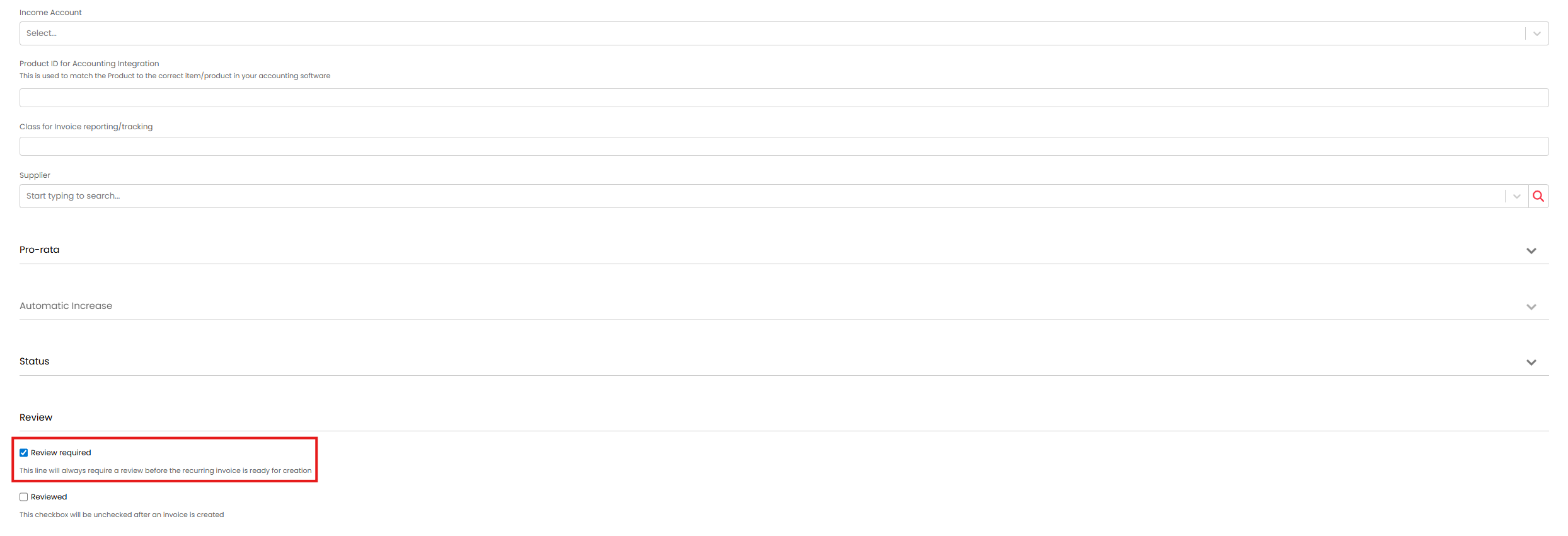
Fig 1. Mark an invoice line as requiring review
Now, the recurring invoice will not appear in the ready for invoicing area until this line has been reviewed for the next billing period.
Reviewing Lines
Any recurring invoices that contain lines requiring approval will appear in the "Review Required" section of the Recurring Invoices area of the Invoices module.
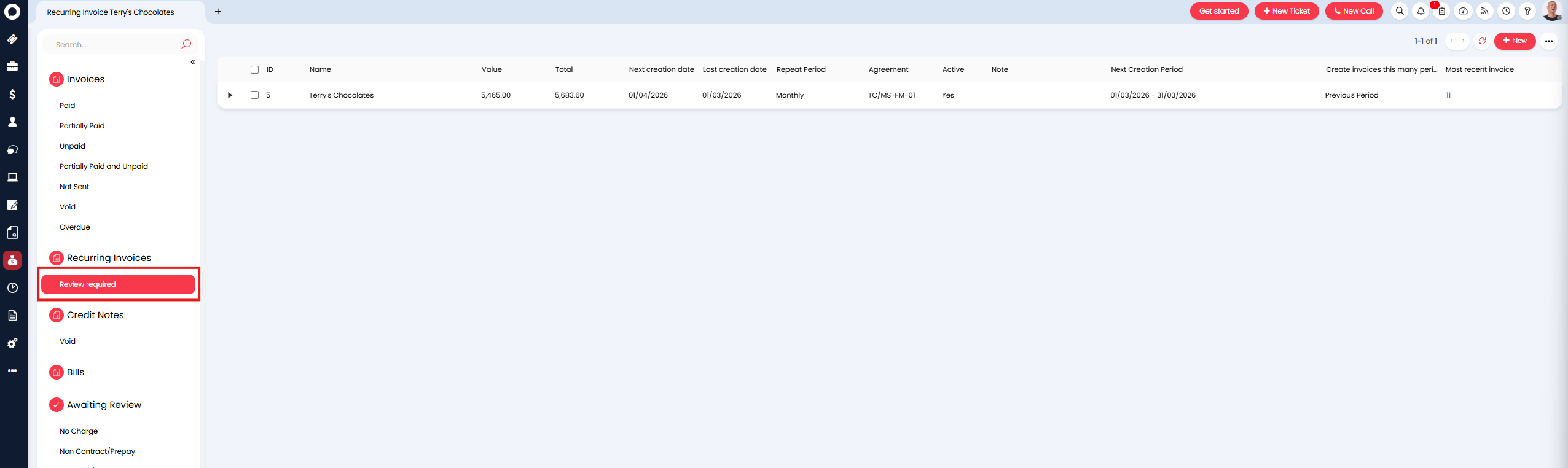
Fig 2. Review Required section
To review, click into the recurring invoice. Lines requiring approval can be identified using the "Reviewed" column. In the Figure 3 example, we can see only one line requires approval.
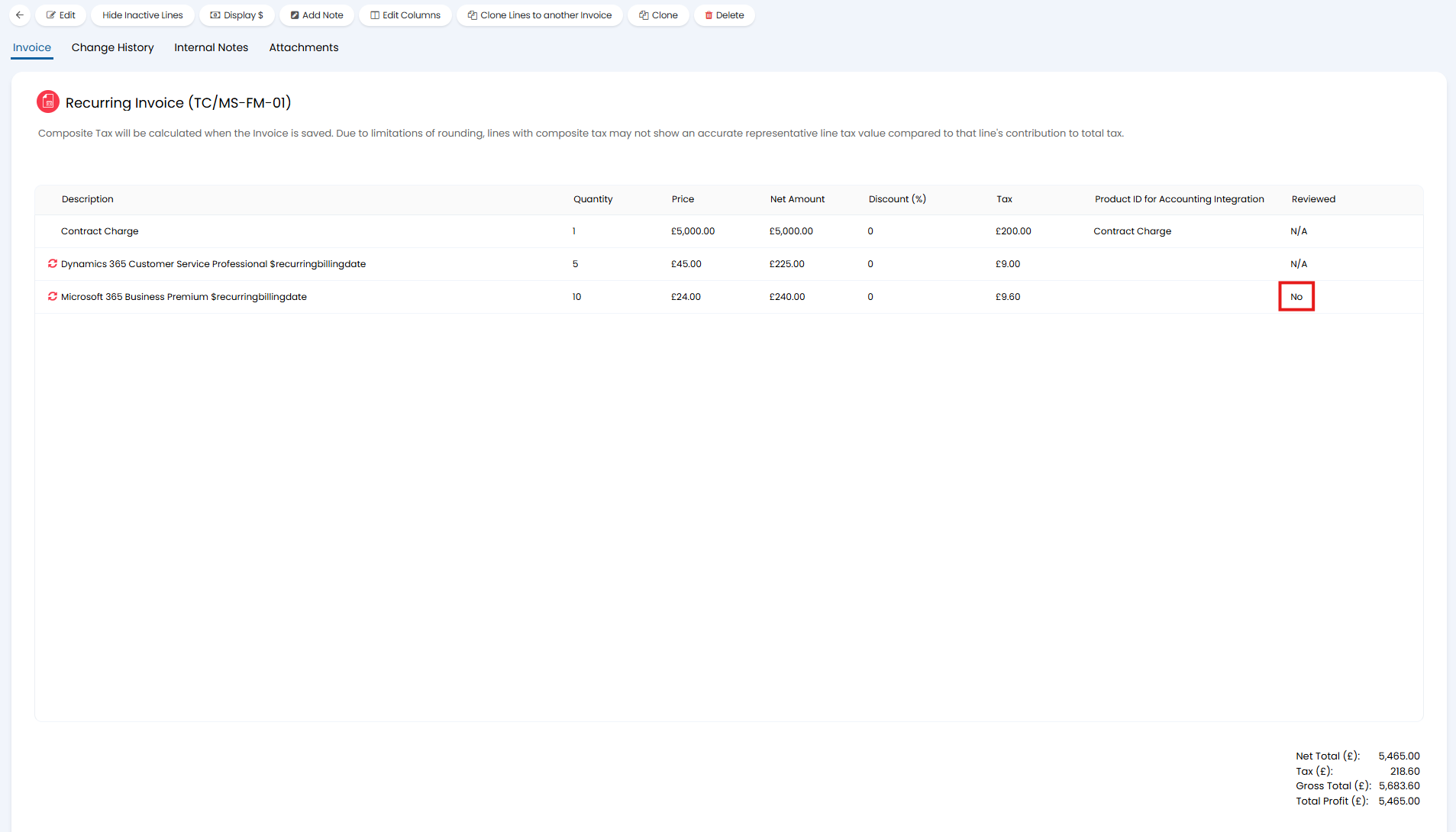
Fig 3. Recurring invoice line requiring approval
To approve, simply edit the line and check "Reviewed".
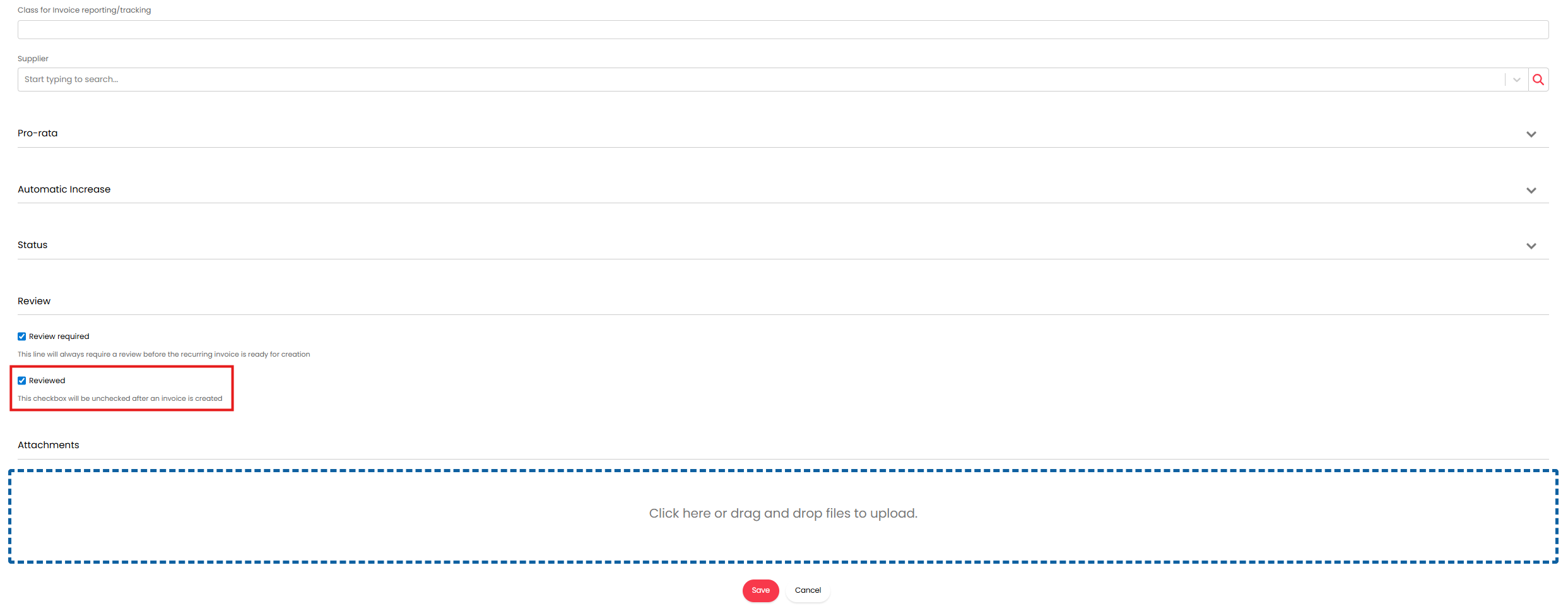
Fig 4. Review recurring invoice line
From v2.244+, you can bulk select the Recurring Invoices in the "Review Required" section using the checkboxes, and mark all selected as reviewed.
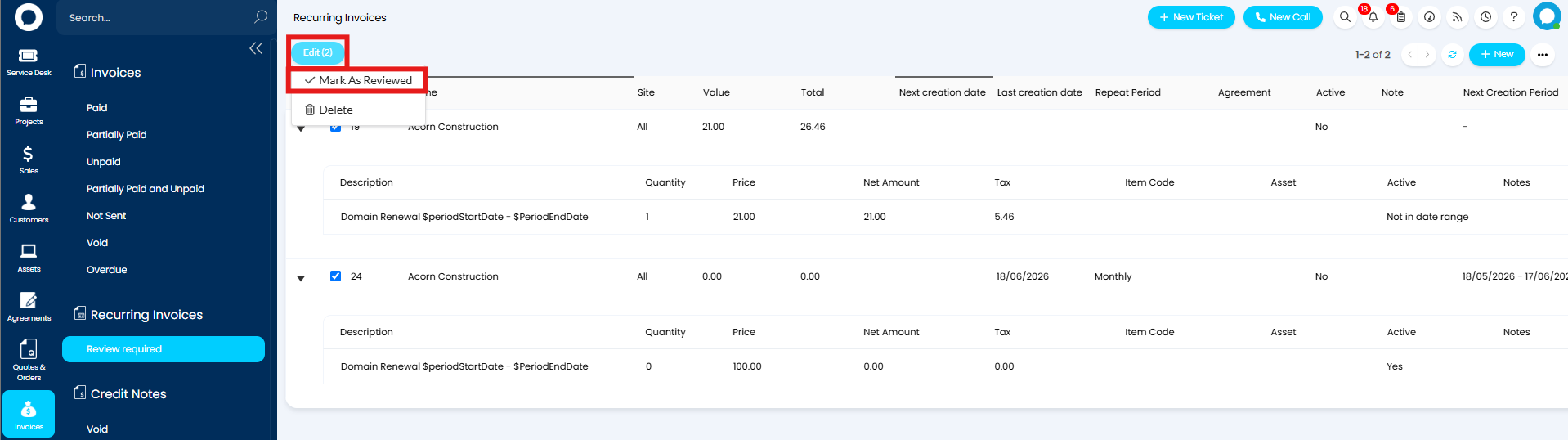 Fig 5. Review recurring invoice lines in bulk
Note: These methods will review the line for the next billing period only.
Once all the lines requiring review have been reviewed, the recurring invoice will be removed from the "Review Required" area and will show in ready for invoicing. At which point an invoice can then be generated.
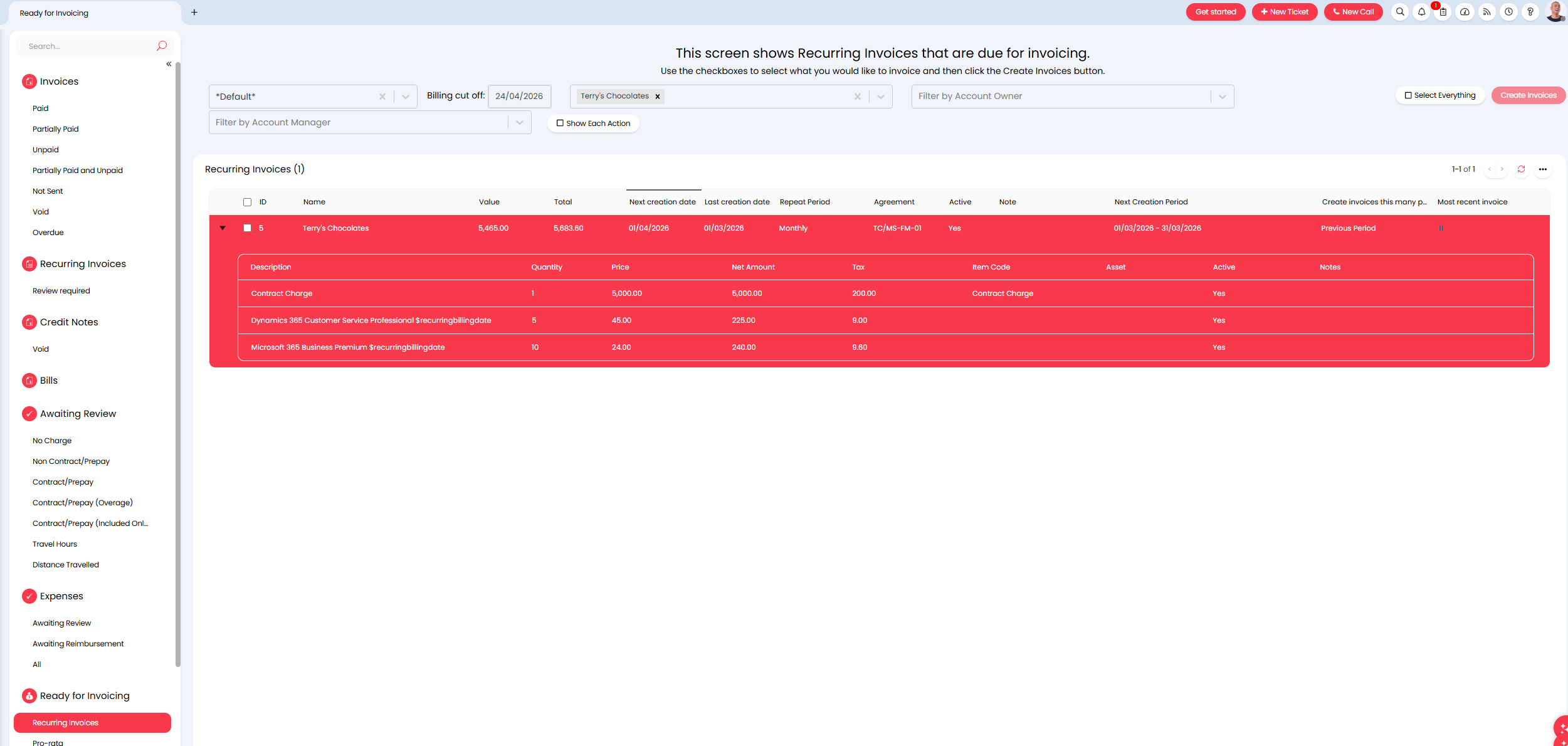
Fig 6. Recurring Invoice in Ready for Invoicing
After the an invoice has been created for the next billing period (in this example 01/03/26-31/03/26) the line will be un-marked as being reviewed and the recurring invoice will re-appear in the "Review Required" area. This is so it is ready to be reviewed for the next billing period (in this example 01/04/26-30/04/26)
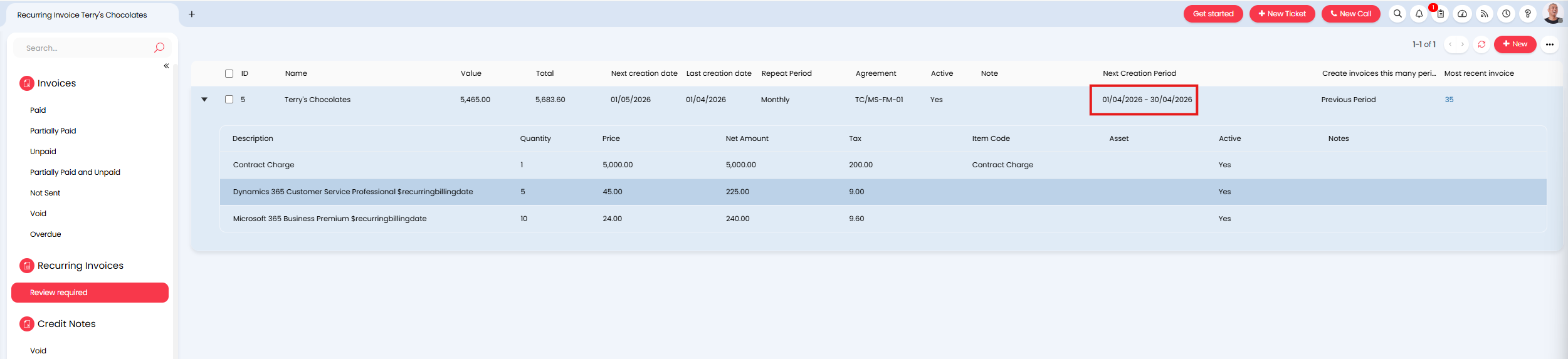
Fig 7. Recurring invoice Ready for be reviewed for next billing period
Now, your team can come into the "Review Required" section before invoices area created, and systematically check the price/quantity of selected recurring invoices lines before invoices are created.