AI Surveys
- survey
- feedback
- ai
- Ai survey
In this guide we will cover:
- What are AI Surveys and how to set them up
What are AI Surveys and how to set them up
The AI-powered survey functionality can analyse ticket data to estimate the satisfaction score and potential comments a user might give, based on the interaction between the user and the agent. This provides additional feedback data beyond what users typically submit. While actual user feedback remains essential, AI can offer valuable insights, especially when user feedback records are sparse.
In order to use AI Surveys first ensure you have a default AI connection is setup (the default Halo connection can be used). For information on how to configure an AI connection check out Connecting AI to Halo.
To enable AI surveys, head to Configuration > AI > Feature Library, enable 'Use AI to survey User satisfaction'. When enabled you will also be able to set what percentage of tickets are surveyed, to keep survey data concise you may wish to reduce the percentage of tickets that have AI feedback generated.
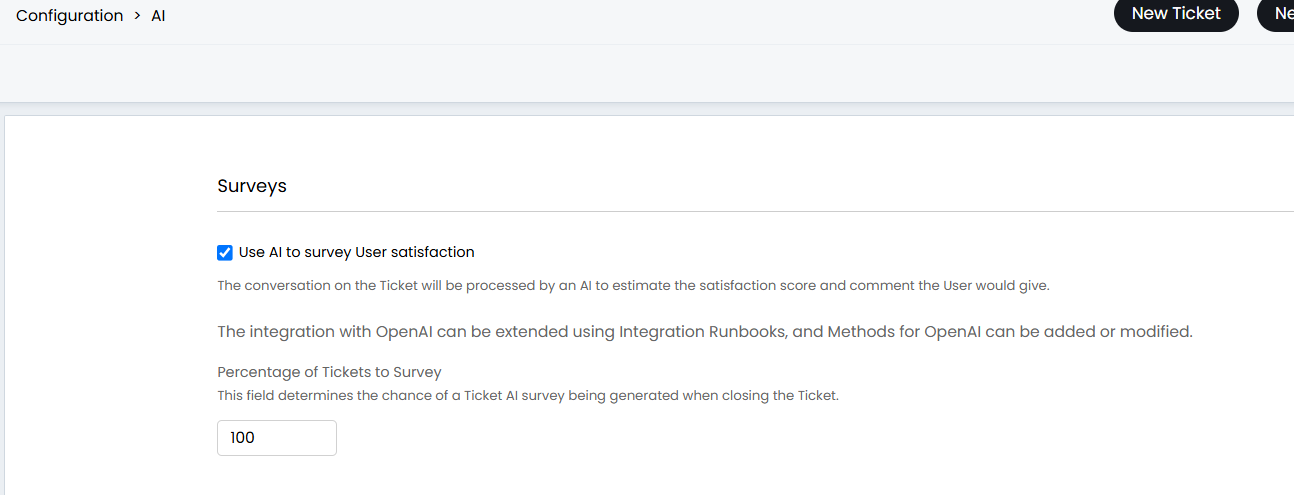
Fig 1. Enable AI surveys.
Surveys will also need to be enabled against each ticket type you would like AI to generate a survey for. This can be enabled/disabled under the "Settings" tab of each ticket type using the setting 'Include in AI surveys' (see Fig 2).
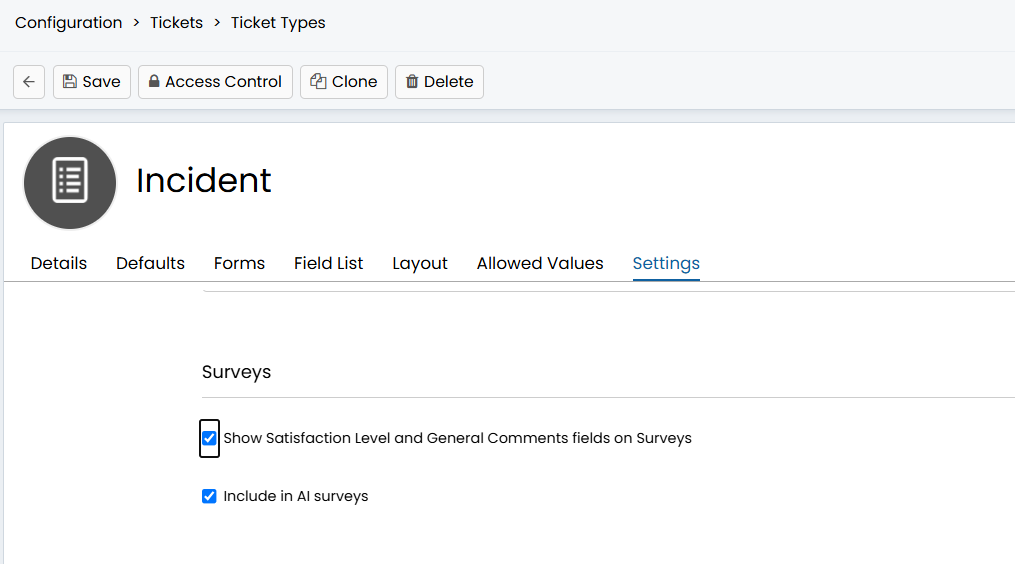
Fig 2. Enable survey functionality against ticket type.
Note: The AI satisfaction and satisfaction comment field do not need to be present against the ticket types you would like to conduct AI surveys on.
Once enabled, the conversation between the agent and user will be sent to the AI when the ticket is closed and it will evaluate the satisfaction score for the user and summarise why it has given this score. These will be added as a feedback record against the ticket that will show in the ticket's details under the section 'AI Survey'.
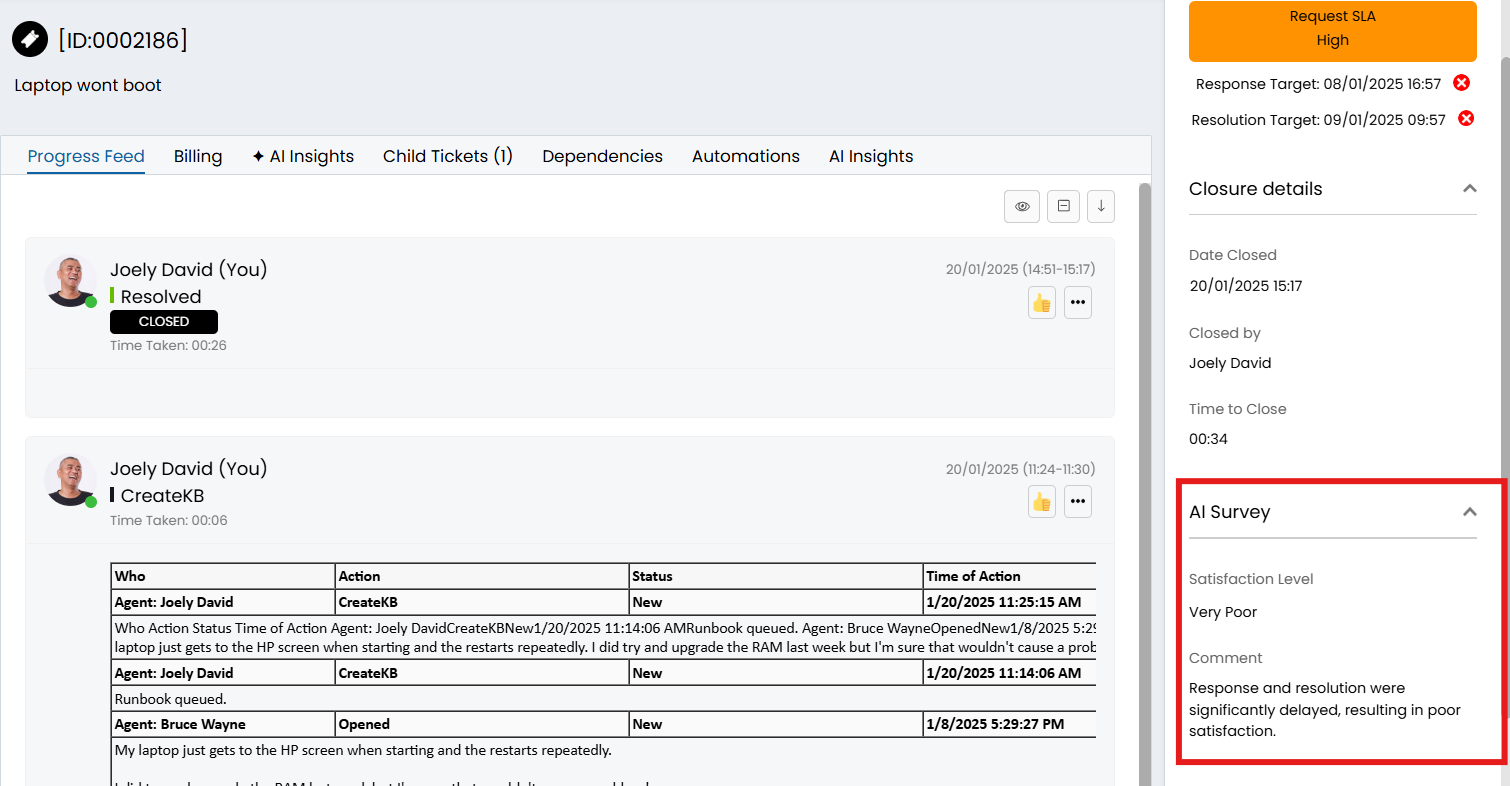
Fig 3. AI survey section in ticket details.
If negative feedback is recorded by AI the behaviour set in Configuration > Tickets > Surveys will be followed in terms of creating a ticket for Negative Feedback. This can be set to "Do not create a Ticket", however this behaviour will apply to both negative feedback left by Users and AI. From v2,.250+, you can prevent AI Survey negative feedback creating a Ticket, without preventing a Ticket logging when a User leaves feedback. To do this select "Don't create negative feedback Tickets from AI surveys" in Configuration > AI > Feature Library.
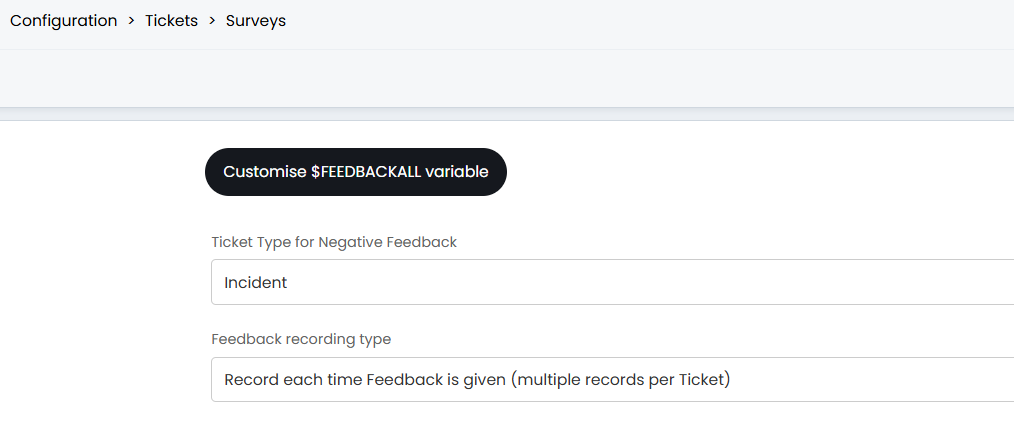
Fig 4. Negative feedback set to log an incident ticket type.