Quotation Status
In this guide we will cover:
- Changing Quotation Statuses
- System Uses on Statuses
- Automatically Generating Sales Orders when a Quote is approved
What are Quotation Statuses?
Every quotation in Halo has a 'status', this is used to help agents determine what the current status of a quotation is, and will control where the quotation appears in the "Quotes" section of the "Quotes and Orders" module. Quotation statuses can be changed against quotes manually, but can also change automatically after certain events, such as a quote being accepted by a user.
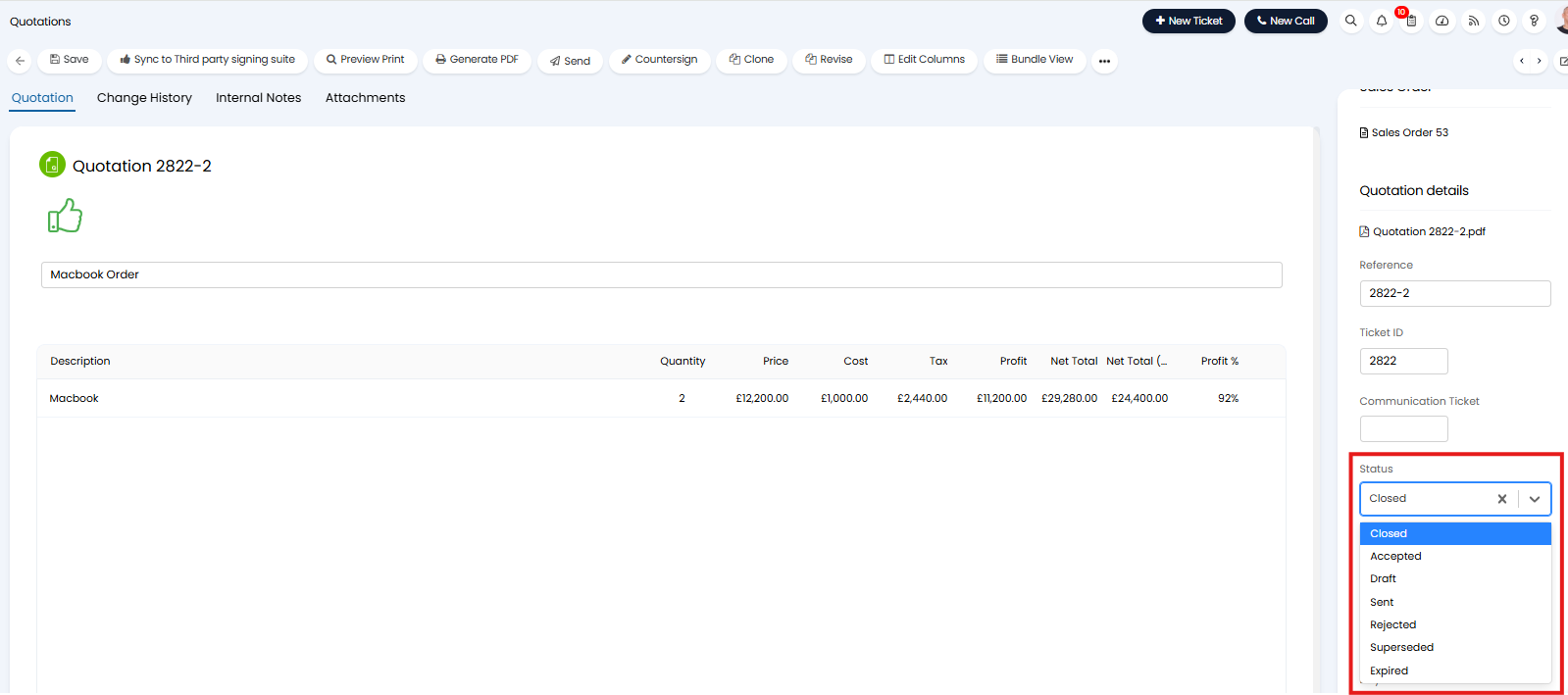
Fig 1. Quotation Status
Changing Quotation Statuses
Quotation statuses are configured out of the box, these do not need to be changed but can be customised and new ones created if needed. To view quote status configuration head to Configuration > Quotations > General Settings > Quote Statuses.
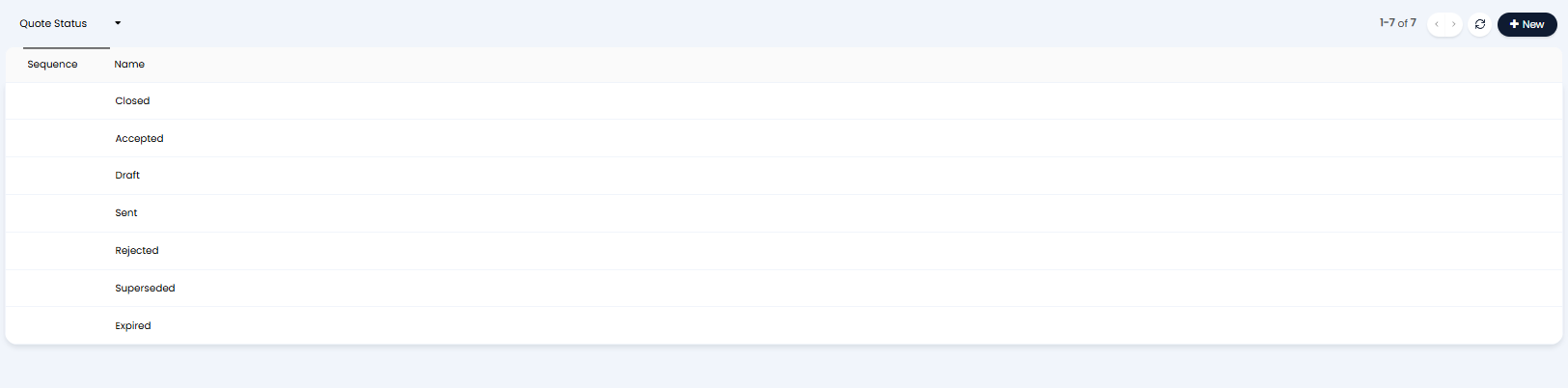
Fig 2. Quotation Statuses
When editing a quotation status the following options are available:
- Name: Name of the quotation status.
- Disable Editing when this status is selected: When enabled, the quotation will not be able to be edited when this status is set.
- Hide Quotes from end user when this status is selected: When enabled, the quotation will be hidden from the end-user when using this status.
- Users cannot Accept/Reject Quotes when this status is selected: When enabled, users cannot accept or reject the quotation until another status is selected.
- Hide Quotes from Ticket/Sales details when this status is selected: When enabled, quotes with this status will be hidden from the linked "Quotes, Orders & Invoices" on the ticket they are associated with.
- Exclude this status from the quote expiry scan (v2.244+): When enabled, this status will be ignored by the Quote expiry scan. On previous versions this was determined by the Quote Status lookup ID.
- System Use: This sets if the status acts if the quotation is closed, accepted, rejected or no use. This dictates which area of the quotes and orders module the quote shows or the approval state of the quote.
- No System Use - Statuses with this system use will not impact where the quote appears.
- Closed - Statuses with this system use show in the "Closed Quotes" section of the Quotes and Orders module.
- Accepted - Statuses with this system use show in the "Requires Processing" section of the Quotes and Orders module.
- Rejected (v2.248+) - Statuses with this system use will update the the approval state of the quote to 'Rejected' and, if a ticket is linked to the quote, will update the linked ticket accordingly. Allowing you to process the quote as if it has been rejected, even if the approval/rejection has not taken place in Halo. Especially useful when approval takes place using an integrated tool which updates the status of the quote with an approval outcome.
- Active: When enabled, the status is available for use.
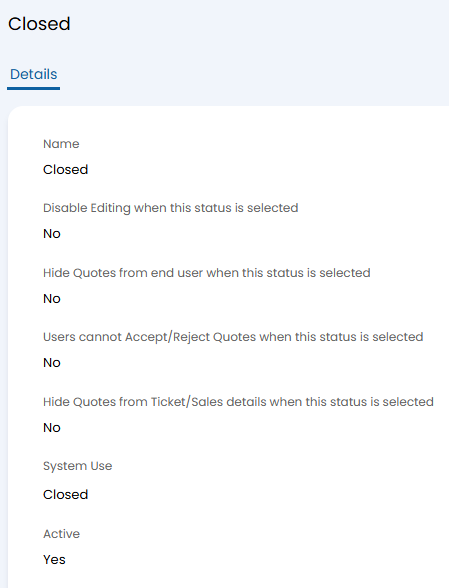
Fig 3. Editing a quotation status
Automatically Generating Sales Orders when a Quote is approved
If technicians are approving quotes on behalf of customers, and the following setting has been enabled.
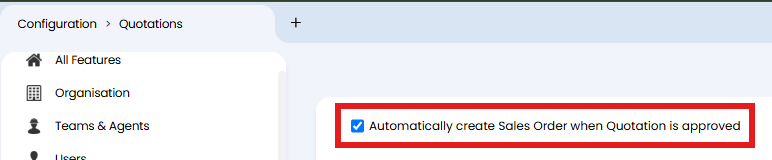
Fig 4. Quotation setting to automatically create the SO when the quote is approved
You will need to ensure the quote "Accepted" status has a system use of "Accepted", rather than "close", or else the sales order will not generate from the quote being approved.