Example Pre-Pay Client
In this guide we will cover:
- An Example agreement set up for a customer who has a Pre-Pay agreement
This is a setup for a client with a Pre-paid block of hours. For example, the client can purchase 10 hours that will expire on a given date but will last up until that date and can be gradually used on an ad-hoc basis.
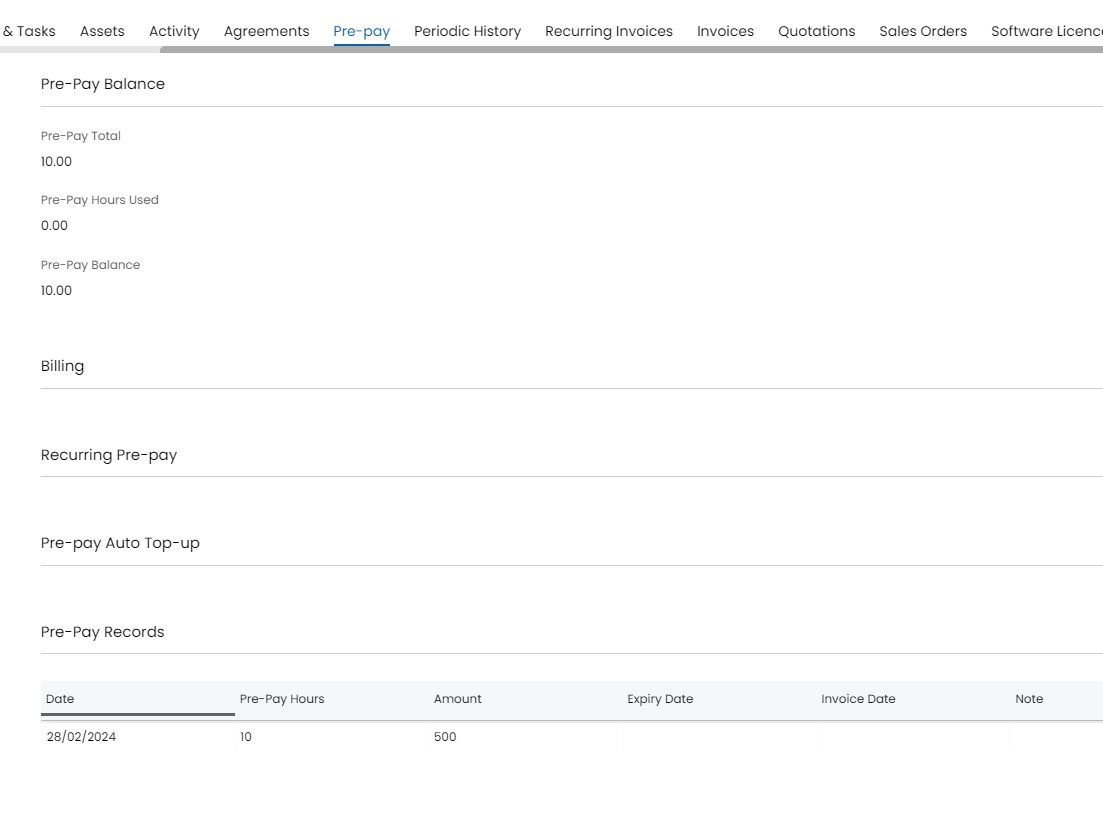
Fig 1. Example 10 hour Pre-Pay budget with set expiry
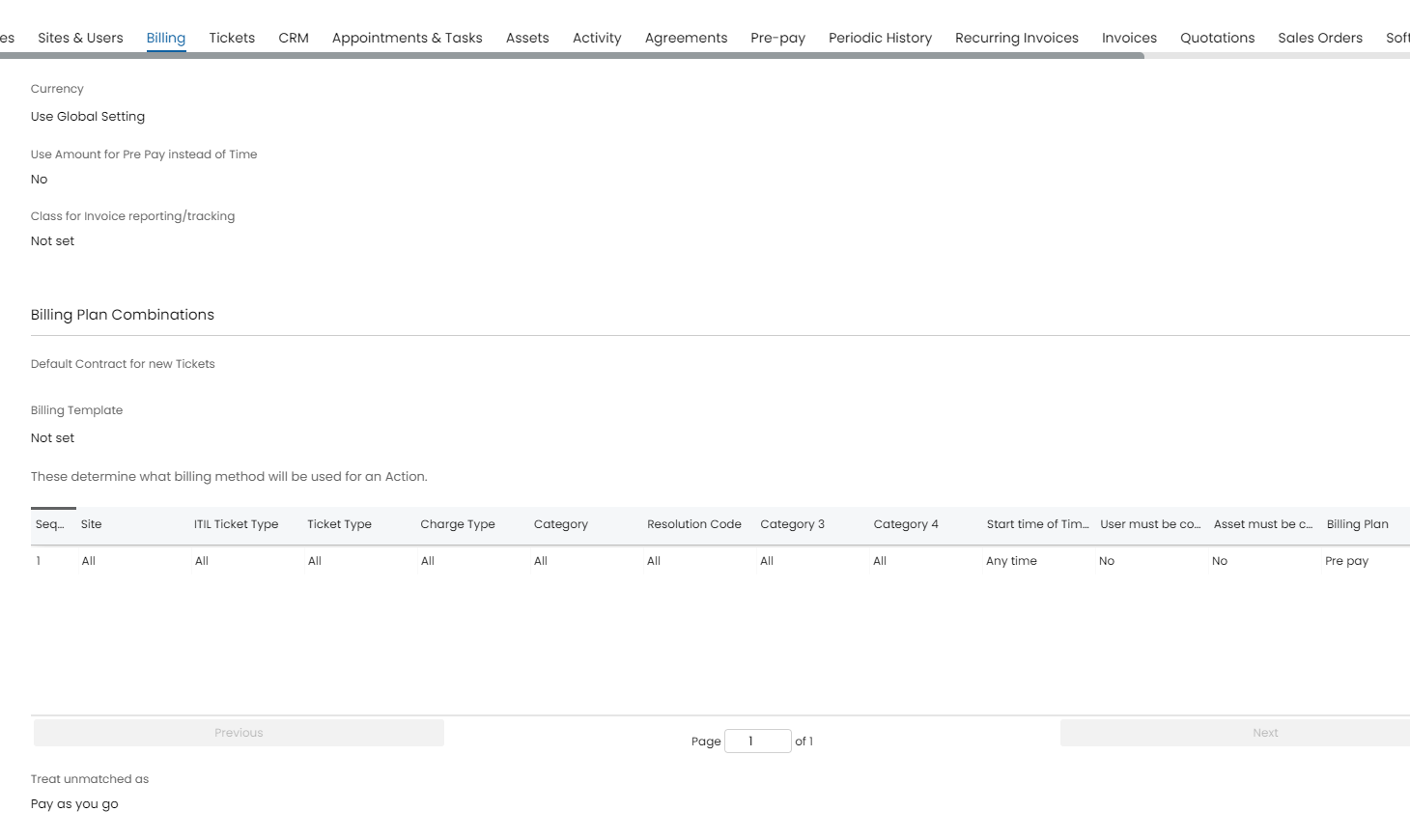
Fig 2. Billing Rules for Pre-Pay usage
The above Billing Rule will allocate all billable time against the Clients Pre-Pay balance. Once the 10 hours has expired they will go onto the unmatched plan, which for the above is Pay as you go.
The below option is available to use a monetary value. The "Pre-Pay Hours Used" field will instead be "Pre Pay Amount Used".

Fig 3. Choosing how to calculate pre-pay.
Pre-Pay Auto top-up against agreement
This prepay feature allows you to automatically increase the bucket of hours a customer gets per period. The following can be found on the Pre-Pay tab of an agreement:
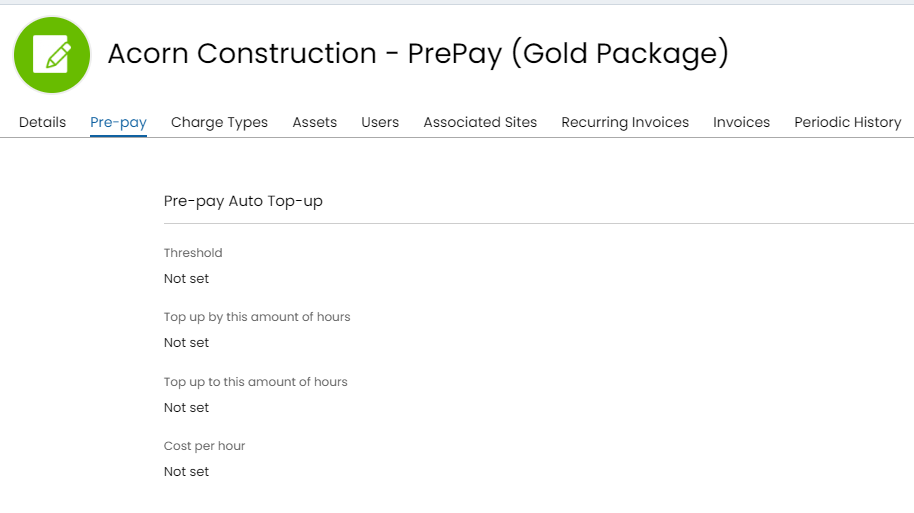
Fig 4. Top up configuration.
Note: The scheduling service must be enabled for this functionality to work
The threshold refers to the minimal amount of prepay allowed in the current period before auto top-up applies. "Top up to this amount of hours" refers to - The maximum amount of hours that can be auto topped up to. e.g. if the threshold was 5 and the Top-up was 20, but the "Top-up to this amount of hours" was also 20, then the auto top-up would only be 15 hours and the balance would be capped at 20. Cost per hour being the override for the value of hours that are given via auto top-up.