Viewing Child Tickets on the Portal
- view
- self service portal
- portal
- tickets
- Ticket
- child
- End User Portal
- child ticket
In this guide we will cover:
- Showing Child Tickets on the User Portal
- Configuring the Tab
Showing Child Tickets on the User Portal
For End-Users to see child tickets on the portal you will first need to set the ticket type level setting to determine what child tickets they can see:
Configuration > Tickets > Ticket Types > Details.
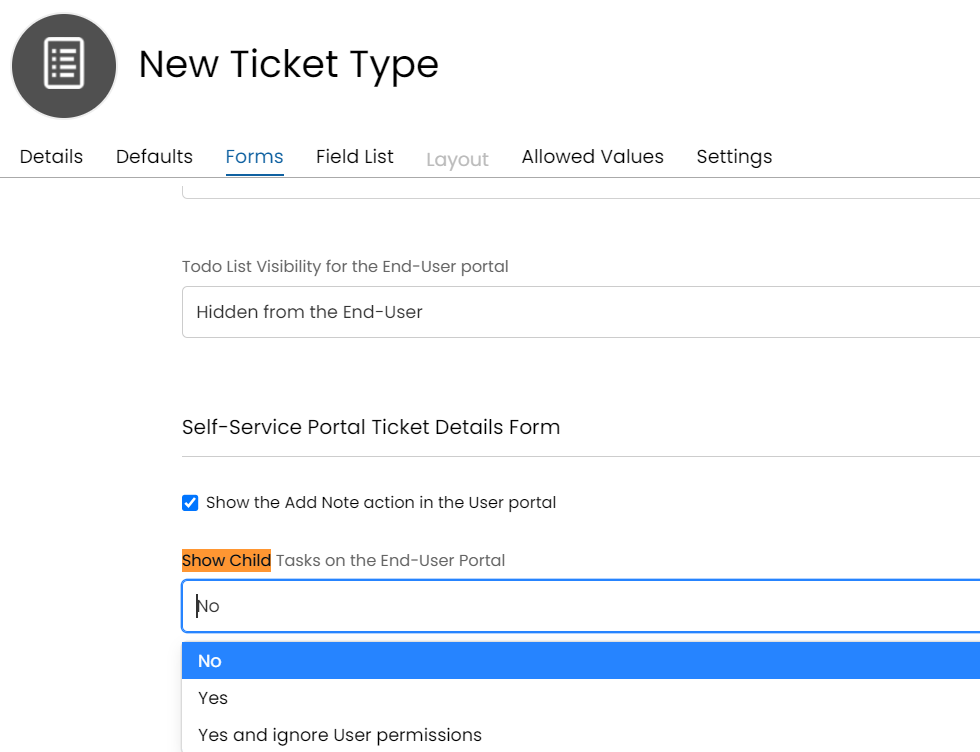
Fig 1. Show Child Tasks on the End-User Portal
The default for this option is set to no for all ticket types, unless specified otherwise. The third setting displayed above as 'Yes and ignore User permissions' will ignore all permissions the user has and will only check if the ticket is visible on the portal, and will display if that is true. (However, they will not be able to navigate to this ticket).
After this setup is complete, the user will be able to see a second tab on their tickets in the portal to view any child tickets:
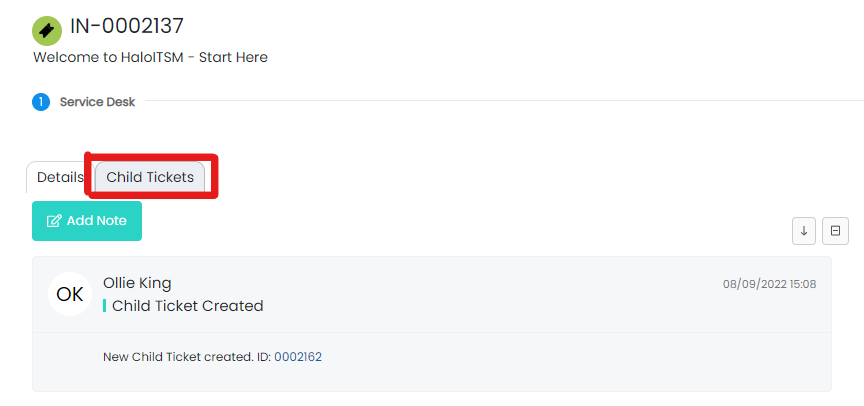
Fig 2. Child Tickets Tab
Configuring the Tab
If the user wants to switch the view that they are seeing these child tickets in, they can use the 3 dots in the top right to do so:
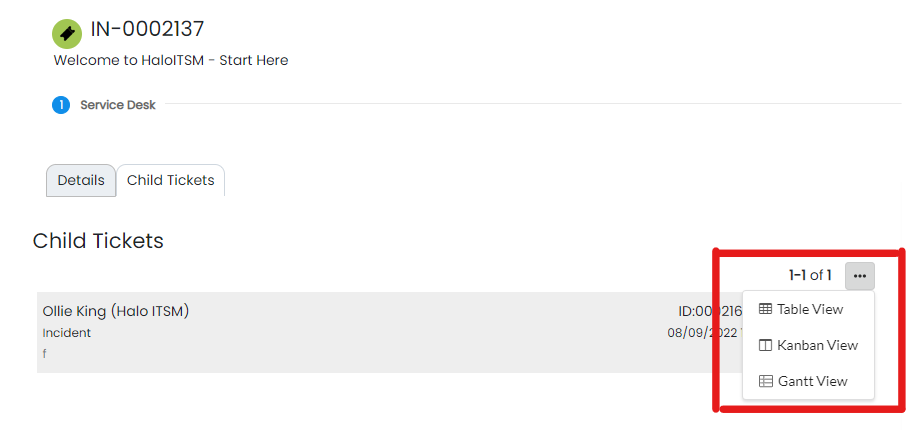
Fig 3. Changing the View