Web Announcement
- self service portal
- portal
- End User Portal
- web announcement
- announcement
In this guide we will cover:
- What are Web Announcements?
- Setting an End Date
- Overrides
- Visibility
- Permissions
What are Web Announcements?
Web announcements are messages that are displayed to all users on the End-User Portal. They can be set as seen below.
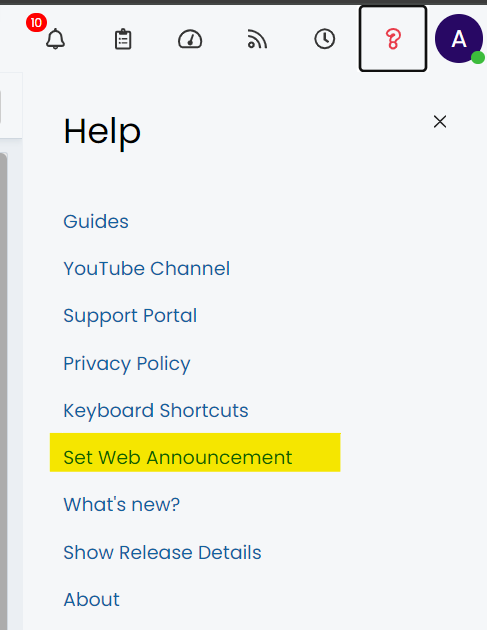
Fig 1. Web Announcement option.
Setting an End Date
Web announcements can have an end date set against them so that they are automatically removed from being displayed in the portal at that date. This setting is found when creating the web announcement.
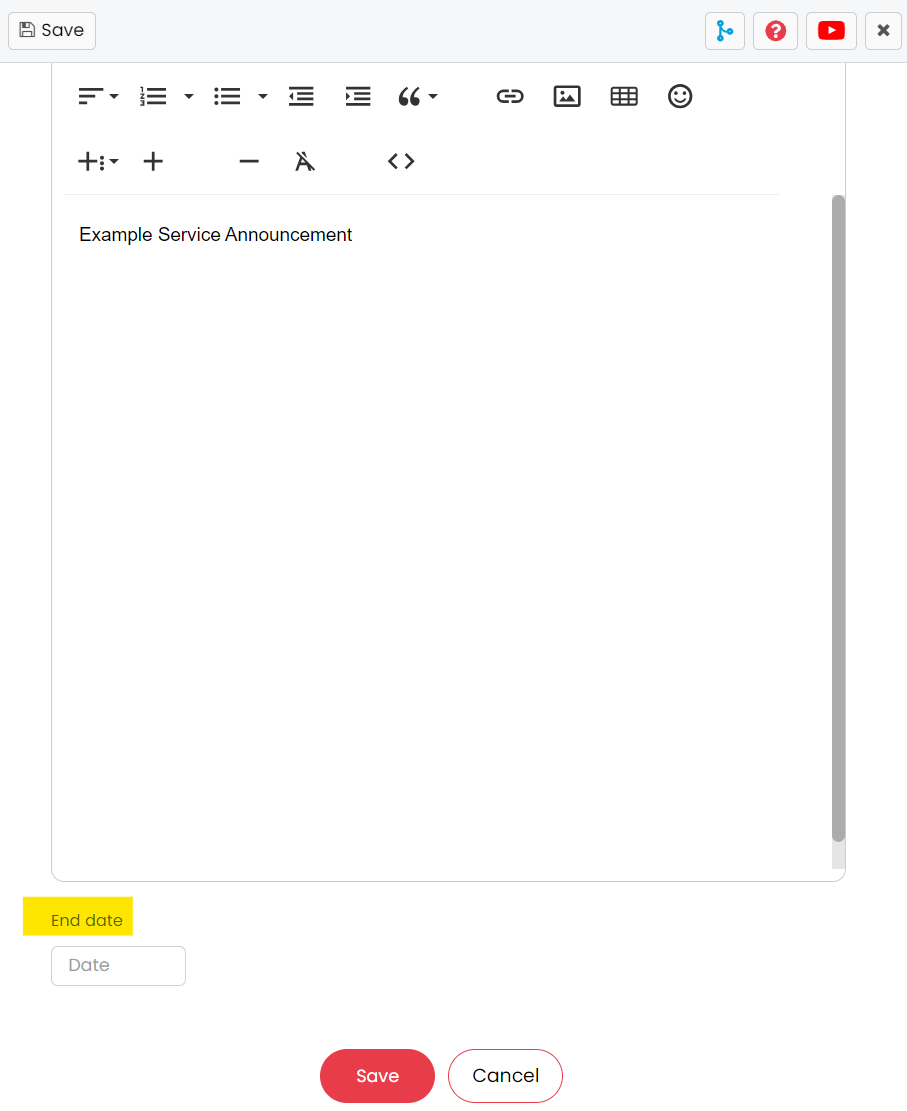
Fig 2. End Date input.
The Web Announcement will then display on the Self Service Portal as seen below.
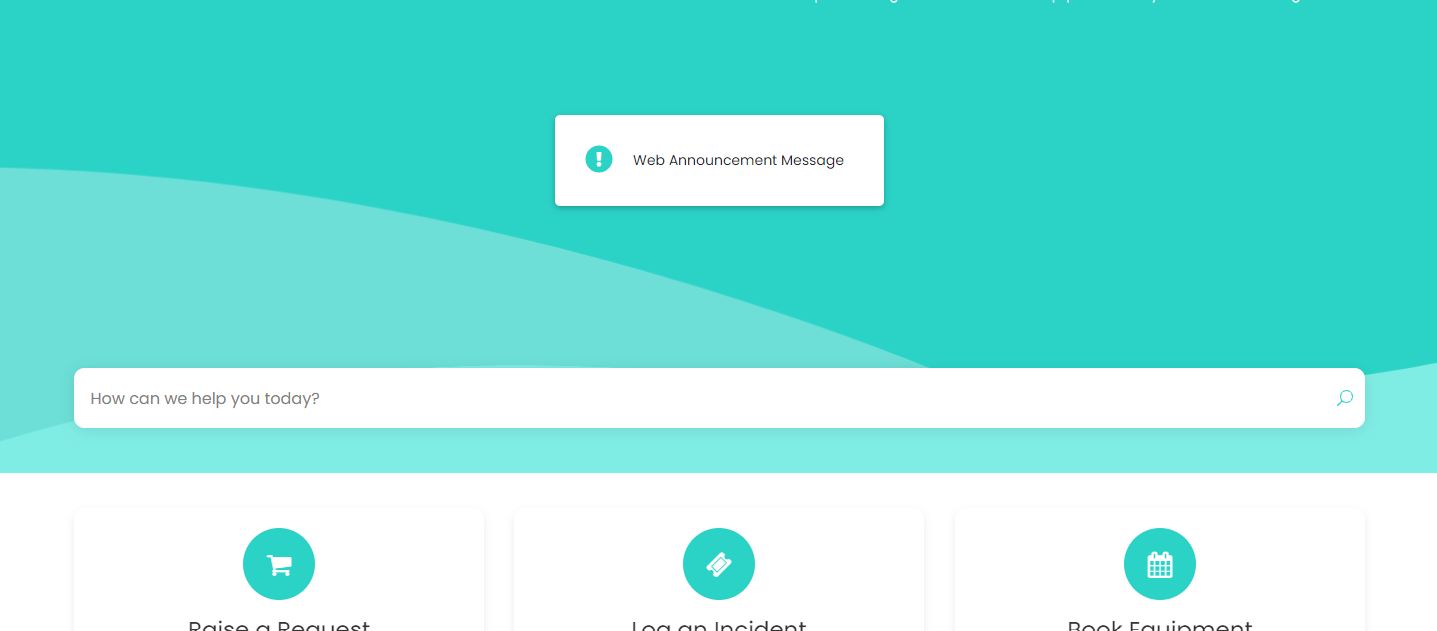
Fig 3. Web Announcement displayed on the portal.
Overrides
The web announcement can be overridden at the client and top level, although no end date can be set in these respective areas.
To enable top levels, navigate to Configuration > Users > General Settings and enable "Show an additional level ("Top Level") for grouping customers".

Fig 4. Top Level setting.
Within the "Settings" tab of the client, you will find the "Web Announcement" setting.
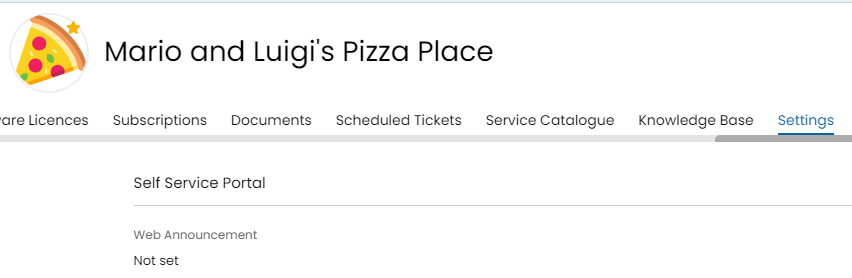
Fig 5. Web Announcement Setting on the Customer
It can also be found within the "Details" tab of the top level.
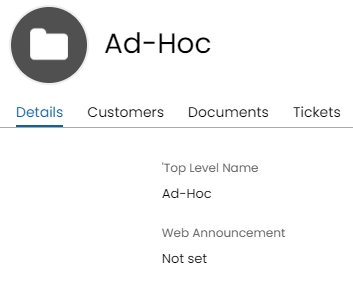
Fig 6. Web Announcement setting on the top level.
The hierarchy for web announcements is the following, where the system will check from top to bottom:
- Customer
- Top Level
- Global Setting
Visibility
Within Configuration > Self Service Portal you can set the visibility, location and view of the web announcement.
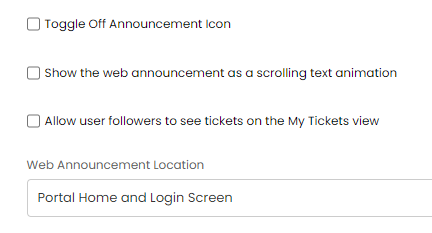
Fig 7. Self Service Portal Settings for Web Announcements
You may want to disable the "!" on the web announcement, this can be achieved by using the "Toggle Off Announcement Icon" setting.
Permissions
Permissions can be given to agents (other than those with an administrator role) to set web announcements. In an agent's profile, go into the "Permissions" tab > Miscellaneous Permissions. There will be a dropdown field named "Can set Web Announcements" which can be set to "Yes" to give the agent permission.
Note: Setting the permission to "No" on an agent with the administrator role will not override the role, and the agent will still be able to set a web announcement.
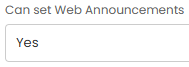
Fig 8. Can set Web Announcements permission.