Making Dashboards Available to Users on the Self-Service Portal
- Reports
- self service portal
- portal
- dashboard
- new dashboard
- user dashboard
- self service
- self-service
- halo dashboard
In this guide we will cover:
- Sharing a Dashboard to the Portal
- Publishing a Dashboard
Sharing a Dashboard to the Portal
Configuration > Reporting > Dashboards > *Click New*
When configuring an in-app dashboard
Fig 1. Dashboard Type
You can use the User Access tab to determine who can see the dashboard on the Self Service Portal. This can be allowed based on the user or their site, organisation or department:
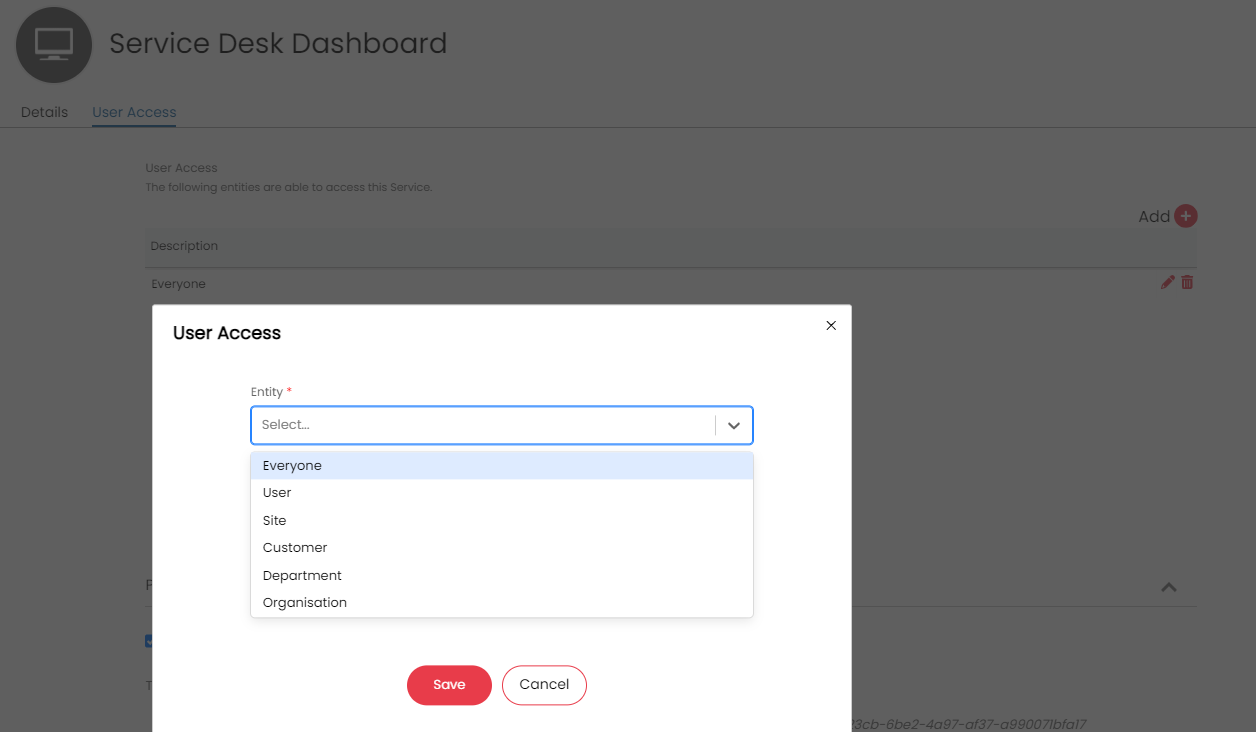
Fig 2. User Access
You can then add the 'My Dashboards' button to the portal in Self Service Portal Configuration (Configuration > Self Service Portal > Add > My Dashboards) to allow users to view a list of all their dashboards.
Publishing a Dashboard
Alternatively, you can publish the dashboard with a specific link, so that users can go directly to the dashboard, regardless of the user access permissions. If anonymous portal access is allowed, this link will allow them to view the dashboard without logging in:
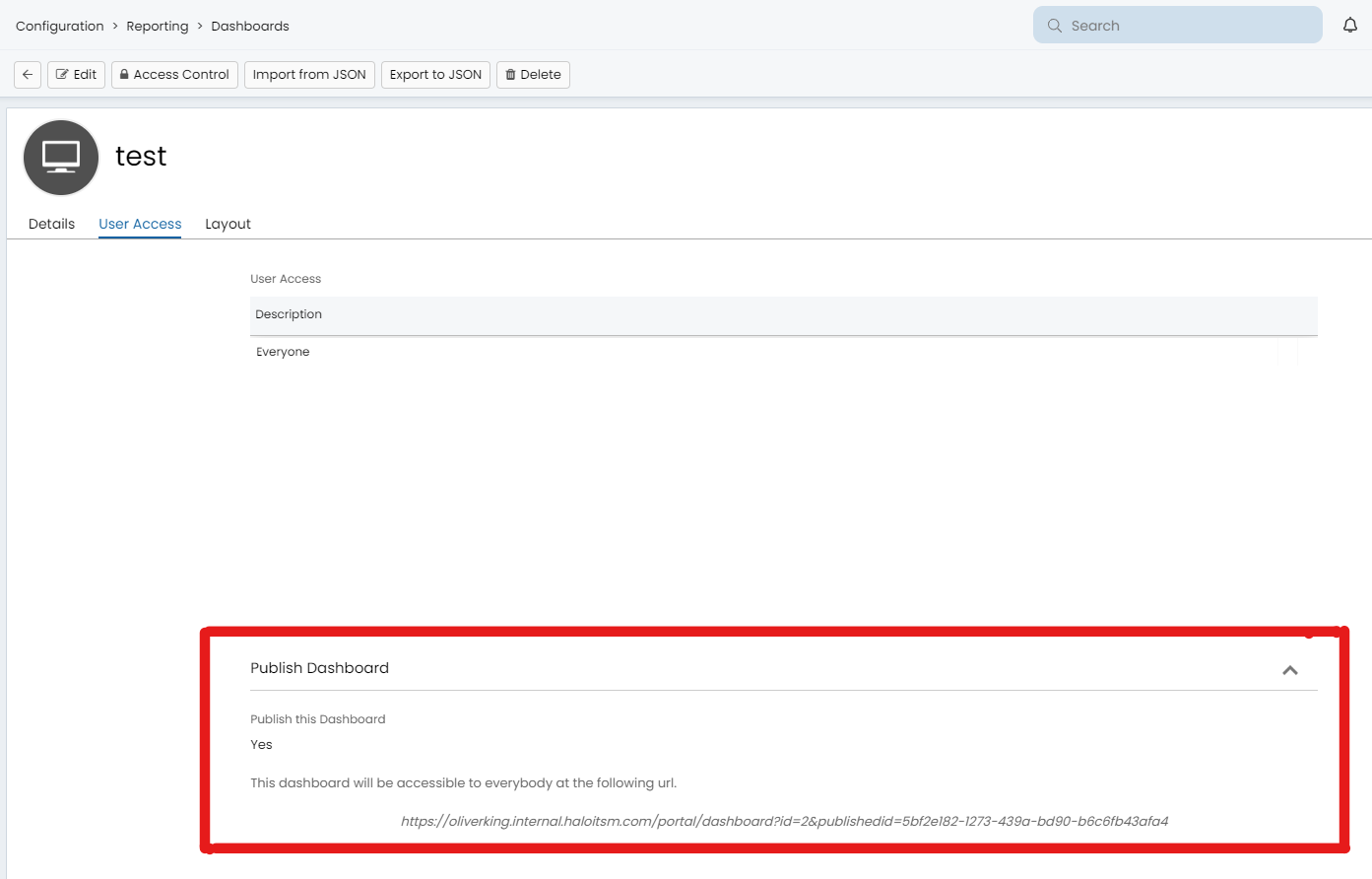
Fig 3. Publishing the Dashboard