How to change the colour of 'How can we help you today?' on the Portal
- colour
- self service portal
- portal
- Custom CSS
- How can we help you today
- title
- Portal title
In order to change the colour of the title in the portal, we have to change the custom CSS
in Configuration > Self-Service Portal > *Click into the Custom CSS Button*
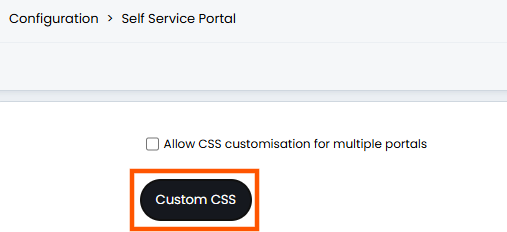
A modal window will appear which has the editable CSS: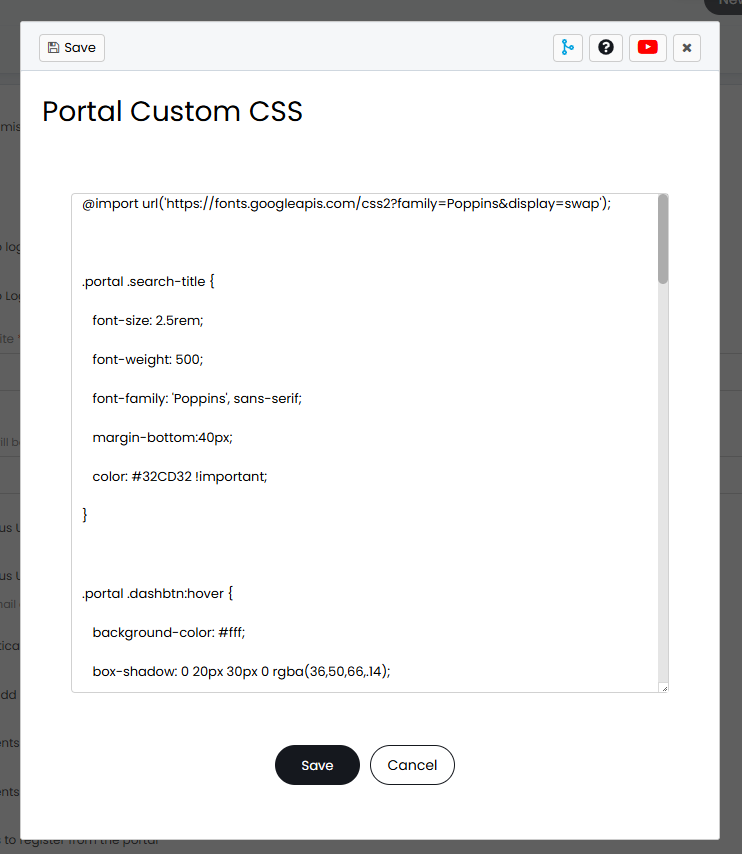
Add the below "color" line into the custom CSS for the search title:
.portal .search-title {
font-size: 2.5rem;
font-weight: 500;
font-family: 'Poppins', sans-serif;
margin-bottom:40px;
color: #FFFF00 !important;
}
Any hex code can be added to the CSS for example #FFFFFF would be the hex code to use for pure white. The yellow hex code display will now look like this:
