Translating Knowledge Base Articles
In this guide we will cover:
- Why Translate Articles?
- How to Translate Articles when not using Article Drafts
- Viewing Translated Articles in the Portal
- How to Translate Articles when Using Article Drafts
Why Translate Articles?
Knowledge base articles can be translated to allow users using different languages to read the article in their chosen language in the portal. Making articles more accessible when you have a diverse user base.
How to Translate Articles when not using Article Drafts
If you do not use article drafts to manage the edits/updates to articles you can add translations to articles when editing them. Add translations using the "Add translations" buttons against each article field.
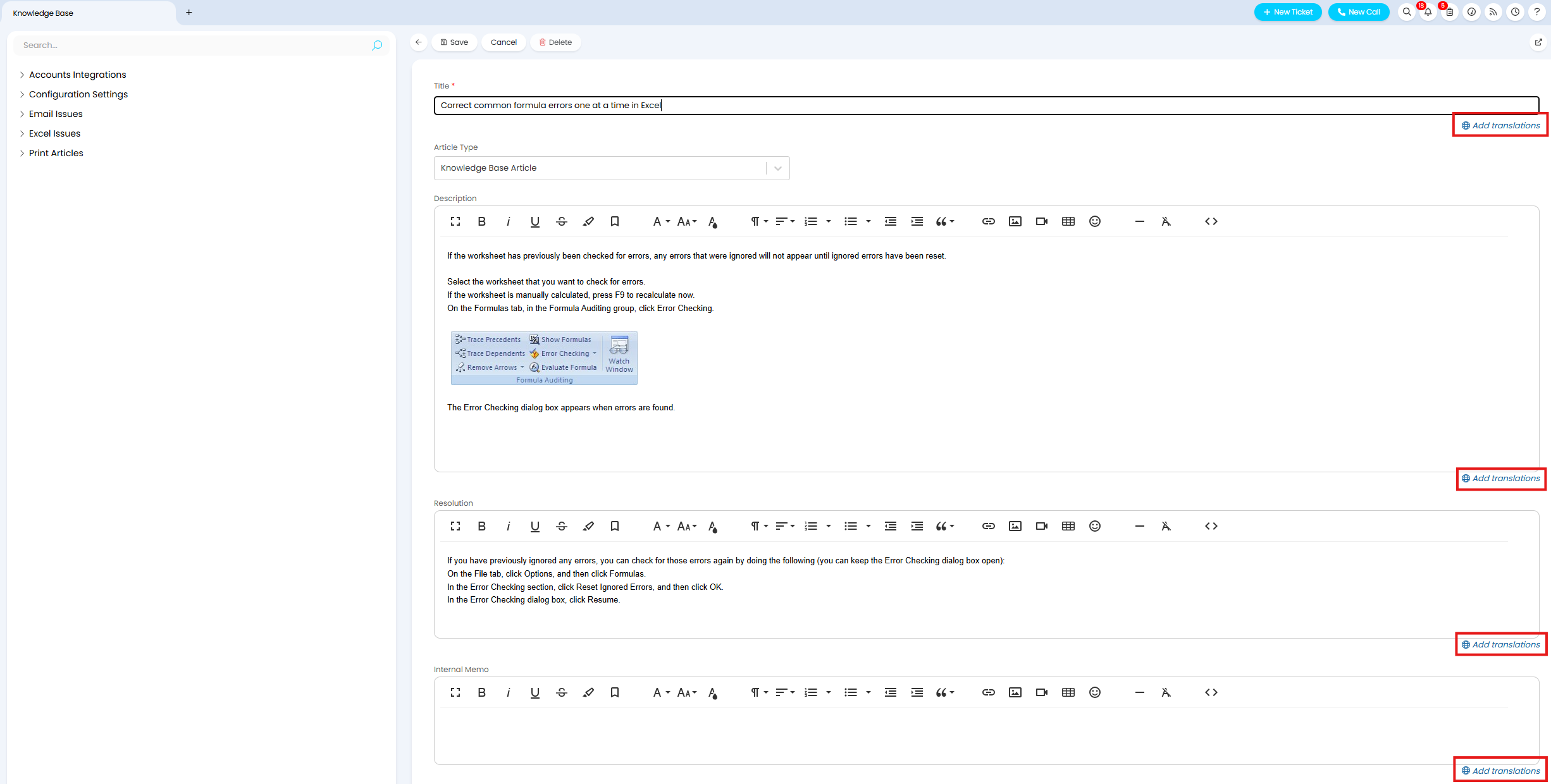
Fig 1. Buttons to add translations to articles when editing the article
When used, you can choose the language you are adding a translation for, then enter the translated text.
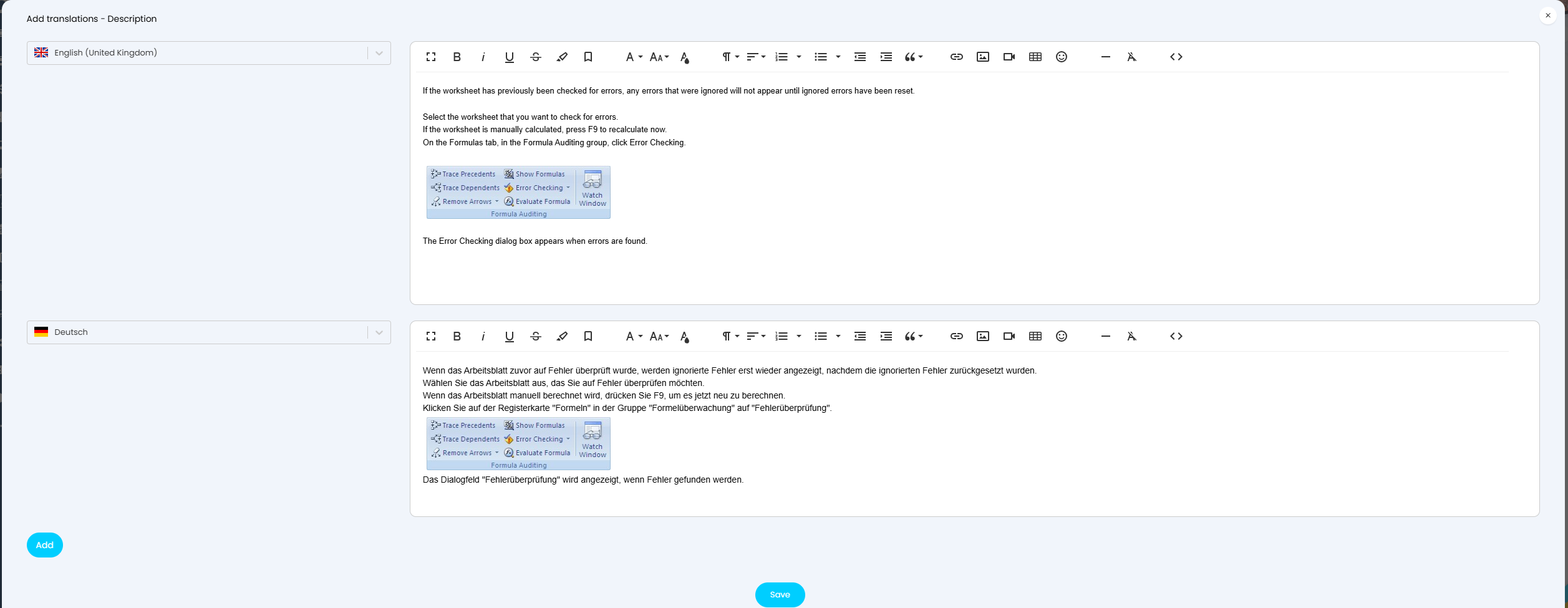
Fig 2. Adding Translations
How to Translate Articles when Using Article Drafts
From v2.253+ translations can be added from article draft tickets. If you use article drafts to manage the edits/updates to articles you can add translations to articles when raising and working on them. Add translations using the "Add translations" buttons against each article field.
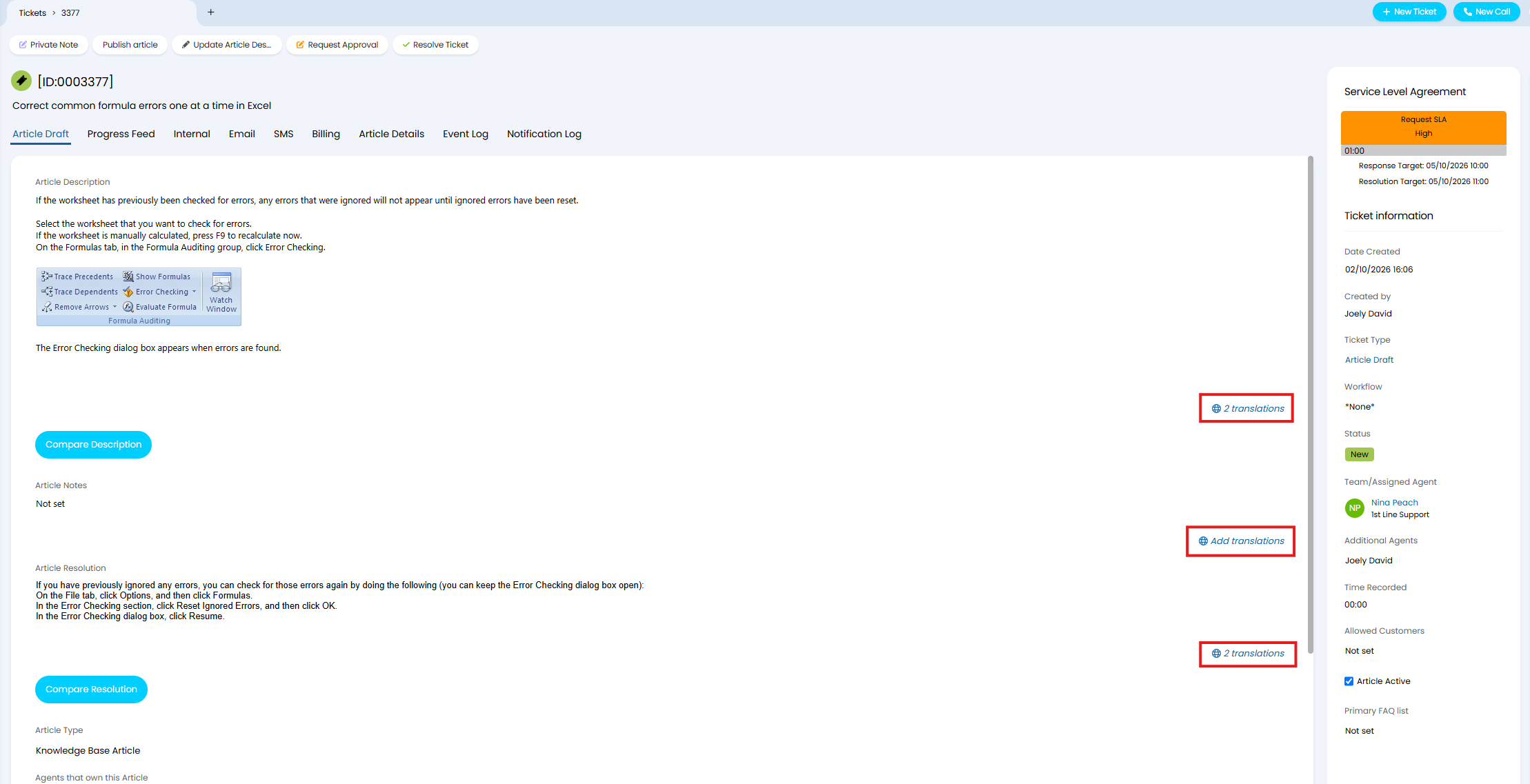
Fig 3. Buttons to add translations to article Draft
These are also available when using actions to update these fields.
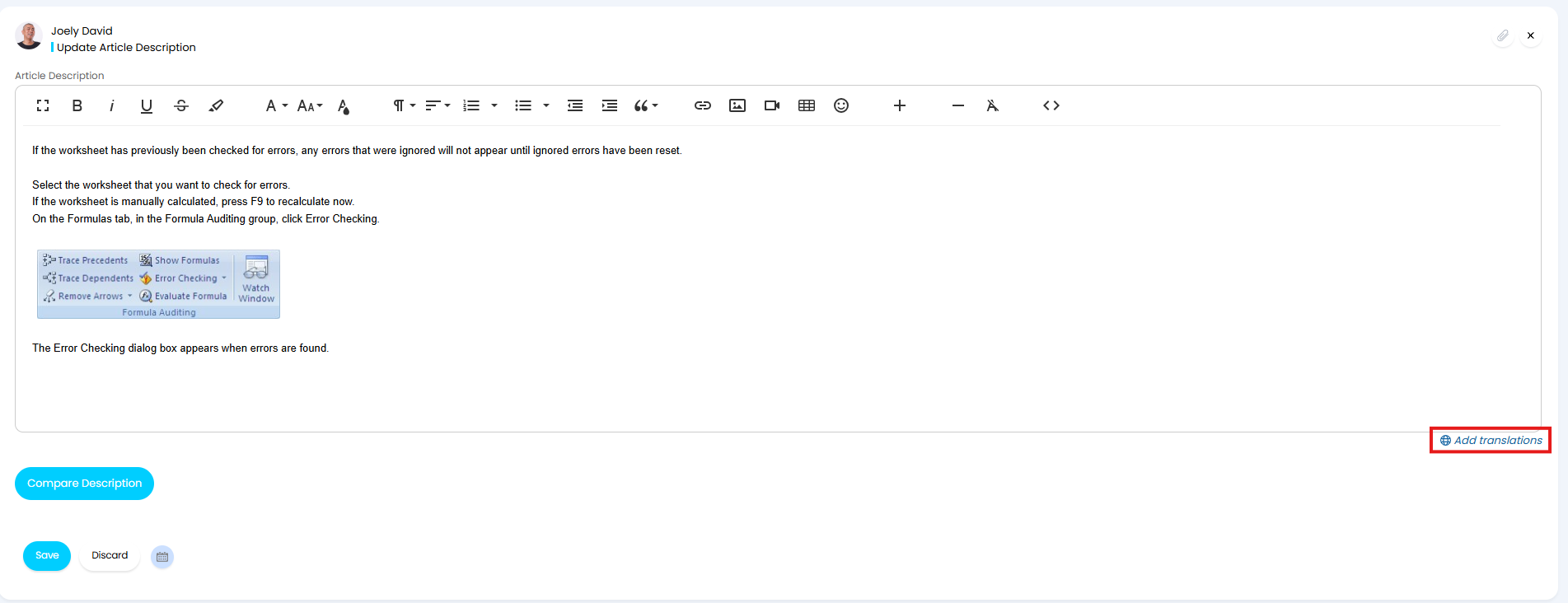
Fig 4. Button to add translation when using action to update article draft
Viewing Translated Articles in the Portal
When viewing articles in the portal, articles will show in the language the user has selected by default, provided a translation for this language is available.
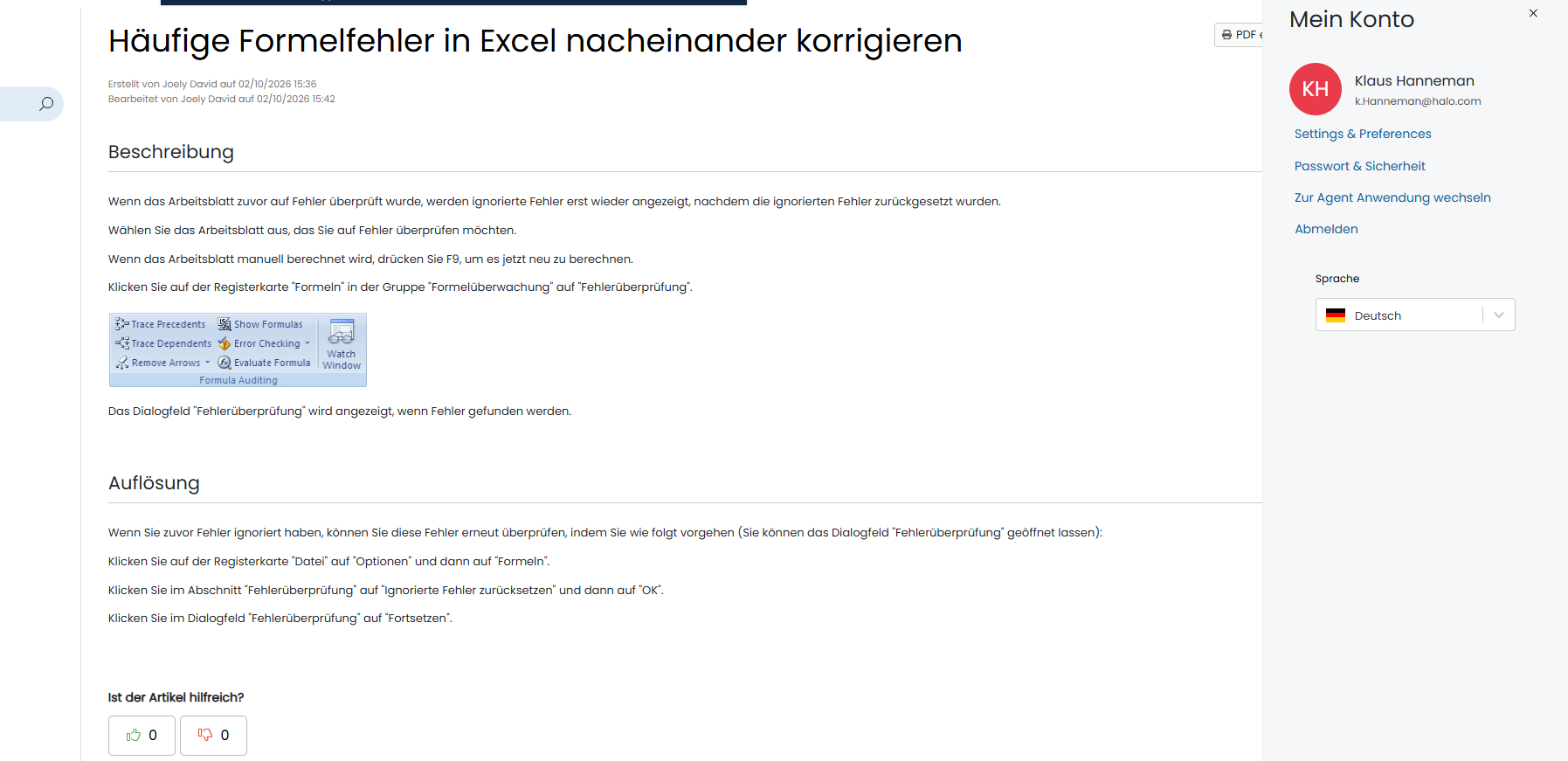
Fig 5. Translated article in the portal