Process Street Integration
In this guide we will cover:
- What is the Process Street Integration
- Enabling the Module
- Connecting to Process Street
Enabling the Module
In Configuration > Integrations > Incident Management, hover over "Process Street" and press the plus (+) icon to enable the Module.
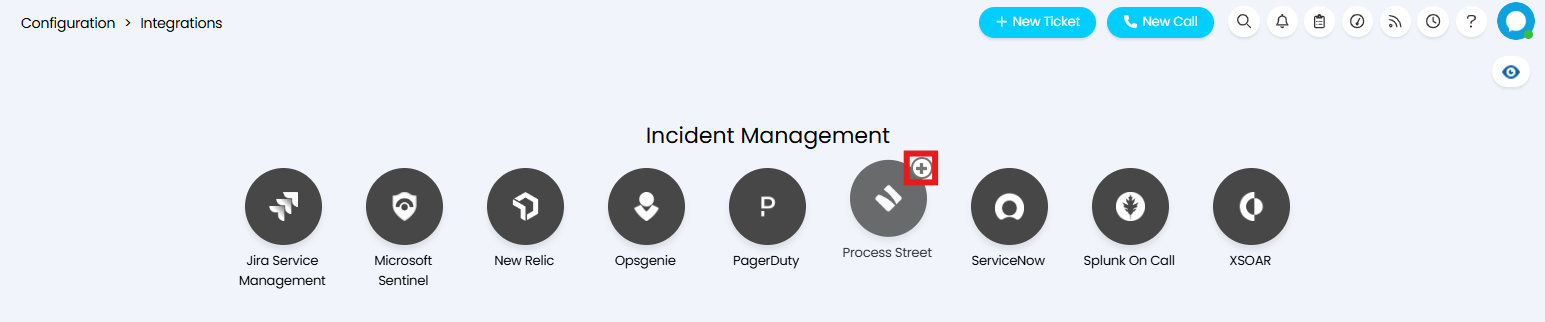
Fig 1. Enabling the Module
Connecting to Process Street
Click into the Module to set up the connection between Halo and Process Street. Here you will find the details required to configure your connection. Copy the URL provided, then generate and copy the Key. This will be needed later for creating a Process Street Webhook.
Set the Ticket Type to be created when information is received from Process Street in the "Default Ticket Type for Webhooks" field. Set "Default User for Webhooks" to determine the User of any Tickets created.
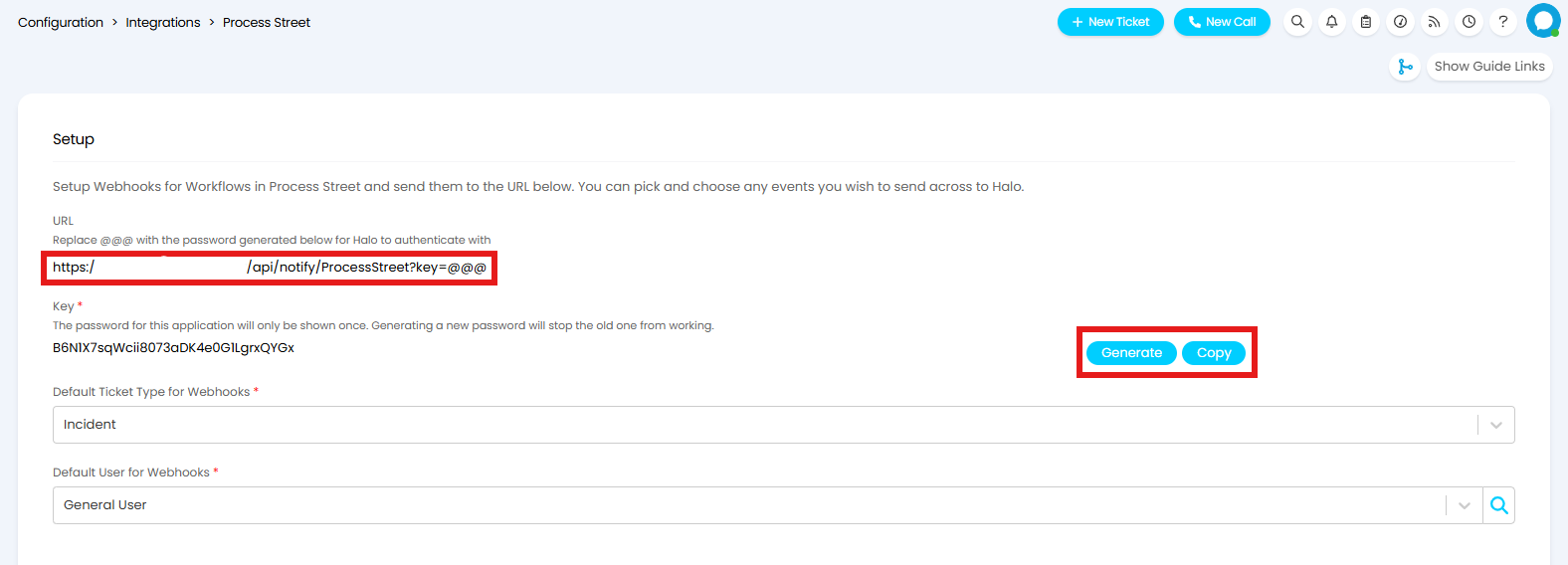
Figure 2. Generating and copying the Key
Note: Generating a new Key will deactivate any previously generated keys.
Now head into your Process Street instance. Click on your Profile, and choose "Settings". Select the Integrations tab to create a Webhook.
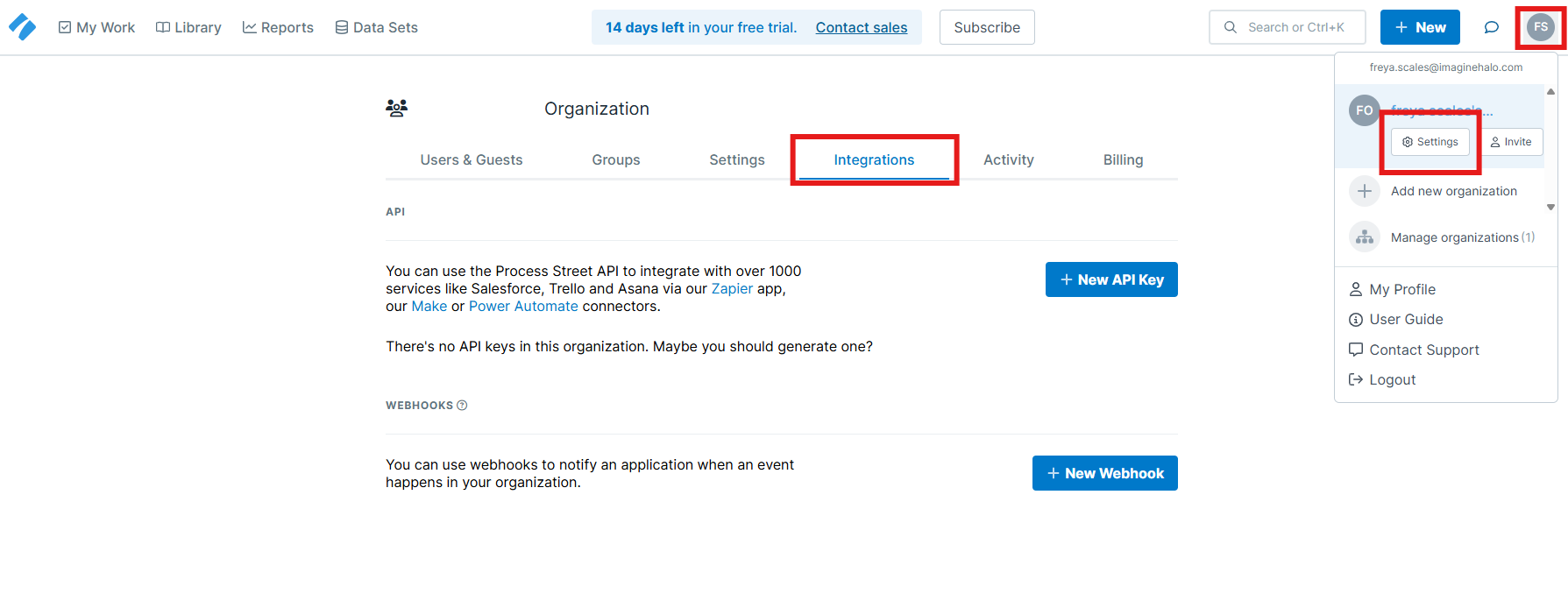
Fig 3. Process Street Integration Settings
Under the Webhooks section of the integration tab, click the "New Webhook" button. This will open a dropdown where you can choose to trigger the Webhook from a Process Street Workflow, Form, or Data Set.
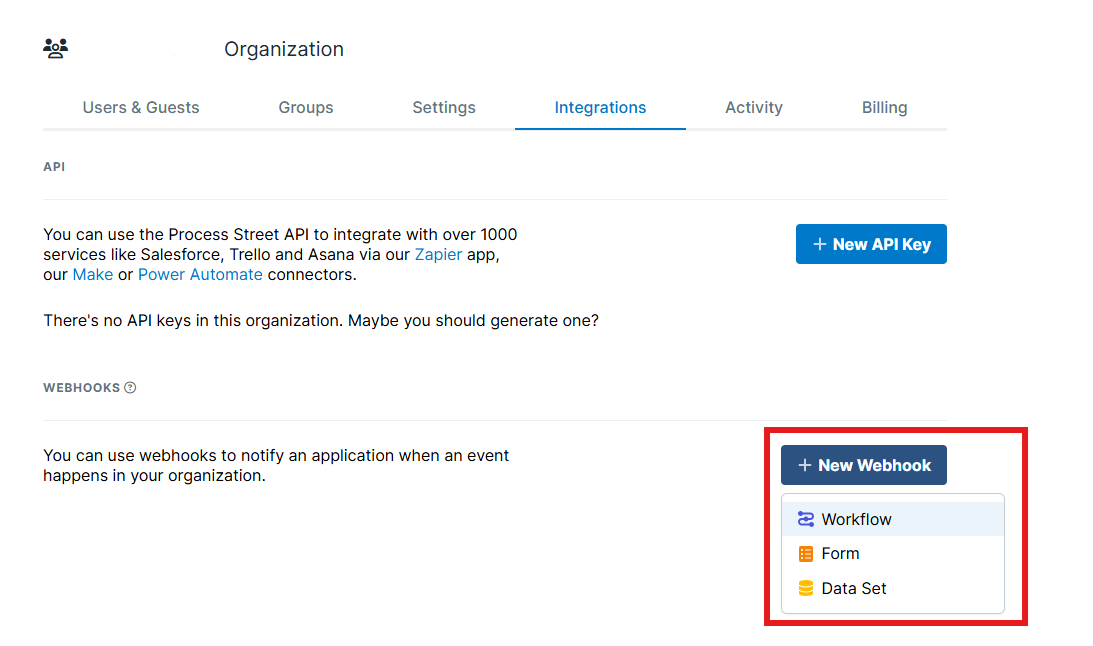
Fig 4. Creating a new Webhook
You will then need to configure the connection and events which trigger this Webhook. In the Workflow/Form/Data Set dropdown determine which specific entity will trigger the Runbook.
Next to this you will need to fill in the URL. Paste the URL copied in Figure 2, and replace the appended "@" symbols with the Key copied in Figure 2.
Using the checkboxes, select all the events that will trigger the Webhook and in turn create a Ticket in Halo. Once set make sure to activate the Webhook but toggling the "Active" option.
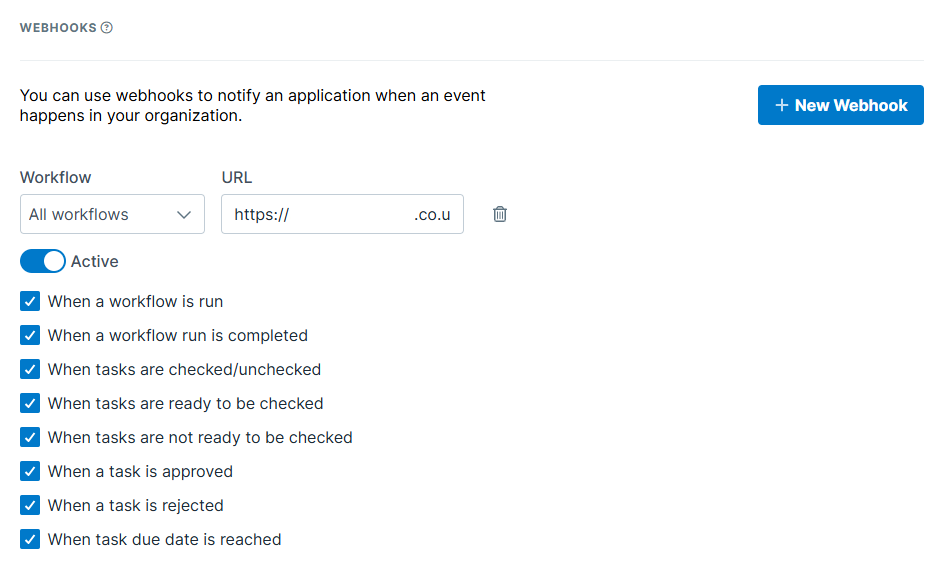
Fig 5. Configuring your Webhook
Now when the event occurs the Webhook will be triggered, informing Halo to create a Ticket. For more information on creating Webhooks in Process Street, please see their documentation linked here.