Wordpress.com Integration
In this guide we will cover:
- What is the Wordpress.com Integration?
- Connecting to a Wordpress.com Site
- Importing Posts
- Enabling the Halo Integrator
What is the Wordpress.com Integration?
The Wordpress.com integration can import posts from a hosted Wordpress site as Knowledge Base articles in Halo.
Note: If the website is self-hosted, you must use the Wordpress.org integration instead.
Connecting to a Wordpress.com Site
In Configuration > Integrations, you will find the Wordpress.com module in the Documentation section. Hover over the module, and click the plus icon to enable it.

Fig 1. Enabling the Wordpress.com integration
Clicking into the module, you will see an option to "Add/Edit Wordpress Connections".
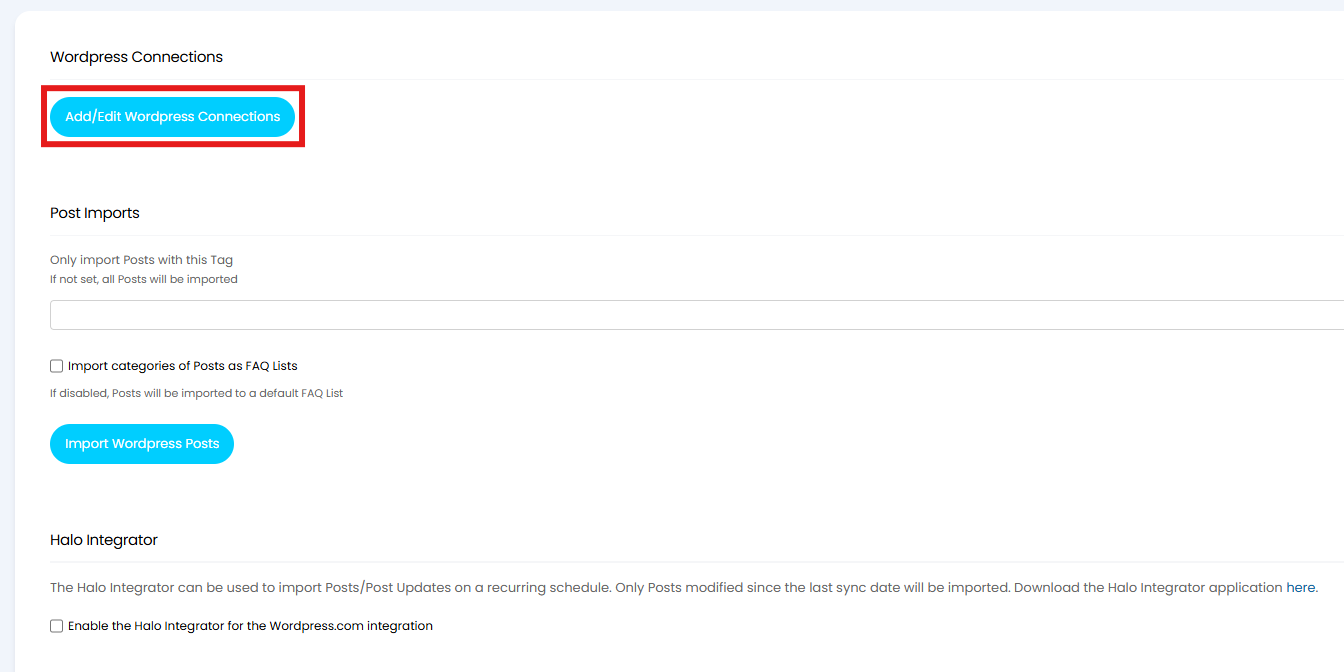
Fig 2. Navigating to connect to Wordpress.com
Multiple Wordpress.com connections can be made; either choose an existing one to edit or click the "New" button.

Fig 3. Wordpress.com connection list
Give the connection a relevant name, and save.
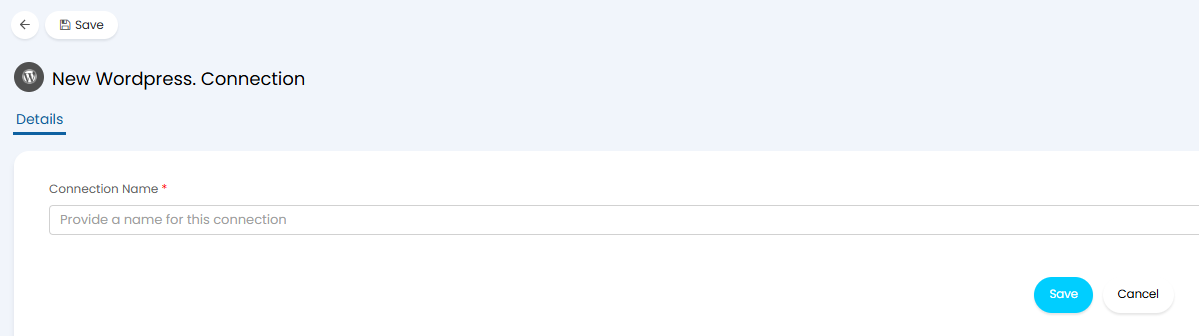
Fig 4. Naming the connection
Click the "Login with Wordpress.com" button to connect. Ensure an admin user is used, and that admin user has an associated site URL.
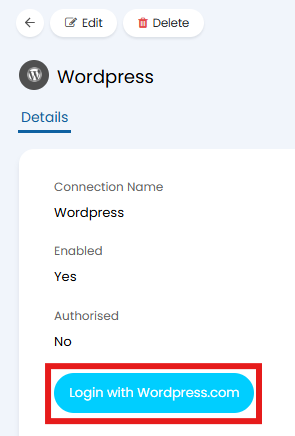
Fig 5. Login button
After a successful login, the "Authorised" field will change to "Yes". The site URL will also show in the columns shown in Figure 3. If blank, the user used to log in is not associated as an admin user for that site.
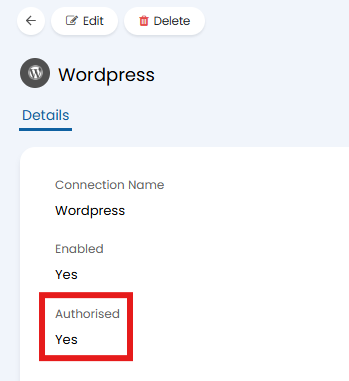
Fig 6. Authorised login field
Importing Posts
Within the main section of the Wordpress.com module, click the "Import Wordpress Posts" button. Anything within the "Posts" section of the Wordpress.com site, that has not been filtered out by tag, will show in this import screen.
- Only import Posts with this Tag: If set, only posts that match this tag will be imported.
- Import categories of Posts as FAQ Lists: The category set against the post will be created as an FAQ list, and the article set against that list. "Owner" access control will be given to the agent who imports the post. Any other levels of access control must be manually given.
- Default FAQ List: This will import all posts against this FAQ list. This will only show if the above setting is disabled.
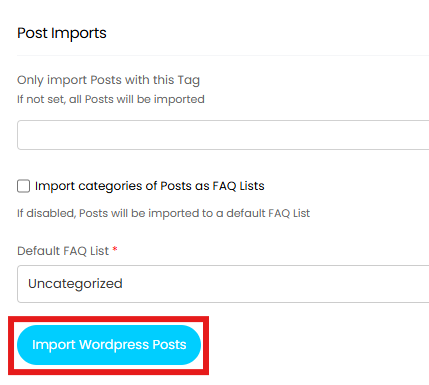
Fig 6. Importing posts via API
The posts will show in the corresponding FAQ list. The "Created by" field does not get set upon first import, but further updates to the same article/post will show the "Edited by" field. If article reviews are enabled, the "Next Review Date" will be set by the default number of days in Configuration > Knowledge Base > "Default Number Of Days Between Reviews".
If using categories as FAQ lists, the article will be added to multiple FAQ lists if added to multiple categories, and if these categories change, they will be removed from these FAQ lists upon the next import (either manually or via the Halo Integrator).
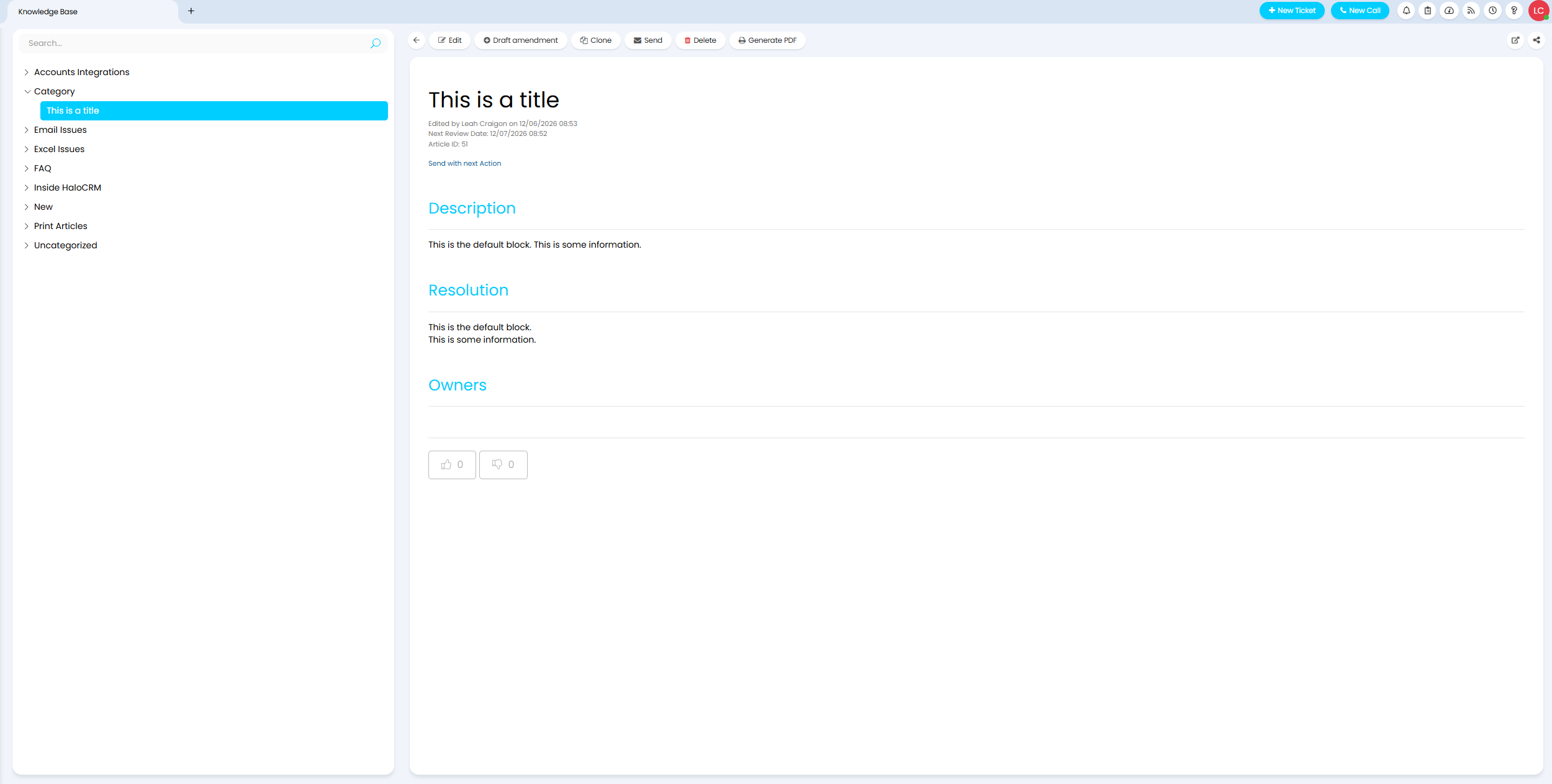
Fig 7. Imported article and FAQ list
Enabling the Halo Integrator
Posts can be imported once a day via the Halo integrator to create or update articles. In the main section of the module, select "Enable the Halo Integrator for the Wordpress.com integration".

Fig 8. Enabling the Halo integrator