Zapier Integration
In this guide we will cover:
- What is the Zapier Integration?
- Enabling the module
- Configuring Zapier
What is the Zapier Integration?
Zapier is a platform that connects with different apps in order to automate processes and workflows. The Zapier Integration allows you trigger an action in another application based on an event in Halo, such as a new Ticket being logged. Similarly, Zapier can be used to create an entity or Ticket in Halo from an external application.
Enabling the module
To connect to Zapier, you will first need to enable the module. To do this, navigate to the Integrations page and hover over the module, then click the plus icon.
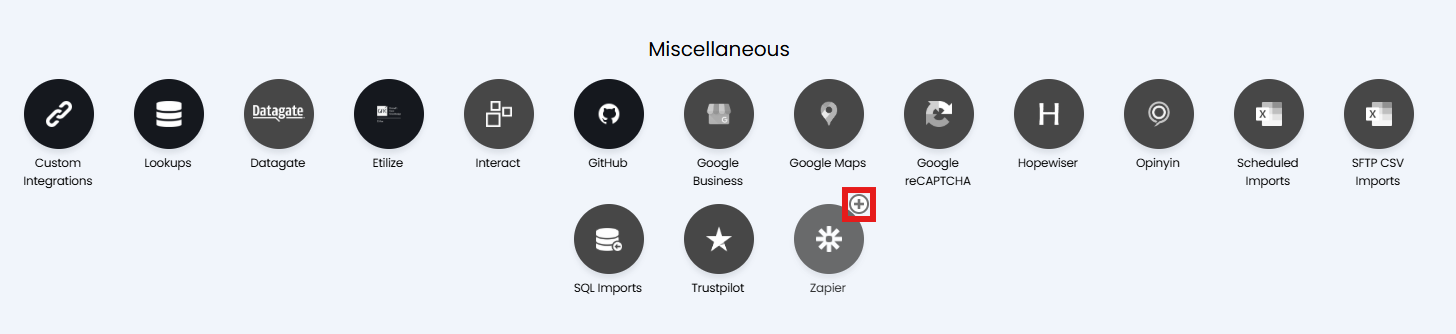
Fig 1. Zapier module
Configuring Zapier
Once enabled, click into the module and make note of the API Url, Auth Url, and Tenant displayed.
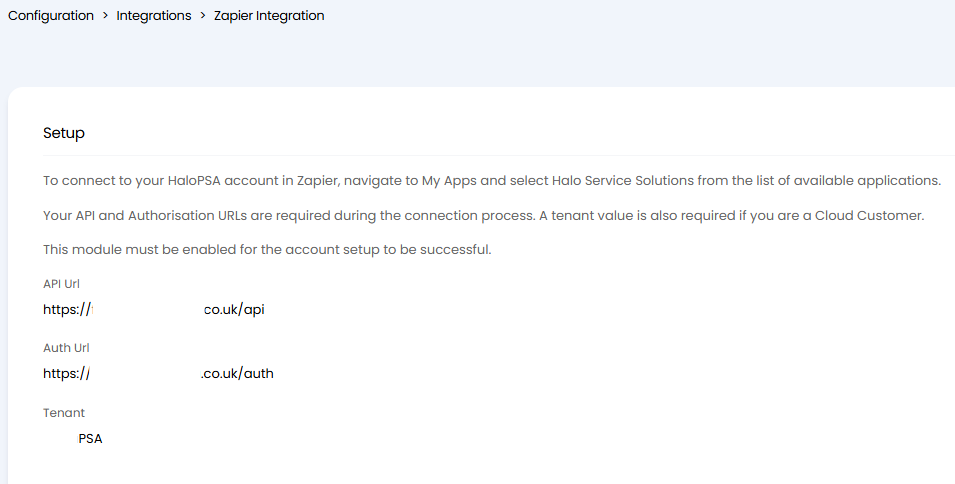
Fig 2. Zapier connection details
Now head to Zapier to configure the connection.
Within Zapier head to "App Connections", and add a connection.
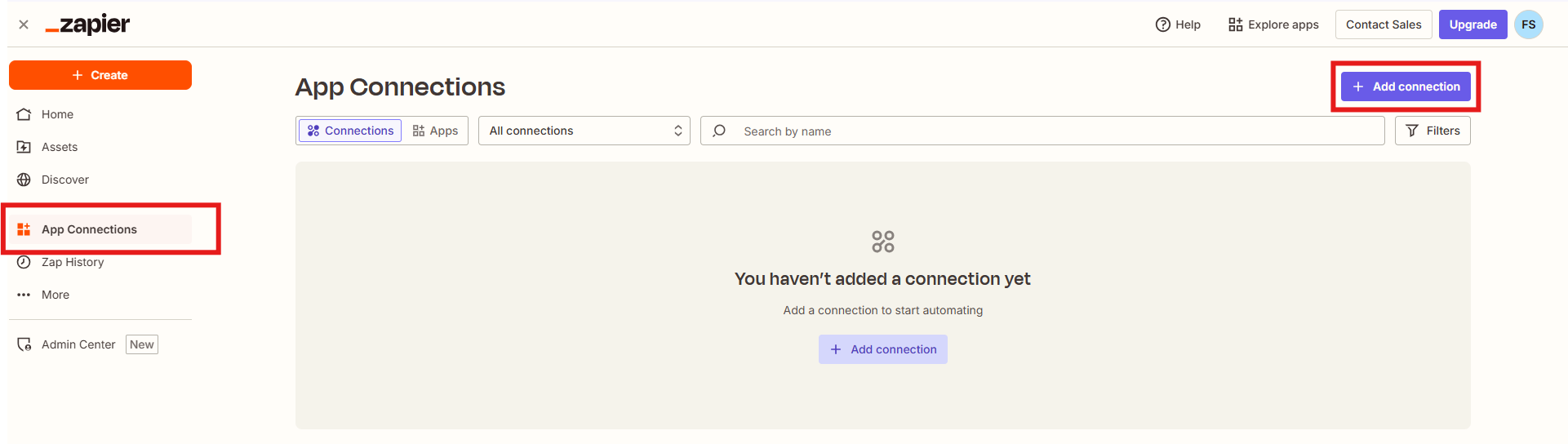
Fig 3. Zapier App connections
Search and select "Halo Service Solutions" as your new connection.
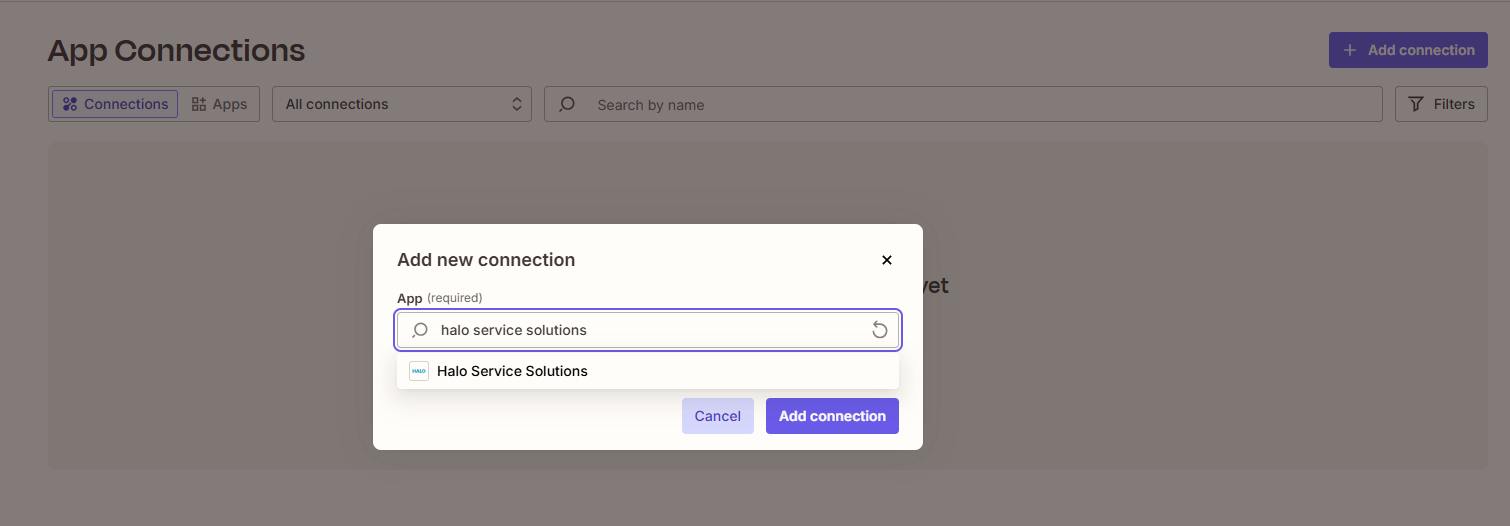
Fig 4. Connecting Halo
Adding this will open an account connection window where the details from Figure 2 need to be entered.
Note: Only provide your Tenant here if you are a Cloud Customer.
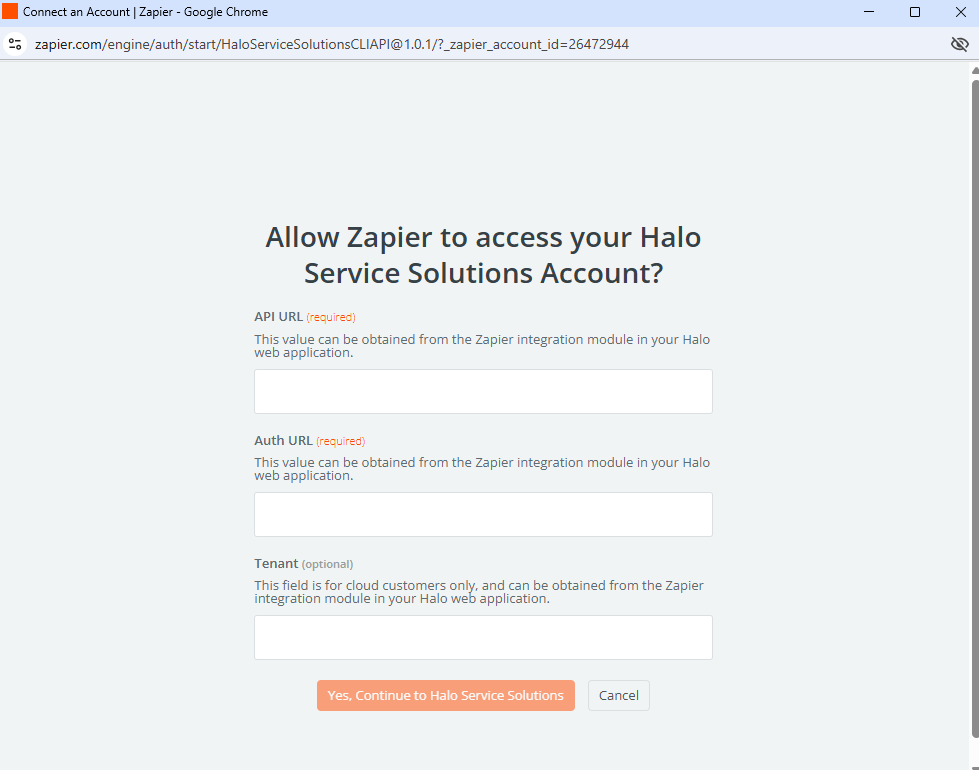
Fig 5. Authorising the connection
Once you have entered your details click "Yes, Continue to Halo Service Solutions". This will create your connection.
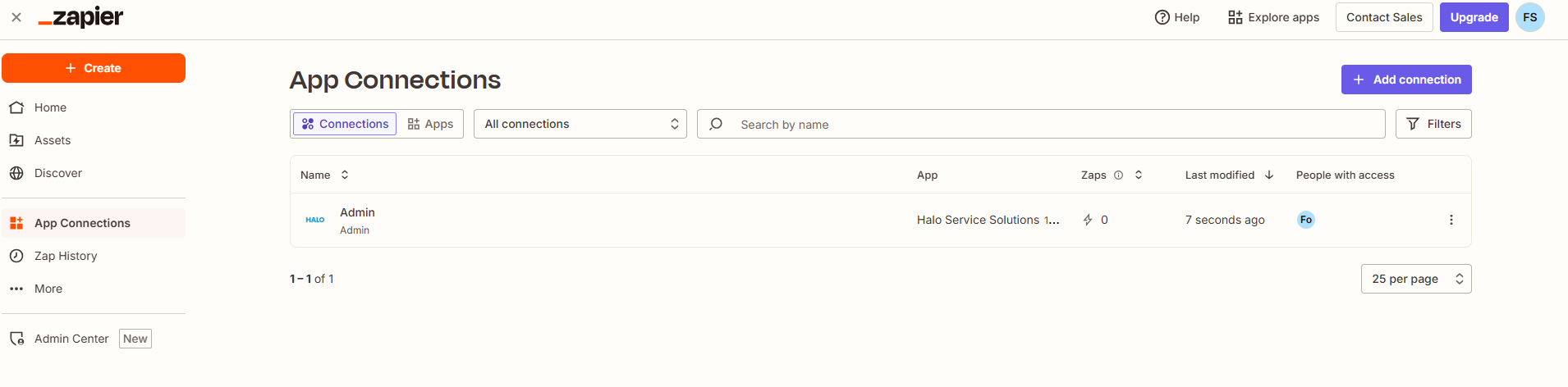
Fig 6. Viewing your connection in Zapier
Back in Halo, you will be able to view and manage your connection under Configuration > Integrations > Halo API > Applications.
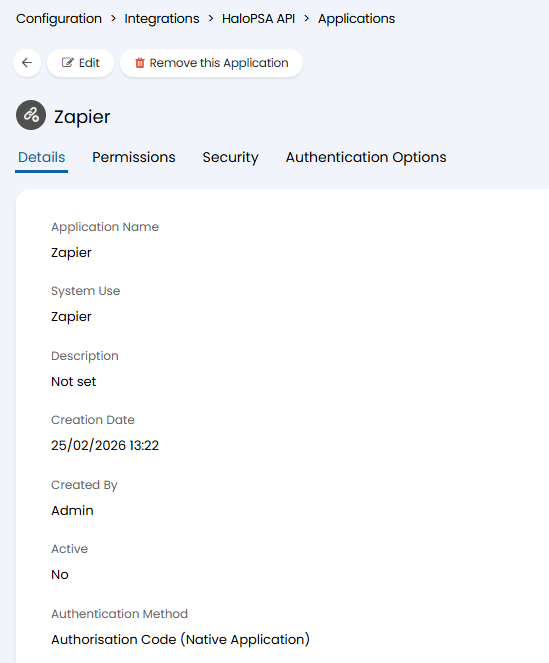
Fig 7. Viewing your connection in Halo