Custom Field Value Storage
- Custom Fields
- Performance
- SQL performance
In this guide we will cover:
- Enabling the New Value Storage Method
- Selecting a Storage Method
- Differences Between the Two
Enabling the New Value Storage Method
The new value storage method can be enabled within Configuration > Advanced Settings > Performance section, by enabling the following checkbox.
Note: In versions of Halo prior to v2.258, this storage method is only available for Ticket custom fields. From v2.258+, it is available for custom fields of all entities.
Note: This method will only apply to custom fields made after enabling the below.

Fig 1. Enabling the new storage method.
Selecting a Storage Method
Upon enabling the above, a field named "Value storage location" will show when creating a new custom field. This will show two options: storing in a row versus a table.
- Storing in a row will store the field in the FieldData table, and is recommended for small numbers of ticket types.
- Storing in a column will store the field in a new column in the table the field belongs to, and store the value in the same row as the entity. This is recommended for fields within a larger number of ticket types, or commonly used when listing tickets or within global searches.
If you have a larger database, storing in a row is recommended mostly as this can reduce the size of the table it is contained in, and therefore increasing performance.
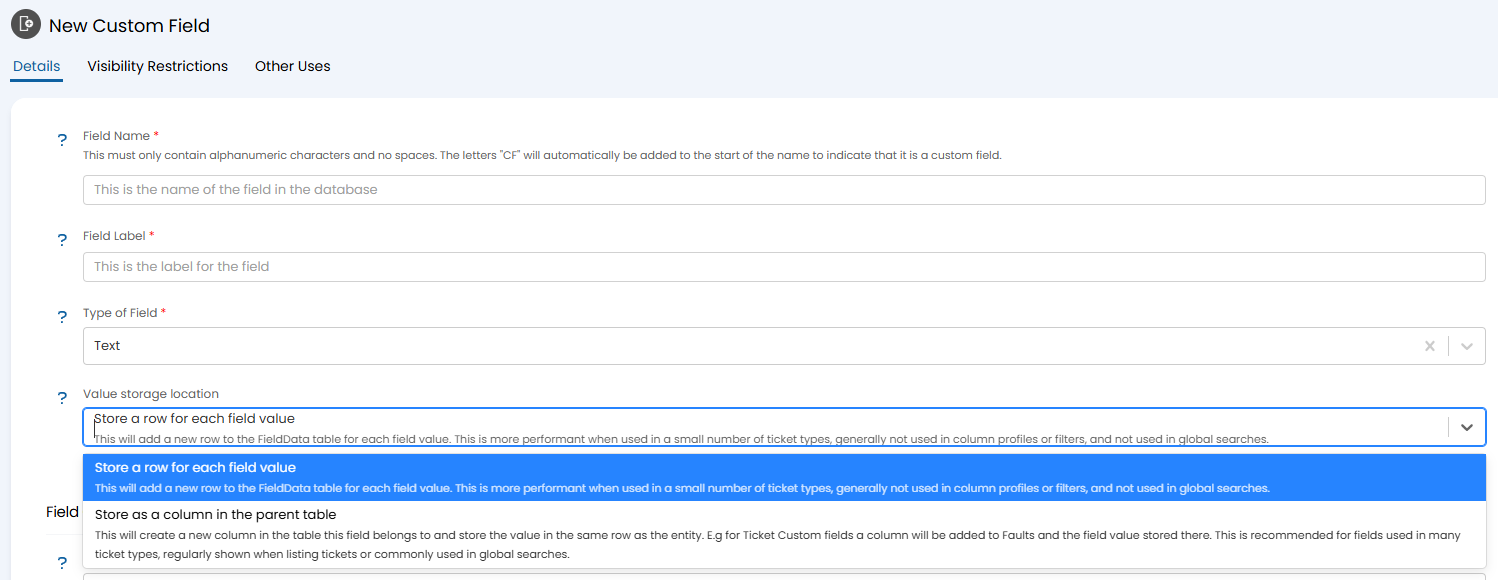
Fig 2. Selecting a storage method.
Differences Between the Two
If storing in a column, the data will show in its assigned table for the entity as normal, i.e. "faults".
If storing in a row, the data will show in the "FieldData" table instead of its assigned table for the entity. The "fdFieldId" will pull the ID number of the custom field, and the "fdValueString"/"fdDisplay" the value(s) within the field.
Row is generally recommended due to the increased performance, however column is suggested for fields that are present in a larger number of ticket types or often globally searched.
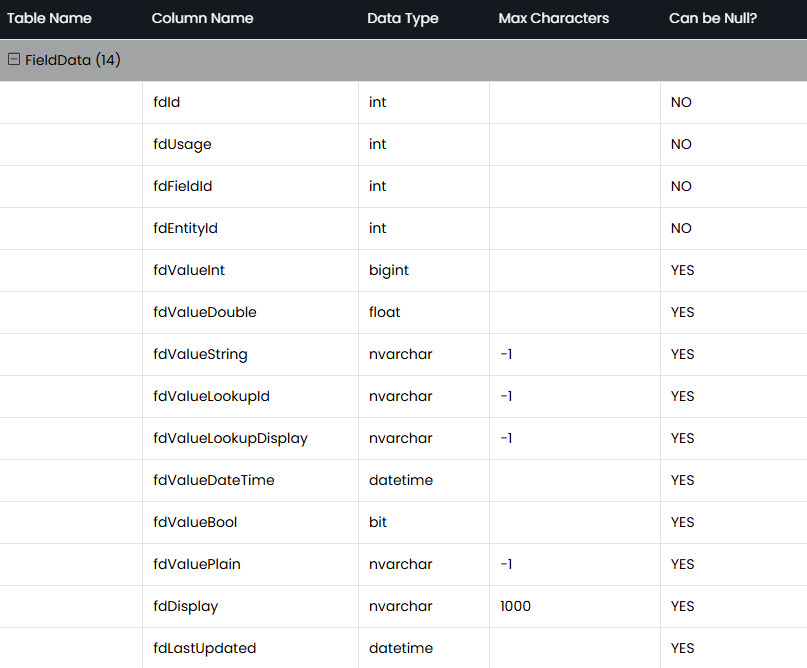
Fig 3. FieldData table.