AT&T Integration
- integration
- at&t
- telecoms
In this guide we will cover:
- What is the AT&T Integration?
- Connecting to AT&T
- Using the Catalog
What is the AT&T Integration?
AT&T can be integrated with Halo to fully automate quoting and billing of telecom solutions.
Connecting to AT&T
AT&T integration has been added to the 'Product Catalogs' integration group:
Fig 1. Product Catalogue Integrations.
Make sure to enable the integration module by pressing the "+" icon on the module.
Fig 2. Enabling the AT&T Module.
API credentials are required to set this up and are sourced from AT&T directly. A default vendor and product group must be selected to create new products under when adding AT&T products to quotations.
Fig 3. Credentials Screen.
To obtain API credentials for AT&T please fill out the attached form: APS_API_Connector_Questionnaire_2024.pdf and email it to DL-APS_API_Services@att.com;att@halopsa.com
Using the Catalog
With the module enabled a new button to "Add AT&T product" will appear on the quote details screen. This opens a search screen so that you can see what services AT&T can offer at your customers specific site address.
Fig 4. AT&T Services Button.
All segments of the address must be populated before searching; this is filled out automatically if the address is already set on the quote.
Note: The "stateOrProvince" filter must be in the abbreviated format when searching, i.e. "TX" instead of "Texas".
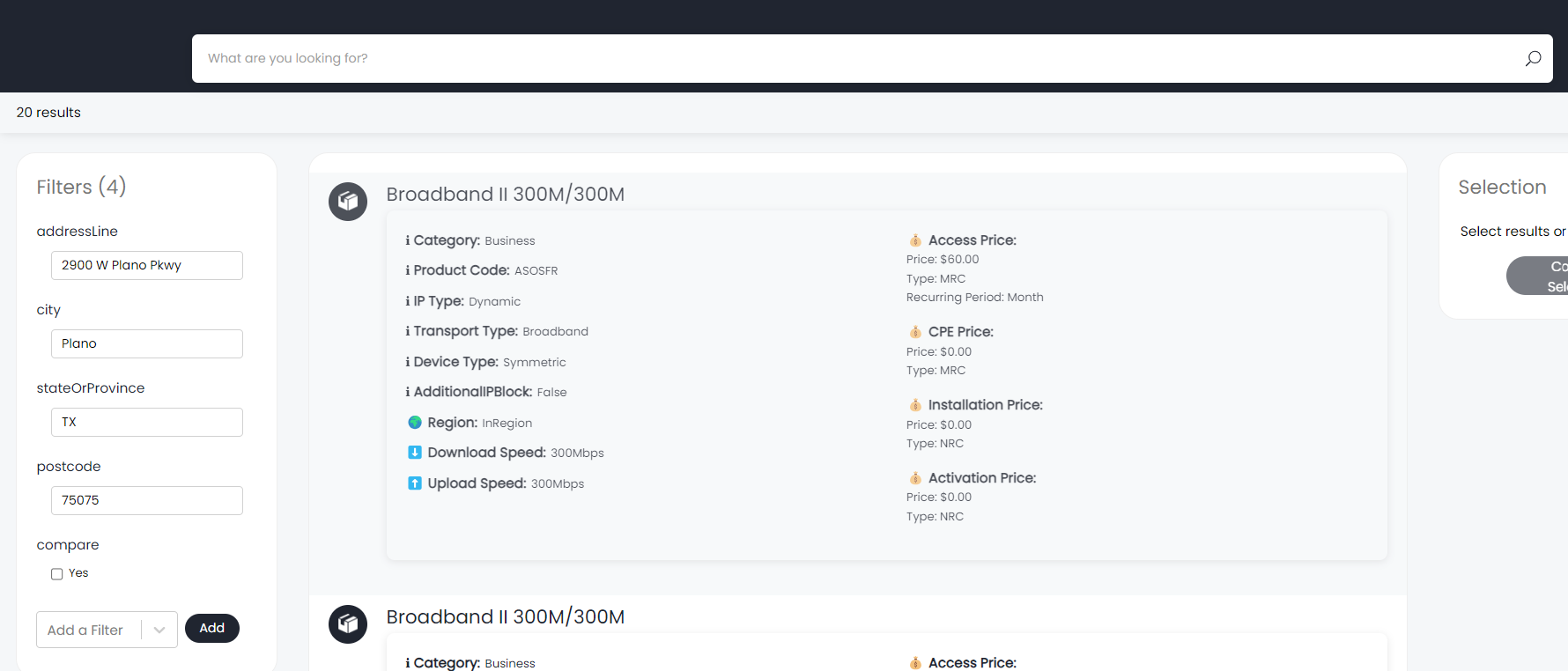
Fig 5. Filtering for AT&T Services from the Quotation Screen.
Using the "compare" filter option applies visuals to results returned from AT&T to be able to quickly compare key characteristics as well as display pricing differences:
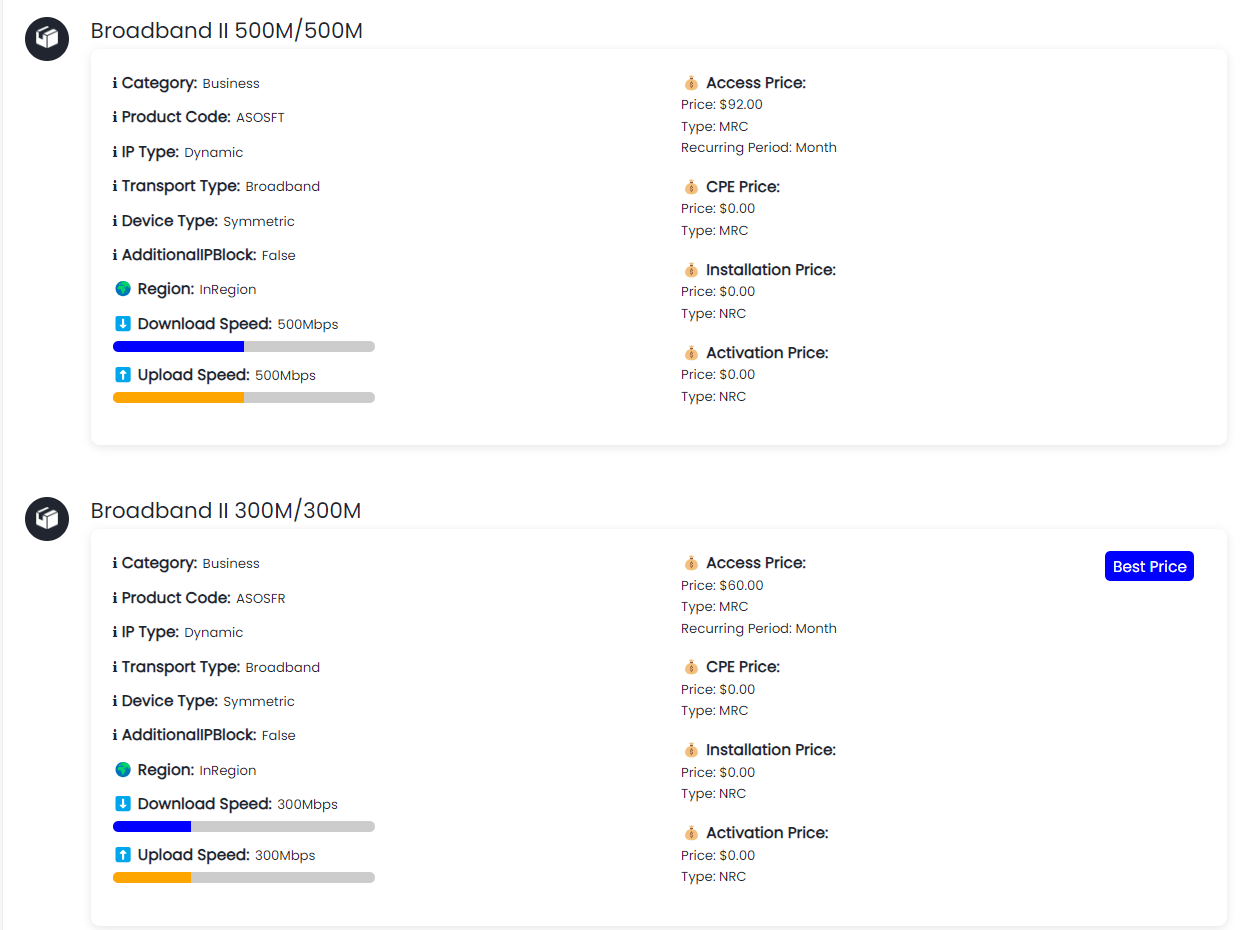
Fig 6. Pricing Comparisons.
Once an AT&T product has been selected, this will be added as a line to the quote and created in Halo as a monthly recurring product.