ITQuoter Integration
In this guide we will cover:
- What is the ITQuoter Integration?
- Configuring ITQuoter
What is the ITQuoter Integration?
The ITQuoter integration allows you to configure actions that create a quote in ITQuoter. It will also provide a shortcut to view quotes that have been made by ITQuoter.
Configuring ITQuoter
First head to Configuration > Integrations and enabled the ITQuoter module using the '+' icon. Once enabled click into the module to bring up the integration configuration page.
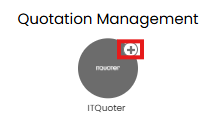
Fig 1. Enable integration module
Here you will see two fields that need completing.
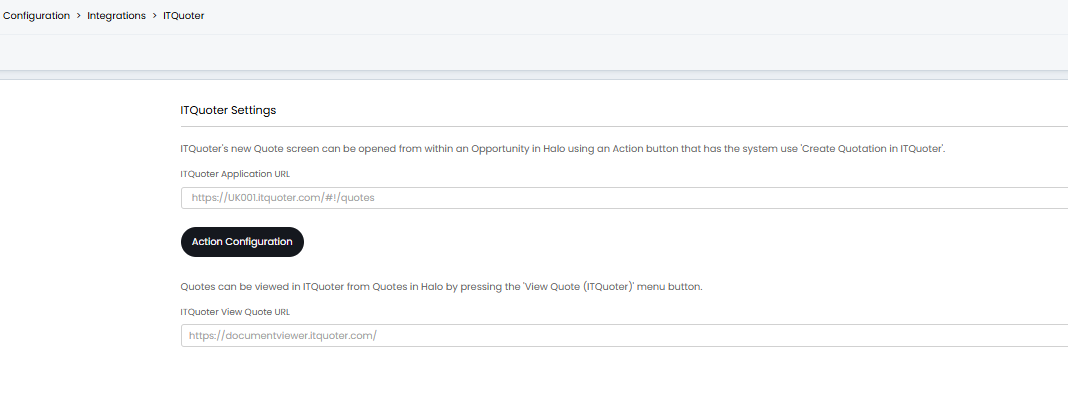
Fig 2. ITQuoter configuration page
ITQuoter Application URL – Here enter the URL that is used when a new quote is opened in your ITQuoter instance. This will follow the format https://YOURITQUOTERDOMAIN/#!/quotes
ITQuoter View Quote URL – Here enter the URL that is used to browse quotes in your ITQuoter instance. This will likely following the format https://YOURITQUOTERDOMAIN/#!/quotes/filter/all
Create a quote in ITQuoter from Halo
An action can be configured to act as a shortcut to the ITQuoter quote creation page, to allow agents to easily navigate to ITQuoter and create quotes within Halo.
Click the 'Action configuration' button to begin configuring the action. Name the action something like 'Create ITQuoter quote', then set the system use of the action to be 'Create Quotation in ITQuoter'.
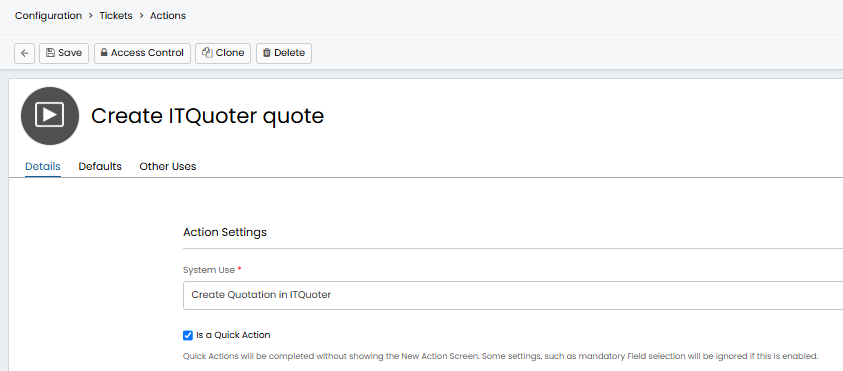
Fig 3. Action to create ITQuoter quote
You will also need to set this action to be a quick action using the 'Is a Quick Action' checkbox.
Now ensure you have added this action to the respective workflows and workflow step. For example, I have added this action to my opportunity management workflow at the proposal stage.
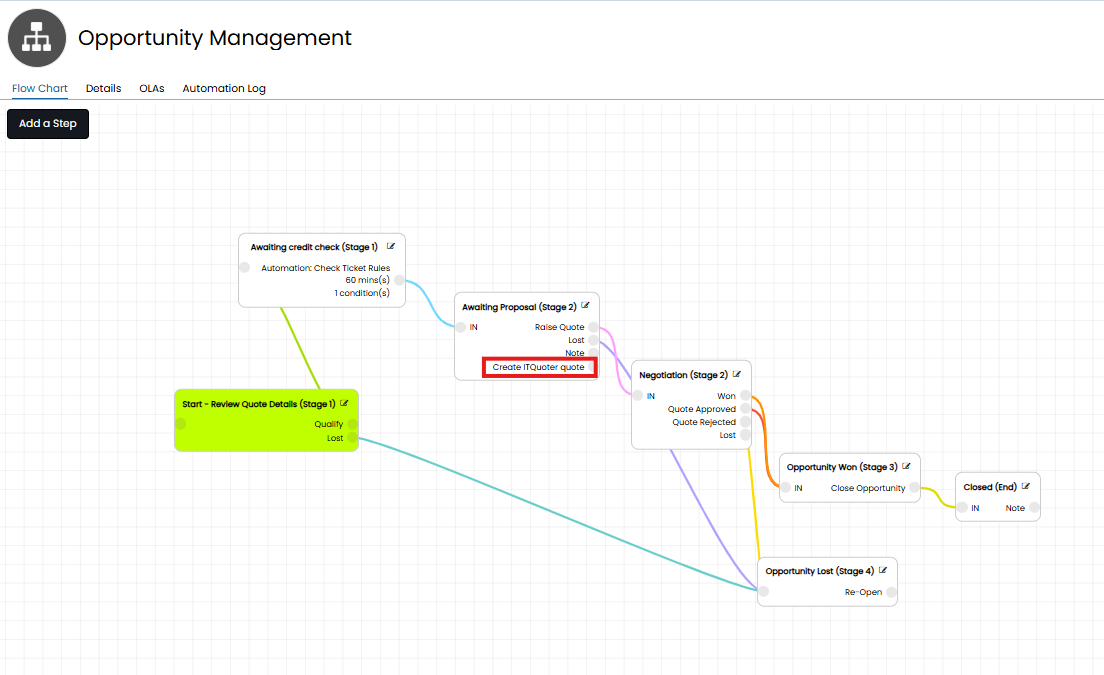
Fig 4. Workflow with action added
When using the action the agent that is logged in (creating the quote) and the ID of the opportunity in Halo will be appended to the ITQuoter URL you are directed to. This means the the ID of the agent creating the quote and the ID of the opportunity will be automatically linked to the new quotation created in ITQuoter.
Viewing ITQuoter Quotes
Once ITQuoter has created a quote in Halo an additional option will be available against this quote to view it in ITQuoter. When this is used you will be re-directed to ITQuoter.
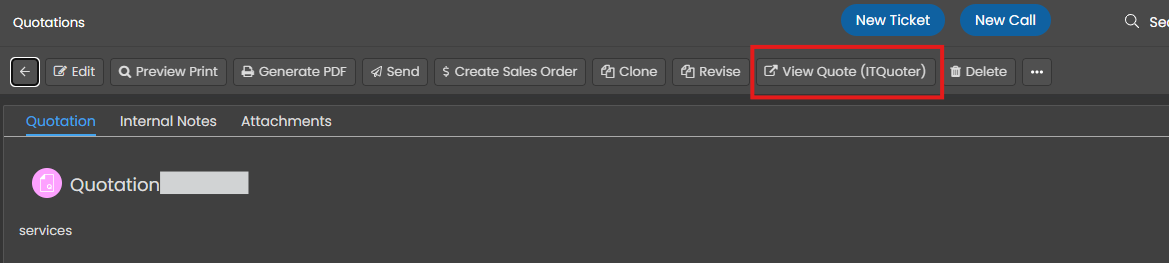
Fig 5. Option to view quote in ITQuoter